
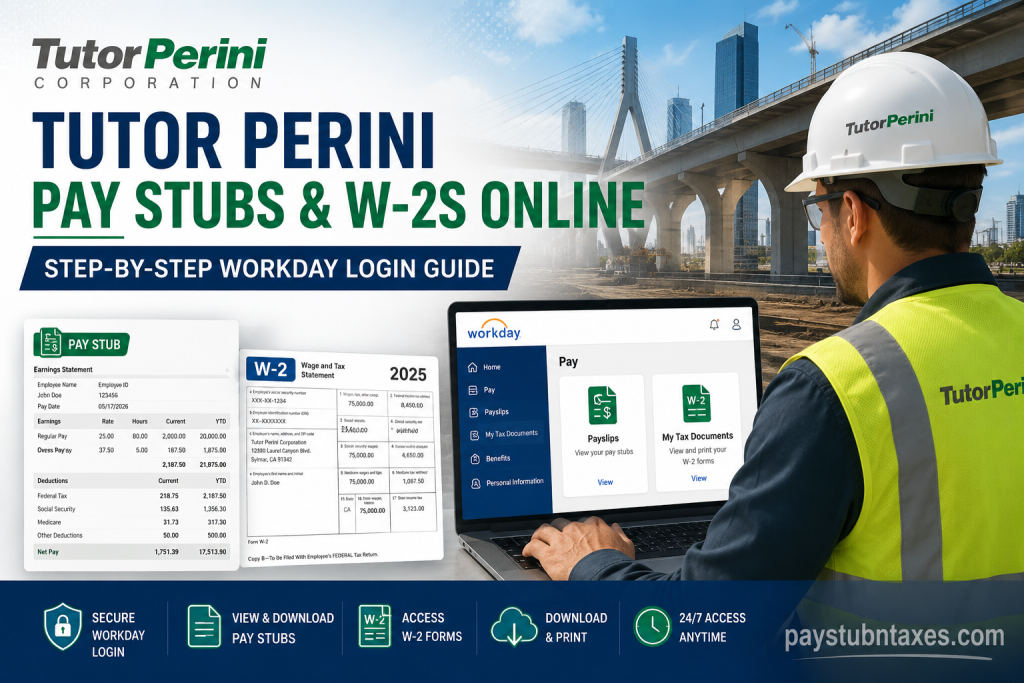
Tutor Perini Corporation is one of the most respected construction companies in the United States, delivering large-scale civil, building, and specialty construction projects for more than a century. Employees across its nationwide operations can conveniently access payroll documents, including pay stubs and W-2 tax forms, through the company’s Workday Self-Service portal. Whether you are an active employee, a construction-sector worker, or a former employee, this guide explains exactly how to log in and retrieve your payroll records online.
Tutor Perini Workday Login Portal
Employees can access their payroll and tax information through the official Workday portal:
Workday Login: https://wd12.myworkday.com/wday/authgwy/tutorperini/login.htmld
The Workday system allows employees to:
- View current and previous pay stubs
- Download W-2 tax forms
- Print payroll records
- Access tax documents securely online
- Manage payroll-related information from any device
Understanding the Three Login Options
When you open the Tutor Perini Workday page, you will see three different sign-in options. Selecting the correct option is essential for successful access.
1. Workday Login via SSO
This option is intended for:
- Active Tutor Perini employees
- Users with TPC domain credentials
- Employees using Single Sign-On (SSO)
If you normally sign in using your company email and password, choose this option.
Best For:
- Corporate employees
- Office staff
- Active personnel with Tutor Perini network credentials
2. Black Guam Only
This login option is specifically designed for employees associated with:
- Black Construction
- Guam operations
- Tutor Perini construction-sector divisions connected to Guam projects
Employees working within these operations should select this portal to gain proper access.
3. Standard Workday Login
The third option is intended for:
- Former employees
- Individuals without SSO credentials
- Users who only have Workday-specific access
If you are no longer actively employed but still need access to payroll records or tax forms, this is usually the correct option.
How to View Tutor Perini Pay Stubs Online
Accessing your payslips in Workday is straightforward. Follow these steps carefully.
Step 1: Sign In to Workday
Visit the official Workday portal and choose the correct login method based on your employment status.
After entering your credentials, you will be directed to your Workday dashboard.
Step 2: Open the Pay Section
From the Workday homepage:
- Locate the Pay application
- Click the Pay icon to open payroll services
This section contains all payroll-related records and documents.
Step 3: Select “Payslips”
Inside the Pay dashboard:
- Click Payslips
- A list of payroll periods will appear
- Select the desired pay period
You can review both recent and previous pay statements from this screen.
Step 4: Open Your Pay Stub
Next to each pay period, you will see a PDF link.
Click the PDF file to:
- View your pay stub online
- Download the document
- Save a digital copy
- Print for personal records
Your payslip will open instantly in PDF format.
How to Access Tutor Perini W-2 Forms Online
Employees can also retrieve annual W-2 tax forms directly through Workday.
Step 1: Log in to Workday
Access the Workday portal using the appropriate login option.
Step 2: Navigate to the Pay Dashboard
From the homepage:
- Click Pay
- Open the payroll menu
Step 3: Select “My Tax Documents”
Within the Pay section:
- Click My Tax Documents
- Scroll to the W-2 forms section
All available W-2 tax forms will appear here.
Step 4: Open the W-2 Form
Find the correct tax year and click:
View/Print
The W-2 form may take a few moments to load.
Step 5: Download or Print the W-2
Once the document opens:
- Use the printer icon to print the form
- Use the download icon to save a PDF copy
- Use the navigation arrows to move through pages
This allows employees to keep secure digital or printed copies for tax filing purposes.
How Former Employees Can Access W-2s
Former Tutor Perini employees who no longer have active SSO credentials should:
- Use the standard Workday Login option
- Enter their Workday username and password
- Navigate to Pay > My Tax Documents
If login credentials have expired or been forgotten, employees may need to contact Human Resources or payroll support for account recovery assistance.
Important Security Notice
Tutor Perini’s computer systems are intended strictly for authorized users.
The company may monitor or record activity on its systems, and all users are expected to comply with the organization’s Acceptable Computer Use Policy. Unauthorized access or misuse may result in disciplinary or legal action.
Employees should always:
- Keep login credentials confidential
- Avoid accessing payroll records on public computers
- Sign out after each session
- Use secure internet connections whenever possible
Common Issues and Troubleshooting Tips
Forgot Your Password?
Use the password recovery or reset option available on the Workday login page.
Unable to Access SSO?
If your TPC credentials are not working:
- Confirm you selected the correct login option
- Verify your network password
- Contact your IT department if necessary
W-2 Not Showing?
W-2 forms are generally published after payroll finalization for the tax year. If the document is unavailable:
- Wait for payroll processing completion
- Refresh the page
- Check the My Tax Documents section again later
Benefits of Using Workday Self-Service
Tutor Perini employees benefit from convenient 24/7 online payroll access through Workday.
Key advantages include:
- Faster access to payroll records
- Secure document storage
- Easy W-2 retrieval during tax season
- Mobile-friendly access
- Reduced paperwork
- Instant pay stub downloads
About Tutor Perini Corporation
Founded in 1894, Tutor Perini Corporation has built a strong reputation for executing complex construction projects on time and within budget. The company operates across civil infrastructure, commercial building, and specialty contracting markets throughout the United States and internationally.
Its extensive portfolio includes highways, bridges, tunnels, airports, healthcare facilities, educational institutions, hospitality developments, and transportation systems.
Final Thoughts
The Tutor Perini Workday portal makes it simple for employees and former staff members to access pay stubs and W-2 tax forms online. By selecting the correct login option and navigating through the Pay dashboard, users can quickly retrieve payroll documents whenever needed. For the smoothest experience, always ensure you are using the official Workday portal and maintain updated login credentials for uninterrupted access to your payroll information.
FAQ – Tutor Perini Pay Stubs and W-2s
1. How do I access Tutor Perini pay stubs online?
You can access Tutor Perini pay stubs by logging into the Workday Self-Service portal, selecting the Pay dashboard, and opening the Payslips section.
2. What is the official Tutor Perini Workday login link?
The official Workday login portal is: https://wd12.myworkday.com/wday/authgwy/tutorperini/login.htmld
3. How can I download my Tutor Perini W-2 form?
After logging into Workday, go to Pay > My Tax Documents, select your tax year, and click View/Print to download your W-2.
4. Can former employees access Tutor Perini W-2s online?
Yes. Former employees can use the standard Workday Login option if they still have Workday credentials.
5. What are the three Tutor Perini Workday login options?
The portal provides:
- Workday Login via SSO
- Black Guam Only
- Standard Workday Login
Each option is designed for different employee groups.
6. Which login option should active employees choose?
Active employees with TPC domain credentials should select Workday Login via SSO.
7. What is the “Black Guam Only” login option?
This login option is intended for employees associated with Black Construction and Guam operations.
8. Where are pay stubs located in Workday?
Pay stubs are located in the Payslips section under the Pay dashboard.
9. How do I print my Tutor Perini pay stub?
Open your payslip PDF and click the printer icon to print the document.
10. Can I download payroll documents as PDFs?
Yes. Both pay stubs and W-2 forms can be downloaded in PDF format directly from Workday.
11. Why can’t I see my W-2 form in Workday?
Your W-2 may not yet be published by payroll. Check the My Tax Documents section again later.
12. What should I do if I forget my Workday password?
Use the password reset option available on the Workday login page or contact your HR or IT department.
13. Is the Tutor Perini Workday portal secure?
Yes. Workday uses secure authentication and encrypted access to protect employee payroll information.
14. Can employees access Workday from mobile devices?
Yes. The Workday portal is mobile-friendly and can be accessed from smartphones, tablets, and computers.
15. What documents can employees access in Workday?
Employees can access:
- Pay stubs
- W-2 tax forms
- Payroll history
- Tax documents
- Payment information

