
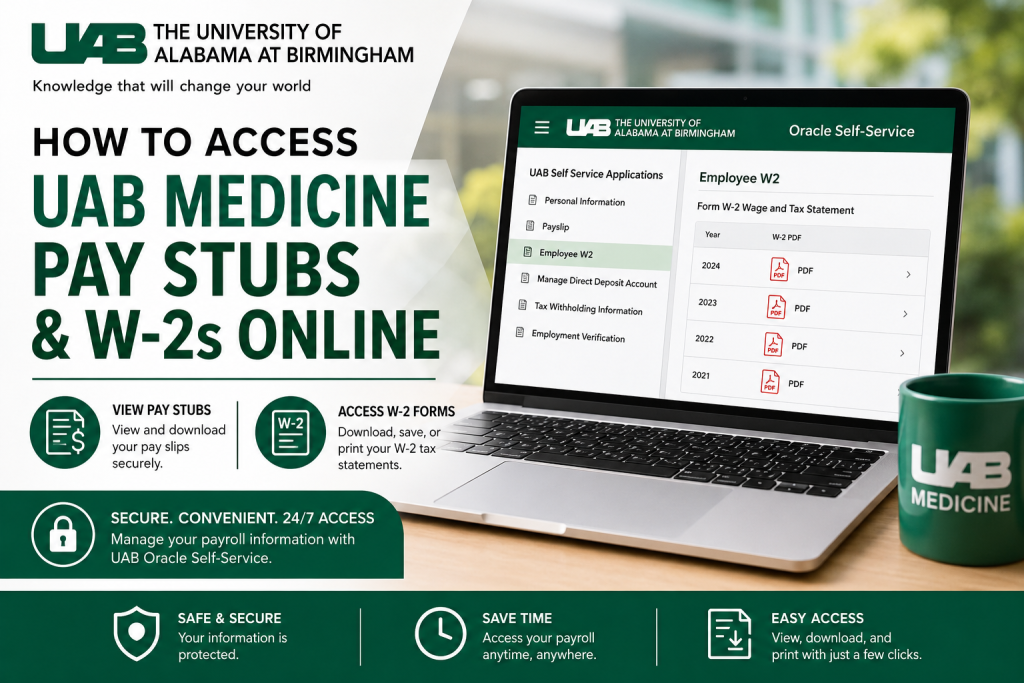
The University of Alabama at Birmingham (UAB) is one of the nation’s leading academic medical centers and research universities. With more than 26,000 employees and billions in annual economic impact, UAB provides robust digital self-service tools that allow employees to securely access payroll and tax information online. If you are a current or former UAB Medicine employee, you can conveniently view and download your pay stubs and W-2 forms through the UAB Oracle Self-Service portal available via my.uab.edu.
UAB Employee Portal Login
Employees can access payroll services through the UAB Employee Portal:
- Portal: my.uab.edu
- System: Oracle HR & Finance Self-Service
- Services Available:
- Pay stubs (Payslips)
- W-2 tax forms
- Direct deposit management
- Tax withholding information
- Payroll history
The Oracle Self-Service application is also available through the UAB Mobile App for both desktop and mobile users.
How to Access UAB Medicine Pay Stubs Online
UAB employees can retrieve current and previous payslips directly from Oracle Self-Service.
Step-by-Step Guide to View Payslips
Step 1: Log in to the UAB Portal
Go to my.uab.edu and sign in using your BlazerID credentials.
Step 2: Open Oracle HR & Finance
From the myApps section, click Oracle HR & Finance.
Step 3: Open the Navigator Menu
Click the three-line “hamburger” navigation icon located in the upper-left corner of the Oracle homepage.
Step 4: Navigate to Payslip
Expand UAB Self Service Applications and select Payslip. The system automatically loads your most recent payslip.
Step 5: View Recent Payslips
To access the last 10 pay stubs:
- Click the dropdown arrow in the “Choose a Payslip” field
- Select the desired payslip
- Click Go
Step 6: Search Older Pay Stubs
To locate older payslips:
- Use the From Date and To Date calendar fields
- Click Search
- Select the appropriate payslip
- Click Go
Understanding Your UAB Payslip
UAB payslips include comprehensive payroll information such as:
- Pay period details
- Salary and hourly earnings
- Year-to-date earnings
- Federal and state tax deductions
- Pre-tax and after-tax deductions
- Direct deposit distribution
- Tax withholding information
Employees can review detailed breakdowns for each payroll cycle directly from the Oracle system.
How to Access UAB W-2 Forms Online
UAB employees can download electronic W-2 forms through Oracle Self-Service.
Steps to View Your UAB W-2
Step 1: Log in to Oracle HR & Finance
Access the portal through my.uab.edu.
Step 2: Open UAB Self Service Applications
From the Oracle Navigator, select:
- UAB Self Service Applications
- Then click Employee W2
Step 3: Open the W-2 PDF
Click the Adobe PDF icon associated with the desired tax year to open your W-2 statement.
Step 4: Download or Print
Use the download or printer icons to save or print the document for tax filing purposes.
When Will UAB W-2 Forms Be Available?
UAB typically makes W-2 forms available:
- Online in mid-January
- Mailed by January 31 each year
Employees are encouraged to keep their address updated in Oracle Self-Service to ensure timely delivery.
What If Your Address Is Incorrect?
If your mailing address is outdated:
Current Employees
- Log into Oracle Self-Service
- Update your address immediately
- Reprint your W-2 online
Former Employees
Former employees should contact Records Administration to update their mailing address before W-2 forms are mailed. After updating the address, contact Payroll Services if the W-2 has not arrived.
Can You Pick Up Your W-2 in Person?
Yes. UAB offers on-site printing assistance through the Human Resources Service Center.
Printing Location
UAB Administration Building
701 20th Street South
Birmingham, AL
Employees may use the kiosk available on the first floor to print their W-2 forms if they do not have personal computer access.
UAB Payroll Services Contact Information
For payroll or tax-related questions, employees may contact UAB Payroll Services:
- Faculty, Staff, and Outside Agencies: Payhelp2@uab.edu
- Department Representatives: Payhelp1@uab.edu
- Fax: (205) 975-4739
- Mailing Address:
1720 2nd Ave South
Birmingham, AL 35294-1801
Benefits of Accessing UAB Pay Stubs and W-2s Online
Using the UAB Oracle Self-Service portal provides several advantages:
- 24/7 secure access
- Faster retrieval of payroll records
- Easy W-2 downloads during tax season
- Mobile-friendly access
- Reduced paperwork
- Immediate access to historical payroll data
Final Thoughts
The UAB Oracle Self-Service platform makes it simple for employees to manage payroll and tax documents online. Whether you need recent pay stubs, archived payroll records, or annual W-2 tax statements, the system provides secure and convenient access through the myUAB portal. Keeping your payroll profile and mailing address updated ensures uninterrupted access to important tax documents and employee payroll services throughout the year.
FAQ – UAB Medicine Pay Stubs and W-2s
1. Where can I access UAB Medicine pay stubs online?
You can access your pay stubs through the myUAB portal at my.uab.edu using Oracle HR & Finance Self-Service.
2. How do I log in to the UAB employee portal?
Employees log in using their BlazerID username and password through the myUAB portal.
3. Can I download my UAB pay stubs as PDF files?
Yes. UAB allows employees to download and print pay stubs directly from the Oracle Self-Service system.
4. How do I find old UAB payslips?
Use the date range search option inside the Payslip section to locate historical payroll records.
5. How many recent pay stubs can I view online?
The system typically displays the last 10 payslips through the dropdown selection menu.
6. Where can I access my UAB W-2 online?
Employees can access W-2 forms through the Employee W2 section under UAB Self Service Applications.
7. When are UAB W-2 forms available?
W-2 forms are generally available online in mid-January and mailed by January 31 each year.
8. Can former employees access UAB W-2 forms?
Yes. Former employees may still receive mailed W-2 forms and can contact Payroll Services for assistance.
9. What should I do if my address is incorrect?
Current employees should update their addresses in Oracle Self-Service immediately. Former employees should contact Records Administration.
10. Can I print my W-2 at UAB?
Yes. UAB provides a kiosk at the Human Resources Service Center for employees who need printing assistance.
11. Is the UAB payroll portal mobile friendly?
Yes. Employees can also access Oracle Self-Service through the UAB Mobile App.
12. What information appears on a UAB payslip?
Payslips include earnings, taxes, deductions, direct deposit details, and year-to-date payroll totals.
13. Who do I contact for UAB payroll questions?
Employees can contact Payroll Services at Payhelp2@uab.edu for payroll and W-2 assistance.
14. Is the UAB employee portal secure?
Yes. Oracle HR & Finance Self-Service uses secure employee authentication through the myUAB portal.
15. Can I access tax withholding information online?
Yes. Employees can review tax withholding and payroll deduction information within Oracle Self-Service.

