
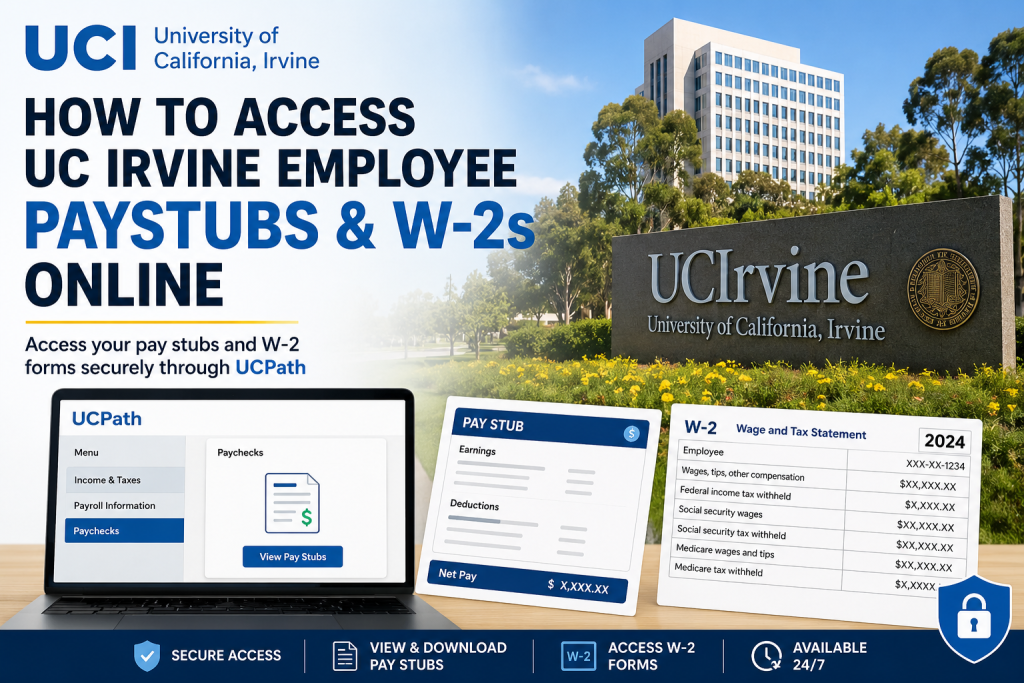
Since 1965, the University of California, Irvine (UCI) has established itself as one of America’s leading public research universities, renowned for academic excellence, innovation, and social mobility. Located in the heart of Southern California, UCI serves more than 37,000 students and thousands of faculty and staff members while generating a significant economic impact across Orange County. If you are a current employee of UC Irvine, you can conveniently access your pay stubs, payroll history, and annual W-2 tax forms online through the University of California’s UCPath employee self-service system. The platform allows employees to securely manage payroll and tax documents anytime, anywhere.
UC Irvine Employee Payroll Portal
Official UCPath Website
UC Irvine Secure Login
UC Irvine Single Sign-On Login
To sign in, employees must use their UCInetID credentials through the secure UC Irvine authentication system.
What You Can Access Through UCPath
Using the UCPath self-service portal, UC Irvine employees can:
- View and download pay stubs
- Access current and previous W-2 tax forms
- Review payroll deductions
- Manage direct deposit information
- Update tax withholding elections
- View earnings history
- Access employment and compensation details
How to Access UC Irvine Pay Stubs Online
Follow these steps to retrieve your payroll statements:
Step 1: Visit the UCPath Portal
Go to:
UCPath Login Page: https://ucpath.universityofcalifornia.edu/
Step 2: Choose UC Irvine
From the list of University of California campuses, select:
University of California, Irvine
Step 3: Sign In With Your UCInetID
Enter your:
- UCInetID
- Password
The secure login page uses UC Irvine’s Single Sign-On authentication service.
Step 4: Navigate to Paychecks
After logging in:
Menu → Income & Taxes → Payroll Information → Paychecks
You can now:
- View current pay stubs
- Download PDF copies
- Print payroll statements
- Review earnings and deductions
How to Access UC Irvine W-2 Forms Online
Employees can also retrieve annual tax statements directly from UCPath.
W-2 Navigation Path: Menu → Income & Taxes → Tax Statements → View Online W-2/W-2c → Choose Tax Year
After selecting the desired year, your W-2 form will become available for download or printing.
Understanding Your UCInetID
Your UCInetID functions as your official digital identity for accessing UCI online services, including payroll systems and employee resources.
With a UCInetID, employees can access:
- UCPath
- ZotPortal
- Canvas
- Google Workspace
- Campus systems
- WebReg and other university services
How to Activate or Reset Your UCInetID
If you are a new employee or forgot your password, you can activate or reset your account online.
UCInetID Activation & Password Management
UCInetID Activation Portal: https://activate.uci.edu/activate/menu.php
Available options include:
- Activate a new UCInetID
- Change existing password
- Reset forgotten password
Secure Your Payroll Account
Because payroll systems contain sensitive personal and financial information, employees should regularly review their account activity.
UCI offers a self-service security monitoring tool that allows users to verify recent login activity associated with their UCInetID.
View Recent Account Activity
UCI My Account Activity Tool at https://myaccountactivity.service.uci.edu/
The system displays:
- Login timestamps
- IP addresses
- Device information
- Geographic login locations
- Authentication activity
This helps employees quickly identify suspicious access attempts and secure their accounts if necessary.
Troubleshooting UC Irvine Payroll Login Issues
If you experience problems accessing UCPath:
Common Issues
- Forgotten UCInetID password
- Expired login session
- Browser compatibility issues
- Multi-factor authentication errors
- Locked accounts
Recommended Solutions
- Reset your password using the activation portal
- Clear browser cache and cookies
- Try a different web browser
- Verify your Duo authentication settings
- Contact UCI OIT support for assistance
UC Irvine Payroll Support Contact
UC Irvine Office of Information Technology (OIT)
- Phone: (949) 824-2222
- Email: oit@uci.edu
Benefits of Online Payroll Access
Using UCPath provides employees with several advantages:
- 24/7 payroll access
- Faster tax form retrieval
- Secure digital document storage
- Reduced paper clutter
- Immediate access to historical earnings
- Convenient mobile and remote access
Final Thoughts
UC Irvine employees can efficiently access pay stubs and W-2 forms online through the UCPath employee self-service system. With secure UCInetID authentication and intuitive navigation, the platform makes payroll and tax management simple, secure, and accessible from virtually anywhere. Whether you need a recent paycheck, prior-year tax form, or account assistance, UCPath and UCI’s online identity tools provide a streamlined digital payroll experience for faculty, staff, and university employees.
Frequently Asked Questions (FAQ)
1. How do I access my UC Irvine pay stubs online?
Log in to the UCPath portal using your UCInetID and password. Then navigate to: Menu → Income & Taxes → Payroll Information → Paychecks
2. Where can I find my UC Irvine W-2 form?
Your W-2 is available in UCPath under: Menu → Income & Taxes → Tax Statements → View Online W-2/W-2c
3. What website does UC Irvine use for payroll access?
UC Irvine employees use the UCPath system for payroll and tax document access.
4. What is the official UCPath login link?
The official portal is: UCPath Portal
5. What credentials do I need to log in?
You need your UCInetID and password to access the secure payroll portal.
6. Can I download and print my pay stubs?
Yes. UCPath allows employees to download and print PDF copies of paychecks and W-2 forms.
7. What should I do if I forgot my UCInetID password?
You can reset your password through the UC Irvine activation and password management portal.
8. How do I activate my UCInetID account?
Visit the UCInetID activation page and follow the instructions for faculty, staff, or student employees.
9. Can I access previous years’ W-2 forms?
Yes. UCPath stores historical W-2 records for multiple tax years.
10. Is UCPath available 24/7?
Yes. Employees can generally access payroll and tax documents online anytime.
11. What information appears on a UC Irvine pay stub?
A pay stub typically includes:
- Gross earnings
- Taxes withheld
- Retirement deductions
- Direct deposit details
- Net pay
12. Is the UCPath payroll system secure?
Yes. UCPath uses secure authentication and encrypted login systems through UC Irvine Single Sign-On.
13. Can employees update direct deposit information online?
Yes. Employees can manage direct deposit settings directly within UCPath.
14. Who do I contact for payroll login problems?
You can contact the UC Irvine Office of Information Technology (OIT) for account assistance.
15. Can I access UCPath from home?
Yes. Employees can securely log in remotely using an internet connection and UCInetID credentials.

