
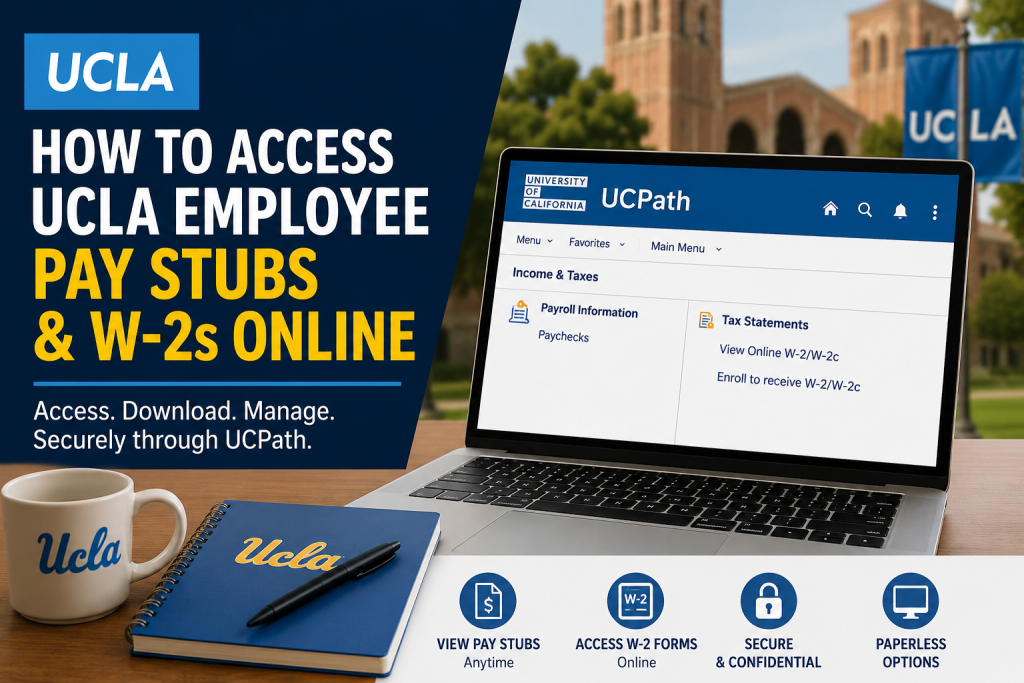
Working at University of California, Los Angeles comes with access to one of the most advanced employee self-service payroll systems in higher education. Through the UCPath portal, UCLA employees can securely access pay stubs, annual W-2 tax forms, payroll history, and other employment-related records online from virtually anywhere. Whether you are a faculty member, administrative professional, student employee, researcher, or healthcare staff member, UCPath provides a streamlined and secure platform for managing payroll and tax information digitally. Employees can access the UCPath portal here: UCPath Online
What Is UCPath?
UCPath is the centralized payroll, benefits, and human resources system used across the University of California system. The platform allows employees to:
- View and download pay stubs
- Access W-2 and W-2c tax statements
- Update direct deposit information
- Review tax withholding details
- Manage payroll preferences
- Access employment-related HR services
UCLA employees log in using their UCLA Single Sign-On (SSO) credentials and Multi-Factor Authentication (MFA).
How to Access UCLA Pay Stubs Online
Follow these steps to view your UCLA employee paychecks online:
Step 1: Visit the UCPath Portal
Go to: UCPath Portal
Step 2: Select Your UC Location
Choose University of California, Los Angeles from the list of UC campuses.
Step 3: Sign In with UCLA SSO
Use your UCLA Logon ID and password to sign in securely. UCLA employees access UCPath through Single Sign-On (SSO) with Duo Multi-Factor Authentication enabled.
Health System employees may also sign in using their Mednet credentials after linking their UCLA Logon ID.
Step 4: Navigate to Payroll Information
Once logged in, follow this menu path: Menu > Income & Taxes > Payroll Information > Paychecks
Here you can:
- View current and past pay stubs
- Download paycheck PDFs
- Review deductions and taxes
- Verify year-to-date earnings
- Check leave balances and payroll details
How to Access UCLA W-2 Forms Online
Employees can also retrieve W-2 and corrected W-2c forms through UCPath.
W-2 Navigation Path
Go to: Menu > Income & Taxes > Tax Statements > View Online W-2/W-2c
From this section, you can:
- View annual W-2 statements
- Download PDF copies
- Print W-2 forms for tax filing
- Access corrected W-2c forms when applicable
How to Enroll in Paperless W-2 Delivery
UCPath allows UCLA employees to consent to electronic-only W-2 delivery. This feature helps employees receive tax forms faster while reducing paper mail.
Enrollment Steps
Navigate to: Menu > Income & Taxes > Tax Statements > Enroll to receive W-2/W-2c
Then:
- Review your current consent status
- Select the checkbox to enroll in electronic delivery
- Click Submit
Employees may also withdraw consent later if they prefer paper copies mailed to their address.
UCLA Single Sign-On and MFA Security
To strengthen cybersecurity protections, UCLA uses enhanced authentication procedures for UCPath access. Employees are required to authenticate using Duo Mobile multi-factor verification.
The UCLA Single Sign-On page includes:
- UCLA Logon ID authentication
- Password recovery tools
- Mednet login support
- Duo Mobile verification
How to Find Your UCLA University ID (UID)
Your University ID Number (UID) is frequently required when accessing payroll systems or requesting support.
According to UCLA payroll resources, your UID can be found on:
- BruinCard ID
- Pay statements
- W-2 forms
- Timekeeping systems such as KRONOS and TRS
The UID is always a nine-digit number.
Common UCPath Login Issues and Solutions
Forgot Your UCLA Logon ID
Use UCLA account recovery tools to retrieve your username or reset your password.
Duo Authentication Problems
Ensure your Duo Mobile application is updated and linked properly to your UCLA account.
Health System Login Errors
Employees on leave may need to use UCLA Single Sign-On instead of Mednet credentials.
UCPath Access Errors
If your login credentials and Duo verification work but the portal still displays errors, contact the UCPath Center for assistance.
Benefits of Accessing UCLA Pay Stubs and W-2s Online
Using UCPath provides several advantages:
- 24/7 secure payroll access
- Faster access to W-2 tax forms
- Reduced paper clutter
- Easy paycheck downloads
- Centralized payroll management
- Convenient remote access
- Enhanced account security
Final Thoughts
The UCPath system makes it easy for UCLA employees to securely manage payroll and tax records online. From viewing paycheck details to downloading annual W-2 statements, the platform centralizes essential employment services into a single streamlined portal. By enabling paperless tax delivery and using UCLA’s secure Single Sign-On system with Duo authentication, employees can access their payroll information quickly, efficiently, and securely from anywhere.
FAQ
1. What is the UCLA payroll portal?
The UCLA payroll portal is UCPath, the University of California’s centralized payroll and HR system used for pay stubs, W-2s, benefits, and employee records.
2. Where can UCLA employees log into UCPath?
Employees can log in at: UCPath Login Portal
3. How do I access UCLA pay stubs online?
After logging into UCPath, go to: Menu > Income & Taxes > Payroll Information > Paychecks
You can then view, download, or print your paycheck statements.
4. How do I access my UCLA W-2 online?
Navigate to: Menu > Income & Taxes > Tax Statements > View Online W-2/W-2c
This section allows you to access current and prior-year tax forms.
5. What login credentials are required for UCPath?
Employees use their UCLA Logon ID and password with Duo Multi-Factor Authentication (MFA).
6. Can UCLA Health employees use Mednet credentials?
Yes. UCLA Health employees may use Mednet credentials after linking them with a UCLA Logon ID.
7. What should I do if I forgot my UCLA Logon ID?
You can recover your UCLA Logon ID or reset your password through UCLA account recovery services.
8. Does UCPath support paperless W-2 delivery?
Yes. Employees can enroll in electronic W-2 delivery directly inside UCPath.
9. How do I enroll in paperless W-2 delivery?
Go to: Menu > Income & Taxes > Tax Statements > Enroll to receive W-2/W-2c
Select the consent checkbox and submit your request.
10. Can I still receive a paper W-2 by mail?
Yes. Employees who do not consent to paperless delivery can continue receiving paper copies by mail.
11. What is UCLA Duo Authentication?
Duo Authentication is UCLA’s multi-factor security system that protects employee accounts during login.
12. What information appears on UCLA pay stubs?
Pay stubs typically include:
- Gross earnings
- Taxes withheld
- Deductions
- Direct deposit details
- Year-to-date totals
- Leave balances
13. Where can I find my UCLA University ID (UID)?
Your UID may appear on:
- BruinCard
- Pay stubs
- W-2 forms
- UCLA timekeeping systems
14. Can employees download old pay stubs and W-2s?
Yes. UCPath stores payroll history, allowing employees to download prior paycheck and tax records.
15. Who should I contact for UCPath login problems?
Employees may contact:
- UCLA Bruin OnLine support
- UCLA Health IT support
- UCPath Center support for payroll access issues

