
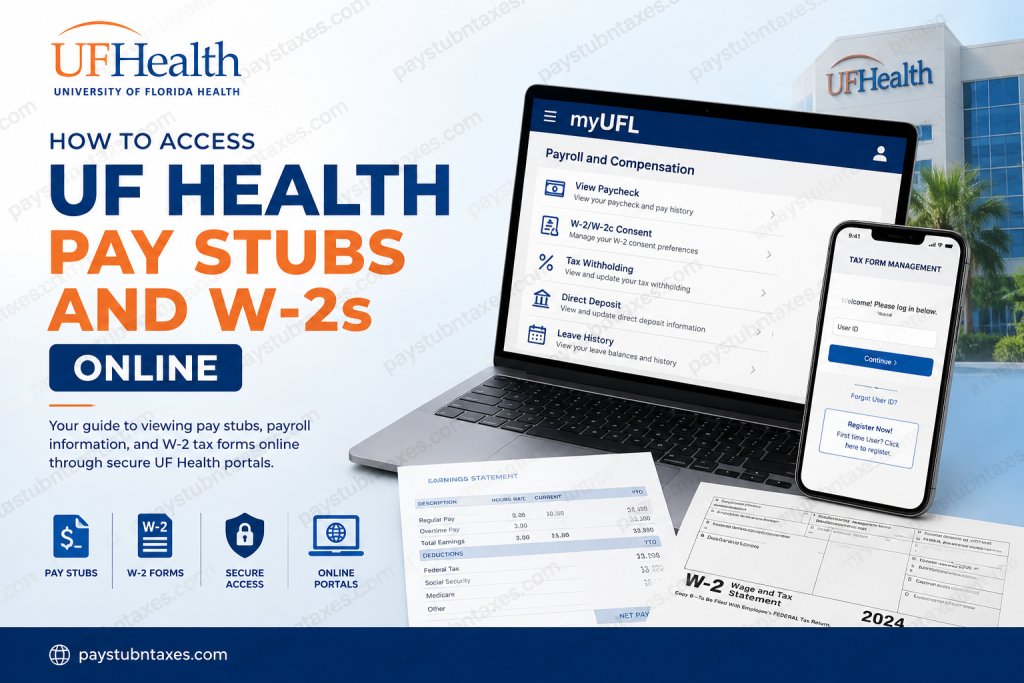
The University of Florida Health (UF Health) is one of Florida’s largest and most respected academic health systems, operating hospitals, specialty centers, and outpatient clinics across the state. The network includes UF Health Shands Hospital in Gainesville, UF Health Jacksonville, and multiple affiliated facilities throughout North and Central Florida. Because UF Health consists of multiple hospitals, colleges, and healthcare entities, payroll and tax document access can vary by location. Most UF Health organizations use PeopleSoft-based payroll systems for employee self-service, while W-2 distribution may be handled through separate platforms such as Tax Form Management (mytaxform.com) or the University of Florida’s myUFL/ONE.UF portals. This guide explains how current and former employees can securely access UF Health pay stubs, payroll information, and W-2 tax forms online.
UF Health Payroll Systems Overview
UF Health facilities commonly use the following systems for payroll and employee self-service access:
- PeopleSoft HR and Payroll
- myUFL Portal
- ONE.UF
- UF Health VPN and Intranet
- Tax Form Management (mytaxform.com)
Most hospitals provide access through secure intranet or VPN connections because payroll tools contain confidential employee information.
How to Access UF Health Pay Stubs Online
Method 1: Access Pay Stubs Through myUFL
University of Florida employees and many affiliated UF Health staff members can access electronic pay statements through the myUFL portal. The portal provides single sign-on access to payroll, benefits, timekeeping, and HR services.
myUFL Login Portal
- Website: my.ufl.edu
Steps to View Your Paycheck
- Go to the myUFL portal
- Sign in using your GatorLink or UF credentials
- Open:
- NavBar
- Main Menu
- My Self Service
- Payroll and Compensation
- View Paycheck
- Select the desired pay date
- Open or download the PDF paycheck copy
Employees can also print copies directly from the portal.
View Leave Balances in myUFL
In addition to pay stubs, employees may review vacation and sick leave balances online.
Navigation Path
- My Self Service
- Payroll and Compensation
- UF Leave History
The system displays both current and previous leave balances for each pay period.
Accessing PeopleSoft Payroll Systems at UF Health
Many UF Health hospitals operate independent PeopleSoft payroll environments. Access URLs may differ depending on the facility, department, or campus.
UF Health Jacksonville employees, for example, can access the PeopleSoft HR system through the employee portal.
Typical services available through PeopleSoft include:
- Pay statements
- Direct deposit management
- Tax withholding updates
- Benefits enrollment
- Leave balances
- Timekeeping records
Because many payroll systems are hosted internally, employees may need VPN access when connecting from outside the workplace network.
How to Access UF Health Payroll Systems Remotely
UF Health provides secure remote access tools through its VPN infrastructure.
UF Health VPN Login
Employees can access approved work tools remotely through:
- UF Health VPN Portal
- Remote Desktop
- UF Health Bridge
- SharePoint
- PeopleSoft Self Service
VPN Website
- vpn.ufhealth.org
What You Can Access Through the VPN
The UF Health VPN allows employees to securely access:
- PeopleSoft Self Service
- Kronos Timekeeping
- Employee intranet resources
- Shared network drives
- Webmail
- Citrix applications
Employees log in using their UF Health or Shands user ID and password.
UF Health Jacksonville Employee Access
UF Health Jacksonville provides a dedicated employee portal containing payroll and HR resources.
Available employee tools include:
- Employee Benefits Self Service
- PeopleSoft HR System
- VPN Login
- Kronos Web Access
- Outlook Webmail
- Epic Remote Access
The PeopleSoft HR system is available through the Jacksonville employee portal and may require VPN authentication when accessed remotely.
How to Access UF Health W-2 Forms Online
W-2 access depends on which UF Health entity issued your payroll.
UF Health Shands Hospital and UF Health Jacksonville W-2 Access
Employees of UF Health Shands Hospital and UF Health Jacksonville commonly receive electronic W-2 forms through the Tax Form Management portal.
Tax Form Management Website
- mytaxform.com
Common Employer Codes
- 12773 — UF Health Jacksonville
- 13267 — UF Health Shands
Login Instructions
- Visit mytaxform.com
- Enter the employer code
- Select Login
- Enter your User ID
- Complete authentication
For many currently employed staff members, the User ID is the Employee ID (EID). Some users may also authenticate through intranet-based single sign-on access.
First-Time Tax Form Management Registration
New users may need to register before accessing W-2 forms.
Typical registration steps include:
- Verifying personal identity
- Entering Social Security Number details
- Confirming mailing address
- Validating email and phone number
- Creating login credentials
University of Florida Employees W-2 Access
University of Florida employees can retrieve W-2 forms electronically through ONE.UF and myUFL systems.
ONE.UF W-2 Portal
Former employees may continue accessing electronic W-2s for up to 18 months after separation.
Important Notes for Former Employees
- Electronic consent remains active after employment separation
- Paper copies are not automatically mailed if electronic consent exists
- Mailing addresses must remain current to avoid delays
Employees can withdraw electronic consent inside:
- myUFL
- My Self Service
- Payroll and Compensation
- W-2/W-2c Consent
Troubleshooting UF Health Payroll Access
Unable to Log In
If you cannot access payroll systems:
- Verify your username and password
- Ensure VPN connectivity if working remotely
- Confirm the correct employer code
- Try password reset tools
- Contact the UF Health IT Help Desk
IT Help Desk Contacts
Gainesville
- 352-265-0526
Jacksonville
- 904-244-7828
Security Tips for Accessing Payroll Information
When accessing payroll or tax documents online:
- Use secure internet connections
- Avoid public Wi-Fi networks
- Enable multi-factor authentication when available
- Sign out after each session
- Keep your mailing address updated
- Never share login credentials
UF Health monitors employee system access and unauthorized use may result in disciplinary or legal action.
Final Thoughts
UF Health employees can conveniently access pay stubs and W-2 forms online through several secure systems, including PeopleSoft, myUFL, ONE.UF, VPN portals, and Tax Form Management. Because the UF Health network includes multiple independent hospitals and campuses, the exact login process depends on your employing entity. Current employees generally access payroll information through PeopleSoft or myUFL, while many W-2 forms are distributed electronically through mytaxform.com or ONE.UF. Employees working remotely may also need VPN access to connect securely to internal payroll resources. Understanding which portal applies to your specific UF Health organization can help you quickly retrieve important payroll and tax documents whenever needed.
Frequently Asked Questions (FAQs)
1. How do I access my UF Health pay stubs online?
You can access your UF Health pay stubs through the myUFL portal or your facility’s PeopleSoft self-service system. After logging in, navigate to:
My Self Service → Payroll and Compensation → View Paycheck
2. What website does UF Health use for payroll access?
UF Health commonly uses:
- my.ufl.edu
- ONE.UF.edu
- PeopleSoft Self Service
- vpn.ufhealth.org
Some hospitals may use separate payroll portals depending on the location.
3. How do I get my UF Health W-2 online?
Many UF Health employees can retrieve W-2 forms electronically through:
- mytaxform.com
- ONE.UF.edu/w-2
- myUFL Payroll Services
The correct portal depends on your employer entity.
4. What is the employer code for UF Health W-2 access?
Common Tax Form Management employer codes include:
- 12773 — UF Health Shands
- 13267 — UF Health Jacksonville
5. Can former UF Health employees still access W-2 forms?
Yes. Former employees may continue accessing electronic W-2 forms for a limited period after separation through ONE.UF or Tax Form Management.
6. How do I log in to mytaxform.com?
Visit mytaxform.com, enter your employer code, then sign in using your Employee ID, SSN-based credentials, or previously created login information.
7. Does UF Health use PeopleSoft payroll?
Yes. Many UF Health hospitals and departments use PeopleSoft HR and Payroll systems for employee self-service functions such as:
- Pay stubs
- Direct deposit
- Tax forms
- Leave balances
- Benefits
8. Can I access UF Health payroll systems from home?
Yes. Remote access is available through the UF Health VPN portal and secure remote desktop services.
9. What is the UF Health VPN website?
The official VPN portal is:
- vpn.ufhealth.org
Employees can securely access payroll and HR systems remotely through this portal.
10. How do I reset my UF Health payroll password?
Employees can use the password recovery tools available on the payroll login page or contact the UF Health IT Help Desk for assistance.
11. Why can’t I access my W-2 online?
Common reasons include:
- Incorrect employer code
- Expired password
- Missing electronic consent
- Inactive employee account
- VPN authentication issues
12. How do I update my mailing address for W-2 delivery?
Current employees can update mailing information through myUFL self-service. Former employees may need to submit a former employee address change request form.
13. Does UF Health mail paper W-2 forms?
Paper W-2 forms are generally mailed only if electronic consent has not been selected or if the employee withdraws electronic delivery consent.
14. What information is available in the myUFL payroll portal?
The myUFL portal provides access to:
- Paycheck history
- W-2 forms
- Leave balances
- Tax withholding
- Direct deposit
- Payroll notifications
15. Who do I contact for UF Health payroll help?
Employees can contact the UF Health IT Help Desk or Payroll & Tax Services for assistance with payroll access, W-2 retrieval, and login issues.

