
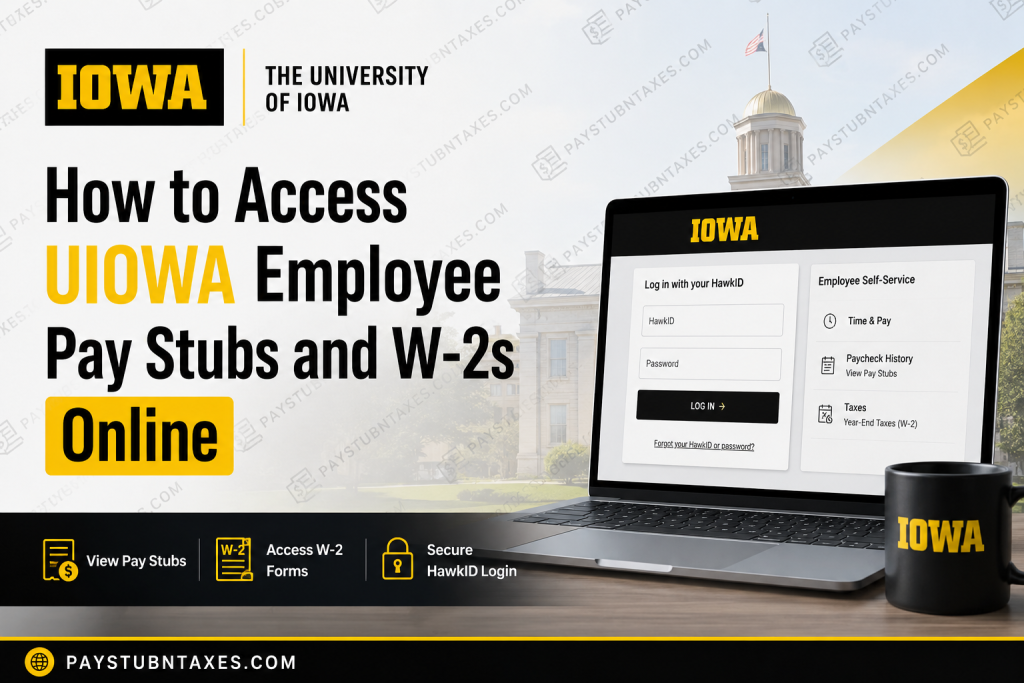
The University of Iowa (UIOWA) is one of the nation’s premier public research universities and a proud member of the Big Ten Conference. With more than 30,000 employees serving across academic departments, health care systems, research centers, and administrative divisions, the university maintains a sophisticated payroll and employee self-service infrastructure designed to provide secure access to payroll and tax information. Whether you are a faculty member, staff employee, student worker, medical associate, or former employee, the University of Iowa allows you to conveniently access your pay stubs, W-2 wage statements, tax forms, and payroll records online through the Employee Self-Service portal. Employees can view paycheck history, print earnings statements, manage tax withholding information, enroll in electronic W-2 delivery, and retrieve year-end tax forms from virtually anywhere.
UIOWA Employee Self-Service Portal
The University of Iowa uses the Employee Self-Service (ESS) platform for payroll and tax management.
Official Portal: University of Iowa Employee Self-Service Portal
Employees must sign in using their University of Iowa HawkID credentials.
HawkID Login Page
UIOWA HawkID Login
The login page requires:
- HawkID username
- Password
How to Access UIOWA Pay Stubs Online
Current employees and associates can easily retrieve wage and earnings statements through Employee Self-Service.
Step-by-Step Instructions
Step 1: Visit the Employee Self-Service Portal
Go to: https://hris.uiowa.edu
Step 2: Log In with Your HawkID
Enter your:
- HawkID
- Password
If you forgot your login credentials, use the password recovery link on the login page.
Step 3: Open the “Time & Pay” Section
After signing in:
- Select Employee Self-Service
- Click Time & Pay
Step 4: Access Paycheck History
Choose:
- Paycheck History
This section allows employees to:
- View current and previous pay stubs
- Print earnings statements
- Review deductions and taxes
- Verify direct deposit information
- Download payroll records for personal use
The university officially instructs employees to access wage statements through:
Employee Self-Service > Time & Pay > Paycheck History.
How to Access UIOWA W-2 Forms Online
The University of Iowa provides electronic access to W-2 wage and tax statements every January.
Steps to Retrieve Your W-2
Step 1: Log In to Employee Self-Service
Access: University of Iowa ESS Portal
Step 2: Navigate to Taxes
Go to:
- Employee Self-Service
- Time & Pay
- Taxes
- Year-End Taxes
The university specifically directs employees to retrieve W-2 forms from:
Employee Self-Service > Time & Pay > Taxes > Year-End Taxes.
Step 3: View or Print Your W-2
You may:
- Download your W-2 as a PDF
- Print copies for tax filing
- Access prior-year tax forms
- Review tax withholding details
According to University Payroll Services, W-2 forms are generally available by the end of January each year.
Enroll in Electronic W-2 Delivery
UIOWA employees may choose paperless delivery for faster access to tax documents.
Employees who enroll in electronic delivery typically receive access to their W-2 forms approximately one week before mailed copies are sent.
How to Enable Online W-2 Delivery
Inside Employee Self-Service:
- Open Time & Pay
- Select Taxes/Year-End Tax Information
- Click Form Delivery Options
Benefits of Electronic Delivery
- Faster access to W-2 forms
- Secure digital storage
- Reduced paper clutter
- Access to prior tax records
- Convenient downloading and printing
Access for Former Employees
Former University of Iowa employees may still access Employee Self-Service for a limited period after separation.
The university states that former employees generally retain access for approximately 22 months after leaving the institution.
If your HawkID password has expired or access is unavailable, contact the ITS Help Desk to restore access.
ITS Help Desk
- Phone: 319-384-4357
Important Payroll and Tax Information
Direct Deposit
Employees can manage direct deposit information through Employee Self-Service.
W-4 Tax Withholding
Employees may update federal tax withholding electronically through the university payroll system.
The university also recommends reviewing W-4 withholding regularly after major life events such as:
- Marriage
- Having children
- Address changes
- Additional employment
International Employees and 1042-S Forms
Non-U.S. citizens and international employees may receive Form 1042-S instead of or in addition to a W-2.
The university distributes 1042-S forms through the Foreign National Information System (FNIS), generally between mid-February and mid-March.
Payroll Schedule Information
The University of Iowa processes:
- Monthly payroll
- Biweekly payroll
Biweekly payroll is generally processed every other Thursday, while monthly employees are typically paid on the first working day of the month.
Troubleshooting Login Problems
If you cannot log in:
- Verify your HawkID and password
- Reset credentials using the password recovery link
- Contact the ITS Help Desk
- Ensure your account remains active
Employees should also keep their mailing address and tax information updated within Employee Self-Service.
UIOWA Payroll Services Contact Information
Payroll Services
- Phone: 319-335-2381
- Alternate Phone: 319-353-2234
- Email: payroll-services@uiowa.edu
Address
Payroll Services
120 University Services Building
1 W. Prentiss Street
Iowa City, IA 52242
Frequently Asked Questions (FAQ)
1. How do I access my UIOWA pay stubs online?
Log in to the Employee Self-Service portal using your HawkID credentials and navigate to:
Time & Pay > Paycheck History.
2. When are UIOWA W-2 forms available?
University of Iowa W-2 forms are generally available by the end of January each year.
3. Can former employees access W-2 forms?
Yes. Former employees may retain Employee Self-Service access for a limited time after separation.
4. What if I forgot my HawkID password?
Use the password recovery option on the HawkID login page or contact the ITS Help Desk.
5. Does UIOWA offer electronic W-2 delivery?
Yes. Employees may enroll in paperless W-2 delivery through Employee Self-Service.
6. Where can I update my W-4 tax withholding?
Employees can update federal withholding information within Employee Self-Service.
7. Can I print old pay stubs and W-2 forms?
Yes. The system allows employees to access and print prior payroll and tax records.
8. What is Form 1042-S?
Form 1042-S is issued to eligible non-U.S. citizens and international employees for certain taxable income and treaty-related reporting.
9. How do I contact University Payroll Services?
Employees can contact Payroll Services by phone at 319-335-2381 or by email at payroll-services@uiowa.edu.
10. Is the UIOWA payroll portal secure?
Yes. The Employee Self-Service platform uses secure HawkID authentication to protect employee payroll and tax data.

