
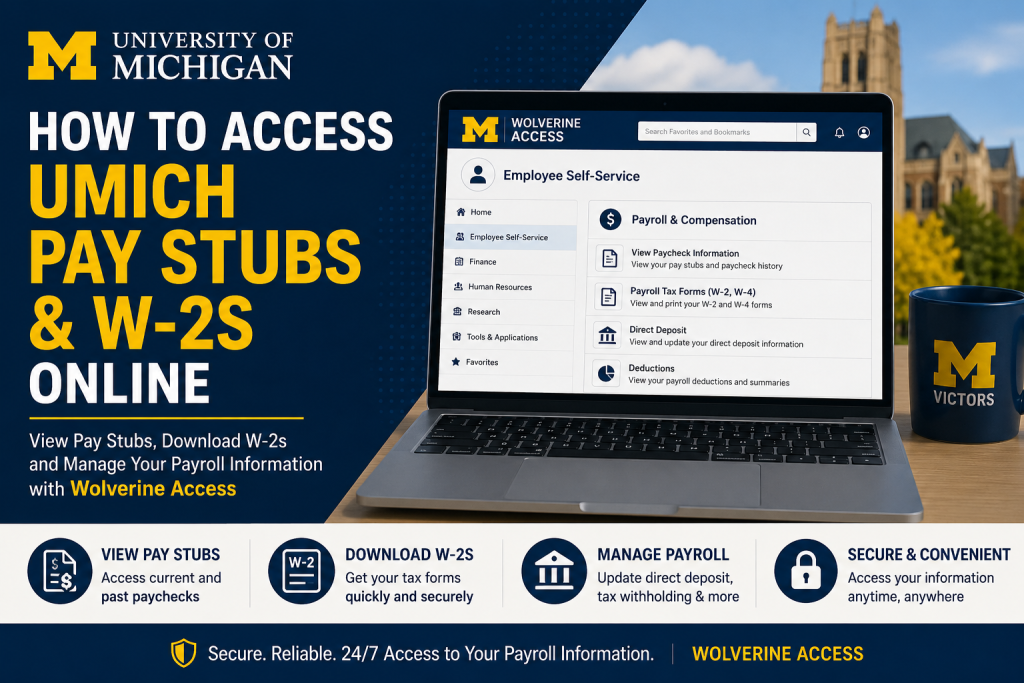
The University of Michigan is one of the most prestigious public research universities in the United States, renowned for academic excellence, innovation, healthcare, and groundbreaking research. Employees at the University of Michigan can conveniently access payroll records, pay stubs, tax forms, and employment-related information online through the Wolverine Access self-service portal. Whether you are a faculty member, staff employee, researcher, student employee, or healthcare worker, this guide explains exactly how to access your UMICH pay stubs and W-2 forms online quickly and securely.
UMICH Payroll Portal Login
The University of Michigan uses the Wolverine Access portal for payroll and employee self-service functions.
Official Wolverine Access Portal
Wolverine Access at https://wolverineaccess.umich.edu/
U-M Okta Sign-In Page
Employees log in using their:
- U-M uniqname
- Kerberos password
- Multi-factor authentication (MFA), when required
The Wolverine Access system centralizes important employee tools, including payroll, tax documents, direct deposit settings, benefits, and employment records.
How to Access UMICH Pay Stubs Online
Follow these steps to view or download your University of Michigan pay stubs online:
Step 1: Open Wolverine Access
Go to the official portal:
Step 2: Sign In Securely
Enter your:
- U-M uniqname or email address
- Password
You may also be prompted to complete Duo or Okta multi-factor authentication.
Step 3: Access Employee Self-Service
After logging in:
- Navigate to Campus Collections
- Select your role
- Click Employee Self-Service
- Open Payroll & Compensation
Step 4: View Paycheck Information
Inside Payroll & Compensation, you can:
- View current pay stubs
- Access paycheck history
- Download payroll statements
- Print paycheck copies
- Review deductions and taxes
A complete list of your paychecks will appear on the screen. Click any paycheck to view detailed earnings information.
How to Access UMICH W-2 Forms Online
Employees can also retrieve annual W-2 tax forms through Employee Self-Service.
Steps to Access W-2 Forms
- Log in to Wolverine Access
- Open Employee Self-Service
- Select Payroll & Compensation
- Click Payroll Tax Forms (W-2, W-4)
- Choose the tax year
- Download or print your W-2 form
The Employee Self-Service system allows employees to securely view and print W-2 information online anytime.
Features Available Through UMICH Employee Self-Service
The University of Michigan Employee Self-Service platform offers many payroll and HR features, including:
- Pay stub access
- W-2 tax forms
- Direct deposit management
- Tax withholding updates
- Benefits enrollment
- Leave balances
- Payroll deductions
- Employment information
- Personal information updates
Direct Deposit at the University of Michigan
UMICH encourages employees to use direct deposit for faster and safer payroll processing.
Employees can:
- Add bank accounts
- Update direct deposit details
- Split deposits between accounts
- Manage banking preferences online
All direct deposit changes can be completed through Employee Self-Service within Wolverine Access.
Understanding UMICH Pay Schedules
The University of Michigan uses different payroll schedules depending on employee classification.
Faculty and Exempt Employees
- Paid monthly
- Payday is typically the last working day of the month
Non-Exempt Employees
- Paid biweekly
- Payday usually falls on Friday following the pay period
Troubleshooting Wolverine Access Login Problems
If you cannot access your UMICH payroll account, try the following:
- Verify your uniqname and password
- Reset your Kerberos password
- Clear browser cache and cookies
- Enable pop-up windows in your browser
- Complete Duo/Okta authentication properly
- Try another browser or device
The University of Michigan notes that pop-ups must be enabled in order to view paycheck details correctly.
UMICH Payroll and Technical Support
If you need assistance with payroll or account access, contact the University of Michigan support teams.
ITS Service Center
- Phone: 734-764-HELP (764-4357)
- Chat: chatsupport.it.umich.edu
Shared Services Center
- Phone: 734-615-2000
- Toll Free: 866-647-7657
Why Employees Use Wolverine Access
The Wolverine Access portal gives University of Michigan employees a centralized and secure way to manage employment and payroll information online.
Key benefits include:
- 24/7 payroll access
- Secure W-2 retrieval
- Faster direct deposit management
- Centralized HR services
- Paperless payroll records
- Convenient tax document downloads
Final Thoughts
Accessing UMICH pay stubs and W-2 forms online is simple through the Wolverine Access Employee Self-Service system. By logging in with your University of Michigan credentials, you can securely review paycheck information, download tax forms, update direct deposit settings, and manage important payroll records anytime. For the best experience, always access payroll services through the official University of Michigan Wolverine Access portal and keep your login credentials secure.
Frequently Asked Questions (FAQ)
1. How do I access my UMICH pay stubs online?
Visit the Wolverine Access portal, sign in with your U-M credentials, open Employee Self-Service, and select Payroll & Compensation to view your pay stubs.
2. Where can I download my University of Michigan W-2 form?
You can download your W-2 form through Wolverine Access under Payroll Tax Forms (W-2, W-4) inside Employee Self-Service.
3. What is the official UMICH payroll portal?
The official payroll portal is Wolverine Access: https://wolverineaccess.umich.edu/
4. What login credentials are required for Wolverine Access?
Employees must use their U-M uniqname and Kerberos password to access the portal securely.
5. Can former employees access UMICH W-2 forms online?
In many cases, former employees can still access tax forms online if their account remains active. Otherwise, they should contact the Shared Services Center for assistance.
6. How do I reset my UMICH login password?
Employees can reset their password through the University of Michigan account management or Okta login system.
7. Why are my pay stubs not opening in Wolverine Access?
The system may require pop-ups to be enabled in your browser. Disable pop-up blockers and try again.
8. How do I set up direct deposit at UMICH?
Log in to Employee Self-Service, open Payroll & Compensation, and select the direct deposit section to add or update banking information.
9. Are UMICH pay stubs available on mobile devices?
Yes. Employees can access Wolverine Access from smartphones, tablets, and desktop computers.
10. When are W-2 forms available at UMICH?
W-2 forms are generally available by the end of January for the previous tax year.
11. How often are University of Michigan employees paid?
Exempt employees are typically paid monthly, while non-exempt employees are paid biweekly.
12. Is Wolverine Access secure?
Yes. Wolverine Access uses secure authentication, including Okta and multi-factor authentication, to protect employee information.
13. Can I print my UMICH pay stubs and W-2 forms?
Yes. Employees can download and print payroll documents directly from Employee Self-Service.
14. What should I do if my paycheck information is incorrect?
Contact your supervisor or the UMICH Payroll Service Center immediately to request corrections.
15. Who do I contact for Wolverine Access technical support?
Employees can contact the ITS Service Center by phone at 734-764-HELP (764-4357) or through online chat support.

