
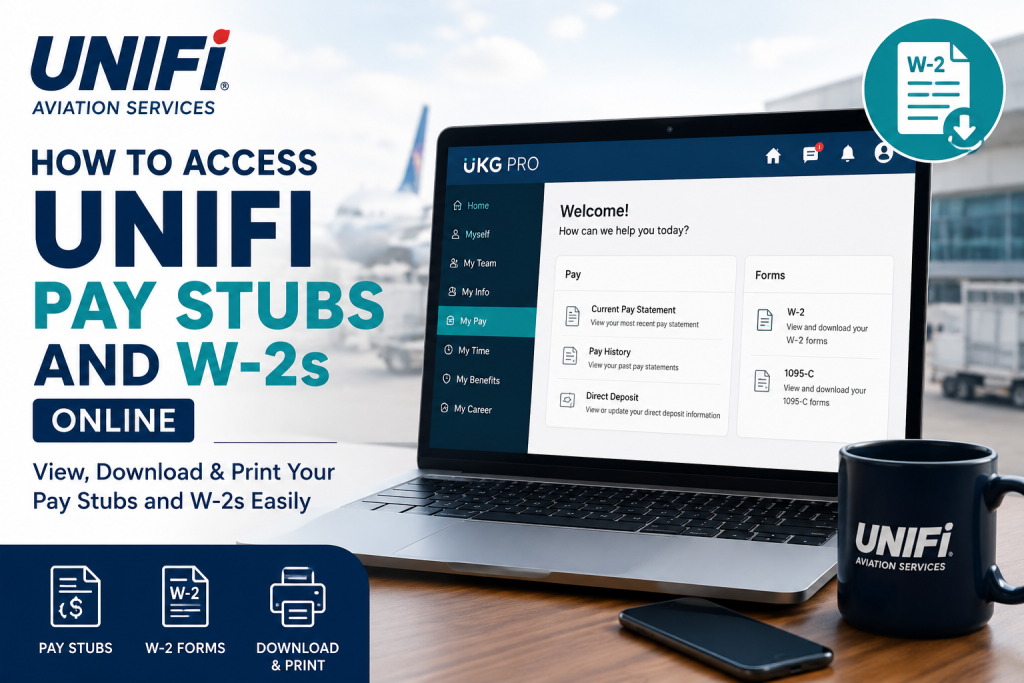
Working in the fast-paced aviation services industry means having quick and secure access to your payroll documents whenever you need them. Unifi employees can conveniently view, download, and print their pay stubs and W-2 forms online through the UKG Pro self-service portal. Whether you need proof of income, tax documents, or historical pay statements, the platform makes the process simple and efficient. Unifi is one of North America’s leading aviation service providers, delivering passenger assistance, ramp operations, cabin services, cargo handling, security support, and aircraft maintenance solutions across hundreds of airport locations. The company continues to support thousands of aviation professionals with modern HR and payroll technology that streamlines workforce management.
Unifi UKG Pro Payroll Portal
Current employees can access payroll and tax information through the official UKG Pro portal:
Portal Link:
Unifi UKG Pro Login
The UKG Pro system allows employees to:
- View current pay stubs
- Download historical pay statements
- Access annual W-2 tax forms
- Print payroll records
- Manage electronic W-2 consent
- Access payroll information from desktop or mobile devices
Employees must use their Unifi Single Sign-On (SSO) credentials to log in to the system.
How to Access Unifi Pay Stubs Online
Follow these steps to retrieve your current or previous pay statements online.
Step 1: Visit the UKG Pro Portal
Go to the official payroll portal: https://ukgpro.unifiservice.com/
You can access the portal using:
- Any modern web browser
- Smartphone or tablet
- UKG Pro mobile app
Step 2: Sign In Using Your Unifi Credentials
Use your Unifi SSO username and password to log into the portal.
If prompted:
- Complete Multi-Factor Authentication (MFA)
- Verify your identity through your registered device or email
If you do not know your username or password, contact the Unifi IT Service Portal for assistance.
Step 3: Navigate to Pay Statements
After signing in:
- Open the main menu
- Go to Myself
- Select Pay
- Click Current Pay Statement
You will be able to view your latest paycheck details immediately.
Step 4: View Historical Pay Stubs
To access older pay statements:
- Navigate to Myself > Pay > Pay History
- Use the search filters to locate a specific pay period
- Select the desired pay date
- Download or print the statement
Employees can also browse multiple payroll periods directly from the pay history screen.
Step 5: Print or Download Pay Statements
While viewing a pay stub:
- Click the Print icon
- Choose your preferred Social Security Number display format
- Generate a printer-friendly version
- Save the statement as a PDF if needed
Understanding Your Unifi Pay Stub
Your UKG Pro pay statement includes several important payroll sections, such as:
- Employee information
- Earnings and hourly wages
- Overtime pay
- Holiday pay
- Shift differentials
- Deductions and benefits
- Taxes withheld
- Paid time off balances
- Net pay distribution
The portal also displays both current and year-to-date earnings and deductions for easier payroll tracking.
How to Access Unifi W-2 Forms Online
Employees can also retrieve annual W-2 tax forms directly through UKG Pro.
Steps to Download Your W-2
- Log into UKG Pro
- Open the hamburger menu
- Go to My Info
- Select My Pay
- Click Forms
- Choose W-2
- Select the applicable tax year
- Click Preview W-2
- Download the PDF copy
How to Enable Electronic W-2 Delivery
Employees who prefer digital tax forms can activate electronic W-2 consent.
Steps to Enable Electronic Consent
- Navigate to My Info > My Pay > Forms > W-2
- Click Electronic Consent
- Check the box for Receive Form W-2 Electronically
- Click Save
- Confirm using your password
Once completed, you will receive confirmation of your election date and time.
If electronic delivery is not selected, paper W-2 forms are typically mailed by the end of January each year.
Accessing Unifi Payroll Information on Mobile
UKG Pro also supports mobile access for employees who need payroll information on the go.
Mobile Access Features
- Secure mobile login
- Pay stub downloads
- W-2 access
- Payroll notifications
- HR information access
Employees can download the UKG Pro app from:
- Apple App Store
- Google Play Store
Then sign in using their Unifi SSO credentials.
Common UKG Pro Login Issues and Solutions
Forgot Password
Contact the Unifi IT Service Portal or HR support team to reset your password.
Account Locked
Too many failed login attempts may temporarily lock your account. Wait a few minutes or contact IT support.
MFA Verification Problems
Ensure your registered mobile number or authentication app is active and updated.
Browser Compatibility Issues
Use updated browsers such as:
- Google Chrome
- Microsoft Edge
- Mozilla Firefox
- Safari
Benefits of Using UKG Pro for Payroll Access
The UKG Pro platform offers several advantages for Unifi employees:
- 24/7 payroll access
- Secure online document storage
- Faster W-2 retrieval during tax season
- Easy historical pay stub access
- Mobile-friendly interface
- Reduced paperwork and mailing delays
Frequently Asked Questions (FAQ)
Can Unifi employees access pay stubs online?
Yes. Current employees can access payroll documents through the UKG Pro portal.
What website does Unifi use for payroll access?
Unifi uses the UKG Pro self-service platform at: https://ukgpro.unifiservice.com/
Can I download old pay stubs?
Yes. Historical pay statements are available under the Pay History section.
How do I access my Unifi W-2 online?
Log into UKG Pro and navigate to My Info > My Pay > Forms > W-2.
Can I print my pay statements?
Yes. UKG Pro allows employees to print or download payroll statements as PDF files.
Does UKG Pro have a mobile app?
Yes. The UKG Pro mobile app is available for both iPhone and Android devices.
What credentials are required for login?
Employees must use their Unifi SSO username and password.
What should I do if I forgot my password?
Contact the Unifi IT Service Portal or HR department for password assistance.
Can I receive my W-2 electronically?
Yes. Employees can enable electronic consent through the W-2 settings page.
When are paper W-2 forms mailed?
Paper W-2s are generally mailed no later than January 31 if electronic delivery is not selected.
Is UKG Pro secure?
Yes. UKG Pro uses secure authentication and employee verification measures.
Can I access payroll records outside the workplace?
Yes. The portal can be accessed remotely from any internet-connected device.
Does UKG Pro show year-to-date earnings?
Yes. Pay statements display both current and YTD payroll information.
Can I view deductions and taxes online?
Yes. Employees can review taxes, deductions, and benefit contributions directly from their pay statements.
Who should I contact for payroll support?
Employees should contact Unifi HR or the IT Service Portal for payroll access issues.

