
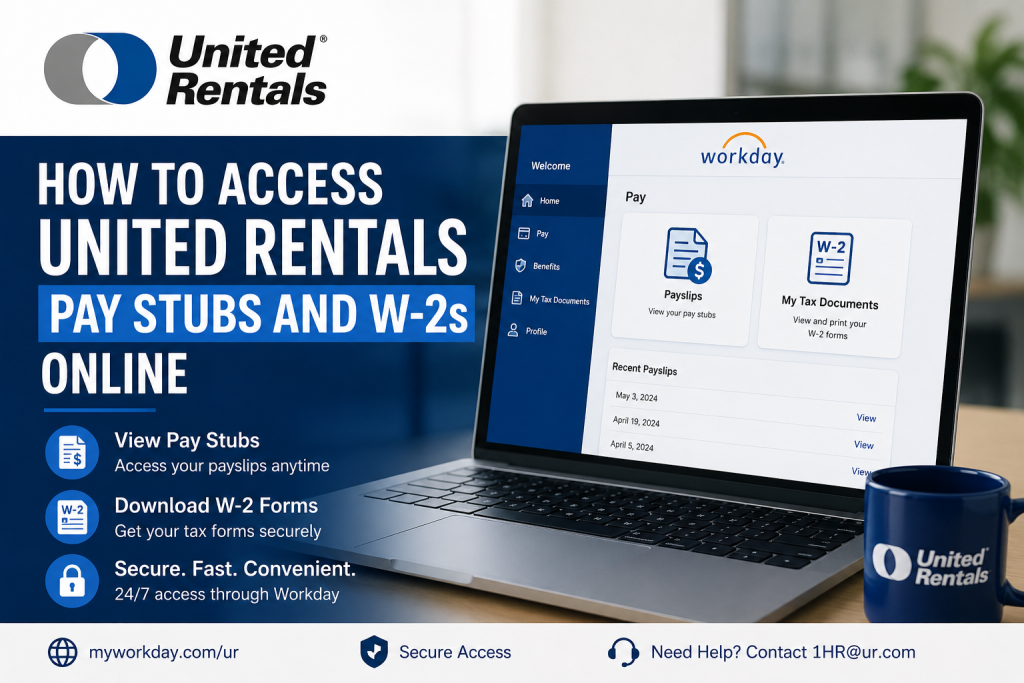
United Rentals is the world’s largest equipment rental company, serving construction, industrial, infrastructure, utility, and emergency response industries across North America and beyond. With thousands of locations and a commitment to innovation, safety, and operational excellence, United Rentals empowers employees with modern digital tools for payroll and HR management. Employees can conveniently access pay stubs, payroll records, tax forms, and W-2 documents online through the Workday self-service portal. Whether you need to review recent earnings, print a payslip for income verification, or download your annual W-2 tax form, the United Rentals Workday portal makes the process secure and straightforward.
United Rentals Workday Login Portal
United Rentals employees can access payroll and tax documents through the official Workday employee portal:
Portal Link:
United Rentals Workday Login at https://www.myworkday.com/ur/d/home.htmld
Login Instructions for Active Employees
- Open the Workday portal.
- Select United Rentals Employee.
- Sign in using your:
- United Rentals Network Username
- Password
- Once logged in, navigate to the payroll section.
The Workday sign-in page includes separate access options for active employees, future hires, contractors, and former employees.
If you experience login difficulties, contact the HR support team: Email: 1HR@ur.com
How to Access United Rentals Pay Stubs Online
Employees can quickly review and print their payslips directly from Workday.
Step-by-Step Guide
Step 1: Sign In to Workday
Visit the United Rentals Workday portal and log in with your company credentials.
Step 2: Open the Pay Application
From the Workday homepage:
- Select Pay
- Navigate to the View section
- Click Payslips
This workflow follows the standard Workday payroll navigation process.
Step 3: View Your Payslips
The Payslips page will display a complete list of available pay statements.
You can review:
- Gross pay
- Net pay
- Taxes withheld
- Pre-tax deductions
- Post-tax deductions
- Benefits
- Direct deposit information
- Year-to-date earnings
Step 4: Print or Download a Pay Stub
Select:
- View to open a specific payslip
- Print to generate a printable copy
- Download the PDF for personal records
Workday also allows employees to access payslips from mobile devices for added convenience.
How to Access United Rentals W-2 Forms Online
United Rentals employees can also retrieve W-2 tax forms electronically through Workday.
Steps to View W-2 Forms
Step 1: Log Into Workday
Access the employee portal using your United Rentals credentials.
Step 2: Open the Pay Dashboard
From the homepage:
- Select Pay
Step 3: Open My Tax Documents
Under payroll options:
- Click My Tax Documents
This section stores available year-end tax forms electronically.
Step 4: Select View/Print
Locate the appropriate tax year and click:
- View/Print
The form may take a few moments to load.
Step 5: Download or Print Your W-2
Inside the viewer:
- Use the printer icon to print
- Use the download icon to save a PDF copy
How to Change W-2 Delivery Preferences
Workday also allows employees to manage tax form delivery settings.
You can choose to:
- Receive electronic copies only
- Receive both electronic and mailed paper copies
To update preferences:
- Open My Tax Documents
- Select Edit
- Choose your preferred delivery option
- Save changes
Benefits of Using Workday for Payroll Access
Using Workday provides several advantages for United Rentals employees:
- 24/7 secure payroll access
- Mobile-friendly interface
- Instant access to tax documents
- Paperless payroll management
- Downloadable PDF records
- Faster W-2 retrieval during tax season
- Secure employee authentication
Common Workday Login Issues and Solutions
Forgotten Password
Use your United Rentals password recovery tools or contact HR support.
Locked Account
Too many failed login attempts may temporarily lock your account. Wait several minutes before retrying or contact support.
Browser Compatibility Problems
For best results:
- Use Google Chrome or Microsoft Edge
- Clear browser cache and cookies
- Disable pop-up blockers
Multi-Factor Authentication Issues
Ensure your registered device or authentication method is active and accessible.
Payroll Support Contact Information
If you need help accessing payroll or tax documents, contact United Rentals HR support:
- HR Email: 1HR@ur.com
- Portal: Workday Employee Access
Conclusion
The United Rentals Workday self-service portal gives employees fast, secure, and convenient access to payroll and tax information online. Whether you need to review recent earnings, print a pay stub for financial verification, or download a W-2 during tax season, Workday centralizes everything in one easy-to-use platform. By using the online payroll system, United Rentals employees can manage payroll documents anytime, anywhere, while benefiting from enhanced security, digital convenience, and paperless access.
Frequently Asked Questions
How do I access my United Rentals pay stubs online?
Log into the United Rentals Workday portal, open the Pay application, and select Payslips to view or print your payroll statements.
Where can I find my United Rentals W-2 form?
Your W-2 forms are available in Workday under My Tax Documents.
Can former employees access Workday?
Yes. Former employees may use the separate login option labeled Future Hires, Contractors, and Previous Employees if their Workday access remains active.
Can I download my payslips as PDFs?
Yes. Workday allows employees to download and print payslips in PDF format.
Is Workday available on mobile devices?
Yes. Employees can access payroll information through mobile browsers and the Workday mobile application.
What should I do if I forgot my password?
Contact United Rentals HR support or use your organization’s password recovery process.
Can I receive paper copies of my W-2?
Yes. Workday allows employees to choose electronic-only delivery or both electronic and mailed paper copies.
What information appears on a payslip?
Payslips typically include gross earnings, deductions, taxes, benefits, direct deposits, and year-to-date totals.
Is the United Rentals Workday portal secure?
Yes. Workday uses secure authentication and encrypted access to protect employee payroll data.
Who do I contact for payroll support?
Employees can contact United Rentals HR at 1HR@ur.com.

