
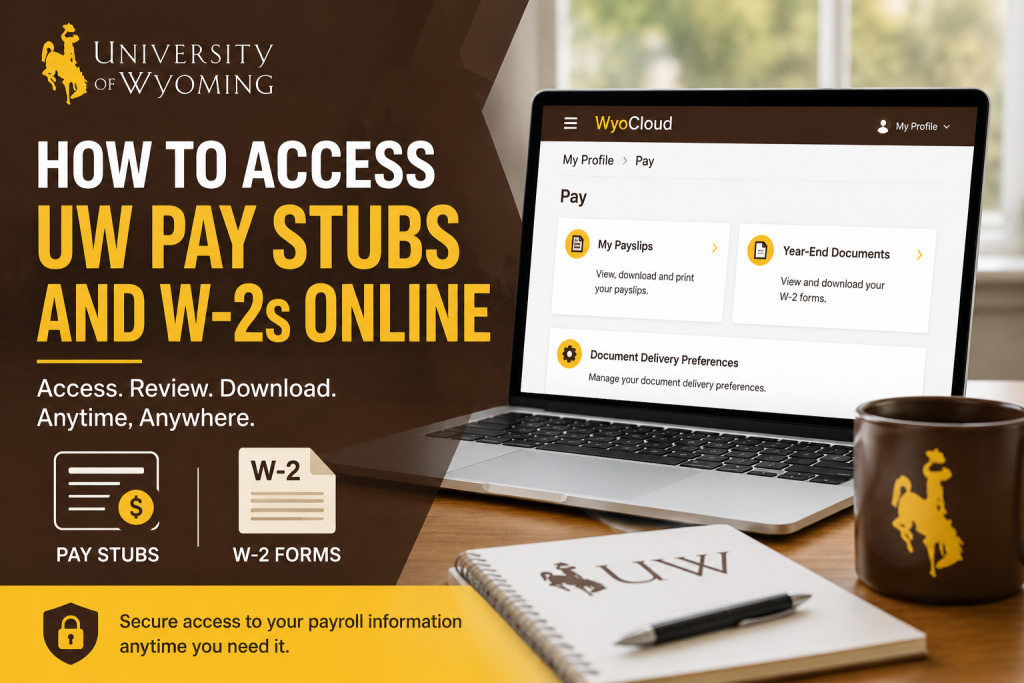
The University of Wyoming is a nationally recognized public research institution known for academic excellence, groundbreaking research, and a vibrant Cowboy community. Employees at the university can conveniently access payroll information, including pay stubs and W-2 tax forms, through the WyoCloud self-service platform. The WyoCloud Human Capital Management (HCM) system allows faculty, staff, and student employees to securely review payslips, manage payroll delivery preferences, and download year-end tax documents online.
WyoCloud Login Portal
Employees can access payroll services through the official WyoCloud login portal:
Once logged in, users can review payroll records, direct deposit information, tax withholding details, and year-end forms.
How to Access University of Wyoming Pay Stubs Online
University employees can review and download their payslips directly from the WyoCloud Pay section.
Step-by-Step Guide to View Payslips
Step 1: Log Into WyoCloud
Visit the WyoCloud login portal and sign in using your University of Wyoming credentials.
Step 2: Open My Profile
After logging in:
- Open the Navigator menu in the upper-left corner.
- Select My Profile.
- Click Pay.
The Pay dashboard will appear.
Step 3: Select “My Payslips”
Inside the Pay section:
- Click My Payslips.
- A list of payroll periods will appear.
- Select the desired pay period to review earnings, deductions, taxes, and net pay.
Step 4: Download or Print Your Pay Stub
Employees can download a PDF copy of their payslip by selecting the download icon located near the top-left area of the payslip screen.
How to Access University of Wyoming W-2 Forms Online
The WyoCloud platform also provides electronic access to year-end tax documents.
Important W-2 Availability Information
W-2 forms are generally available no later than January 31 each year after Payroll completes year-end processing.
To receive a digital W-2, employees should enable electronic delivery preferences before W-2 processing begins.
Steps to View and Download W-2 Forms
Step 1: Access the Pay Section
After signing into WyoCloud:
- Open the Navigator menu.
- Click My Profile.
- Select Pay.
Step 2: Open Year-End Documents
From the Pay dashboard:
- Click Year-End Documents.
- Available W-2 forms will appear by tax year.
Step 3: Download Your W-2
Click the link below the desired tax year to download a PDF version of your W-2 form. Employees may print the PDF for personal records or tax filing purposes.
The system also allows filtering documents by:
- All W-2s
- Last 3 Years
- Specific Date Range
How to Enable Electronic W-2 Delivery
Electronic delivery allows employees to receive W-2 forms faster than mailed paper copies.
Steps to Update Payroll Delivery Preferences
Step 1: Navigate to Payroll Preferences
Inside WyoCloud:
- Go to My Profile
- Select Pay
- Click Document Delivery Preferences
Step 2: Edit Delivery Method
- Locate the W-2 document settings.
- Click the pencil/edit icon.
- Choose Online from the delivery method dropdown menu.
- Click Save.
The University of Wyoming recommends selecting electronic delivery so employees can access W-2 forms immediately once available online.
Payroll Services and Employee Support
The University of Wyoming Payroll Office assists employees with payroll processing, direct deposits, W-4 updates, and payroll-related questions. The payroll office processes payroll for approximately 6,000 faculty, staff, and student employees each month.
Payroll Contact Information
Payroll Office
- Phone: (307) 766-2217
- Email: payroll1@uwyo.edu
- Office Location: Hill Hall, 3rd Floor
- Address: 1000 E. University Ave., Laramie, WY 82071
Why Employees Prefer WyoCloud Payroll Access
Using WyoCloud for payroll services offers several advantages:
- 24/7 online access to payroll records
- Secure electronic W-2 retrieval
- Easy PDF downloads and printing
- Quick access to historical payroll information
- Faster delivery through electronic document preferences
- Centralized payroll and tax management
Final Thoughts
The University of Wyoming provides employees with a secure and user-friendly payroll management experience through WyoCloud. Whether you need to review payslips, download W-2 tax forms, update delivery preferences, or manage payroll information, the platform makes the process simple and efficient.
By enabling electronic delivery and regularly reviewing payroll information online, employees can access important financial records quickly and securely throughout the year.
Frequently Asked Questions (FAQ)
1. How do I access my University of Wyoming pay stubs online?
Log into the WyoCloud portal using your University of Wyoming credentials. Then navigate to My Profile > Pay > My Payslips to view and download your pay stubs.
2. What is the official WyoCloud login link?
The official WyoCloud login portal is:
University of Wyoming WyoCloud Login
3. Where can I find my W-2 form in WyoCloud?
After logging into WyoCloud, go to My Profile > Pay > Year-End Documents to access and download your W-2 tax forms.
4. When are University of Wyoming W-2 forms available?
W-2 forms are generally available online no later than January 31 each year after payroll processing is completed.
5. Can I download and print my pay stubs?
Yes. Employees can download PDF copies of their payslips and print them directly from the WyoCloud payroll section.
6. How do I enable electronic W-2 delivery?
Go to My Profile > Pay > Document Delivery Preferences, edit the W-2 delivery option, select Online, and save your changes.
7. Can former employees access WyoCloud payroll records?
Former employees may still have limited access to payroll records and W-2 forms depending on account status. Contact Payroll Services if login access is unavailable.
8. What should I do if I forgot my WyoCloud password?
Use the password recovery or account assistance options available on the WyoCloud login page or contact University IT support.
9. How can I update my mailing address for payroll documents?
Employees can update mailing addresses through WyoCloud under their personal profile settings to ensure proper payroll and tax document delivery.
10. Can I access previous years’ W-2 forms?
Yes. WyoCloud allows employees to access historical W-2 forms and filter documents by year or custom date range.
11. What information appears on University of Wyoming payslips?
Payslips include gross earnings, net pay, deductions, tax withholdings, payroll period details, and payment distribution information.
12. Does the University of Wyoming offer direct deposit?
Yes. Employees can enroll in or update direct deposit information through the Pay section inside WyoCloud.
13. Who should I contact for payroll assistance?
Employees can contact the University of Wyoming Payroll Office by phone at (307) 766-2217 or email payroll1@uwyo.edu.
14. Are W-2 forms mailed to employees?
Yes. W-2 forms may be mailed unless employees select electronic delivery preferences through WyoCloud.
15. Is WyoCloud secure for accessing payroll information?
Yes. WyoCloud is the University of Wyoming’s official secure HR and payroll management platform for employees.

