
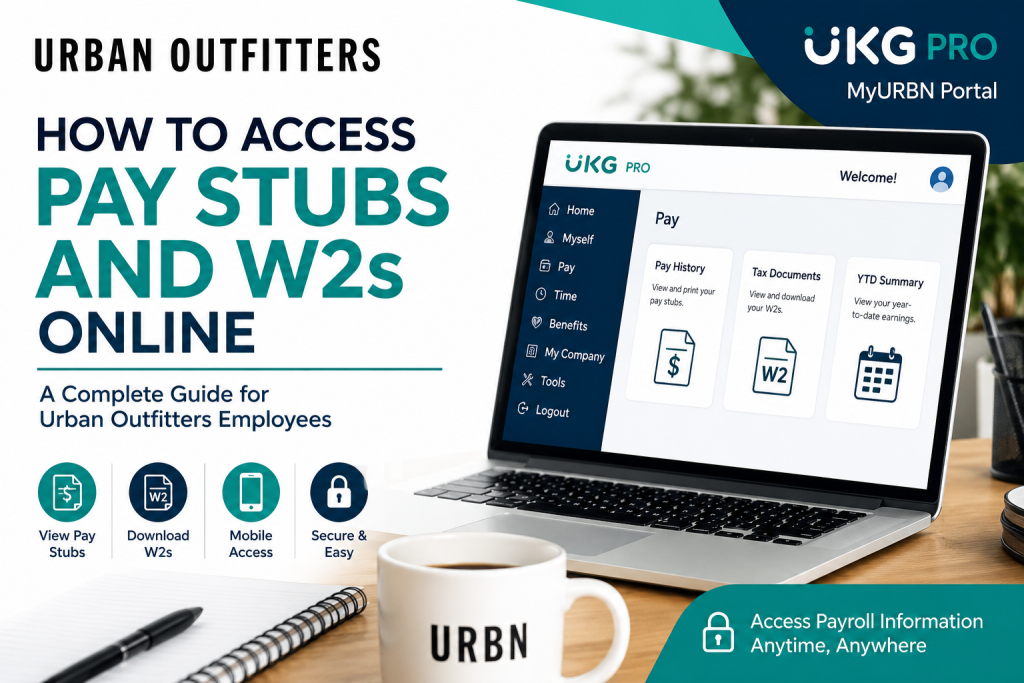
Urban Outfitters is a globally recognized lifestyle retailer known for its fashion-forward apparel, accessories, home décor, and youth-inspired culture. Founded in 1970 near the University of Pennsylvania, the company has grown into an international brand with hundreds of retail locations across the United States, Canada, and Europe. As a current employee of Urban Outfitters (URBN), you can conveniently access your pay stubs, payroll history, tax documents, and W2 forms online through the UKG Pro (formerly UltiPro) self-service portal. The platform allows employees to securely manage payroll information anytime, anywhere.
Urban Outfitters Employee Payroll Portal
Employee Login Portal:
Urban Outfitters employees use Single Sign-On (SSO) authentication to securely access payroll and HR services online.
How to Access Urban Outfitters Pay Stubs Online
Follow these simple steps to view or download your Urban Outfitters pay statements:
- Visit the official MyURBN employee portal.
- Sign in using your Urban Outfitters employee credentials through SSO.
- After logging in, navigate to: Menu → Myself → Pay → Pay History
- Select the desired paycheck date.
- Click the pay statement to open, download, or print it.
The UKG Pro portal allows employees to review both current and historical pay statements, including earnings, taxes, deductions, direct deposits, and year-to-date totals.
How to Access Urban Outfitters W2 Forms Online
Employees can also retrieve annual W2 tax forms digitally through the same self-service system.
Steps to View Your W2 Online
- Log in to the MyURBN UKG Pro portal.
- Navigate to: Menu → Myself → Pay → Tax Documents
- Select the applicable tax year.
- Click View or Download to save a PDF copy of your W2.
Electronic W2 access allows employees to quickly file taxes without waiting for mailed documents.
Access Urban Outfitters Payroll on Mobile
Urban Outfitters employees can also manage payroll information using the UKG Pro mobile app.
Mobile Login Instructions
- Download the UKG Pro app from:
- Apple App Store
- Google Play Store
- Open the app.
- Enter the Company Access Code: MyURBN
- Sign in using your employee login credentials.
The mobile application provides secure access to:
- Pay stubs
- Payroll history
- Tax forms
- Employee profile information
- Direct deposit details
Features Available Inside the UKG Pro Employee Portal
The Urban Outfitters payroll system provides employees with multiple self-service features, including:
- Viewing current and previous pay statements
- Accessing W2 tax documents
- Managing direct deposit information
- Updating address and contact details
- Reviewing year-to-date earnings
- Accessing withholding and tax information
- Viewing job and compensation history
How to Update Direct Deposit Information
To add or change your direct deposit account:
- Log in to UKG Pro.
- Navigate to: Menu → Myself → Pay → Direct Deposit
- Click Add or edit an existing account.
- Enter your:
- Bank name
- Routing number
- Account number
- Account type
- Save the changes.
How to Reset Your Password
If you forgot your password:
- Go to the login page.
- Click Forgot Your Password.
- Verify your username and follow the reset instructions.
Employees may also be prompted to answer security questions configured during account setup.
Understanding Your Urban Outfitters Pay Stub
Your online earnings statement includes detailed payroll information such as:
- Gross earnings
- Federal and state tax withholdings
- Pre-tax and post-tax deductions
- Paid time off balances
- Direct deposit distributions
- Net pay summary
- Year-to-date totals
Employees should regularly review their address and withholding information to ensure accurate W2 reporting.
Urban Outfitters Payroll Support
If you experience login issues or need assistance accessing your pay stubs or W2 forms, contact the Urban Outfitters support team:
Email Support: accessmyurbn@urbn.com
Conclusion
The Urban Outfitters UKG Pro self-service portal makes payroll management simple, secure, and accessible. Whether you need to download pay stubs, retrieve W2 forms, review payroll deductions, or update direct deposit information, the MyURBN system provides employees with 24/7 online access from both desktop and mobile devices.
Frequently Asked Questions
What is the Urban Outfitters employee payroll portal?
Urban Outfitters employees access payroll services through the UKG Pro (UltiPro) self-service portal at MyURBN.
How do I view my Urban Outfitters pay stubs?
Log in to the portal and go to: Menu → Myself → Pay → Pay History
Can I access my W2 online?
Yes. Employees can download W2 forms from the Tax Documents section within UKG Pro.
What is the UKG Pro company access code for Urban Outfitters?
The company access code is: MyURBN
Can I access payroll information from my phone?
Yes. Download the UKG Pro mobile app and sign in using the MyURBN company code.
What should I do if I forgot my password?
Use the “Forgot Password” option on the login page and complete the verification steps.
Can I print my pay stubs?
Yes. Employees can download and print both current and historical pay statements.
How do I update my address for W2 purposes?
Navigate to: Menu → Myself → Personal → Summary
Then edit your address information and save the changes.
How can I change my direct deposit information?
Go to: Menu → Myself → Pay → Direct Deposit
and update your banking information.
Does UKG Pro show year-to-date earnings?
Yes. Employees can review YTD earnings summaries directly within the payroll portal.
Are historical pay stubs available?
Yes. UKG Pro stores historical payroll records that employees can access anytime.
Is the Urban Outfitters payroll portal secure?
Yes. The system uses secure SSO authentication and encrypted login protection.
Can I access payroll records outside the workplace?
Yes. The portal is accessible remotely through desktop or mobile devices.
What app does Urban Outfitters use for payroll access?
Urban Outfitters uses the UKG Pro mobile application.
Who do I contact for payroll assistance?
Employees can email: accessmyurbn@urbn.com

