
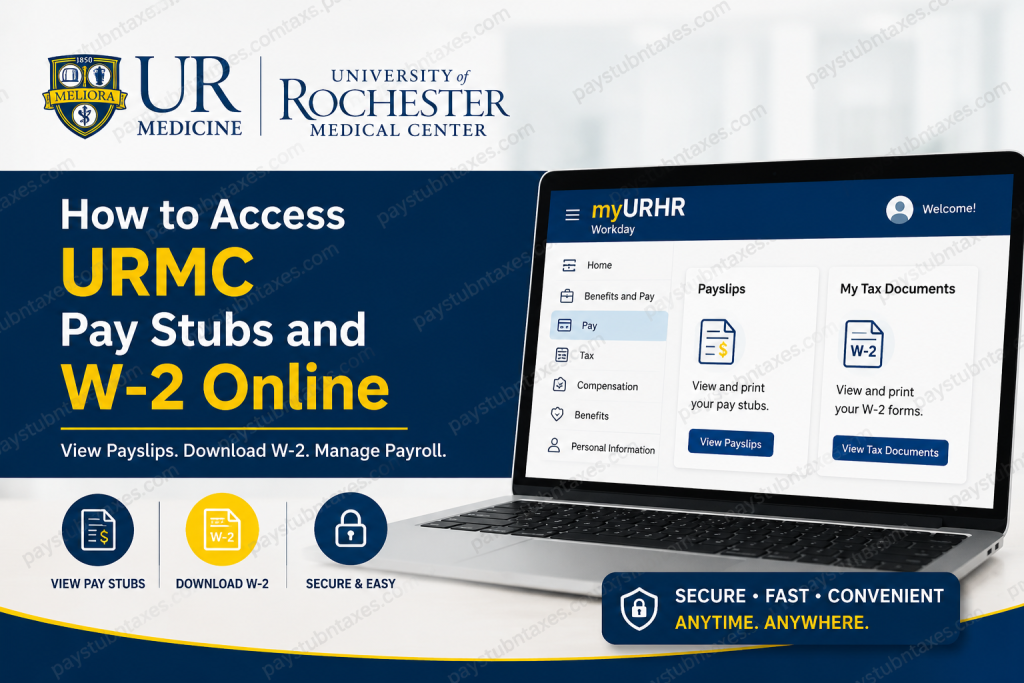
The University of Rochester Medical Center (URMC), now known as UR Medicine, is one of the most respected academic health systems in the United States. Located in Rochester, New York, UR Medicine combines advanced patient care, medical education, and groundbreaking research through its hospitals, schools, and specialty centers. If you are a current or former employee of the University of Rochester Medical Center, you can conveniently access your pay stubs, tax forms, and payroll information online through the myURHR Workday portal. Employees use the myURHR platform for payroll services, benefits administration, compensation records, onboarding, job updates, and HR management.
What is myURHR?
MyURHR is the University of Rochester’s integrated human resources and payroll platform powered by Workday. The system allows employees to:
- View and print pay stubs
- Access W-2 tax forms
- Manage direct deposit
- Update tax withholding elections
- Review compensation details
- Access benefits information
- Manage employment records
Both the University of Rochester and the University of Rochester Medical Center use the same Workday portal. However, URMC employees must select the URMC Active Directory domain during login authentication.
Official Workday Login Portal: myURHR Workday Portal
How to Log In to URMC Workday
Follow these steps to access your payroll account online:
- Visit the official myURHR Workday portal.
- Enter your University credentials.
- Select URMC Active Directory under the domain options.
- Complete multi-factor authentication if prompted.
- After successful login, you will be redirected to the Workday dashboard.
The Workday platform is used for payslips, benefits, compensation, hiring, onboarding, and employee management.
How to View URMC Pay Stubs Online
Employees can access their payslips immediately after payroll processing through Workday.
Steps to Access Payslips
- Log in to Workday.
- Select Menu from the homepage.
- Click Benefits and Pay.
- Choose Pay from the navigation pane.
- Select Payments.
- Navigate to the All Payslips section.
- Click View to open an individual payslip.
- Select Print to generate a printable PDF version.
How to Print Multiple Pay Stubs at Once
If you need several pay statements for loan applications, immigration processing, tax filing, or employment verification, Workday allows bulk printing.
Steps to Print Multiple Payslips
- Open your employee profile in Workday.
- Select the Pay tab.
- Click Payslips.
- Choose Print Multiple Payslips.
- Enter the desired date range.
- Select the payslips you want to print.
- Workday will generate a combined PDF file.
How to Access Your URMC W-2 Online
The University of Rochester provides electronic W-2 forms through Workday.
Steps to View Your W-2
- Log in to Workday.
- Open the Benefits & Pay Hub Overview.
- Select My Tax Documents.
- Locate the desired tax year.
- Click View/Print to open your W-2 form.
How to Enable Electronic W-2 Delivery
Electronic delivery allows employees to receive W-2 forms earlier than mailed paper copies.
Steps to Opt Into Electronic Delivery
- Log in to Workday.
- Click Menu.
- Select Benefits and Pay.
- Open Pay and select Tax.
- Under Tax Forms Printing Elections, click Edit.
- Choose Receive electronic copy of my Year End Tax Documents.
- Click OK, then select Done.
How to Update Tax Withholding Elections
Employees may update federal or state withholding elections directly in Workday.
Steps to Update Tax Elections
- Open the Tax Elections section in Workday.
- Click Update beside federal or state withholding.
- Modify your withholding preferences.
- Save the changes.
When Are URMC W-2 Forms Available?
The University of Rochester typically releases W-2 forms online in January each year through myURHR.
Employees who do not consent to electronic delivery receive paper copies by mail by January 31.
What If You Cannot Access Your W-2?
If you experience login issues or need a duplicate W-2 form, the Payroll Office can assist you.
Duplicate W-2 requests are generally processed within three business days after submission.
Payroll Contact Information:
- Email: payroll@hr.rochester.edu
- Phone: (585) 275-2040
URMC Workday Support Contacts
Medical Center Employees
Information Systems Division (ISD)
- Phone: (585) 275-3200
- Email: helpdesk_isd@urmc.rochester.edu
Non-Medical Center Employees
University IT Help Desk
- Phone: (585) 275-2000
- Email: univithelp@rochester.edu
Additional myURHR Resources
Employees can also access:
- Workday FAQs
- Payroll guides
- UKG support
- Ask-URHR support services
- HR Service Desk assistance
The Ask-URHR team can provide additional support through phone, email, or service requests.
Common Issues and Troubleshooting
Forgot Password
Use the University password reset system or contact the IT Help Desk.
Cannot See Payslips
Payslips may only appear after payroll has been finalized. Recent hires may need to wait until the first completed pay cycle.
W-2 Missing
Employees who did not opt into electronic delivery should wait for the mailed paper copy before requesting a duplicate.
Login Authentication Error
Ensure you selected URMC Active Directory during login if you are a Medical Center employee.
Benefits of Using myURHR Workday
The myURHR platform offers several advantages:
- Secure payroll access
- Fast W-2 retrieval
- Paperless tax delivery
- Convenient PDF printing
- Mobile accessibility
- Centralized HR management
- Real-time payroll updates
Final Thoughts
The myURHR Workday portal makes it simple for University of Rochester Medical Center employees to manage payroll records, tax documents, and HR services online. Whether you need to download a recent pay stub, print multiple payslips, or access your annual W-2 form, Workday provides a secure and efficient self-service solution. By enabling electronic tax delivery and regularly reviewing your payroll information, you can streamline tax preparation and maintain accurate employment records year-round.
Frequently Asked Questions (FAQ)
1. How do I access my URMC pay stubs online?
Log in to the myURHR Workday portal, select Benefits and Pay, then choose Pay and Payments to view or print your payslips.
2. What website do URMC employees use for payroll access?
URMC employees use the official myURHR Workday portal: URMC Workday Login
3. Which domain should URMC employees select during login?
University of Rochester Medical Center employees should select URMC Active Directory when signing into Workday.
4. Can I print multiple URMC pay stubs at once?
Yes. Workday allows employees to print multiple payslips by selecting a custom date range from the Payslips section.
5. How do I download my URMC W-2 form?
After logging into Workday, open Benefits & Pay Hub Overview, then select My Tax Documents and click View/Print beside the desired tax year.
6. When are URMC W-2 forms available online?
W-2 forms are generally available online in January each year through the myURHR Workday portal.
7. Does URMC mail paper W-2 forms?
Yes. Employees who do not consent to electronic delivery receive a mailed paper W-2 copy by January 31.
8. How do I enable electronic W-2 delivery in Workday?
Go to Benefits and Pay → Pay → Tax, then update your Tax Forms Printing Elections to receive electronic tax documents.
9. Can former URMC employees still access Workday?
Some former employees may retain limited Workday access. If access is unavailable, contact the Payroll Office or IT support for assistance.
10. How do I reset my URMC Workday password?
Use the University of Rochester password reset tools or contact the IT Help Desk for account recovery assistance.
11. Why are my payslips not showing in Workday?
Payslips typically appear after payroll processing is completed. Newly hired employees may need to wait until their first finalized pay cycle.
12. Who do I contact for URMC payroll support?
You can contact the Payroll Office by phone at (585) 275-2040 or by email at payroll@hr.rochester.edu.
13. What should I do if my W-2 contains incorrect information?
Contact the Payroll Office immediately to request a correction or updated tax document.
14. Can I access URMC payroll records from my phone?
Yes. Workday is mobile-friendly and can be accessed through supported web browsers and the Workday mobile app.
15. What payroll information can I access through myURHR?
Employees can access:
- Pay stubs
- W-2 tax forms
- Tax withholding elections
- Compensation records
- Direct deposit information
- Benefits and payroll history

