
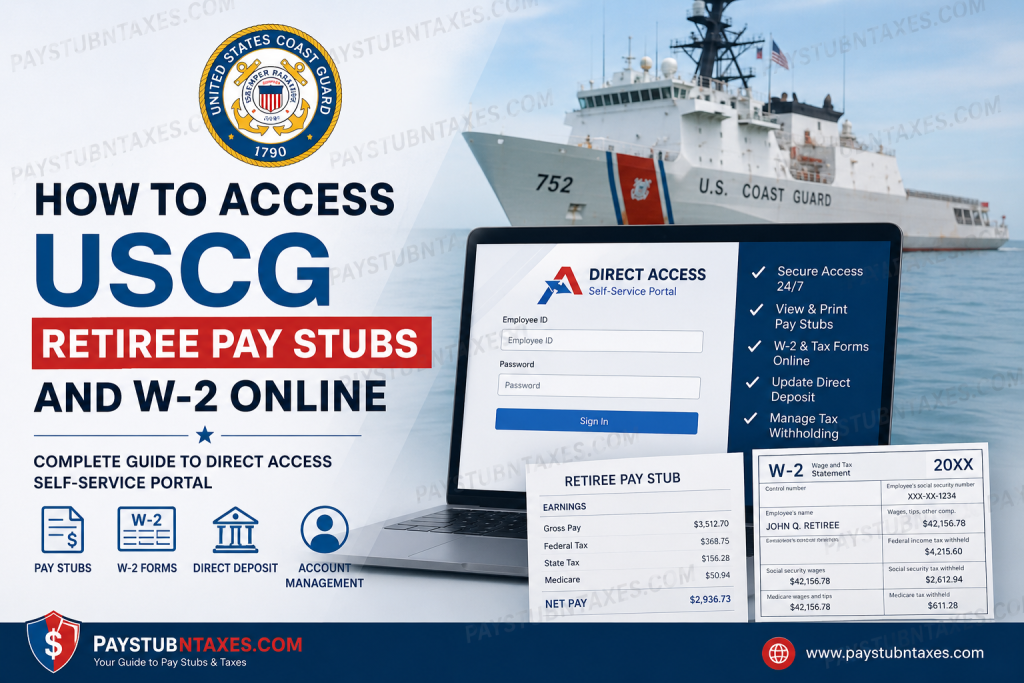
The United States Coast Guard (USCG) provides retirees, annuitants, and eligible former spouses with secure online access to retirement pay records, payslips, tax forms, and account management tools through the Direct Access (DA) Self-Service portal. This digital platform allows users to conveniently retrieve monthly pay statements, view and print year-end tax forms, update direct deposit information, and manage retirement-related records from virtually anywhere. Retirees no longer need to wait for paper copies to arrive by mail. Through the USCG Direct Access system, your retirement pay information is available 24/7 with secure self-service functionality.
USCG Direct Access Login Portal
Retirees, annuitants, and former spouses can sign in using the official Direct Access portal:
Direct Access Portal:
USCG Direct Access Self-Service
The system allows users to:
- View retiree pay statements
- Download and print W-2 and 1099R tax forms
- Update direct deposit information
- Change tax withholding elections
- Manage delivery preferences
- Access ACA forms
- Update email addresses and contact information
What Is the USCG Direct Access (DA) System?
Direct Access is the official self-service payroll and personnel management platform used by the United States Coast Guard. Retirees and annuitants can securely manage retirement pay records online without contacting the Pay & Personnel Center for routine requests.
The system is available 24 hours a day and processes most updates almost immediately after submission.
How to Access USCG Retiree Pay Stubs Online
Follow these steps to view your retiree payslips through Direct Access:
Step 1: Visit the Direct Access Portal
Go to: https://hcm.direct-access.uscg.mil
Step 2: Sign In
Enter your:
- Employee ID (EMPLID)
- Password
Then click Sign In.
Step 3: Open Retired Pay Details
After logging in, navigate to the Retired Pay Details tile on the homepage. The updated Direct Access interface includes a hover feature showing available options within the tile.
Step 4: Select “Retired Payslip”
Choose the payslip option to access your available retirement pay statements.
Step 5: View or Print Your Payslip
Click the payment date link to open the payslip in PDF format. From there, you can:
- Download the document
- Save it to your computer
- Print a hard copy
Payslips open in a new browser tab and require Adobe Acrobat Reader. You may also need to disable your browser’s pop-up blocker.
Payslip Link Missing? Here’s How to Fix It
Some retirees may notice that the “Payslip by Payment Date” column is hidden. If that happens:
- Open the Grid Action Menu
- Select Personalize
- Locate Payslip by Payment Date (hidden)
- Uncheck the Hidden box
- Click OK
Once enabled, the payslip date links should appear normally.
How to Access USCG W-2 and 1099R Forms Online
Retirees and annuitants can also retrieve year-end tax documents directly through Direct Access.
Step 1: Log In to Direct Access
Visit: USCG Direct Access Self-Service Portal
Step 2: Open Retired Pay Details
Select the Retired Pay Details tile from the Retiree Self-Service homepage.
Step 3: Select “1099R – View/Print”
Choose the option to access your tax forms.
Step 4: Download or Print Your Form
Your form will open in PDF format in a new browser window.
You may:
- Save the file electronically
- Print a physical copy
- Review prior-year tax documents
Electronic Tax Form Consent
USCG retirees can choose electronic delivery for tax forms inside Direct Access.
To enable paperless delivery:
- Log in to Direct Access
- Open Year End Form Delivery Consent
- Review the Tax Document Consent Form
- Select the consent checkbox
- Enter your password to verify identity
- Submit your request
This allows electronic delivery of W-2 and W-2c forms.
When Are USCG W-2 Forms Available?
Most Coast Guard retirees report that W-2 and 1099R forms become available online during the second half of January, often before January 31.
Federal law requires tax forms to be distributed by January 31 each year.
Common Direct Access Issues and Solutions
Pop-Up Blocker Preventing Forms from Opening
Disable pop-up blockers in your browser before opening payslips or tax forms.
Mac Browser Compatibility Issues
Some Mac users may need to use Chrome or another compatible browser for proper PDF viewing.
Missing W-2 Form
If your W-2 is unavailable:
- Verify your paperless delivery settings
- Confirm your Direct Access account is active
- Contact the PPC Retiree FastPass support team
Some retirees discover they are enrolled in paperless delivery and therefore do not receive mailed copies.
Updating Tax Withholding in Direct Access
Retirees can update federal and state tax withholding preferences directly in the Retired Pay section of Direct Access. This is especially important after retirement, as withholding elections may change.
How to Update Direct Deposit Information
You may update Electronic Funds Transfer (EFT) or direct deposit information directly inside Direct Access.
If you cannot access the system, you may complete Form CG-2015 and submit it to the USCG Pay & Personnel Center. Processing outside of self-service may take up to 60 days.
USCG Retiree Support Contacts
PPC Customer Service
- Phone: (866) 772-8724
- Hours: 7:30 AM – 4:00 PM Central Time (Monday–Friday)
Direct Access Technical Support
- Phone: (800) 821-7081
- Hours: 6:30 AM – 6:30 PM Eastern Time (Monday–Friday)
Email Support
- PPC Customer Care: PPC-DG-CustomerCare@uscg.mil
- Technical Support: SMB-USCG-DirectAccess@uscg.mil
Final Thoughts
The USCG Direct Access Self-Service portal provides a fast, secure, and reliable way for retirees, annuitants, and former spouses to manage retirement payroll records online. Whether you need a monthly retiree payslip, a year-end W-2 or 1099R form, or want to update direct deposit and tax withholding information, Direct Access centralizes everything in one convenient location. By enabling electronic tax document delivery and regularly reviewing your retirement account settings, you can simplify tax season and maintain uninterrupted access to your important payroll documents.
Frequently Asked Questions (FAQ)
1. How do I access my USCG retiree pay stub online?
Log in to the Direct Access Self-Service portal using your Employee ID and password, then open the Retired Pay Details section.
2. Where can I download my USCG W-2 or 1099R?
You can download and print year-end tax forms directly from the Retired Pay Details section in Direct Access.
3. What is the official USCG Direct Access login website?
The official portal is: USCG Direct Access Portal
4. When are USCG W-2 forms available?
Most forms become available online during the second half of January and no later than January 31.
5. Can retirees receive tax forms electronically?
Yes. Direct Access allows retirees to consent to electronic W-2 and tax form delivery.
6. Why won’t my payslip open?
A browser pop-up blocker may be preventing the PDF from opening.
7. Do I need Adobe Acrobat Reader?
Yes. Adobe Acrobat Reader is required to view payslips and tax forms.
8. Can I change my direct deposit online?
Yes. Direct Access allows retirees to update EFT and direct deposit information online.
9. How do I contact USCG payroll support?
You can contact PPC Customer Service at (866) 772-8724.
10. What if I forgot my Direct Access password?
Contact the C5I Service Center at (800) 821-7081 for password reset assistance.
11. Can former spouses access Direct Access?
Yes. Eligible former spouses may access year-end forms through the portal.
12. What if my W-2 is missing?
Check your paperless settings and ensure your Direct Access account is active before contacting support.
13. Can I update tax withholding through Direct Access?
Yes. Federal and state withholding settings can be changed online.
14. Is Direct Access available 24/7?
Yes. The self-service portal is generally available at all times.
15. Does USCG issue separate travel W-2 forms?
No. Coast Guard members generally receive a single consolidated W-2 form.

