
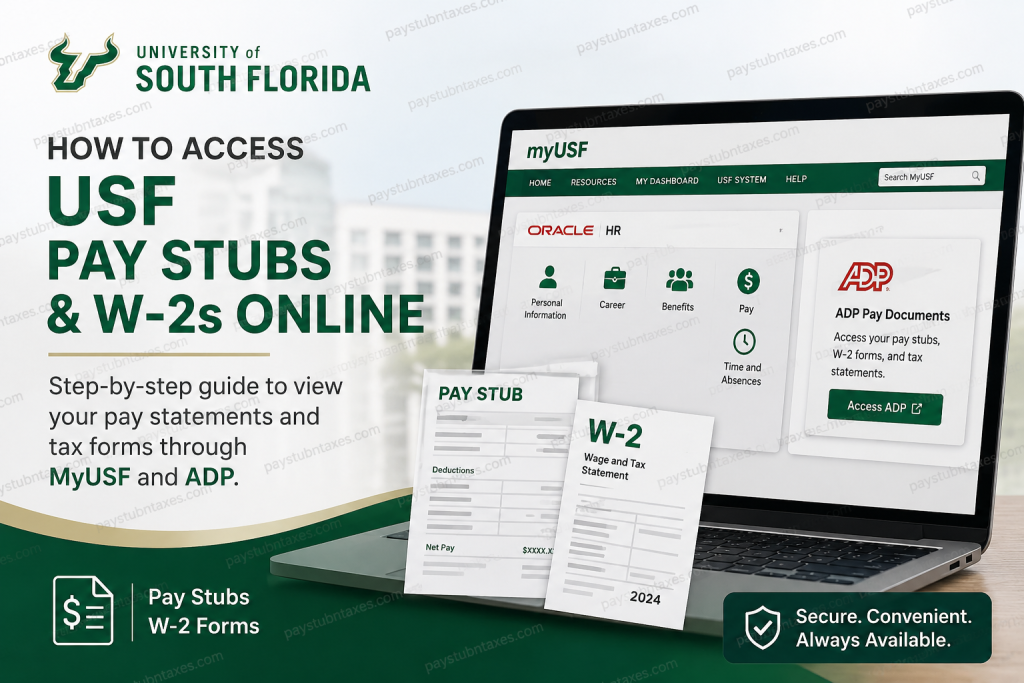
The University of South Florida is one of the leading public research universities in the United States, recognized for academic excellence, groundbreaking research, and student success. With campuses in Tampa, St. Petersburg, and Sarasota-Manatee, USF serves nearly 50,000 students and employs thousands of faculty and staff members across diverse academic and healthcare divisions. For payroll management and tax document access, USF uses Oracle HR through the MyUSF portal, while pay stubs and W-2 forms are securely hosted within the ADP system. Current employees can conveniently retrieve earnings statements, tax forms, and paperless payroll settings online in just a few steps.
USF Employee Payroll Portal Login
Current USF employees can access payroll records through the official MyUSF portal:
Portal Link:
MyUSF Portal
Employees must sign in using their NetID@usf.edu credentials rather than their U-number.
How to Access USF Pay Stubs Online
Follow these steps to view or download your USF earnings statements:
Step 1: Visit the MyUSF Portal
Open the official USF employee portal in your browser.
Step 2: Sign In
Enter your:
- NetID@usf.edu
- Password
USF specifically requires employees to log in using their NetID email format instead of a U-number.
Step 3: Open Oracle HR
After signing in, navigate to Oracle HR within the employee dashboard.
Step 4: Select the “Me” Menu
Inside Oracle HR, choose the Me section from the main menu.
Step 5: Click “ADP Pay Documents”
Select the ADP Pay Documents tile to launch the ADP payroll portal in a new tab.
Step 6: View Your Pay Statements
Inside ADP, you can:
- Access current pay stubs
- Download earnings statements
- Print payroll documents
- Review direct deposit details
- Access historical payroll records
USF employees can typically view their paycheck information beginning at 12:01 a.m. on the Wednesday before payday.
How to Access USF W-2 Forms Online
USF W-2 forms are also hosted securely through ADP.
Step 1: Log Into MyUSF
Access the employee portal and sign into Oracle HR.
Step 2: Open the ADP Portal
Click the ADP Pay Documents tile from Oracle HR.
Step 3: Navigate to Tax Statements
Within ADP:
- Select Tax Statements
- Choose the desired tax year
- Download or print your W-2 form
USF confirms that W-2 statements are available online through ADP for active employees.
How Long Are USF Pay Stubs and W-2s Available?
USF employees can access payroll and tax documents through ADP for a rolling period of three calendar years.
If you need older payroll records or historical W-2s beyond the available period, you may need to contact Payroll Services directly for assistance.
How to Go Paperless in ADP
USF employees can enable paperless payroll and tax document delivery through ADP.
Steps to Enable Paperless Statements
- Sign into Oracle HR
- Open ADP Pay Documents
- Click Settings
- Select Go Paperless
- Choose your preferred email type
- Enter your email address
- Save your changes
The ADP paperless setup allows employees to receive electronic notifications for both pay statements and tax forms.
USF Payroll Schedule
The University of South Florida operates on a bi-weekly payroll cycle.
- Each pay period begins on Friday
- The pay period ends two weeks later on Thursday
- Employees are paid the following Friday
Direct Deposit Information
USF strongly encourages employees to enroll in direct deposit for faster and more secure payroll processing.
Employees enrolled in direct deposit generally do not receive printed pay stubs, since payroll information is accessible electronically through Oracle HR and ADP.
Common USF Payroll Access Issues
Incorrect Login Credentials
Ensure you are signing in with:
- NetID@usf.edu
- Your active USF password
Do not use your U-number when logging in.
ADP Tile Not Appearing
If the ADP Pay Documents tile is missing:
- Refresh Oracle HR
- Clear your browser cache
- Try another browser
- Contact the USF HR Help Center
Locked Account
Too many failed login attempts may temporarily lock your account.
Use the password recovery option or contact USF IT support.
Benefits of Online Payroll Access at USF
Using Oracle HR and ADP provides employees with:
- Secure online payroll access
- Fast W-2 retrieval
- Electronic tax statements
- Paperless payroll management
- Mobile-friendly payroll access
- Historical paycheck tracking
- Reduced paperwork
Final Thoughts
The University of South Florida provides employees with a streamlined and secure payroll experience through Oracle HR and ADP integration. Whether you need to review pay stubs, download W-2 forms, enroll in paperless delivery, or manage payroll preferences, the MyUSF platform offers convenient self-service access from virtually anywhere. By using your NetID credentials and navigating through Oracle HR to ADP Pay Documents, you can quickly manage all essential payroll and tax records online.
Frequently Asked Questions
1. Where can I access USF pay stubs online?
Current employees can access pay stubs through Oracle HR in the MyUSF portal, which redirects users to ADP Pay Documents.
2. What login credentials are required for MyUSF?
Employees must sign in using their NetID@usf.edu and password.
3. Are USF W-2 forms available online?
Yes. W-2 forms are hosted inside the ADP portal accessible through Oracle HR.
4. How many years of payroll records are available?
USF employees can access up to three calendar years of pay stubs and W-2 forms online.
5. Can I download and print my pay statements?
Yes. ADP allows employees to download, save, and print payroll documents.
6. Does USF offer paperless W-2 delivery?
Yes. Employees can enable paperless statements directly inside ADP settings.
7. When are pay stubs available before payday?
Pay statements are generally available at 12:01 a.m. on the Wednesday before Friday payday.
8. What should I do if I cannot access ADP?
Verify your login credentials, clear your browser cache, or contact the USF HR Help Center.
9. Is direct deposit required at USF?
USF strongly encourages direct deposit for all employees.
10. Can I access payroll documents on mobile devices?
Yes. ADP supports secure, mobile-friendly access for payroll and tax statements.

