
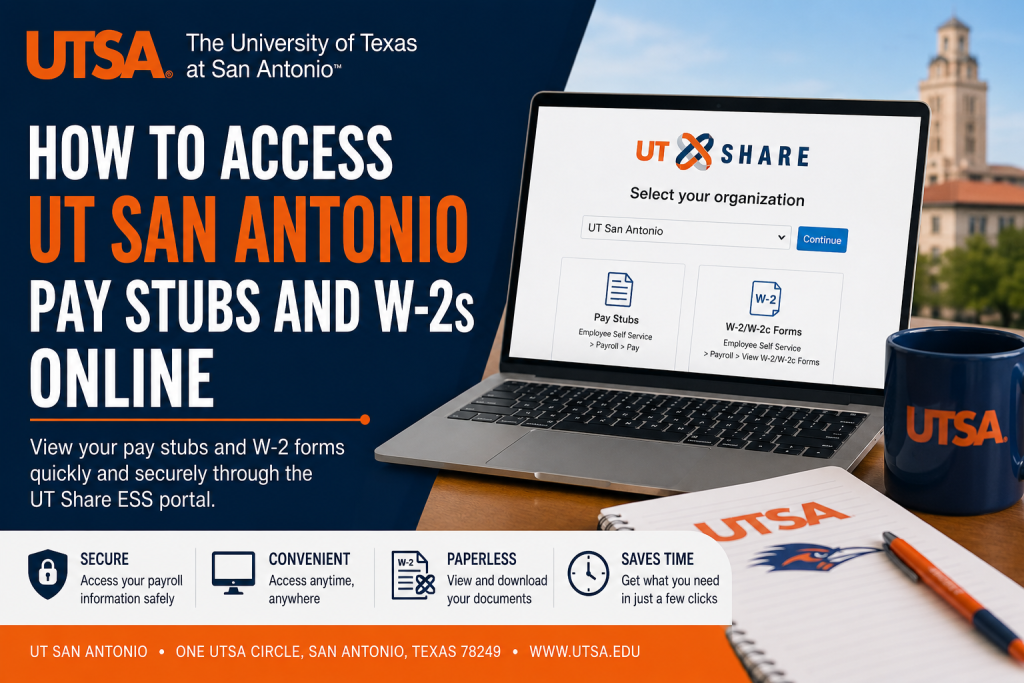
The University of Texas at San Antonio is one of the nation’s leading public research universities, serving nearly 40,000 students through a broad range of academic and healthcare programs. As part of the University of Texas System, UT San Antonio provides employees with secure online access to payroll and tax documents through the UT Share PeopleSoft Employee Self-Service (ESS) portal. Employees of UT San Antonio, UT Arlington, UT El Paso, UT Dallas, UT Tyler, UT Permian Basin, UT Rio Grande Valley, and UT System Administration can conveniently access pay stubs, earnings statements, and W-2 tax forms online using the centralized UT Share platform.
UT Share Employee Self-Service Portal
Employees can log in through the official UT Share portal:
UT Share Employee Self-Service Portal
After opening the portal, you must select your organization from the ESS landing page before continuing to your institution’s login environment.
Supported organizations include:
- UT San Antonio
- UT Arlington
- UT El Paso
- UT Dallas
- UT Tyler
- UT Permian Basin
- UT Rio Grande Valley
- UT System Administration
How to Access UT San Antonio Pay Stubs Online
UTSA employees can view detailed earnings statements and payroll records directly through Employee Self-Service (ESS).
Step-by-Step Instructions
- Visit the UT Share ESS portal.
- Choose your organization and click Continue.
- Sign in using your institutional credentials.
- Open Employee Self Service (ESS).
- Navigate to:
Payroll → Pay - A complete list of paychecks will appear.
- Select the paycheck you want to view or download.
Employees can access detailed PDF earnings statements that include:
- Gross pay
- Net pay
- Taxes withheld
- Before-tax deductions
- Employer-paid benefits
- Hours and earnings details
UTSA confirms that earnings statements become available one day before payday.
How to Access UTSA W-2 Forms Online
Employees can also retrieve annual W-2 and corrected W-2c tax forms through ESS.
Steps to View W-2 Forms
- Log in to the UT Share ESS portal.
- Open Employee Self Service (ESS).
- Navigate to:
Payroll → View W-2/W-2c Forms - Complete identity verification if prompted.
- Download or print your W-2 form.
UTSA allows active employees to consent to electronic W-2 delivery for faster access.
How to Sign Up for Electronic W-2 Delivery
Electronic W-2 enrollment allows employees to receive tax forms faster than standard mailed copies.
Enrollment Steps
- Log in to ESS.
- Click the Payroll and Compensation tile.
- Select W-2 Consent.
- Follow the prompts to submit your consent.
Electronic W-2 forms are generally available before January 31 each year after Payroll Services finalizes processing. Adobe Acrobat Reader may be required to open the downloaded document.
Former Employees: Accessing W-2s and Pay Stubs
Former UTSA employees no longer have access to W-2s or pay stubs through PeopleSoft ESS.
How Former Employees Receive W-2 Forms
W-2 forms are mailed to the address currently on file. If your mailing address has changed after separation, contact People Excellence to update your records.
You should include:
- Legal first and last name
- Previous address on file
- New mailing address
Requesting an Electronic Copy of a W-2
If you did not receive your mailed W-2, you may request an electronic copy from Payroll.
Your request should include:
- Legal first and last name
- Last four digits of your Social Security Number
- Current photo ID
Payroll typically responds within 48 hours with a secure download link.
Requesting Former Employee Pay Stubs
Former employees requesting pay stubs should email Payroll and provide:
- Legal first and last name
- Last four digits of Social Security Number
- Requested pay period dates
- Current photo ID
Payroll will provide electronic pay stubs for download after verification.
How Former Employees Receive W-2 Forms
W-2 forms are mailed to the address currently on file. If your mailing address has changed after separation, contact People Excellence to update your records.
You should include:
- Legal first and last name
- Previous address on file
- New mailing address
Requesting an Electronic Copy of a W-2
If you did not receive your mailed W-2, you may request an electronic copy from Payroll.
Your request should include:
- Legal first and last name
- Last four digits of your Social Security Number
- Current photo ID
Payroll typically responds within 48 hours with a secure download link.
Requesting Former Employee Pay Stubs
Former employees requesting pay stubs should email Payroll and provide:
- Legal first and last name
- Last four digits of Social Security Number
- Requested pay period dates
- Current photo ID
Payroll will provide electronic pay stubs for download after verification.
People Excellence
- Phone: (210) 458-4250
- Email: hr@utsa.edu
Final Thoughts
The UT Share Employee Self-Service portal makes it easy for UT San Antonio employees to securely access payroll records, tax documents, and earnings statements online. Whether you are an active employee downloading your latest pay stub or a former employee requesting a W-2 replacement, the system provides a centralized and efficient solution for managing payroll information across the University of Texas System.
Frequently Asked Questions (FAQ)
1. What is the UT Share ESS portal?
The UT Share ESS portal is the centralized PeopleSoft self-service system used by UT San Antonio and several University of Texas System institutions for payroll, tax, and employee services.
2. Where can I log in to view UTSA pay stubs?
Employees can log in through the official portal: UT Share ESS Login
3. Which universities use the UT Share payroll system?
The UT Share ESS system supports:
- UT San Antonio
- UT Arlington
- UT El Paso
- UT Dallas
- UT Tyler
- UT Permian Basin
- UT Rio Grande Valley
- UT System Administration
4. How do I find my pay stubs in ESS?
After logging in, go to:
Employee Self Service → Payroll → Pay
Select the paycheck you want to view or download.
5. Can I print my UTSA pay stubs?
Yes. Employees can open earnings statements as PDF documents and print them directly from the ESS portal.
6. How do I access my UTSA W-2 online?
Navigate to:
Employee Self Service → Payroll → View W-2/W-2c Forms
You may need to complete identity verification before downloading your W-2.
7. When are electronic W-2 forms available?
Electronic W-2 forms are usually available before January 31 after Payroll Services completes annual processing.
8. How do I enroll in electronic W-2 delivery?
Log in to ESS and select:
Payroll and Compensation → W-2 Consent
Follow the prompts to submit your electronic consent.
9. Are pay stubs available before payday?
Yes. UTSA earnings statements are generally available one day before payday.
10. Can former employees access W-2s through PeopleSoft?
No. Former employees can no longer access W-2s or pay stubs directly through PeopleSoft ESS.
1. How do former employees request a W-2 copy?
Former employees should email Payroll and provide:
- Legal name
- Last four digits of SSN
- Current photo ID
Payroll will provide a secure electronic copy after verification.
12. What should I do if my mailing address changed after leaving UTSA?
Contact People Excellence to update your address before W-2 forms are mailed.
13. What information appears on a UTSA earnings statement?
Pay stubs may include:
- Gross pay
- Net pay
- Taxes withheld
- Deductions
- Employer-paid benefits
- Year-to-date totals
14. What if I cannot log in to UT Share ESS?
Try clearing your browser cache, using a different browser, or confirming you selected the correct organization before signing in.
15. Who do I contact for payroll assistance at UTSA?
Payroll Management Services can assist with pay stubs, W-2s, and payroll questions.
- Phone: (210) 458-4280
- Email: payroll@utsa.edu

