
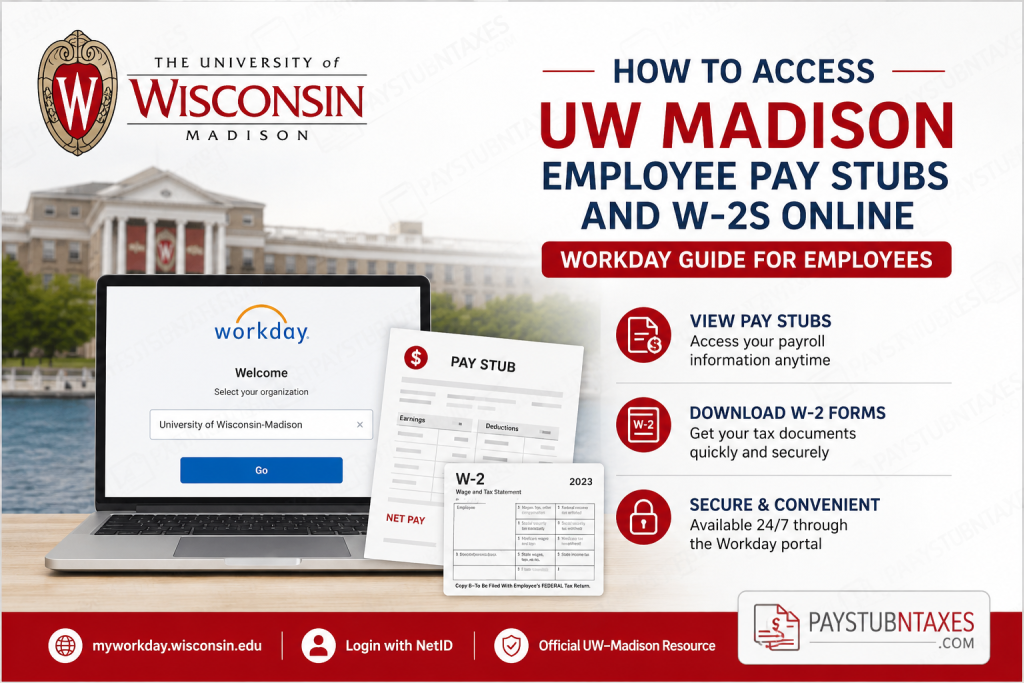
In achievement and prestige, the University of Wisconsin–Madison has long been recognized as one of America’s leading public research universities. Located on the scenic shores of Lake Mendota, UW–Madison combines academic excellence, innovation, and a world-class employee experience. The university offers employees convenient digital access to payroll and tax documents through the Workday self-service portal. If you are a current employee of UW–Madison, you can securely access your pay stubs, payroll history, tax forms, and W-2 statements online anytime through Workday. This guide explains the complete process step-by-step.
UW Madison Workday Portal for Employees
UW–Madison employees can access payroll and tax documents through the official Workday portal:
Workday Portal: myworkday.wisconsin.edu
Login Instructions
- Visit the Workday login page.
- Select UW–Madison as your organization.
- Click Go.
- You will be redirected to the UW–Madison Single Sign-On (SSO) page.
- Enter your NetID and password.
- Click Log In.
If you experience login issues, UW–Madison provides NetID self-service utilities for password resets, account recovery, and account activation.
How to Access UW-Madison Pay Stubs Online
After signing into Workday, follow these steps to view or print your pay statements:
Step 1: Open the Menu
From the Workday homepage:
- Click Menu in the upper-left corner.
- Select Benefits and Pay.
Step 2: Open Payroll Information
- Click Pay from the left-side navigation menu.
- Select Payments.
Step 3: View Payslips
You will now see:
- Payment dates
- Gross pay
- Net pay
- Tax deductions
- Direct deposit information
Click the View button beside any payslip to open detailed payroll information.
Step 4: Print or Download Pay Stubs
To print or save a payslip:
- Open the desired payslip
- Select the Print option
- Save the file as a PDF if needed
Employees can also print multiple payslips at once by selecting Print Multiple Payslips and choosing a date range.
How to Access UW-Madison W2 Forms Online
Your annual W-2 tax statement is also available inside Workday.
Step 1: Navigate to Tax Documents
After logging into Workday:
- Click Menu
- Select Benefits and Pay
- Click Pay
- Choose Tax
Step 2: View W-2 Forms
Inside the tax section:
- Scroll to All Tax Documents
- Locate the desired tax year
- Click View/Print
Your W-2 form will open as a downloadable PDF that you can save or print for tax filing purposes.
How to Enable Electronic W-2 Delivery
UW–Madison employees can receive electronic W-2 forms earlier than paper copies.
To enable paperless tax forms:
- Go to the Tax Forms Printing Elections section.
- Click Edit.
- Choose Receive electronic copy of my Year End Tax Documents.
- Click OK and then Done.
Electronic delivery provides faster and more secure access to your W-2 documents.
Forgot Your UW-Madison NetID or Password?
If you cannot access Workday because of login issues, you can recover your credentials using UW–Madison NetID tools.
Available self-service options include:
- Password reset
- Account recovery
- NetID activation
- Account modification
- Recovery email setup
NetID Utilities: UW NetID Account Utilities
UW–Madison employees can also contact the DoIT Help Desk for additional assistance.
Benefits of Accessing Pay Stubs and W2s Online
Using the Workday self-service portal gives UW–Madison employees several advantages:
- 24/7 access to payroll records
- Faster W-2 delivery
- Secure online document storage
- Easy printing and downloading
- Reduced paperwork
- Convenient tax preparation
Common UW Madison Workday Login Problems
Incorrect NetID Password
Use the password recovery tool to reset your credentials.
Browser Compatibility Issues
Try:
- Clearing browser cache
- Using Chrome, Edge, or Firefox
- Disabling pop-up blockers
Multi-Factor Authentication Problems
Ensure your authentication device is active and connected.
Locked Accounts
Too many failed login attempts may temporarily lock your account. Wait a few minutes or contact UW IT support.
UW Madison Employee Payroll Support
If you need payroll or tax assistance, contact the appropriate UW–Madison support department through the university’s official employee resources portal.
You may need help with:
- Missing W-2 forms
- Incorrect payroll deductions
- Direct deposit updates
- Tax withholding changes
- Access restoration
Final Thoughts
The UW–Madison Workday portal makes it simple for employees to manage payroll and tax information online. Whether you need to download a recent pay stub, print an older payslip, or retrieve your annual W-2 statement, Workday provides secure and convenient self-service access from anywhere. By enabling electronic tax delivery and maintaining updated NetID credentials, employees can streamline payroll management and gain faster access to important financial documents.
Frequently Asked Questions (FAQ)
1. How do I access my UW-Madison pay stubs online?
Log into the UW–Madison Workday portal using your NetID credentials. Navigate to Menu > Benefits and Pay > Pay > Payments to view or print your payslips.
2. Where can I find my UW-Madison W-2 form?
Your W-2 forms are available in Workday under Menu > Benefits and Pay > Pay > Tax.
3. What is the official UW-Madison Workday website?
The official employee portal is: http://myworkday.wisconsin.edu/
4. What login credentials do UW-Madison employees use for Workday?
Employees sign in using their UW–Madison NetID and password through the university’s Single Sign-On system.
5. Can I print my UW-Madison pay stubs?
Yes. After opening a payslip in Workday, select the Print option to print or save the document as a PDF.
6. Can I download old pay stubs from Workday?
Yes. Workday stores payroll history, allowing employees to access previous pay statements anytime.
7. How do I receive my W-2 electronically?
In Workday, go to the Tax Forms Printing Elections section and choose Receive electronic copy of my Year-End Tax Documents.
8. What should I do if I forget my UW NetID password?
Use the UW NetID self-service recovery tools to reset your password or recover your account.
9. When are UW-Madison W-2 forms available online?
W-2 forms are typically available electronically before paper copies are mailed during tax season.
10. Can former employees access UW-Madison payroll records?
Former employees may have limited access depending on their account status and university affiliation.
11. Is the UW-Madison Workday portal secure?
Yes. The portal uses UW–Madison Single Sign-On authentication and secure encryption protocols to protect employee information.
12. Can I access Workday from my mobile device?
Yes. Employees can access Workday through mobile browsers or the Workday mobile app.
13. What information appears on a UW-Madison pay stub?
A payslip typically includes:
- Gross pay
- Net pay
- Tax withholdings
- Deductions
- Direct deposit details
- Pay period information
14. Who should I contact for payroll support at UW-Madison?
Employees can contact UW–Madison payroll services or the DoIT Help Desk for assistance with login or payroll issues.
15. Can I print multiple payslips at once in Workday?
Yes. Workday allows employees to select multiple payslips and print them together using the Print Multiple Payslips feature.

