
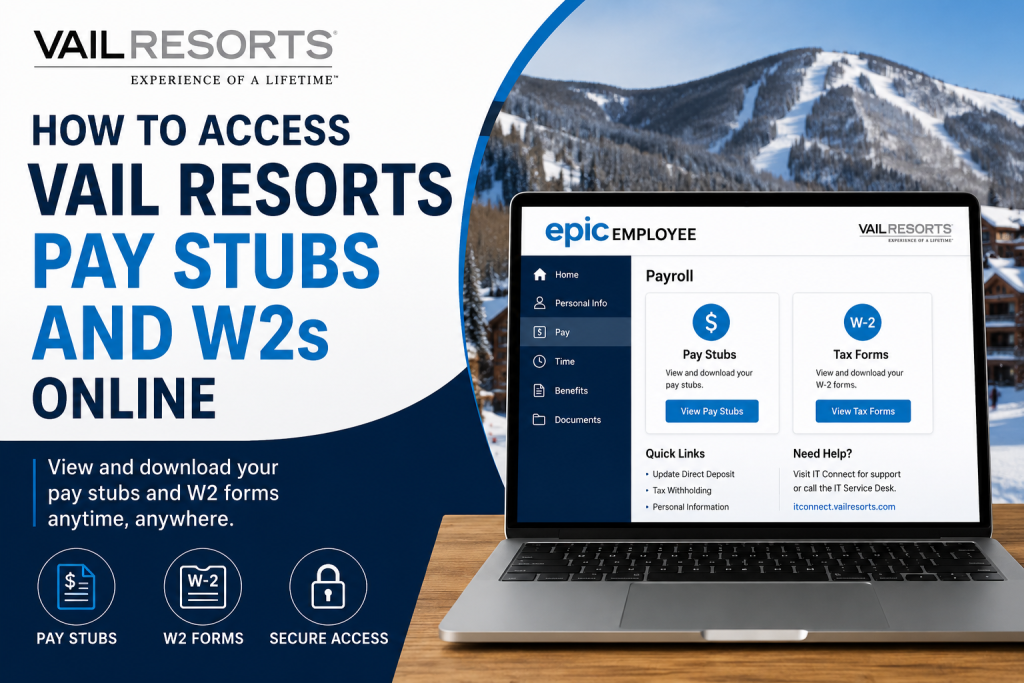
Employees of Vail Resorts can conveniently access their pay stubs, tax documents, and employment information online through the EpicEmployee self-service portal. Whether you need to download recent paycheck statements, retrieve annual W-2 forms for tax filing, or manage account security settings, the portal provides secure 24/7 access from any device. The EpicEmployee system is integrated with Vail Resorts’ Single Sign-On (SSO) environment and uses Multi-Factor Authentication (MFA) to protect employee information and payroll records.
Vail Resorts Pay Stub and W2 Portal
Employees can log in through the official EpicEmployee portal:
Portal Link:
Employees with an active @vailresorts.com login ID can access payroll and HR services directly through the portal. Former employees may use the Alumni Portal option available on the same login page.
What You Can Access Through EpicEmployee
Using the EpicEmployee self-service system, employees can:
- View and download pay stubs
- Access annual W-2 tax forms
- Review payroll deductions and tax withholding
- Manage direct deposit information
- Update personal contact details
- Reset passwords and security methods
- Access onboarding and HR forms
- Use Single Sign-On (SSO) services across Vail Resorts systems
The platform also connects employees to other internal systems, such as SuccessFactors and The LIFT, through the same Vail Resorts User ID.
How to Access Vail Resorts Pay Stubs Online
Follow these steps to retrieve your pay statements online.
Step 1: Visit the EpicEmployee Portal
Go to:
Vail Resorts EpicEmployee Login at https://epicemployee.vailresorts.com/epicemployee
Select “Yes” if you already have an active Vail Resorts login ID.
Step 2: Enter Your Login Credentials
Sign in using:
- Your Vail Resorts User ID
- Your account password
For first-time users, login instructions are typically sent to your email after completing pre-hire and onboarding tasks. The email includes:
- Your User ID
- Temporary password
- Login link
Step 3: Complete Multi-Factor Authentication (MFA)
Vail Resorts requires 2-step verification for all employees. During your first login, you will be asked to configure multiple authentication methods.
Available MFA methods may include:
- Microsoft Authenticator App
- SMS text verification
- Phone call verification
- Security questions
Step 4: Navigate to Payroll or Tax Documents
After signing in successfully:
- Open the employee dashboard
- Navigate to the Payroll or Pay section
- Select:
- Pay Statements for pay stubs
- Tax Forms for W-2 forms
- Download or print the required documents
How to Access Vail Resorts W2 Forms Online
Employees can retrieve W-2 tax forms electronically through the same EpicEmployee portal.
Steps to Download W-2 Forms
- Log in to EpicEmployee
- Open the Payroll or Tax Documents section
- Select the appropriate tax year
- Click View, Download, or Print
Electronic W-2 access allows employees to obtain tax documents faster than waiting for mailed copies.
First-Time Login Setup Instructions
New employees must complete an initial account setup process before accessing payroll information.
Initial Account Activation Process
1. Open the Welcome Email
Employees receive a welcome email from:
vailresortscareers@vailresorts.com
The email contains onboarding instructions and login details.
2. Change Your Temporary Password
During first login, employees must update the default password.
Password Requirements
Your password must:
- Start with a letter
- Be at least 8 characters long
- Include at least 3 of the following:
- Uppercase letters
- Lowercase letters
- Numbers
- Special characters
- Not contain your name
- Not match your previous 5 passwords
3. Configure Security Verification
After changing your password, the system will prompt you to choose two authentication methods for MFA setup.
Employees can use:
- Authenticator App
- Phone verification
- Email verification
- Security questions
Microsoft Authenticator Setup
Vail Resorts recommends the Microsoft Authenticator app as the preferred MFA method.
Setup Steps
- Install Microsoft Authenticator from:
- Apple App Store
- Google Play Store
- Visit:
Vail Resorts MFA Portal at https://mfa.vailresorts.com - Sign in with your Vail Resorts credentials
- Scan the QR code displayed on the screen
- Complete the verification test notification
Employees without smartphones may use SMS or phone verification instead.
Forgot Password or Locked Account?
If you cannot access your account:
- Click “Can’t access your account?” on the sign-in page
- Follow the password recovery prompts
- Use your MFA methods to verify identity
Vail Resorts Payroll Support Contact
If you experience login problems, payroll issues, or MFA errors, contact the Vail Resorts IT Support team.
IT Support Information
- Support Portal:
Vail Resorts IT Connect at https://itconnect.vailresorts.com - Support Email:
itconnect@vailresorts.com - Phone Support:
970-754-4357 - Canada Support:
604-935-5500
Benefits of Online Pay Stub and W2 Access
Using the EpicEmployee portal provides several advantages:
- Instant access to payroll records
- Faster W-2 retrieval during tax season
- Secure cloud-based access
- Reduced paper documentation
- Convenient mobile access
- Self-service password recovery
- Centralized HR and payroll management
Frequently Asked Questions (FAQs)
How do I access my Vail Resorts pay stubs online?
You can log in through the EpicEmployee portal using your Vail Resorts User ID and password.
Where can I download my Vail Resorts W-2 form?
W-2 forms are available in the Payroll or Tax Documents section inside the EpicEmployee portal.
What is the EpicEmployee portal?
EpicEmployee is the official Vail Resorts employee self-service platform for payroll, HR, tax forms, and onboarding services.
Does Vail Resorts use Multi-Factor Authentication?
Yes. Vail Resorts requires MFA and 2-step verification to protect employee accounts and payroll data.
Can former employees access W-2 forms?
Yes. Former employees can use the Alumni Portal option available on the EpicEmployee login page.
What if I forgot my Vail Resorts password?
Use the “Can’t access your account?” option on the sign-in page to reset your password.
What authentication methods are supported?
Supported methods include Microsoft Authenticator, SMS verification, phone verification, and security questions.
Is the Microsoft Authenticator app required?
It is the preferred method, but employees may also use phone or SMS verification.
Can I access pay stubs on my phone?
Yes. The EpicEmployee portal is accessible from mobile devices and web browsers.
How long does it take to receive login credentials?
Employees typically receive login information after completing pre-hire and onboarding tasks.
What should I do if MFA verification fails?
Contact Vail Resorts IT Support for assistance resetting or reconfiguring MFA.
Can I print my pay stubs and W-2 forms?
Yes. Documents can be downloaded as PDFs and printed directly from the portal.
Is EpicEmployee secure?
Yes. The platform uses Single Sign-On and Multi-Factor Authentication security protocols.
What is the Vail Resorts MFA portal?
The MFA portal allows employees to configure authentication methods and manage account security settings.
Who do I contact for payroll support?
You can contact Vail Resorts IT Connect support via email, portal ticket, or phone assistance.

