
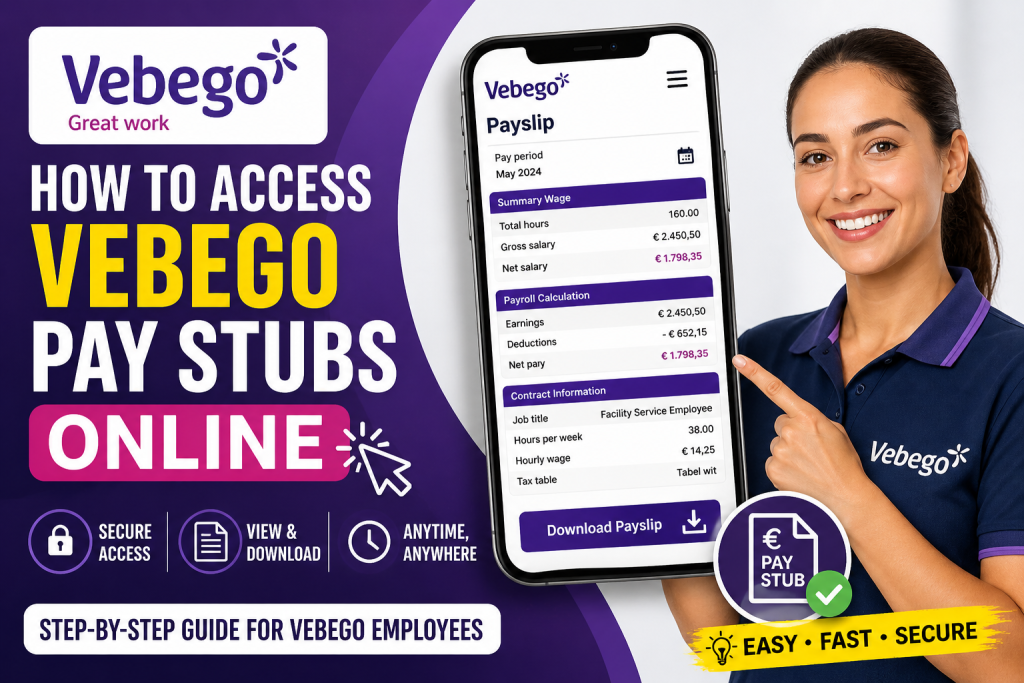
Vebego is a people-first, international family business committed to delivering “Great Work” through its nearly 39,000 employees across Europe. From cleaning and facility management to healthcare services, the organisation empowers its workforce by providing accessible digital tools—including payroll access systems—to ensure transparency and convenience. If you are a Vebego employee, accessing your pay stubs online is a straightforward process once your account is properly configured. This comprehensive guide explains everything you need to know.
🔐 Where to Access Vebego Pay Stubs
Vebego does not rely on a single universal payroll website. Instead, employees typically access pay stubs through internal systems such as:
- AFAS (HR & Payroll System)
- ORTEC ESS (Employee Self-Service for schedules & HR access)
- Company email login (Microsoft/Outlook-based authentication)
👉 Your @vebego.nl email account acts as your primary login credential for these platforms.
🪜 Step-by-Step: Access Vebego Pay Stubs Online
Step 1: Activate Your Vebego Email Account
Before accessing your pay stubs, you must set up your official email:
- Download the Outlook app from Google Play Store or Apple App Store.
- Open Outlook and select “Add Account.”
- Enter your Vebego email:
- Format:
firstname.lastname@vebego.nl
- Format:
- Enter your password (same as previous system if migrated).
- Verify your identity via:
- SMS code, or
- Phone call authentication
- Enable notifications for account updates.
📌 This email is essential for logging into payroll systems like AFAS and ORTEC.
Step 2: Log in to the Employee System (ORTEC / AFAS)
Once your email is active:
- Open the ORTEC app (or your company’s HR portal).
- Enter organisation code: V B G A P
- Select “Continue with Vebego account.”
- Log in using your Vebego email and password.
- Complete verification (SMS or call).
✔ After login, you can access:
- Work schedules
- Leave requests
- Payroll information (linked via AFAS)
Step 3: Access Your Pay Stub
Inside the system:
- Navigate to Payroll / Salary / Payslip section
- Select the desired pay period
- Click View / Download Payslip (PDF)
- Save or print for your records
📄 Understanding Your Vebego Pay Stub
Your payslip is structured into three main sections:
1. Summary Wage
- Total hours worked
- Gross salary
- Net salary paid
2. Payroll Calculation
- Earnings (salary, allowances)
- Deductions (tax, pension, insurance)
- Final net payout
3. Contract Information
- Job title and working hours
- Hourly wage
- Tax and employment details
📌 The payslip also includes reserved amounts (e.g., holiday pay), which are accumulated and paid annually.
🔄 Types of Payslips You May See
- Digital Payslip – Standard monthly statement
- Replacement Payslip – Updated version if corrections were made
These are clearly labelled at the top of your payslip.
🔑 Password & Login Tips
- Password must include:
- At least 9 characters
- Uppercase, lowercase, number, and symbol
- Password expires yearly
- Use “Forgot Password” if needed and verify via SMS or call
📌 Without updating your password, access to systems like ORTEC and AFAS will be restricted.
❗ Troubleshooting Access Issues
If you cannot access your pay stubs:
- Contact your team leader or supervisor
- Ensure your email account is active
- Reset your password if login fails
- Confirm your phone number for verification codes
🌍 Why Vebego Prioritises Digital Payroll Access
Vebego believes its employees are its greatest asset and strives to provide meaningful work and transparency. By offering digital payroll access:
- Employees gain instant financial visibility
- HR processes become efficient and paperless
- Staff can manage work-life balance more effectively
As highlighted in their employee philosophy, Vebego aims to be “more than just a logo on a payslip,” emphasising real value and impact for employees.
✅ Final Thoughts
Accessing your Vebego pay stubs online is simple once your email and employee accounts are configured. By leveraging systems like Outlook, ORTEC, and AFAS, you can securely view, download, and manage your payroll anytime. If you’re new, focus first on setting up your Vebego email—everything else connects seamlessly from there.
❓ Frequently Asked Questions (FAQs)
1. How do I log in to view my Vebego pay stubs?
You need your Vebego email and password. Log in through ORTEC or AFAS systems using your employee credentials.
2. What is the official login email format for Vebego?
Your email usually follows this format:
firstname.lastname@vebego.nl
3. Where can I download my Vebego payslip?
After logging in, go to the payroll or salary section and download your payslip as a PDF.
4. What systems does Vebego use for payroll access?
Vebego typically uses:
- ORTEC ESS (Employee Self-Service)
- AFAS (HR & Payroll system)
5. What should I do if I forget my password?
Click “Forgot Password,” verify your identity via SMS or call, and create a new secure password.
6. Why can’t I access my payslip?
Common reasons include:
- Incorrect login credentials
- Expired password
- Inactive email account
7. How often are Vebego pay stubs issued?
Pay stubs are typically issued per pay period (monthly or weekly depending on your contract).
8. What information is included in a Vebego payslip?
A payslip includes:
- Gross and net salary
- Working hours
- Tax and deductions
- Contract details
9. What is a replacement payslip?
It is a corrected payslip issued when changes are made after the original payroll calculation.
10. Can I access my pay stubs on mobile?
Yes, you can use mobile apps like Outlook and ORTEC to access payroll information securely.
11. Is it safe to access Vebego pay stubs online?
Yes, Vebego uses secure login systems with identity verification such as SMS or phone authentication.
12. What are “Reserveringen” on my payslip?
These are reserved amounts (e.g., holiday pay) that accumulate and are paid out later.
13. Do I need to update my password regularly?
Yes, your password typically expires yearly and must be updated to maintain access.
14. Who should I contact if I face issues accessing payroll?
Contact your team leader, supervisor, or internal HR support for assistance.
15. Can I print my Vebego pay stub?
Yes, once downloaded as a PDF, you can print your payslip anytime for personal or official use.

