
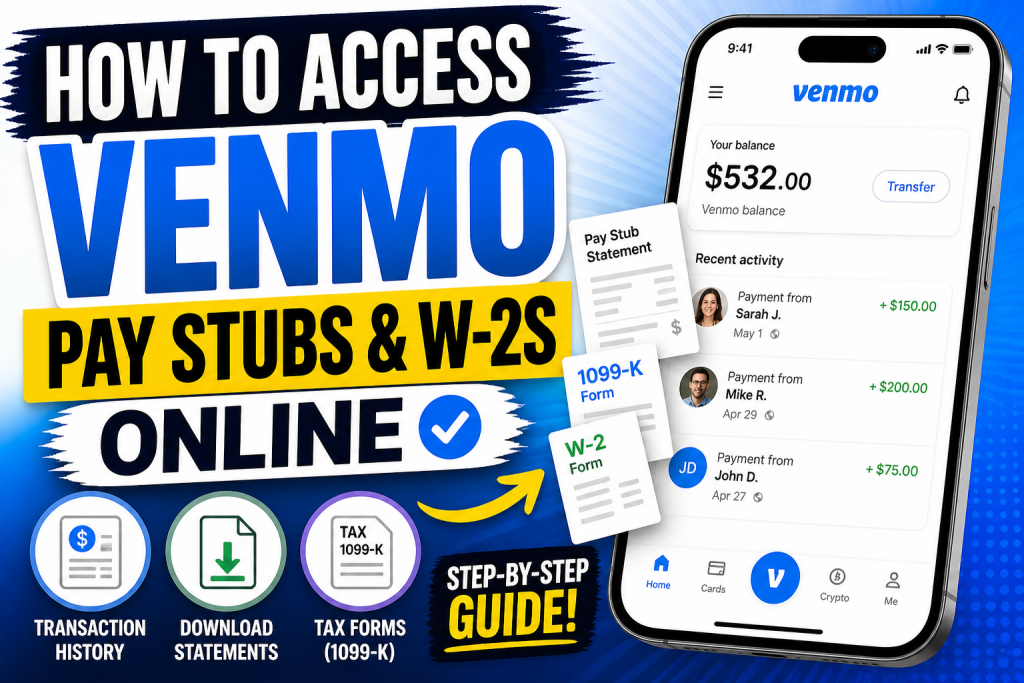
In today’s digital economy, platforms like Venmo have transformed how individuals receive and track payments. However, unlike traditional employers, Venmo does not issue conventional pay stubs. Instead, users must rely on transaction history, downloadable statements, and tax documents to verify income. This comprehensive guide explains how to access your Venmo records, download statements, and retrieve tax forms such as 1099-K, ensuring full financial transparency and compliance.
Understanding Venmo Pay Stubs vs. Tax Documents
Venmo is a peer-to-peer payment platform, not a payroll provider. Therefore:
- No traditional pay stubs are generated.
- Instead, users access:
- Transaction history
- Monthly/annual statements
- Tax documents (e.g., 1099-K, 1099-MISC)
If you are a freelancer or self-employed individual, these documents can serve as proof of income.
Transactions alone may not always qualify as formal income proof for official verification; tax documents are typically required for that purpose.
How to View Venmo Transaction History (Your “Pay Stub Alternative”)
📱 On Mobile App
According to your uploaded guide (pages 2–5):
- Open the Venmo app
- Tap the “Me” icon in the bottom-right corner
- Scroll to view your transaction history
- Tap any transaction for detailed information
These records include:
- Payment amount
- Date and time
- Sender/receiver
- Transaction status
This serves as a basic earnings log.
💻 On Web Browser
- Visit the Venmo website
- Log into your account
- Click your profile icon
- View transactions on the dashboard
This method offers a broader overview of your payment activity.
How to Download Venmo Statements (Recommended for Income Proof)
Venmo allows users to download official account statements, which are more structured than raw transaction history.
Step-by-Step Guide
- Log in via a desktop browser
- Go to Settings → Statements
- Select a date range (monthly or custom)
- Click Download CSV
You can then:
- Open the file in Excel or Google Sheets
- Convert it to PDF for professional use
These downloadable statements can be used for tax filing, budgeting, or income verification.
📌 Important Notes
- Venmo typically stores up to 3 years of statements online
- Files may be downloaded in CSV format and converted to PDF
- Email reminders may be sent periodically to review activity
How to Access Venmo W-2s and Tax Documents
Venmo does not issue W-2 forms because it is not an employer. Instead, it provides IRS tax forms depending on your activity.
Available Tax Forms
- Form 1099-K → For goods/services payments
- Form 1099-MISC → For certain rewards or income
- Form 1099-DA → For digital asset transactions
These forms report taxable income and are issued only if you meet IRS thresholds.
When Will You Receive Tax Documents?
- 1099-K → By January 31
- 1099-MISC → By February 15
You will be notified via:
- In-app notification
Steps to Download Tax Documents
📱 On Mobile App
- Tap Me
- Go to Settings
- Select Tax Documents
- Tap Download
💻 On Website
- Open Settings
- Click Tax Documents
- Download the required form
Who Qualifies for a Venmo 1099-K?
You will receive a 1099-K if:
- You receive payments for goods and services, AND
- You exceed IRS reporting thresholds
For example:
- Over $20,000 and 200+ transactions (federal guideline)
- Some states may have lower thresholds
Personal payments (friends/family) are not included.
How Freelancers Can Use Venmo as Income Proof
If you are self-employed:
- Use downloaded statements as transaction evidence
- Combine with:
- 1099 forms
- Tax returns
- Invoices
However, remember:
Transaction logs alone may not be sufficient for formal verification without tax documentation.
Troubleshooting Common Issues
🔧 Download Not Working
- Clear browser cache
- Try another browser
📂 Missing Statements
- Venmo retains ~3 years of history
- Contact support for older data
📄 Empty CSV File
- Re-download
- Use smaller date ranges
Pro Tips for Managing Venmo Financial Records
- Download statements monthly for consistency
- Convert CSV files to PDF for official use
- Label business transactions clearly
- Keep backups for tax filing
Conclusion
While Venmo does not provide traditional pay stubs or W-2 forms, it offers powerful alternatives through:
- Transaction history
- Downloadable statements
- IRS tax documents (1099 forms)
By understanding how to access and organise these records, you can effectively manage your income, verify earnings, and remain compliant with tax regulations.
❓ Frequently Asked Questions (FAQs)
1. Does Venmo provide pay stubs?
No, Venmo does not issue traditional pay stubs. You can use transaction history or statements as an alternative.
2. Can I get a W-2 from Venmo?
No, Venmo does not provide W-2 forms because it is not an employer. Instead, it issues 1099 tax forms when applicable.
3. What tax forms does Venmo provide?
Venmo may issue 1099-K, 1099-MISC, or 1099-DA, depending on your activity and income type.
4. How do I download my Venmo statement?
Log in to your account → Go to Settings → Statements → Choose a date range → Click Download CSV.
5. Can I convert Venmo statements into PDF?
Yes, you can open the CSV file in Excel or Google Sheets and export it as a PDF.
6. Where can I find my Venmo tax documents?
Go to Settings → Tax Documents in the app or website and download available forms.
7. When are Venmo tax forms available?
Tax documents are usually issued between January and February for the previous year.
8. What is a 1099-K form on Venmo?
It is a tax form that reports payments received for goods and services through Venmo.
9. Do personal payments count toward taxable income?
No, payments between friends and family are generally not taxable.
10. How far back can I access Venmo statements?
Venmo typically stores up to three years of transaction history and statements online.
11. Can Venmo transaction history be used as proof of income?
Yes, but for official purposes, it is better to combine it with tax documents like 1099 forms.
12. How do freelancers use Venmo for income records?
Freelancers can download statements and use them alongside invoices and tax filings.
13. Why didn’t I receive a 1099 from Venmo?
You may not have met the IRS reporting threshold for goods and services payments.
14. Can I request my full Venmo data?
Yes, you can request a full account data download from the Venmo settings page.
15. Is Venmo safe for storing financial records?
Yes, Venmo provides secure access to your transaction history and downloadable statements for record-keeping.

