
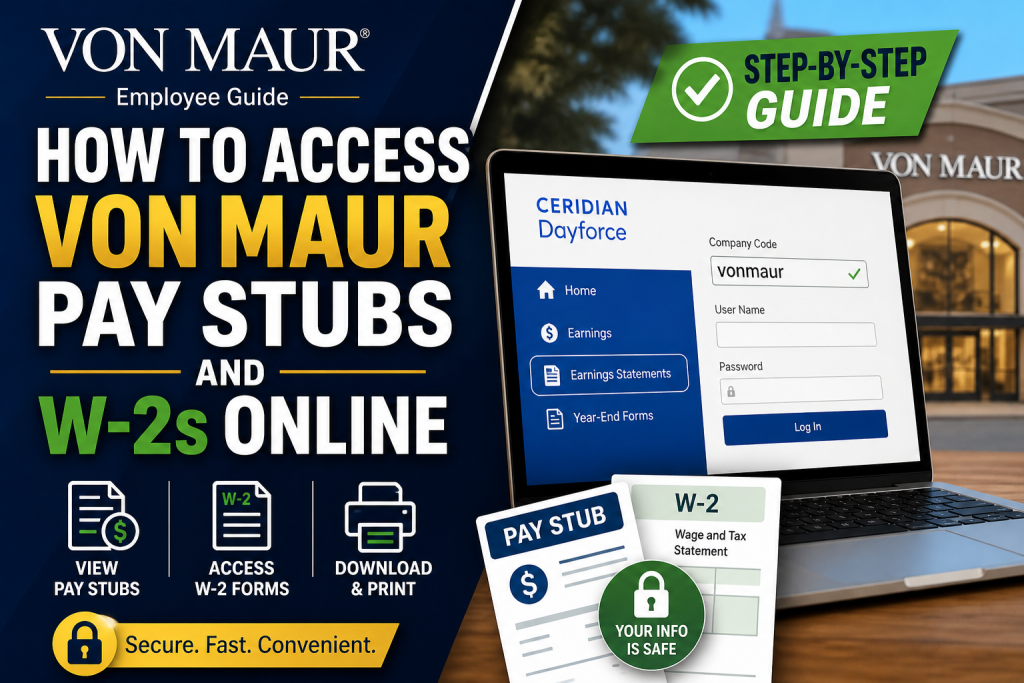
Von Maur is a distinguished, family-owned American department store chain with a legacy dating back to 1872. Renowned for its exceptional customer service and employee-focused culture, the company continues to grow across the United States while maintaining its commitment to excellence and professional development. For employees, managing payroll documents such as pay stubs and W-2 forms is simple and efficient through the Ceridian Dayforce HCM platform. This comprehensive guide will walk you through the exact process step by step.
What is Dayforce HCM?
Dayforce HCM is a cloud-based human capital management system used by Von Maur to provide employees with secure access to payroll, tax documents, benefits, and personal information.
- Official login portal: http://www.dayforcehcm.com/
- Company access code: vonmaur
How to Log in to Your Von Maur Dayforce Account
To access your pay stubs and W-2 forms, follow these steps:
- Visit the Dayforce login page.
- Enter the company code: vonmaur
- Input your username and password
- Click Login
👉 If you are a first-time user, you may need to reset your password and complete security settings as part of account setup.
How to Access Von Maur Pay Stubs
Once logged in, retrieving your pay stubs is straightforward:
- Click on the Home icon to open your dashboard
- Select the Earnings section
- Navigate to Earnings Statements
- Choose the desired pay period
- Click to view your pay stub
According to the Dayforce training guide, your earnings statement will display:
- Total earnings
- Deductions
- Employer and employee benefit contributions
- Paid time off balances
How to Access Your W-2 Forms
To retrieve your W-2 tax documents:
- Log in to Dayforce
- Go to the Earnings section
- Click on Year-End Forms
- Select your W-2 form
- Open or download the document
This section allows you to securely access all annual tax forms whenever needed.
How to Print Pay Stubs or W-2 Forms
Dayforce also enables easy printing:
- Open your pay stub or W-2 document
- Click the Print icon
- Adjust settings such as scale or layout if necessary
- Select your printer and confirm
If the document appears too small, you can adjust the scale percentage in print settings for better readability.
Key Features of the Dayforce Dashboard
The Dayforce platform provides several helpful tools for employees:
- Time Clock: Track work hours
- Timesheets: Review past work records
- Calendar: View schedules and holidays
- Time Away List: Request leave
- Forms Section: Update personal and tax information
These features ensure that employees can manage both payroll and HR-related tasks efficiently in one place.
Why Work at Von Maur?
Von Maur stands out not only for its customer experience but also for its supportive work environment. According to internal career materials:
- Strong promote-from-within culture
- Excellent work-life balance
- Competitive benefits and employee discounts
- Stable growth as a family-owned company
Employees also highlight the friendly atmosphere and approachable management, making it a rewarding workplace.
Troubleshooting Login Issues
If you experience difficulties accessing your account:
- Double-check your company code (vonmaur)
- Ensure your password meets security requirements
- Use the password reset option
- Contact your HR or payroll department for assistance
Final Thoughts
Accessing your Von Maur pay stubs and W-2 forms online is a seamless process thanks to the intuitive Dayforce HCM system. Whether you need to review your earnings, download tax documents, or print records, everything is conveniently available in one secure platform. By following the steps outlined in this guide, you can efficiently manage your payroll information anytime, anywhere.
Frequently Asked Questions (FAQs)
1. How do I log in to my Von Maur payroll account?
Visit the Dayforce website, enter the company code vonmaur, and log in with your username and password.
2. Where can I find my Von Maur pay stubs?
Your pay stubs are located under the Earnings Statements section in the Dayforce dashboard.
3. How do I access my W-2 form from Von Maur?
Go to Earnings > Year-End Forms in Dayforce to view and download your W-2.
4. Can I download my pay stubs online?
Yes, you can download and save your pay stubs directly from the Dayforce portal.
5. Is Dayforce accessible on mobile devices?
Yes, Dayforce offers a mobile app for convenient access to payroll and HR information.
6. What should I do if I forget my Dayforce password?
Use the “Forgot Password” option on the login page or contact HR for assistance.
7. Can I print my Von Maur pay stubs?
Yes, open the document and click the Print icon to print your pay stub or W-2.
8. How often are pay stubs updated?
Pay stubs are typically updated every pay period after payroll is processed.
9. What information is included in a pay stub?
Pay stubs include earnings, deductions, taxes, and benefits contributions.
10. Can former employees access their W-2 forms?
Yes, former employees can still log in to Dayforce to access their W-2 forms.
11. What is the Von Maur Dayforce company code?
The company code is vonmaur.
12. Is it safe to access pay stubs online?
Yes, Dayforce uses secure encryption to protect your personal and financial data.
13. Can I update my personal information in Dayforce?
Yes, you can update contact details, address, and other personal data in the Forms section.
14. Who should I contact for payroll issues?
Contact your Von Maur HR or payroll department for support.
15. Can I access previous years’ W-2 forms?
Yes, Dayforce stores past W-2 forms under the Year-End Forms section for easy access.

