
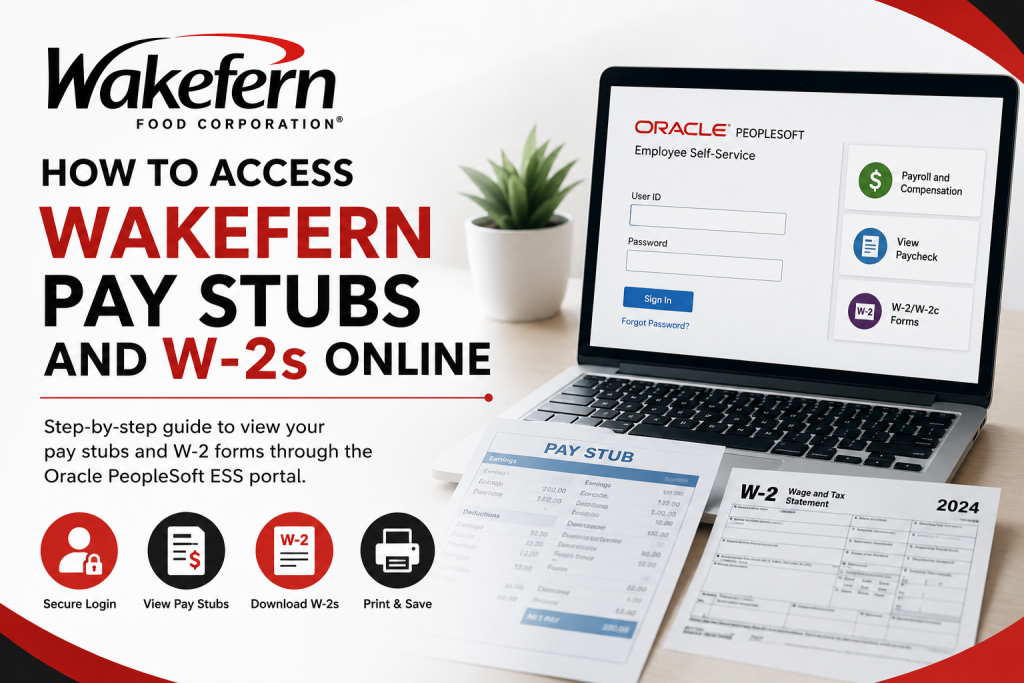
Wakefern Food Corporation, the retail cooperative behind popular grocery banners such as ShopRite, Price Rite Marketplace, The Fresh Grocer, Fairway Market, Gourmet Garage, and Dearborn Market, provides employees with secure online access to payroll and tax documents through the Oracle PeopleSoft Employee Self-Service (ESS) portal. Whether you are a current employee or a former associate, the ESS portal allows you to conveniently view, download, and print your pay stubs and W-2 forms anytime online. Employees can also manage payroll-related information, review deductions, and access compensation history through the same platform.
Wakefern Employee Self-Service Portal
Wakefern employees can access their payroll records through the Oracle PeopleSoft ESS portal:
Portal Link:
https://ess.wakefern.com/
The ESS sign-in page supports multiple Wakefern-operated brands, including ShopRite, Price Rite, The Fresh Grocer, Dearborn Market, Fairway Market, Gourmet Garage, Di Bruno Bros., and Morton Williams.
What You Can Access Through the ESS Portal
Using the Wakefern Employee Self-Service system, employees can:
- View current and past pay stubs
- Download PDF pay statements
- Print W-2 tax forms
- Review payroll deductions
- Check tax withholding information
- Access compensation history
- Update certain employee information
The PeopleSoft system is specifically designed to provide secure and convenient access to payroll and tax records online.
How to Access Wakefern Pay Stubs Online
Follow these simple steps to retrieve your Wakefern pay stubs through the ESS portal.
Step 1: Visit the ESS Portal
Go to the official Wakefern Employee Self-Service website:
You will arrive at the Oracle PeopleSoft sign-in page.
Step 2: Sign In to Your Account
Enter your:
- User ID
- Password
Then click “Sign In.”
If you forgot your credentials, use the available password reset or account recovery option on the login page.
Step 3: Navigate to Payroll and Compensation
After logging in:
- Open the Self Service menu
- Select Payroll and Compensation
- Click View Paycheck
This section displays your payroll history and available pay statements.
Step 4: View or Download Your Pay Stub
You will see a chronological list of your available paychecks.
To access a pay stub:
- Click “View Paycheck”
- Select the pay date you want
- Open the PDF version for printing or downloading
Some browsers may require pop-ups to be enabled for PDF viewing.
Understanding Your Wakefern Pay Stub
Your Wakefern pay stub contains detailed payroll information, including:
Earnings Information
This section includes:
- Regular pay
- Overtime earnings
- Bonuses or incentives
- Gross wages
Deductions
You may see deductions such as:
- Federal taxes
- State taxes
- Social Security
- Medicare
- Health insurance
- Retirement contributions
Net Pay
Your net pay represents the amount deposited into your account after deductions are removed.
How to Access Wakefern W-2 Forms Online
Wakefern employees can also retrieve W-2 tax forms online using the ESS portal.
Steps to Access Your W-2
- Visit the ESS portal
- Sign in to your account
- Open the Payroll or W-2/W-2c Forms section
- Select the appropriate tax year
- Download or print your W-2 form
The W-2 form includes:
- Annual earnings
- Federal tax withholdings
- State tax details
- Social Security wages
- Medicare wages and taxes
Important Tips for Former Employees
Former Wakefern employees may still be able to access the ESS portal to retrieve old payroll documents. However:
- Access availability may vary
- Older payroll records may eventually expire
- You should download copies of important forms as soon as possible
If you can no longer log in, contact the Wakefern HR or payroll department for assistance.
How to Verify Your W-2 Information
Before filing taxes, carefully review your W-2 for accuracy.
Check the following:
- Name spelling
- Address
- Social Security Number
- Wage totals
- Tax withholdings
- Retirement deductions
If you discover errors, contact HR immediately and request a corrected W-2 form.
Troubleshooting ESS Login Problems
If you experience issues accessing the Wakefern ESS portal:
Reset Your Password
Use the password reset option on the login page.
Enable Pop-Ups
PDF pay stubs and W-2 files may open in separate windows.
Clear Browser Cache
Clearing cached files can resolve loading issues.
Contact HR or Payroll Support
If your account remains inaccessible, reach out to Wakefern Human Resources for assistance.
About Wakefern Food Corporation
Founded in 1946 and headquartered in Keasbey, New Jersey, Wakefern Food Corporation is the largest retailer-owned supermarket cooperative in the United States. The company supports well-known grocery chains including:
- ShopRite
- Price Rite Marketplace
- The Fresh Grocer
- Fairway Market
- Gourmet Garage
- Dearborn Market
Wakefern employs approximately 80,000 workers across its operations and member companies.
Final Thoughts
The Wakefern Oracle PeopleSoft ESS portal makes it simple for employees to access pay stubs and W-2 forms online securely and efficiently. Whether you need to review payroll deductions, download tax documents, or print earnings statements for personal records, the ESS system provides convenient self-service payroll access 24/7.
To avoid issues during tax season, employees should regularly verify their payroll details and download copies of important documents whenever they become available.
Frequently Asked Questions (FAQs)
1. How do I access my Wakefern pay stubs online?
Visit the Wakefern ESS portal at https://ess.wakefern.com/, sign in with your employee credentials, and select Payroll and Compensation > View Paycheck to access your pay stubs.
2. What portal does Wakefern use for payroll access?
Wakefern uses the Oracle PeopleSoft Employee Self-Service (ESS) portal for online payroll and tax document access.
3. Can former Wakefern employees access W-2 forms online?
Yes. Many former employees can still access their W-2s through the ESS portal, although access availability may vary over time.
4. Where can I download my Wakefern W-2 form?
After logging into the ESS portal, navigate to the payroll or W-2 section and select the desired tax year to download your W-2.
5. What information is included on a Wakefern pay stub?
A Wakefern pay stub typically includes gross pay, net pay, overtime, taxes, deductions, retirement contributions, and insurance withholdings.
6. What should I do if I forgot my ESS portal password?
Use the password reset or credential recovery option available on the ESS login page.
7. Why is my Wakefern pay stub PDF not opening?
Your browser may be blocking pop-ups. Enable pop-ups and try opening the PDF again.
8. When are Wakefern W-2 forms available online?
W-2 forms are generally available through the ESS portal during January each year.
9. Can I print my pay stubs from the Wakefern ESS portal?
Yes. Employees can download and print PDF copies of their pay statements directly from the portal.
10. Is the Wakefern ESS portal secure?
Yes. Oracle PeopleSoft ESS uses secure login authentication to protect employee payroll and tax information.
11. Which grocery brands use the Wakefern ESS portal?
The portal supports employees from ShopRite, Price Rite Marketplace, The Fresh Grocer, Fairway Market, Gourmet Garage, Dearborn Market, and other Wakefern-affiliated brands.
12. How do I verify my W-2 information is correct?
Review your name, Social Security Number, wages, and tax withholdings carefully. Contact HR immediately if you notice errors.
13. What should I do if I cannot access old payroll records?
Contact Wakefern HR or payroll support for assistance retrieving archived payroll or tax documents.
14. Can I access the ESS portal from home?
Yes. The Wakefern ESS portal is accessible from any internet-connected device.
15. Why should I download my pay stubs regularly?
Payroll records may only remain available online for a limited period, so downloading copies helps maintain accurate financial and tax records.

