
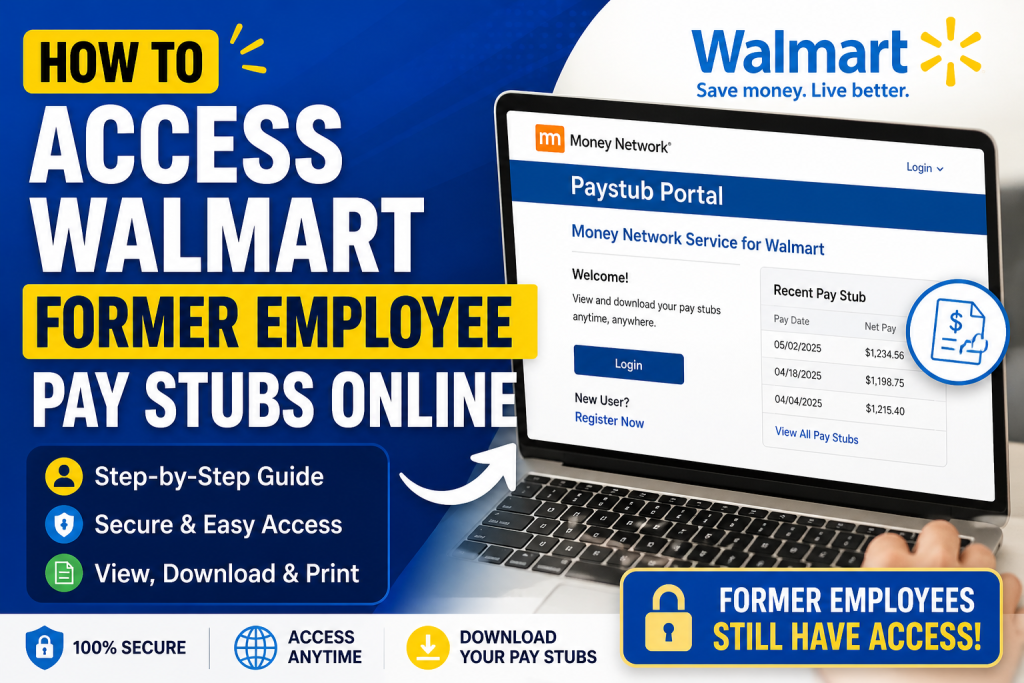
More than six decades after Sam Walton founded Walmart, the company continues to lead as a global, tech-powered retailer. Even after leaving the organization, Walmart ensures that former associates retain secure access to their payroll information through digital platforms. If you are a former Walmart employee, you can still retrieve your pay stubs online quickly and securely. This comprehensive, SEO-optimized guide walks you through the exact process.
🧾 Where Former Employees Access Walmart Pay Stubs
Walmart provides pay stub access through the Money Network Pay Stub Portal, a secure payroll system designed for both active and terminated associates.
👉 Official Pay Stub Portal:
https://www.paystubportal.com/FdcPsp/login.jsp?orgName=edlpsmlb
Additionally, you may also access your records via the Money Network platform, which supports Walmart payroll services.
🔐 Step-by-Step: How to Access Walmart Alumni Pay Stubs
Follow these simple steps to retrieve your pay stubs:
Step 1: Visit the Money Network Website
Go to:
👉 www.moneynetwork.com
Step 2: Click “Login”
- Locate the Login button at the top-right corner
- Select “Money Network Service for Walmart”
Step 3: Open the Paystub Portal
- Navigate to the top menu
- Click “Paystub Portal”
Step 4: Log In or Register
- If you already have an account → Enter your login credentials
- If you’re a new user → Click “Register Now” and follow the instructions
Step 5: View or Download Pay Stubs
- Once logged in, you can:
- View pay statements
- Download PDFs
- Print copies for records
📌 According to the Walmart Alumni Paystub guide, all associates—including terminated employees—can access pay stubs online via the Money Network system
💡 Key Features of the Money Network Payroll System
The Money Network Electronic Payroll Delivery Service provides a powerful, user-friendly experience:
- Access pay information anytime via web or mobile
- Receive wages electronically without paper checks
- View transaction history and statements
- Use mobile app for financial management
- Access funds through debit card, ATM, or transfer
📊 The platform supports millions of users and enables secure, electronic payroll delivery nationwide
💳 What is the Walmart Exceed Card?
Walmart also offers the Exceed Card, a payroll debit card for associates:
- Used to receive wages via direct deposit
- Remains active even after leaving Walmart
- Can be used anywhere Mastercard is accepted
- Allows bill payments, ATM withdrawals, and transfers
📌 Former employees can continue using their card until the balance is zero
📱 Alternative Ways to Access Pay Information
You can also manage your payroll data using:
- Money Network Mobile App
- Phone support (Customer Service)
- Email/Text alerts for balance updates
These tools allow you to:
- Check balances
- Monitor transactions
- Manage finances easily
📌 The system enables employees to access account details anytime via app, web, or phone
⚠️ Troubleshooting Login Issues
If you face problems accessing your pay stubs:
- Use the “Forgot User ID/Password” option
- Ensure your registration details match Walmart records
- Contact Money Network Customer Support
- Use Live Chat (available during business hours)
🔒 Security Tips
- Never share your login credentials
- Use a strong, unique password
- Always log out after accessing your account
- Avoid public Wi-Fi when viewing sensitive payroll data
🎯 Final Thoughts
Walmart’s digital payroll system ensures that even former employees have seamless, secure access to their pay records. Through the Money Network Pay Stub Portal, you can easily retrieve, download, and manage your payroll documents anytime, anywhere. Whether you need pay stubs for tax filing, loan applications, or personal records, this system provides a reliable and efficient solution.
❓ Frequently Asked Questions (15 FAQs)
1. How do former Walmart employees access pay stubs?
Former employees can log in to the Money Network Paystub Portal and select “Money Network Service for Walmart” to view their pay statements.
2. Can I still access my pay stubs after leaving Walmart?
Yes, Walmart allows terminated associates to access their pay stubs online through the Money Network system.
3. What website should I use to view Walmart pay stubs?
You can access your pay stubs via the Money Network Paystub Portal or by visiting www.moneynetwork.com.
4. Do I need to register before accessing my pay stubs?
Yes, if you are a first-time user, you must click “Register Now” and complete the setup process.
5. What information is required for registration?
Typically, you will need personal identification details such as your employee information and possibly your Social Security Number (SSN).
6. What if I forgot my login credentials?
Use the “Forgot User ID” or “Forgot Password” options on the login page to recover your account.
7. Can I download or print my Walmart pay stubs?
Yes, once logged in, you can view, download, and print your pay stubs for record-keeping.
8. Is there a mobile app to access pay information?
Yes, the Money Network Mobile App allows you to access pay stubs, check balances, and manage your account.
9. What is the Exceed Card for Walmart employees?
The Exceed Card is a payroll debit card that allows employees to receive wages and manage funds electronically.
10. Can I still use my Exceed Card after leaving Walmart?
Yes, you can continue using the card until your account balance reaches zero.
11. Are Walmart pay stubs available instantly?
Yes, pay stubs are typically available online as soon as payroll is processed.
12. Is accessing the pay stub portal free?
Yes, accessing your pay stubs online is free, though some related financial services may have fees.
13. What should I do if the portal is not working?
Try clearing your browser cache, using a different browser, or contacting Money Network customer support.
14. Can I access older pay stubs from previous years?
Yes, the portal usually stores historical pay records, allowing you to retrieve past pay stubs.
15. Why are pay stubs important after leaving Walmart?
Pay stubs are essential for tax filing, loan applications, employment verification, and personal financial records.

