
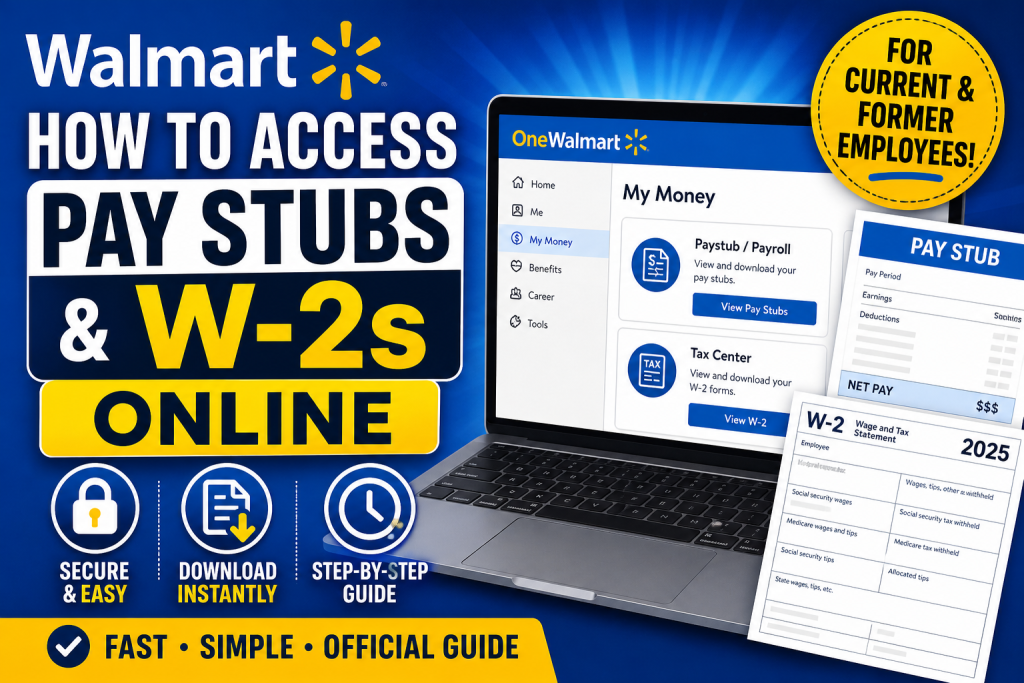
Walmart provides its associates with secure, digital access to payroll and tax documents through its official portals, including OneWalmart (WalmartOne), Workday, and third-party tax platforms. Whether you are a current or former employee, accessing your pay stubs and W-2 forms is straightforward when you follow the correct process.
What Are Walmart Pay Stubs and W-2 Forms?
- Pay Stubs: Detailed earnings statements showing your wages, deductions, and net pay for each pay period.
- W-2 Forms: Annual tax documents summarizing your total earnings and taxes withheld, required for filing income taxes.
How to Access Walmart Pay Stubs Online
Method 1: Through OneWalmart (Primary Portal)
Official Link: https://one.walmart.com
Follow these steps:
- Visit the OneWalmart website
- Log in using your WIN (Walmart Identification Number) and password
- Navigate to:
- Menu (☰) → Me → My Money → Paystub / Payroll
- Select the desired pay period
- Download or print your pay stub (PDF format)
👉 According to the associate guide, pay stubs are typically found under the “My Money” or “Payroll” section after login.
Method 2: Through Workday (If Enabled)
Some Walmart systems integrate with Workday:
- Log in via your Workday portal
- Go to Pay or Compensation
- Click Payslips / Pay Statements
- View or download your pay stub
Method 3: Walmart App (Limited Access)
- Open the Walmart employee app
- Navigate to My Money
- Check if pay stub access is available (not all users have this feature)
How to Access Walmart W-2 Forms Online
Method 1: MyTaxForm (Recommended for Former Employees)
Website: https://www.mytaxform.com
Steps:
- Visit the website
- Enter Employer Code: 10108
- Register (first-time users) or log in
- Access and download your W-2
👉 This is the most reliable option for former associates without portal access.
Method 2: OneWalmart (Current Employees)
- Log in to OneWalmart
- Go to:
- My Money → Tax Center → W-2
- Select the tax year
- Download your form
👉 Navigation via the Tax Center allows employees to access W-2s directly.
Method 3: Enable Electronic W-2 Delivery
To receive W-2s online:
- Log in to your tax portal
- Go to My Account → Delivery Selections
- Select W-2 → Receive forms online
- Accept terms and confirm details
👉 You must consent to electronic delivery before accessing digital W-2 forms.
What If You Cannot Access Your Account?
If you’re locked out or no longer employed:
Option 1: Contact Walmart People Services
- Call: 800-421-1362
- Provide:
- Full name
- Last 4 digits of SSN
- Employment dates
👉 Walmart offers direct support for payroll and tax document retrieval.
Option 2: Request via IRS
If you still cannot obtain your W-2:
- Visit: https://www.irs.gov
- Request a Wage and Income Transcript
👉 This serves as an official alternative for tax filing.
Important Tips for Walmart Associates
- ✔ Always download and save your pay stubs for future reference
- ✔ Review documents for accuracy (hours, deductions, taxes)
- ✔ Opt for paperless delivery to receive forms faster
- ✔ Ensure your email and mailing address are up to date
- ✔ W-2 forms are typically available by January 31 each year
Key Differences: Pay Stub vs W-2
| Feature | Pay Stub | W-2 Form |
| Frequency | Every pay period | Once per year |
| Purpose | Track earnings and deductions | Tax filing |
| Access | OneWalmart / Workday | OneWalmart / MyTaxForm |
Conclusion
Accessing your Walmart pay stubs and W-2 forms online is simple when you use the correct platform. Current employees should rely on OneWalmart or Workday, while former associates can easily retrieve tax forms through MyTaxForm. If you encounter any issues, Walmart’s People Services and IRS alternatives ensure you can still obtain your documents without delay.
Frequently Asked Questions (FAQs)
1. How do I log in to Walmart OneWalmart?
Visit one.walmart.com, enter your WIN (Walmart ID) and password, and access your employee dashboard.
2. Where can I find my Walmart pay stubs?
Navigate to Me → My Money → Payroll/Paystub after logging into OneWalmart.
3. Can I access Walmart pay stubs through Workday?
Yes, if your account is linked, you can view payslips under the Pay or Compensation section in Workday.
4. How do I download my Walmart W-2 form?
Log in to OneWalmart, go to Tax Center, select your tax year, and download your W-2.
5. What is the Walmart employer code for W-2 access?
The employer code is 10108, used on MyTaxForm.com.
6. How can former Walmart employees get their W-2?
Former associates can access W-2 forms via www.mytaxform.com or request them from Walmart HR.
7. When are Walmart W-2 forms available?
W-2 forms are typically available by January 31 each year.
8. What should I do if I forgot my OneWalmart password?
Use the “Forgot Password” option on the login page to reset your credentials.
9. Can I receive my W-2 electronically?
Yes, you must opt in under Delivery Selections → Receive forms online.
10. What if I no longer have access to OneWalmart?
Use MyTaxForm or contact Walmart People Services for assistance.
11. Is there a mobile app to check Walmart pay stubs?
Yes, some employees can access pay details through the Walmart app under My Money.
12. Can Walmart mail my W-2 instead?
Yes, if you did not opt for electronic delivery, it will be mailed to your address on file.
13. Who do I contact for payroll issues at Walmart?
Contact Walmart People Services at 800-421-1362 for payroll and tax support.
14. What information do I need to retrieve my W-2?
You may need your SSN (last 4 digits), WIN, and employment details.
15. What if I still cannot get my W-2 from Walmart?
You can request a Wage and Income Transcript from the IRS as an alternative.

