
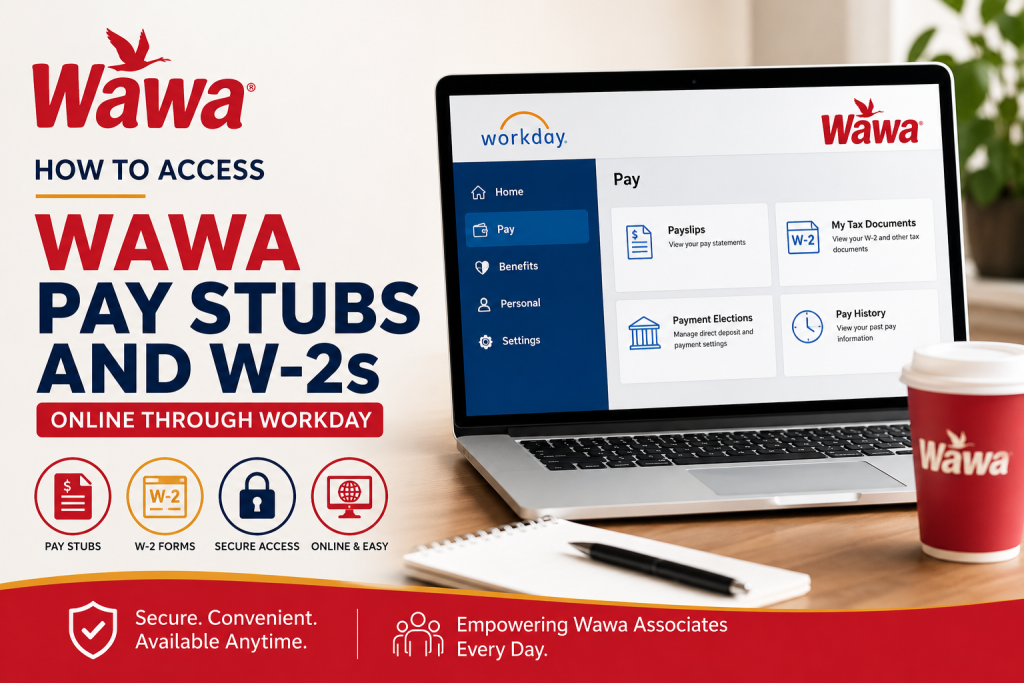
As one of America’s most recognizable convenience store chains, Wawa continues to expand rapidly across the United States, serving millions of customers every year through its renowned food, beverage, and fuel services. With more than 46,000 associates and locations across Pennsylvania, New Jersey, Delaware, Maryland, Virginia, Florida, Alabama, North Carolina, Georgia, Indiana, Kentucky, Ohio, West Virginia, and Washington D.C., Wawa has built a workplace culture centered on growth, flexibility, and community engagement. For payroll and tax management, Wawa employees can conveniently access pay stubs, W-2 tax forms, payroll preferences, and direct deposit details online through the Workday self-service portal integrated with ADP services. Whether you are a current associate or a returning employee, this guide explains everything you need to know about accessing your Wawa pay statements and W-2s online.
Wawa Employee Payroll Portal
Wawa employees use the Workday self-service system for payroll and tax document management. Active employees can sign in using Single Sign-On (SSO), allowing secure access to payroll-related services.
Official Login Portal at https://www.myworkday.com/wawa/d/home.htmld
Requirements Before You Log In
Before accessing your payroll information, make sure you have:
- A valid Wawa employee username
- Your password or SSO credentials
- Internet access
- A desktop browser or mobile device
- Updated recovery email information
According to Wawa’s login instructions, usernames are generally formatted like:
- doej@wawa.com
- w123456@wawa.com
How to Access Wawa Pay Stubs Online
Follow these simple steps to view or download your Wawa pay statements.
Step 1: Visit the Workday Portal
Go to:
Step 2: Sign In Using SSO
If you are an active employee or returning user, use your Wawa Single Sign-On credentials.
Enter:
- Username
- Password
Then click Sign In.
Step 3: Open the Pay Dashboard
Once logged in:
- Navigate to your Workday homepage
- Select the Pay application/dashboard
- Open Payslips or Pay Statements
Workday allows employees to securely access payroll records through browser and mobile self-service systems.
Step 4: Select the Pay Period
A list of available pay periods will appear.
Choose the specific pay date you want to review.
Step 5: Download or Print Your Pay Stub
Click the PDF icon beside the pay statement to:
- View your pay stub
- Download a copy
- Print for personal records
The tutorial documents indicate that payslips can be opened directly as PDF files from the Pay section.
How to Access Wawa W-2 Forms Online
W-2 forms are also stored within Workday under the tax document section.
Step-by-Step Instructions
1. Sign in to Workday
Access your account through the Wawa Workday portal.
2. Open the Pay Section
From the Workday menu:
- Click Pay
- Select My Tax Documents
3. Locate Your W-2 Form
Inside My Tax Documents, you will see available tax years.
Select the appropriate W-2 form.
4. View, Download, or Print
Click View/Print to open your W-2.
From there you can:
- Download the PDF
- Print your tax form
- Save a digital copy for tax filing
Forgot Your Username or Password?
If you cannot access your account:
- Click I can’t access my account
- Enter your primary or secondary email
- Follow the password recovery instructions sent by email
Wawa uses Okta authentication services for secure access management.
Benefits of the Wawa Workday Payroll System
The Workday payroll platform offers several advantages for Wawa associates, including:
- Secure online access
- Mobile-friendly payroll management
- Digital W-2 access
- Paperless payroll options
- Direct deposit management
- Tax withholding updates
- Fast PDF downloads
- Self-service payroll support
Workday’s payroll system also supports online W-2s, payslips, tax elections, and payroll reporting.
Common Issues and Troubleshooting
Unable to Sign In
- Verify your username format
- Confirm password accuracy
- Ensure SSO is active
- Try clearing the browser cache
W-2 Not Available
W-2 forms are typically published after payroll processing is completed for the tax year.
Pay Stub PDF Not Opening
- Disable pop-up blockers
- Update your browser
- Try another device or browser
Wawa Payroll Support
If you continue experiencing issues accessing your payroll records:
- Contact your Wawa HR department
- Reach out to your store management
- Use Workday support resources
- Verify account permissions through Okta authentication
Final Thoughts
Wawa has built a modern employee payroll experience through its Workday and ADP-integrated systems, giving associates secure and convenient access to pay stubs, W-2 tax forms, payroll settings, and payment elections anytime online. Whether you need recent pay statements or historical tax records, the self-service platform makes payroll management simple, fast, and efficient. By following the steps outlined above, Wawa employees can easily access, download, and print important payroll documents whenever needed.
Frequently Asked Questions (FAQ)
1. How do I log into the Wawa Workday portal?
You can log into the Wawa Workday portal using your employee username and password or Single Sign-On (SSO) credentials provided by Wawa.
2. Where can I view my Wawa pay stubs?
Your pay stubs are available under the Pay or Payslips section within the Workday employee dashboard.
3. Can former Wawa employees access W-2 forms online?
Former employees may still access W-2 forms if their Workday or payroll access remains active. Otherwise, they should contact Wawa HR for assistance.
4. Does Wawa use Workday or ADP for payroll?
Wawa primarily uses Workday for employee self-service payroll management, while certain payroll and tax document functions may integrate with ADP.
5. What should I do if I forgot my Wawa password?
Use the “I can’t access my account” option on the sign-in page and follow the password reset instructions sent to your registered email.
6. How can I download my Wawa pay statement?
After opening the selected pay period, click the PDF or download icon to save a copy of your pay statement.
7. When are Wawa W-2 forms available?
W-2 forms are generally available by the end of January each year after payroll processing is completed.
8. Can I print my Wawa W-2 online?
Yes. Once you open the W-2 form in Workday, you can print or download it as a PDF document.
9. Is the Wawa payroll portal mobile-friendly?
Yes. Workday supports mobile access, allowing employees to review payroll and tax documents from smartphones and tablets.
10. How do I update direct deposit information at Wawa?
You can manage direct deposit settings under Payment Elections within the Workday Pay dashboard.
11. Why is my Wawa pay stub not showing?
Your pay statement may not yet be processed, or your account permissions may need updating. Contact HR if the issue continues.
12. Can I access historical pay stubs in Workday?
Yes. Employees can usually access previously issued pay statements and payroll history within Workday.
13. What username format does Wawa use for Workday?
Usernames commonly follow formats such as doej@wawa.com or w123456@wawa.com.
14. How secure is the Wawa payroll portal?
The portal uses secure authentication and SSO technology to protect employee payroll and tax information.
15. Who should I contact for Wawa payroll support?
Employees should contact Wawa Human Resources, payroll administrators, or store management for payroll-related assistance.

