
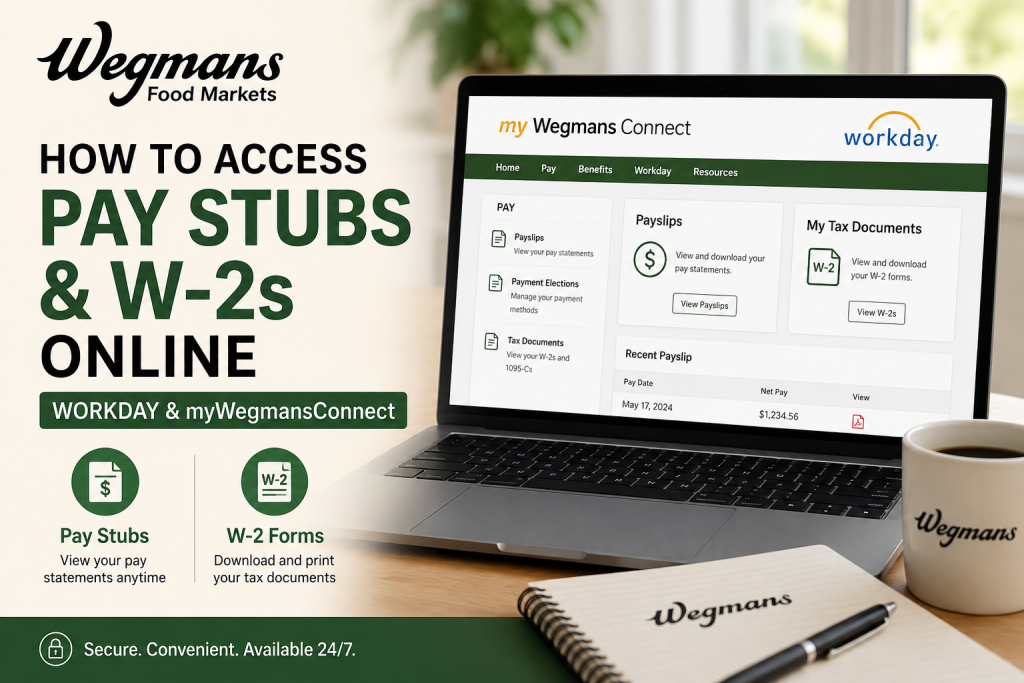
Wegmans Food Markets is one of the most respected family-owned supermarket chains in the United States. Founded in 1916, the company operates more than 100 stores across multiple states and employs over 53,000 people. Renowned for its employee-first culture, Wegmans consistently ranks among Fortune’s “100 Best Companies to Work For.” As a Wegmans employee, you can conveniently access your pay stubs, payroll details, tax forms, and W-2 statements online through the Workday self-service platform and the myWegmansConnect employee portal. Whether you are an active employee looking for weekly payslips or need to download your annual W-2 tax form for filing purposes, this guide explains the complete process step by step.
How to Access Wegmans Pay Stubs Online
Wegmans employees primarily use the Workday payroll system to manage payroll and tax information.
Method 1: Access Through Workday
Step 1: Visit the Workday Login Portal
Go to:
Step 2: Enter Your Login Credentials
Use your:
- Wegmans employee username
- Password
Step 3: Open the Pay Application
After logging into Workday:
- Navigate to Pay
- Select Payslips or Pay History
- Choose the desired pay period
Step 4: Download or Print Your Pay Stub
You can:
- View earnings
- Review deductions
- Check taxes withheld
- Download PDF copies
- Print payroll records for personal use
Employees can also review direct deposit details and tax information from the same dashboard.
How to Access Wegmans W-2 Forms Online
Wegmans employees can retrieve W-2 tax forms electronically through Workday.
Steps to Download Your W-2
Step 1: Log Into Workday
Open the employee portal:
Step 2: Navigate to the Pay Section
From the Workday dashboard:
- Select Pay
- Open My Tax Documents
Step 3: Locate Your W-2 Form
Choose the applicable tax year.
Step 4: Open the PDF Version
Your W-2 can be:
- Viewed online
- Downloaded as a PDF
- Printed for tax filing
Digital W-2s are generally available before paper copies arrive by mail.
Access Through myWegmansConnect
Employees may also access payroll resources using:
myWegmansConnect Employee Portal
The portal provides access to:
- Payroll information
- Work schedules
- Company communications
- HR resources
- Employee announcements
To sign in:
- Enter your employee username followed by
@wegmans.com - Continue to the Wegmans login page
- Enter your password
- Access employee resources
Using the Workday Mobile App
Wegmans employees can also manage payroll information using the Workday mobile app.
Features Available in the App
- View payslips
- Access W-2 forms
- Review direct deposit information
- Check year-to-date earnings
- Download PDF pay statements
How to Get Started
- Download the Workday app from:
- Apple App Store
- Google Play Store
- Enter the organization ID for Wegmans
- Sign in using employee credentials
The mobile app provides secure access to payroll information anytime and anywhere.
What Information Appears on Wegmans Pay Stubs?
Your Wegmans pay slip typically includes:
- Gross earnings
- Net pay
- Hourly wage or salary
- Overtime pay
- Tax deductions
- Benefits deductions
- Retirement contributions
- Paid time off balances
- Direct deposit details
Employees can also monitor year-to-date earnings for financial planning and tax preparation.
When Are Wegmans W-2 Forms Available?
W-2 forms are typically released:
- By late January each year
- Electronically, before mailed copies arrive
Employees who opted for paperless tax delivery may receive digital access earlier through Workday.
What If You Cannot Access Your Account?
If you experience login issues:
Try These Solutions
- Reset your password
- Verify your employee ID
- Use the password recovery option
- Clear browser cache
- Try another browser or device
Contact Wegmans HR or Payroll
If access problems continue, contact:
- Wegmans HR Service Center
- Payroll department
- Store management
Former employees may need payroll assistance if their account access has been disabled.
Benefits of Electronic Payroll Access
Online payroll systems provide several advantages:
- Faster access to pay information
- Secure tax document storage
- Mobile-friendly access
- Reduced paper usage
- Easy recordkeeping
- Immediate PDF downloads
- Convenient tax filing preparation
Wegmans encourages electronic payroll delivery as part of its modern employee self-service system.
Frequently Asked Questions (FAQs)
Can I access Wegmans pay stubs from home?
Yes. Employees can securely log in through Workday or myWegmansConnect from any internet-connected device.
Does Wegmans use Workday for payroll?
Yes. Wegmans employees access payroll and tax documents through the Workday self-service platform.
Where can I find my W-2 on Workday?
Go to:
Pay → My Tax Documents → Select Tax Year
Then open or download the PDF copy.
Can former employees access W-2 forms online?
In many cases, former employees may still access Workday temporarily. If access is unavailable, contact Wegmans Payroll or HR support.
Is there a Wegmans payroll app?
Yes. Employees can use the Workday mobile application to access payroll information.
What should I do if my W-2 is missing?
Contact Wegmans Payroll or HR support to request a replacement or verify mailing details.
Can I print my Wegmans pay stubs?
Yes. Workday allows employees to download and print PDF pay statements.
Are electronic W-2 forms secure?
Yes. Workday uses encrypted login systems and secure authentication methods.
Can I update direct deposit information online?
Yes. Employees can manage direct deposit details through Workday self-service tools.
How often are pay stubs updated?
Pay stubs are generally available each payroll cycle after processing is completed.
Can I access old pay stubs?
Yes. Workday typically stores payroll history for employees to review previous pay periods.
Does Wegmans mail paper W-2 forms?
Yes. Paper W-2s are mailed unless the employee opted into electronic delivery.
Can I use my phone to view payroll documents?
Yes. The Workday mobile app supports payroll and tax document access.
What browser works best for Workday?
Modern browsers such as Chrome, Edge, Firefox, and Safari usually work best.
Is myWegmansConnect different from Workday?
Yes. myWegmansConnect serves as the employee communication and resource portal, while Workday primarily handles payroll, HR, and tax functions.
Final Thoughts
Wegmans provides employees with a streamlined digital payroll experience through Workday and myWegmansConnect. Whether you need weekly pay stubs, tax documents, direct deposit information, or payroll history, the self-service platforms make accessing important employment records quick, secure, and convenient. Employees are encouraged to enable electronic tax delivery and regularly review payroll information online to ensure accuracy and simplify tax preparation.

