
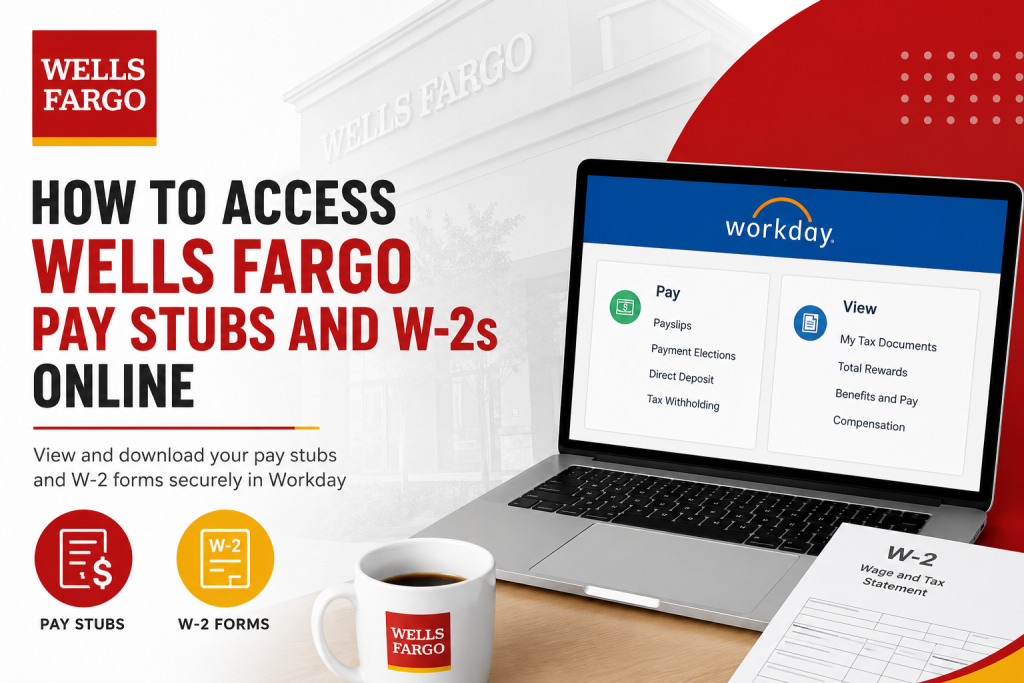
Managing payroll documents digitally has become an essential part of modern employment, and Wells Fargo employees can conveniently access their pay stubs, tax forms, and payroll records online through the Workday self-service platform. Whether you are an active employee, on leave, or a former employee, Workday provides secure access to payroll information from virtually anywhere. Wells Fargo, one of the largest financial institutions in the United States, offers employees a streamlined payroll and HR experience through Workday. Employees can view payslips, download W-2 tax forms, update direct deposit information, and manage payroll preferences online using either a desktop browser or the Workday mobile application. This complete guide explains how to access Wells Fargo pay stubs and W-2s online, troubleshoot login issues, use the Workday mobile app, and retrieve historical tax documents.
About Wells Fargo
Wells Fargo is a diversified financial services company headquartered in San Francisco, California. Founded in 1852, the company provides banking, mortgage, investment, and commercial finance services to millions of customers globally. Wells Fargo serves one in three households in the United States and operates thousands of banking locations and ATMs nationwide. The company employs approximately 250,000 team members and maintains a strong digital infrastructure that enables employees to securely access payroll and HR information online.
Wells Fargo Pay Stub and W-2 Portal
Employees can access payroll records through the official Workday portal:
Workday Login:
For employees accessing payroll resources remotely:
Teamworks at Home:
Teamworks at Home
How to Access Wells Fargo Pay Stubs Online
Wells Fargo employees can view and download electronic payslips directly within Workday. The system allows employees to access current and historical payroll details, tax deductions, direct deposit information, and downloadable PDF pay statements.
Step-by-Step Instructions
Step 1: Visit the Workday Portal
Go to the official Wells Fargo Workday login page using your preferred web browser.
Step 2: Enter Your Login Credentials
- Active employees should log in using:
- Wells Fargo email address
- AD-ENT/LAN password
- Former employees should use:
- Wells Fargo Employee ID
- Personal password created for Workday access
Step 3: Complete Multi-Factor Authentication
Wells Fargo requires secure authentication using:
- Microsoft Authenticator
- YubiKey security verification
This additional security layer protects sensitive payroll and tax information.
Step 4: Open the Pay Application
After signing in:
- Select View All Apps
- Open the Pay and U.S. Benefits application
Step 5: Access Payslips
Inside the Pay section:
- Select Payslips
- Choose the desired pay period
- Open the PDF version of your pay statement
- Download or print your payslip as needed
How to Access Wells Fargo W-2 Forms Online
Employees can retrieve annual W-2 tax forms electronically through Workday under the “My Tax Documents” section.
Steps to View Your W-2
1. Log in to Workday
Access your employee Workday account securely.
2. Open the Pay Dashboard
Navigate to:
- Pay
- Payroll Direct Access
- Tax Documents
3. Select “My Tax Documents.”
All available W-2 forms are stored in this section for eligible tax years.
4. Open the W-2 PDF
Choose the appropriate tax year and:
- View the W-2 online
- Download the PDF
- Print a paper copy for tax filing
5. Access Accessible Versions
Workday also provides an accessible version of W-2 forms for employees requiring alternative viewing formats.
Wells Fargo Workday Mobile App
Wells Fargo employees can also manage payroll information through the Workday mobile application.
Features of the Mobile App
Using the app, employees can:
- View payslips
- Check take-home pay
- Review tax deductions
- Access direct deposit information
- Download PDF pay statements
- Request time off
- Update personal information
The mobile app uses organization ID:
wfImportant Note About W-2 Access
Wells Fargo specifies that W-2 tax forms are not available directly inside the Workday mobile application. Employees must use a desktop or mobile browser to retrieve W-2 forms.
Former Employee Access to Wells Fargo W-2s
Former Wells Fargo employees may continue accessing Workday for up to 18 months after termination if a personal email address was added to Workday before separation.
Former Employee Login Steps
- Visit the former employee Workday link:
- https://www.myworkday.com/wf/login.htmld?redirect=n
- Use:
- Wells Fargo Employee ID
- Temporary password sent to your personal email
- Reset your password if necessary using the “Forgot Password” option.
How to Retrieve Older W-2 Forms
For U.S.-based employees needing:
- W-2s from 2021 or earlier
- Historical payslips
- Form 1095-C
Employees should contact HR support directly.
Wells Fargo HR Support
HRWELLS Support Line:
1-877-479-3557
Options:
- Option 2
- Option 1
Troubleshooting Workday Login Problems
If you cannot access your Wells Fargo payroll account, try the following:
Common Solutions
Reset Your Password
Use the “Forgot Password” link on the Workday login page.
Verify MFA Enrollment
Ensure your Microsoft Authenticator setup was completed while connected to the Wells Fargo corporate network.
Use Supported Browsers
Recommended browsers include:
- Google Chrome
- Microsoft Edge
- Safari
Confirm Personal Email Address
Former employees must ensure their personal email remains associated with their Workday account.
Contact Support
For technical assistance:
- Teamworks at Home Support
- HRWELLS Payroll Assistance
Benefits of Electronic Pay Stubs and W-2s
Using Workday for payroll management offers several advantages:
- Instant access to payroll records
- Secure digital document storage
- Easy PDF downloads
- Faster tax filing preparation
- Reduced paper clutter
- Mobile-friendly payroll management
- Access to historical payroll information
Frequently Asked Questions
Can I access Wells Fargo pay stubs from my phone?
Yes. Employees can use the Workday mobile application to access payslips and payroll details.
Can former Wells Fargo employees access W-2 forms online?
Yes. Former employees may retain Workday access for up to 18 months after leaving the company if their personal email was properly configured.
What is the Wells Fargo Workday organization ID?
The Workday organization ID is: wf
Why can’t I see my W-2 in the mobile app?
W-2 forms are only accessible through a desktop or mobile web browser, not inside the Workday mobile app.
How do I download my Wells Fargo payslip?
Open the Pay application in Workday, select the desired pay period, and generate a PDF copy of the payslip.
Can I print my W-2 directly from Workday?
Yes. Workday provides built-in print and PDF download functionality for W-2 tax forms.
What should I do if I forgot my Workday password?
Use the “Forgot Password” option on the Workday sign-in page or contact Wells Fargo HR support.
Does Wells Fargo use direct deposit?
Yes. Employees can manage direct deposit settings through Workday.
How long are payroll documents stored in Workday?
Availability varies depending on employment status and document type. Historical tax forms are typically maintained for several years.
Is multi-factor authentication required?
Yes. Wells Fargo requires MFA through Microsoft Authenticator or approved authentication methods.
Can I access payroll records outside the United States?
Yes. Wells Fargo supports international employee access through Workday and Teamworks at Home.
Are payroll documents available 24/7?
Yes. Employees can access payroll records online anytime through Workday.
Can I update tax withholding elections online?
Yes. Tax withholding elections can be updated within the Pay section of Workday.
What browser works best for Workday?
Google Chrome and Microsoft Edge are generally recommended for optimal performance.
Is Workday secure for payroll access?
Yes. Workday uses encrypted connections and secure authentication protocols to protect employee data.

