
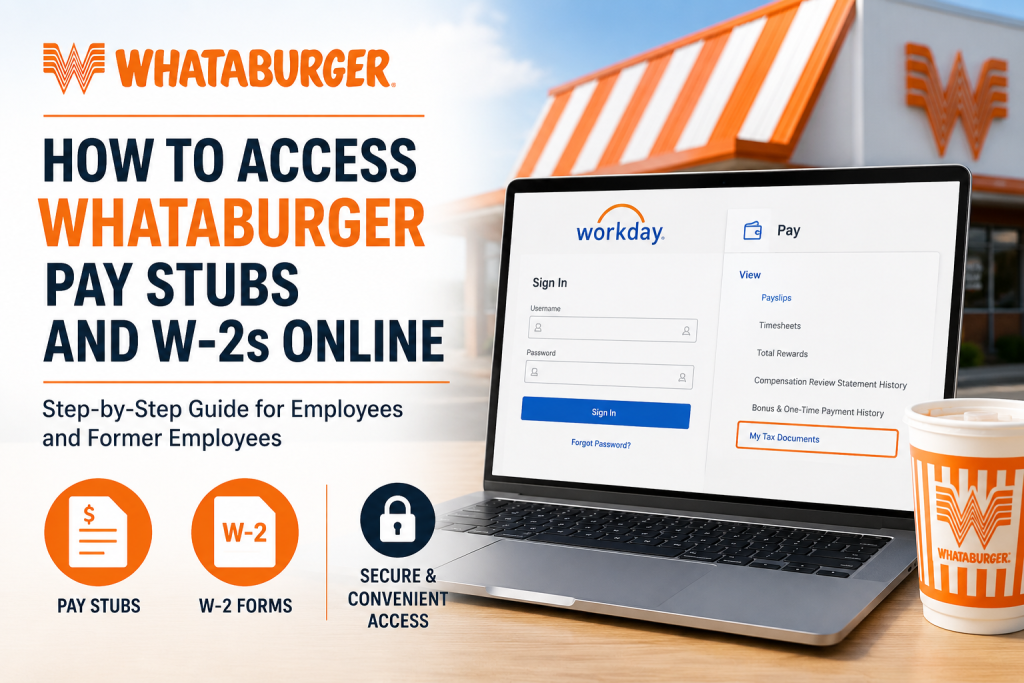
For generations, Whataburger has been more than just a burger restaurant. Since opening its first location in Corpus Christi, Texas in 1950, the iconic fast-food chain has grown into a beloved brand with more than 1,100 restaurants and over 51,000 Family Members across the United States. Known for its fresh, made-to-order burgers, signature orange-and-white restaurants, and exceptional customer service, Whataburger continues to be a workplace where employees can build rewarding careers. As a Whataburger employee or former Family Member, you can conveniently access your pay stubs and W-2 tax forms online through the company’s Workday self-service platform. In addition, older W-2 forms issued before 2024 may still be available through the Paperless Employee portal. This complete guide explains how to access, download, and print your Whataburger pay statements and W-2 forms online.
Whataburger Employee Payroll Portal
Current employees can access payroll information through the official Whataburger Workday portal:
Official Workday Login
You must sign in using your Whataburger Single Sign-On (SSO) credentials.
How to Access Whataburger Pay Stubs Online
Whataburger employees can view and download electronic payslips directly from Workday.
Step-by-Step Instructions
Step 1: Visit the Workday Portal
Open the official Whataburger Workday login page and sign in using your employee credentials.
Step 2: Access the Pay Section
After logging in:
- Navigate to the Pay dashboard
- Select Payslips under the View section
Step 3: Select Your Pay Period
A list of available pay statements will appear. Choose the pay period you want to review.
Step 4: Open the PDF Payslip
Click the PDF link next to the selected payroll date to:
- View your payslip
- Download a copy
- Print the document for your records
How to Access Whataburger W-2 Forms Online
Whataburger provides digital W-2 access through Workday for recent tax years.
Access W-2 Forms in Workday
Step 1: Log In to Workday
Use your SSO credentials to access your employee account.
Step 2: Open the Pay Application
From your Workday homepage:
- Click Pay
- Select My Tax Documents
Step 3: Locate Your W-2
Inside the My Tax Documents section, you will see:
- Tax year
- Issue date
- Employee copy
- Federal copy
Step 4: View or Print Your W-2
Click View/Print to open your W-2 statement.
You can then:
- Download the PDF
- Print the form
- Save a digital copy for tax filing
How to Access Whataburger W-2 Forms Before 2024
If you need historical W-2 forms issued before 2024, Whataburger directs employees to the Paperless Employee portal.
Paperless Employee Portal
Paperless Employee Whataburger Portal
You may need:
- Employee ID
- Social Security Number
- Password or PIN
- Security verification
If you no longer remember your login credentials, use the password recovery option available on the portal.
Former Whataburger Employees: Workday Access
Former Family Members may still access Workday depending on account status and separation date.
According to the Workday login instructions, former employees may:
- Use the “Forgot Password” feature
- Reset their credentials through Workday
- Contact Human Resources for assistance
If additional help is required, employees may contact the HR support team.
Troubleshooting Workday Login Problems
Forgot Your Password?
Use the Forgot Password option on the Workday login page to reset your account.
Locked Out of Workday?
If your account becomes locked, contact Whataburger Human Resources or your local management team.
Browser Issues
If Workday is not loading properly:
- Clear your browser cache
- Try Google Chrome or Microsoft Edge
- Disable browser extensions temporarily
Unable to Access Old W-2 Forms?
Older tax forms may only be available through Paperless Employee rather than Workday.
Benefits of Electronic Pay Stubs and W-2 Access
Using digital payroll systems provides several advantages:
- 24/7 access to payroll records
- Faster tax filing preparation
- Secure document storage
- Instant downloads and printing
- Reduced paper clutter
- Convenient mobile access
Important Payroll Information
Employees should regularly verify that the following information is correct in Workday:
- Mailing address
- Tax withholding elections
- Direct deposit details
- Contact information
- Email address
Keeping your profile updated ensures timely payroll processing and accurate W-2 delivery.
Final Thoughts
Whataburger makes it easy for employees and former Family Members to securely access payroll records online. Whether you need recent payslips, current W-2 forms, or historical tax documents, the Workday and Paperless Employee platforms provide convenient self-service access anytime and anywhere. By keeping your login credentials updated and regularly reviewing your payroll profile, you can ensure uninterrupted access to your important employment and tax records.
Frequently Asked Questions (FAQs)
How do I access my Whataburger pay stubs?
Log into the Whataburger Workday portal using your SSO credentials and navigate to Pay > Payslips.
Where can I find my W-2 form?
You can access your W-2 in Workday under Pay > My Tax Documents.
Can former employees still access Workday?
Yes, many former employees can still access Workday using their previous credentials or password reset options.
Where do I get W-2 forms before 2024?
Historical W-2 forms before 2024 are available through the Paperless Employee portal.
What is the official Whataburger Workday website?
The official portal is:
Whataburger Workday Login at https://www.whataburger.com/workday
What is the Paperless Employee portal for Whataburger?
The official historical W-2 portal is:
Paperless Employee Whataburger at https://www.paperlessemployee.com/whataburger
What should I do if I forgot my Workday password?
Use the password recovery option on the Workday sign-in page.
Can I print my W-2 online?
Yes. Once you open the W-2 PDF, you can download or print it instantly.
When are W-2 forms usually available?
W-2 forms are typically available by the end of January each year.
Can I access Workday from my mobile phone?
Yes. Workday is mobile-friendly and accessible through most modern smartphones and tablets.
Are pay stubs available in PDF format?
Yes. Employees can download and print PDF copies of their payslips.
Is electronic W-2 delivery secure?
Yes. Both Workday and Paperless Employee use secure encrypted systems to protect employee data.
What if my mailing address changed?
Update your address immediately in Workday to avoid delays receiving tax documents.
Who should I contact for payroll support?
You can contact Whataburger Human Resources or your local restaurant management for assistance.
Can I access multiple years of W-2 forms?
Yes. Available tax years can usually be accessed within Workday or Paperless Employee, depending on the filing year.

