
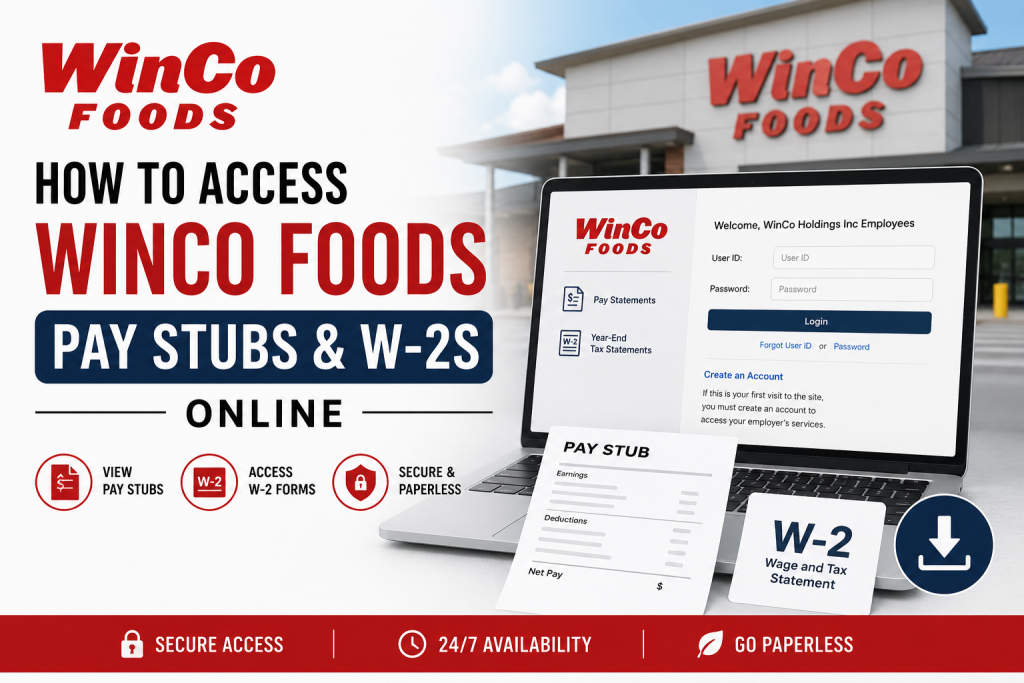
WinCo Foods is one of America’s most recognized employee-owned grocery chains, serving millions of customers across the western and southern United States. Founded in 1967 in Boise, Idaho, the company has grown from a single warehouse-style grocery store into a retail powerhouse with more than 140 locations and over 20,000 employees. WinCo Foods is proudly employee-owned through its Employee Stock Ownership Plan (ESOP), giving eligible employees a meaningful stake in the company’s success. As a WinCo Foods employee, you can conveniently access your pay stubs, tax forms, and payroll records online through the Paperless Employee self-service portal. The platform allows employees to securely view, download, print, and manage current and previous payroll documents anytime, from any device with internet access.
WinCo Foods Employee Payroll Portal
Current employees can access their pay statements and tax forms through the official Paperless Employee portal:
Official Login Portal:
https://www.paperlessemployee.com/WinCoFoods
The online system provides access to:
- Current and previous pay stubs
- W-2 tax forms
- Electronic payroll delivery settings
- Payroll history
- Tax statement notifications
- Secure document downloads
The portal is available 24/7 and can be accessed from both desktop and mobile devices.
How to Create a WinCo Foods Paperless Employee Account
If you are a first-time user, you must create an online account before accessing payroll information.
Step 1: Visit the Payroll Portal
Open the official Paperless Employee website and select the “Create Account” option on the login page.
Step 2: Verify Your Identity
To complete registration, you will need:
- Your 6-digit employee number
- Social Security Number (SSN)
- Date of birth
- A valid personal email address
It is recommended to use a personal email address instead of a shared or generic work email account.
Step 3: Create Login Credentials
Set up:
- A secure User ID
- A strong password
- Security questions and answers
You may also receive a verification code by text or email to confirm your identity.
Step 4: Configure Notifications
Choose how you would like to receive alerts whenever new payroll documents become available:
- Email notifications
- Text message alerts
- Both email and SMS
After saving your preferences, your account setup will be complete.
How to Access WinCo Foods Pay Stubs Online
Once your account has been activated, accessing pay stubs is simple and convenient.
Step-by-Step Guide to Viewing Pay Stubs
Step 1: Log In to Your Account
Enter your User ID and password on the Paperless Employee portal.
Step 2: Open the Pay Statements Section
From the dashboard, click:
- “Pay Statements”
or - “Access Pay Statements”
Step 3: Select the Pay Period
Choose the pay stub you wish to review from the available list of payroll records.
Step 4: Download or Print Your Pay Stub
Click the option labeled:
“View/Print Selected Pay Statements”
Your pay stub will open as a PDF document, allowing you to:
- View earnings and deductions
- Download the file
- Print a hard copy
- Save it for future use
Employees can also review summary pay statements directly within the portal without downloading the full PDF.
How to Access WinCo Foods W-2 Forms Online
WinCo Foods employees can also retrieve current and prior-year W-2 tax forms electronically.
Before accessing W-2 forms online, employees should enroll in electronic tax statement delivery.
How to Enroll for Electronic W-2 Delivery
Step 1: Open Tax Statement Settings
From the account dashboard, select:
“Manage Electronic Tax Statement Options”
Step 2: Enable Electronic Delivery
Choose “Yes” when asked if you would like to receive tax statements electronically.
Step 3: Select Notification Preferences
Choose whether you want to receive W-2 availability alerts through:
- Text messages
- Both
Step 4: Save Your Settings
Click “Save Notification Option Settings” to finalize your enrollment.
Once enrolled, your preferences typically carry forward automatically for future tax years.
How to Download Current W-2 Forms
To access your current W-2:
- Log in to the Paperless Employee portal
- Select “Year-End Tax Statements”
- Click “Access Current Year-End Statements”
- Choose the desired form
- Click “Review & Complete Order”
Your W-2 form will then be available to download, print, or save as a PDF.
How to Access Previous Year W-2 Forms
Employees can also retrieve older tax documents through the same portal.
To access prior-year W-2 forms:
- Open “Year-End Tax Statements”
- Select “Access Prior Year-End Statements”
- Choose the appropriate tax year
- Download the document
This feature makes it easy to obtain tax records for financial planning, loan applications, or amended tax returns.
Benefits of Going Paperless at WinCo Foods
WinCo Foods encourages employees to enroll in paperless payroll delivery because it provides several important advantages.
Key Benefits Include:
- Instant access to payroll documents
- Secure online storage
- Faster delivery of W-2 forms
- Mobile-friendly access
- Reduced risk of lost mail
- Easy access to historical records
- Environmentally friendly paper reduction
- Email and text notifications for new documents
Employees who choose electronic delivery may no longer receive mailed paper copies of pay stubs or tax forms.
Troubleshooting WinCo Foods Payroll Portal Issues
Occasionally, employees may experience login or document access issues. Fortunately, most problems can be resolved quickly.
Forgot Password or User ID
Use the “Forgot User ID” or “Forgot Password” links on the login page to reset your credentials.
Browser Problems
If the portal is not loading properly:
- Clear your browser cache
- Enable pop-ups
- Update your browser
- Try a different browser or device
Missing Pay Stubs or W-2 Forms
If documents are unavailable:
- Confirm your electronic delivery enrollment
- Check notification settings
- Contact WinCo Foods HR or Payroll Support
Security Tips for Employees
To protect your payroll and tax information:
- Use a strong, unique password
- Never share login credentials
- Log out after each session
- Update your email and phone number regularly
- Enable account verification alerts
Maintaining account security helps prevent unauthorized access to sensitive financial information.
Final Thoughts
The WinCo Foods Paperless Employee portal provides a fast, secure, and convenient way for employees to manage payroll records online. Whether you need your latest pay stub, previous earnings statements, or annual W-2 tax forms, the system makes accessing important documents simple and efficient.
By enrolling in electronic delivery, employees can enjoy immediate access to payroll records, reduced paperwork, and enhanced convenience throughout the year. With mobile access, downloadable PDFs, and automated notifications, WinCo Foods continues to modernize the employee payroll experience while supporting secure and paperless document management.
Frequently Asked Questions (FAQ)
1. How do I access my WinCo Foods pay stubs online?
You can access your pay stubs by logging into the WinCo Foods Paperless Employee portal and selecting “Pay Statements” from the dashboard.
2. What website does WinCo Foods use for payroll access?
WinCo Foods employees use the Paperless Employee portal at:
https://www.paperlessemployee.com/WinCoFoods
3. How do I create a WinCo Foods Paperless Employee account?
Click “Create Account” on the login page and enter your employee number, Social Security Number, date of birth, and personal email address.
4. Can former WinCo Foods employees access W-2 forms online?
Yes, eligible former employees may still access previous W-2 forms through the Paperless Employee portal if their account remains active.
5. What information do I need to register for the payroll portal?
You typically need:
- Employee ID or employee number
- Social Security Number
- Date of birth
- Valid personal email address
6. How do I download my WinCo Foods pay stub?
After selecting a pay statement, click “View/Print Selected Pay Statements” to open and download the PDF file.
7. Can I print my pay stubs from the portal?
Yes. Pay stubs can be printed directly after opening the PDF statement.
8. How do I access my WinCo Foods W-2 online?
Log into the portal, select “Year-End Tax Statements,” and choose the desired W-2 form to download.
9. How do I enroll in electronic W-2 delivery?
Go to “Manage Electronic Tax Statement Options” and enable electronic tax form delivery preferences.
10. Are WinCo Foods pay stubs available on mobile devices?
Yes. The Paperless Employee portal is mobile-friendly and accessible on smartphones and tablets.
11. What should I do if I forget my password?
Use the “Forgot Password” link on the login page to reset your password securely.
12. Can I view previous pay stubs online?
Yes. Employees can access both current and historical pay statements through the payroll portal.
13. Why is my W-2 not showing in the portal?
W-2 forms may not appear until they are officially released. If delayed, contact HR or payroll support for assistance.
14. Is the WinCo Foods payroll portal secure?
Yes. The portal uses secure login authentication and encrypted access to protect employee payroll data.
15. What are the benefits of paperless payroll at WinCo Foods?
Paperless payroll provides:
- Faster document delivery
- Secure online access
- Reduced paper waste
- Easy payroll tracking
- Convenient mobile access
- Email and text notifications

