
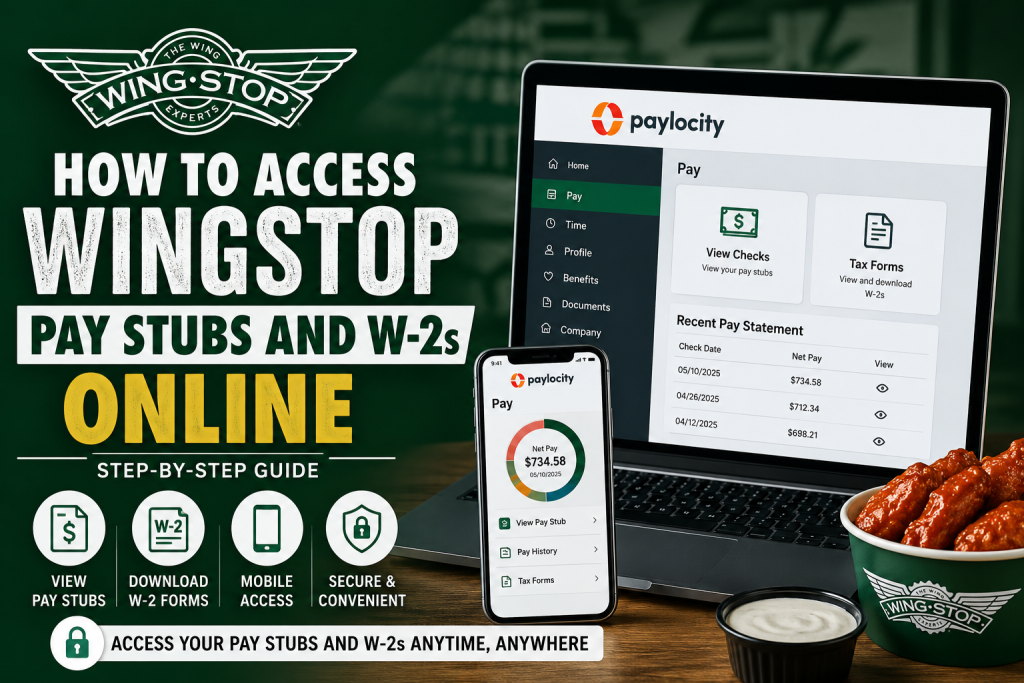
Wingstop is one of the fastest-growing chicken wing restaurant chains in the United States, operating thousands of franchise-owned locations worldwide. Since most Wingstop restaurants are independently owned franchises, payroll systems may vary from one location to another. However, many Wingstop franchises in Georgia and several other states use the Paylocity payroll platform to provide employees with online access to pay stubs, W-2 tax forms, direct deposit details, and payroll records. If your Wingstop franchise uses Paylocity, you can conveniently access your payroll information from a desktop computer or mobile device anytime. This guide explains everything you need to know about accessing Wingstop pay stubs and W-2s online securely and efficiently.
What Is Paylocity?
Paylocity is a modern payroll and human capital management platform used by employers for payroll processing, employee self-service, tax documents, direct deposit management, and HR communication. Employees can access payroll information through:
- The Paylocity Self-Service Portal
- The Paylocity Mobile App
- Secure electronic W-2 forms
- Direct deposit management tools
- Time-off requests and HR resources
The platform allows Wingstop employees to view current and previous pay stubs, monitor deductions and taxes, and download tax forms digitally.
How to Access Wingstop Pay Stubs Online
Access Through the Paylocity Website
To access your Wingstop pay stubs online through a desktop browser:
Step 1: Visit the Paylocity Portal
Go to the official Paylocity Self-Service Portal:
For the best experience, use:
- Google Chrome
- Microsoft Edge
Step 2: Log Into Your Account
Enter:
- Company ID provided by your Wingstop franchise
- Username
- Password
If you are a first-time user, select Register New User and follow the registration prompts. You may need:
- Employee ID
- Social Security Number
- Personal information verification
Step 3: Open the Pay Section
After logging in:
- Locate the Pay tile
- Click View Checks
- Select the paycheck date you want to review
- Open your pay stub details
Step 4: Download or Print Your Pay Stub
To save your payroll statement:
- Click Download Paystub
- A PDF version will open
- Save or print the file for your records
How to Access Wingstop W-2 Forms Online
Your annual W-2 tax form can also be accessed through Paylocity.
Follow These Steps:
- Log into Paylocity
- Navigate to the Pay section
- Select Tax Forms
- Choose the appropriate tax year
- Download or print your W-2 form
The system allows employees to securely access year-end tax documents electronically.
Access Wingstop Pay Stubs Using the Paylocity Mobile App
Employees can also manage payroll records using the Paylocity mobile application.
Download the App
Available on:
- Google Play Store
- Apple App Store
Mobile Login Instructions
- Open the Paylocity app
- Tap Register New User if you are a first-time user
- Enter your Company ID
- Complete the verification process
- Log into your account
View Pay Stubs on Mobile
Once logged in:
- Tap Pay
- Your latest pay stub will appear automatically
- Tap History to view older pay statements
- Select any pay period to review earnings and deductions
Understanding Your Wingstop Pay Stub
Paylocity provides detailed payroll breakdowns, including:
Earnings
You can review:
- Regular pay
- Overtime
- Bonuses
- Holiday pay
- PTO earnings
- Shift differentials
Deductions
Your pay stub may show deductions for:
- Medical insurance
- Dental insurance
- Vision plans
- 401(k)
- Garnishments
- Health Savings Accounts (HSA)
Taxes
Tax sections may include:
- Federal income tax
- State tax
- Medicare tax
- Social Security tax
- Local taxes
How to Go Paperless
Paylocity also allows Wingstop employees to receive digital payroll documents faster.
To enable paperless delivery:
- Open the Pay card
- Select Go Paperless
- Confirm your preferences
This allows faster access to:
- Pay stubs
- W-2 forms
- Payroll notifications
How to Reset Your Paylocity Password
If you forgot your:
- Password
- Username
- Company ID
You can recover access directly from the login page.
Steps:
- Click Help
- Choose:
- Forgot Password
- Forgot Username
- Forgot Company ID
- Verify your identity
- Enter the one-time verification code
- Create a new password
Direct Deposit Management
Employees can also update direct deposit information through Paylocity.
To Update Direct Deposit:
- Open the Pay tile
- Click More
- Select Direct Deposit Accounts
- Add or edit bank accounts
Benefits of Using Paylocity for Wingstop Payroll
Using Paylocity offers several advantages for Wingstop employees:
- 24/7 access to pay records
- Secure payroll management
- Easy W-2 downloads
- Mobile payroll access
- Paperless payroll options
- Faster tax preparation
- Convenient direct deposit updates
Final Thoughts
Because Wingstop restaurants operate under independent franchise ownership, payroll systems can differ by location. However, many Wingstop franchises — particularly in Georgia — rely on Paylocity to manage payroll and employee self-service functions. If your location uses Paylocity, you can easily access pay stubs, W-2 forms, direct deposit details, and payroll history online through either the desktop portal or mobile app. With secure access and paperless convenience, Paylocity makes payroll management simple and efficient for Wingstop employees. For additional support, contact your Wingstop franchise HR or payroll administrator.
Frequently Asked Questions (FAQ)
1. How do I access my Wingstop pay stubs online?
You can access your Wingstop pay stubs through the Paylocity self-service portal if your franchise uses Paylocity for payroll services. Log in, open the Pay section, and select View Checks.
2. What website do Wingstop employees use for payroll?
Many Wingstop franchises use the Paylocity payroll portal:
3. Can I access my Wingstop W-2 online?
Yes. After logging into Paylocity, go to the Pay section and select Tax Forms to download your W-2.
4. Does every Wingstop franchise use Paylocity?
No. Wingstop operates through independent franchises, so payroll systems may vary by location.
5. How do I register for a Paylocity account?
Open the Paylocity app or website and select Register New User. Enter your Company ID and follow the verification steps.
6. What if I forgot my Paylocity password?
Click Forgot Password on the login page and follow the verification instructions to reset your credentials.
7. Can former Wingstop employees access old pay stubs?
In many cases, former employees may still access payroll records for a limited period. Contact your franchise HR department for assistance.
8. How do I download my pay stub as a PDF?
After opening a pay statement, click Download Paystub to save a printable PDF copy.
9. Is there a mobile app for Wingstop payroll access?
Yes. Employees can use the Paylocity mobile app available on Android and iPhone devices.
10. How do I check previous paychecks in Paylocity?
Open the Pay section and select History to view earlier payroll records.
11. Can I update direct deposit information online?
Yes. In Paylocity, go to Pay > More > Direct Deposit Accounts to update banking details.
12. Why is my Company ID not working?
Your Company ID is assigned by your Wingstop franchise employer. Contact HR or payroll support if it is incorrect or missing.
13. Can I receive paperless pay stubs and W-2s?
Yes. Paylocity allows employees to enable paperless payroll and electronic tax form delivery.
14. What information appears on a Wingstop pay stub?
Pay stubs typically include:
- Gross pay
- Net pay
- Taxes
- Deductions
- Overtime
- PTO balances
- Direct deposit details
15. Who should I contact for payroll problems at Wingstop?
Employees should contact their local Wingstop franchise HR department or payroll administrator for payroll-related support.

