
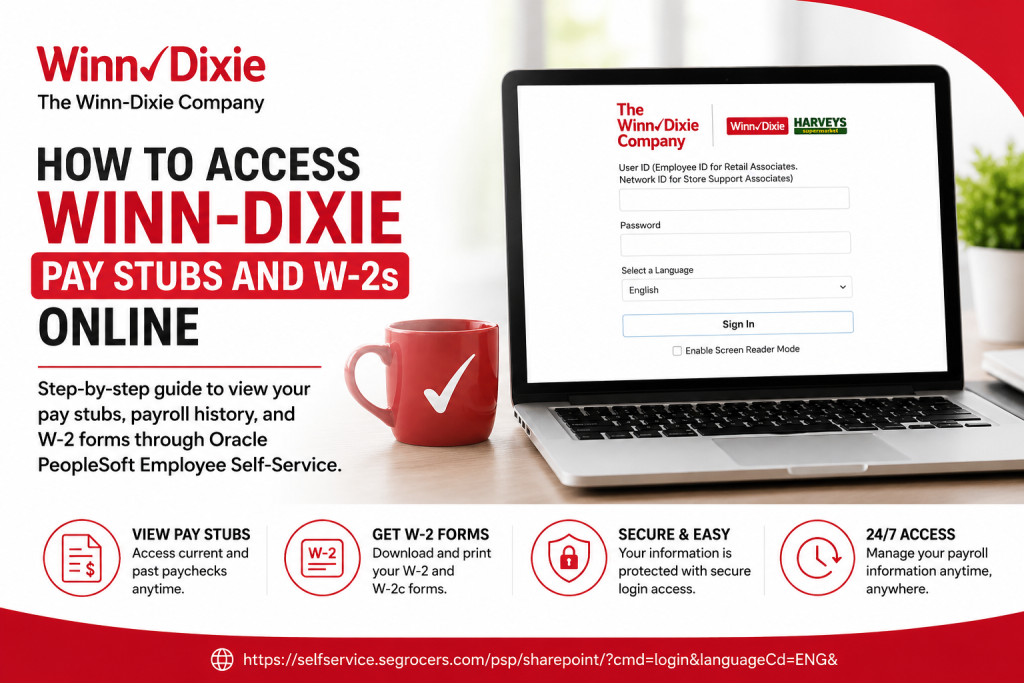
Founded in 1925, Winn-Dixie has become one of the most recognized grocery chains in the southeastern United States, serving communities across Alabama, Florida, Georgia, Louisiana, and Mississippi. The company operates under The Winn-Dixie Company and continues to modernize its workforce systems through digital employee self-service tools. As a Winn-Dixie employee, you can conveniently access your pay stubs, payroll history, tax forms, and W-2 documents online through the Oracle PeopleSoft Employee Self-Service portal. This secure platform allows associates to manage payroll information anytime without visiting the HR department in person.
Winn-Dixie Employee Self-Service Portal
Employees can access payroll and tax information through the official Oracle PeopleSoft login page:
Winn-Dixie Oracle PeopleSoft Portal
The login portal requires:
- Employee ID (for Retail Associates)
- Network ID (for Store Support Associates)
- Password
- Preferred language selection
If you experience login issues, Winn-Dixie recommends contacting:
- HR Support Center: 1-855-HR-FOR-ME (1-855-473-6763)
- Email: hrforme@winndixie.com
How to Access Winn-Dixie Pay Stubs Online
Accessing your payslips through Oracle Self-Service is straightforward and secure.
Step 1: Visit the PeopleSoft Portal
Open the official Winn-Dixie Employee Self-Service login page and sign in using your credentials.
Step 2: Open Employee Self-Service
After logging in, navigate to the Employee Self-Service dashboard. Oracle Self-Service provides access to payroll, tax forms, benefits, and other HR functions.
Step 3: Select “Payslip” or “View Paycheck”
Inside the payroll section:
- Choose Payslip or View Paycheck
- Select the desired pay period
- Open the PDF version of the pay stub for full payroll details
Step 4: Review Payroll Information
Your pay stub typically includes:
- Gross earnings
- Net pay
- Hours worked
- Tax deductions
- Before-tax deductions
- After-tax deductions
- Year-to-date (YTD) totals
- Direct deposit details
Step 5: Download or Print Your Pay Stub
Employees may:
- Save the PDF to a device
- Print the pay stub
- Zoom in/out for easier viewing
- Review historical payroll records anytime
How to Access Winn-Dixie W-2 Forms Online
Winn-Dixie employees can also retrieve annual tax forms electronically through PeopleSoft Employee Self-Service.
Step 1: Log Into the Employee Portal
Access the official PeopleSoft portal and sign in using your employee credentials.
Step 2: Navigate to Payroll
From the dashboard:
- Click the Payroll tile
- Expand the W-2/W-2c menu option
Step 3: Provide Electronic Consent
IRS regulations require employees to consent to receive electronic W-2 forms.
If prompted:
- Check the consent box
- Click Submit
- You will receive a confirmation email afterward
Once consent is granted, you usually do not need to repeat the process annually.
Step 4: View Your W-2 Forms
To access forms:
- Open the Payroll section
- Select View W-2/W-2c Forms
- Choose the desired tax year
- Click View Form
Step 5: Enter Your W-2 PDF Password
The W-2 PDF may require a password before opening.
Typically, the password format combines:
- Employee ID
- First five digits of your Social Security Number
After entering the password, you can print or save your W-2 securely.
Common Winn-Dixie Payroll Portal Issues
Forgot Password
If you cannot remember your password:
- Use the password recovery option if available
- Contact HR Support at 1-855-473-6763
- Email hrforme@winndixie.com for assistance
PDF Not Opening
If your pay stub or W-2 does not open:
- Disable browser pop-up blockers
- Update your PDF reader
- Try another browser such as Chrome or Edge
Missing W-2 Form
If your W-2 is unavailable:
- Confirm electronic consent was completed
- Verify your employment status
- Contact Winn-Dixie Payroll or HR Support
Benefits of the Winn-Dixie Employee Self-Service Portal
The Oracle PeopleSoft system provides employees with:
- 24/7 payroll access
- Secure digital W-2 retrieval
- Faster tax filing preparation
- Easy access to historical pay records
- Reduced paperwork
- Mobile-friendly convenience
The platform helps associates manage payroll tasks efficiently without relying on paper documents.
Final Thoughts
The Winn-Dixie Oracle PeopleSoft Employee Self-Service portal simplifies payroll and tax management for employees across the southeastern United States. Whether you need recent pay stubs, payroll history, or annual W-2 tax forms, the online system provides secure and convenient access anytime. Employees should always use the official portal and keep their login credentials protected to maintain payroll security. For additional support, contact the Winn-Dixie HR Support Center or your local payroll administrator.
Winn-Dixie Pay Stubs and W-2 FAQs
1. How do I access my Winn-Dixie pay stubs online?
You can access your pay stubs by logging into the Winn-Dixie Oracle PeopleSoft Employee Self-Service portal and selecting the Payroll or View Paycheck section.
2. What is the official Winn-Dixie employee portal?
The official employee payroll portal is:
Winn-Dixie Employee Self-Service
3. What login credentials do Winn-Dixie employees need?
Retail associates typically use their Employee ID, while Store Support associates use their Network ID along with their password.
4. Can former Winn-Dixie employees access W-2 forms online?
Former employees may still access W-2 forms if their portal account remains active. Otherwise, they should contact HR Support for assistance.
5. How do I download my Winn-Dixie W-2 form?
After signing into PeopleSoft, go to Payroll → W-2/W-2c → View W-2 Forms, select the tax year, and download the PDF copy.
6. Do I need to consent to electronic W-2 delivery?
Yes. IRS regulations require employees to provide electronic consent before accessing online W-2 forms.
7. What should I do if I forgot my Winn-Dixie portal password?
Contact the HR Support Center at 1-855-473-6763 or email hrforme@winndixie.com for password assistance.
8. Why is my pay stub PDF not opening?
Your browser may be blocking pop-ups. Disable pop-up blockers and ensure a PDF reader is installed and updated.
9. Can I print my Winn-Dixie pay stubs?
Yes. Oracle PeopleSoft allows employees to download and print pay stubs directly from the portal.
10. What information appears on a Winn-Dixie pay stub?
A pay stub usually includes gross pay, net pay, tax deductions, hours worked, direct deposits, and year-to-date earnings.
11. How do I view previous paychecks in PeopleSoft?
Navigate to Payroll or View Paycheck to see historical payroll records listed by pay date.
12. When are W-2 forms available online?
W-2 forms are generally available by the end of January for the previous tax year.
13. Is the Winn-Dixie payroll portal secure?
Yes. Oracle PeopleSoft uses secure authentication and encrypted access to protect employee payroll information.
14. Can I access the Winn-Dixie portal from my phone?
Yes. The PeopleSoft Employee Self-Service portal is accessible from most smartphones and tablets with internet access.
15. Who do I contact for Winn-Dixie payroll support?
Employees can contact:
- HR Support Center: 1-855-HR-FOR-ME (1-855-473-6763)
- Email: hrforme@winndixie.com

