
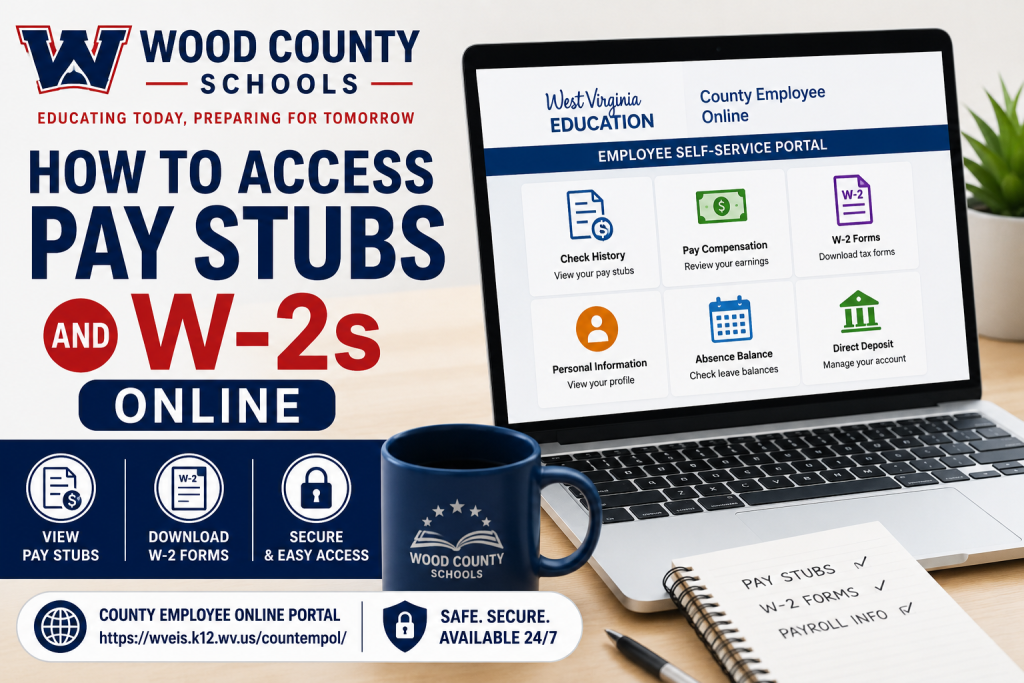
Employees of Wood County Schools can conveniently access payroll records, paycheck history, W-2 tax forms, and withholding information through the official County Employee Online Self-Service Portal. The district serves more than 11,000 students across West Virginia and provides digital payroll access for staff members through the WV Education system. The Wood County Schools employee portal allows staff to securely review paycheck details, tax documents, absence balances, and direct deposit information from any device with internet access.
What Is the Wood County Schools Employee Portal?
The County Employee Online portal is the official payroll and employee self-service system used by Wood County Schools employees. According to the district onboarding materials, the platform provides access to:
- Paycheck history
- W-2 tax forms
- W-4 withholding status
- Employee contact information
- Absence balances
- Payroll records
- Direct deposit details
Employees must complete a one-time registration before accessing the system.
How to Access Wood County Schools Pay Stubs Online
Follow these steps to view your pay stubs online:
Step 1: Visit the Official Employee Portal
Go to:
https://wveis.k12.wv.us/countempol
Step 2: Register Your Account
Wood County Schools requires employees to register before first use. According to the orientation guide, you will need the following information:
- Your employee ID beginning with 99600####
- County Code: 96 WOOD
- Your last name
- Birth month and year
- Last four digits of your Social Security Number
Step 3: Log In to the Portal
After registration:
- Enter your username and password
- Access the employee dashboard
- Navigate to:
- Check History
- Pay Compensation
- Payroll Information
Step 4: View or Download Pay Stubs
Inside the portal, employees can:
- View current pay stubs
- Download paycheck copies
- Review year-to-date earnings
- Check deductions and taxes
- Monitor leave balances
How to Access Wood County Schools W-2 Forms Online
Employees can also retrieve annual W-2 tax forms electronically through the same portal.
Steps to Download Your W-2
- Sign in to the County Employee Online portal
- Open the payroll or tax documents section
- Select W-2
- Choose the tax year
- Download or print the form
The employee orientation presentation specifically lists copies of W-2 forms as available within the online system.
What Information Appears on the Portal?
The County Employee Online system provides access to multiple payroll and HR functions, including:
- Name and address
- Telephone and email information
- W-4 withholding status
- W-2 tax forms
- Paycheck history
- Leave and absence balances
Employees can also review payroll deductions and tax withholding information online.
How to Update Direct Deposit Information
Wood County Schools employees may update direct deposit information through the payroll department.
According to onboarding materials, direct deposit forms can be accessed through:
- Wood County Schools website
- Human Resources tab
- Substitute Employment
- Direct Deposit Form
Important payroll notes include:
- Changes are processed immediately
- The first paycheck after a banking change may be issued as a paper check
- Future checks will resume via direct deposit
Understanding Absence Balances on Your Pay Stub
Wood County Schools pay stubs also display employee absence balances.
According to the payroll orientation materials:
- Sick leave balances appear at the bottom of pay stubs
- Balances are updated approximately two weeks behind payroll processing
- Employees may be docked if leave balances are exhausted
This feature helps employees track:
- Sick leave
- Personal leave
- Earned balances
- Used leave days
Payroll Forms and Tax Documents Available
The district provides access to several payroll and tax-related forms, including:
- Direct Deposit Forms
- Federal W-4 Forms
- West Virginia WVIT-104 Forms
- Ohio Withholding Forms
- Payroll Schedules
- Employee Portal Access Information
About Wood County Schools
Wood County Schools is the public school district serving Wood County, West Virginia. The district operates numerous elementary, middle, and high schools and serves more than 11,000 students throughout the county.
The district’s motto is:
“Educating Today, Preparing for Tomorrow.”
Employees can access a wide range of staff resources, payroll services, and employee tools through the official staff portal.
Troubleshooting Login Problems
If you cannot access your account:
- Verify your employee ID and county code
- Ensure your registration details match payroll records
- Reset your password if needed
- Contact the Wood County Schools payroll or HR department for assistance
The staff resource portal also includes additional payroll and employee support links for school staff.
Final Thoughts
The Wood County Schools County Employee Online portal provides a secure and efficient way for employees to access payroll information anytime. Whether you need to download pay stubs, retrieve W-2 forms, review leave balances, or update tax withholding information, the online self-service system simplifies payroll management for district employees. By registering your account and using the official WV Education portal, you can securely manage your employment and payroll records without visiting the payroll office in person.
Frequently Asked Questions (FAQ)
1. What is the Wood County Schools pay stub portal?
The Wood County Schools pay stub portal is the County Employee Online self-service system that allows employees to securely access payroll information, W-2 forms, paycheck history, and tax details online.
2. What is the official Wood County Schools employee portal link?
The official portal is:
https://wveis.k12.wv.us/countempol
3. How do I register for the County Employee Online portal?
You must register using:
- Employee ID beginning with 99600####
- County Code: 96 WOOD
- Last name
- Birth month and year
- Last four digits of your SSN
4. Can I download my Wood County Schools W-2 online?
Yes. Employees can log in to the County Employee Online portal and download or print W-2 tax forms electronically.
5. What information can I view in the employee portal?
Employees can access:
- Paycheck history
- W-2 forms
- W-4 withholding status
- Contact information
- Absence balances
- Payroll deductions
6. What should I do if I forget my portal password?
Use the password recovery option on the login page or contact the Wood County Schools payroll or HR department for assistance.
7. How do I access paycheck history online?
After logging in to the portal, navigate to the payroll or check history section to view current and past pay stubs.
8. Can substitute employees access the portal?
Yes. Substitute employees may access payroll information and paycheck history using the same employee portal system.
9. How do I update direct deposit information?
Employees can obtain the Direct Deposit Form through the Human Resources section of the Wood County Schools website and submit updates to payroll.
10. Will my paycheck be delayed after changing direct deposit information?
According to payroll guidance, the first paycheck after a banking update may be issued as a paper check before direct deposit resumes.
11. What is the Wood County Schools County Code?
The County Code used for portal registration is:
96 WOOD
12. Can I view leave balances on my pay stub?
Yes. Sick leave and other absence balances appear at the bottom of employee pay stubs in the portal.
13. Why are absence balances sometimes behind?
Wood County Schools notes that absence balances may appear approximately two weeks behind due to payroll processing schedules.
14. Are W-4 withholding forms available online?
Yes. Employees can access federal and state withholding forms, including WV and Ohio tax forms, through district payroll resources.
15. Who should I contact for payroll help?
Employees should contact the Wood County Schools Payroll or Human Resources Department for assistance with:
- Login problems
- Direct deposit changes
- W-2 issues
- Payroll corrections
- Tax withholding updates

