
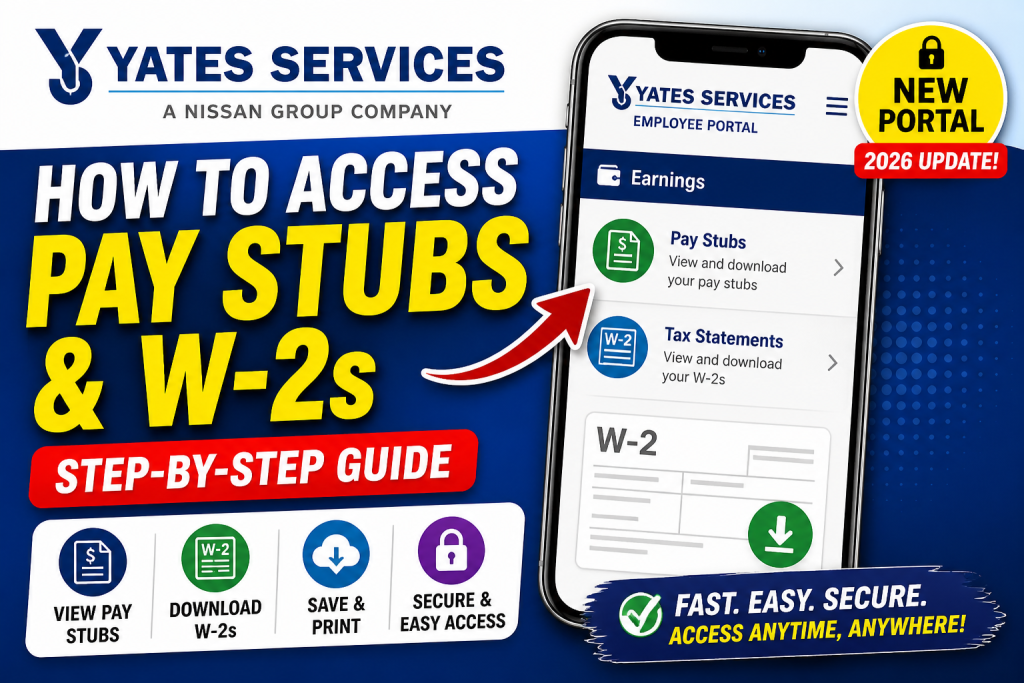
Yates Services employees can now access their payroll information through a modernized self-service portal powered by Viewpoint HR Management (Trimble). This upgraded system replaces older portals and offers a streamlined, secure way to retrieve pay stubs and W-2 tax forms online. This comprehensive guide explains everything you need—from login to downloading your documents—using a clear, professional, and SEO-optimized structure.
🔗 Official Yates Services Employee Portal
Access your payroll account here:
👉 https://wgyates2-hff.viewpointforcloud.com/Account/Login?co=WuPheEdBx6jjRHYL4Suy%2fQ%3d%3d
🏢 Understanding the New Yates Payroll System
Yates Services uses Viewpoint HR Management, a web-based platform integrated with payroll and HR systems. It enables employees to:
- Access pay stubs and tax documents anytime
- Manage personal information
- Reduce paperwork through digital workflows
- Improve accuracy and transparency in payroll
According to the system overview, this portal eliminates manual errors and allows employees to self-manage their payroll data efficiently.
🔐 Important Login Update (2026)
Yates Services has introduced a major login change:
- Previously: Login using Employee ID
- Now: Transitioning to Email-based login (starting April 2026)
Employees are advised to update their email in the system to ensure uninterrupted access .
📝 How to Register for the New Portal
If you are a new user:
- Go to the login page
- Click Enroll
- Enter:
- Employee Number
- Last 4 digits of SSN
- Create a password (minimum 12 characters with mixed types)
- Confirm and submit registration
Once completed, return to login and sign in.
💼 How to Access Yates Services Pay Stubs
Follow these steps to view your pay stubs:
- Log in to the employee portal
- Navigate to Earnings (Home page or My Info section)
- Select the Pay Stubs tab
- Browse pay stubs organized by pay date
- Click “View Pay Stub” for details
- Download or print as needed
The system allows filtering by year and viewing detailed breakdowns including gross pay, deductions, and net pay .
📄 How to Access Yates Services W-2 Forms
To retrieve your W-2 tax documents:
- Log in to the portal
- Go to Earnings
- Click the Tax Statements tab
- Select the relevant tax year
- Click View/Download
W-2 forms are available in PDF format and can be printed or saved securely
📱 Access via Mobile (Optional)
You can also access your payroll documents using a mobile device:
- Open the employee portal in your browser
- Tap Earnings
- View pay stubs or W-2s instantly
The mobile interface supports downloading and printing documents directly .
⚙️ Key Features of the Yates Payroll Portal
The Viewpoint system provides:
- ✔ Real-time access to payroll data
- ✔ Secure document storage
- ✔ Self-service HR tools
- ✔ Reduced administrative delays
- ✔ Integration with payroll and compliance systems
This ensures faster, more accurate payroll processing and improved employee experience.
⚠️ Troubleshooting Tips
If you cannot access your account:
- Reset your password via the login page
- Ensure your email is updated (new login requirement)
- Verify your Trimble ID is linked to your employee account
- Contact HR or system administrator for support
📌 Pro Tips for Employees
- Always download and store your pay stubs for recordkeeping
- Check W-2 forms annually for tax accuracy
- Enable secure passwords and avoid shared access
- Update personal details regularly in the portal
✅ Conclusion
The Yates Services payroll system, powered by Viewpoint HR Management, provides a modern, efficient, and user-friendly solution for accessing pay stubs and W-2 forms. With the shift to email-based login and enhanced self-service features, employees now enjoy greater control, transparency, and convenience in managing their payroll information.
❓ Frequently Asked Questions (FAQs)
1. What is the official Yates Services pay stub portal?
The official portal is the Viewpoint (Trimble) employee self-service system used for accessing payroll and HR information.
2. How do I log in to the Yates Services employee portal?
You can log in using your registered credentials. Starting in 2026, employees will transition from Employee ID login to email-based login.
3. How can I register for the Yates Services payroll portal?
Click Enroll on the login page, enter your Employee ID and last 4 digits of your SSN, then create a secure password.
4. Where can I find my pay stubs after logging in?
Go to the Earnings section and select the Pay Stubs tab to view all available pay statements.
5. Can I download my Yates Services pay stubs?
Yes, you can download your pay stubs in PDF format and print or save them for future use.
6. How do I access my W-2 form from Yates Services?
Navigate to the Earnings section and click the Tax Statements tab, then select the relevant year to download your W-2.
7. When are W-2 forms available on the portal?
W-2 forms are typically available by the end of January each year, in compliance with IRS regulations.
8. What should I do if I forgot my portal password?
Use the Forgot Password option on the login page or contact your HR department for assistance.
9. Why can’t I see my pay stubs in the portal?
This may be due to account setup issues, incorrect login credentials, or delays in payroll processing. Contact HR if the issue persists.
10. Can former employees access Yates Services pay stubs?
Yes, depending on company policy, former employees may retain limited access to retrieve tax forms and past pay stubs.
11. Is the Yates Services payroll portal mobile-friendly?
Yes, the portal can be accessed via mobile browsers, allowing you to view and download documents on your phone.
12. What information is included in a pay stub?
A pay stub includes gross pay, deductions, taxes, net pay, and hours worked.
13. Is it safe to access payroll information online?
Yes, the Viewpoint system uses secure authentication and encrypted access to protect employee data.
14. Do I need a Trimble ID to access my documents?
Yes, your Trimble ID must be linked to your employee account to access pay stubs and tax forms.
15. Who should I contact for technical issues with the portal?
You should contact your company’s HR department or payroll administrator for support with login or document access issues.

