
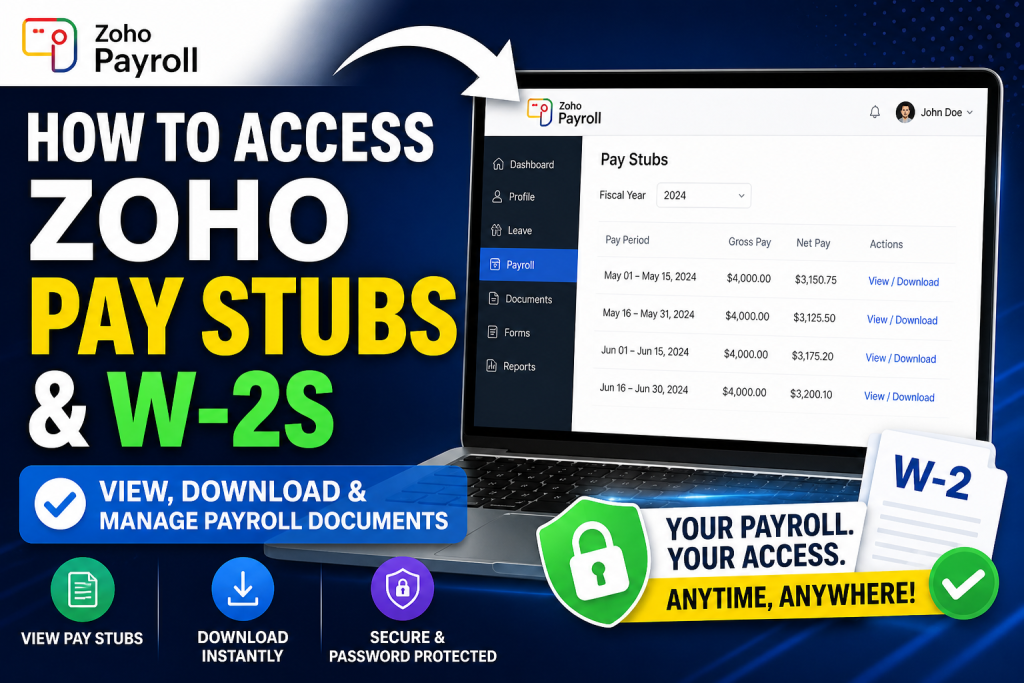
Managing payroll documents efficiently is essential for every employee. With Zoho Payroll’s Employee Self-Service (ESS) portal, accessing pay stubs and tax forms becomes seamless, secure, and fully digital. This guide provides a comprehensive walkthrough on how to access your Zoho pay stubs and W-2s with ease.
What Is Zoho Payroll Employee Self-Service?
Zoho Payroll offers a centralized self-service portal where employees can independently manage payroll-related tasks. This includes viewing payslips, downloading tax documents, tracking earnings, and accessing company payroll updates.
According to the official documentation, the portal allows employees to:
- Access all payroll documents in one place
- View salary breakdowns and tax deductions
- Receive password-protected pay stubs instantly after each pay run
How to Access Zoho Pay Stubs
Step-by-Step Process
Follow these simple steps to view and download your pay stubs:
- Log in to the Zoho Employee Portal
- Access your company’s Zoho Payroll ESS portal using your credentials.
- Navigate to Payroll Section
- From the dashboard, click “Payroll” in the left sidebar.
- Select “Pay Stubs”
- Choose the Pay Stubs module to view all available payslips.
- Choose Fiscal Year
- Use the Fiscal Year dropdown to filter pay stubs for a specific year.
- View Pay Stub Details
- Click on a pay period to see detailed information.
- Download or Print
- Click Download to save your pay stub or print it for records.
👉 Employees can also secure their downloaded pay stubs with a password for enhanced data protection
What Information Does a Zoho Pay Stub Include?
Each pay stub provides a detailed breakdown of your earnings:
- Gross Pay – Total earnings before deductions
- Net Pay – Final take-home salary
- Earnings – Salary components and hours worked
- Deductions – Benefits, garnishments, and other reductions
- Taxes – Federal, state, and applicable tax withholdings
This transparency ensures employees fully understand their compensation structure.
How Employers Generate and Share Pay Stubs
Zoho Payroll automatically generates pay stubs after each payroll cycle. Employers can:
- Go to Pay Runs → Payroll History
- Select a completed pay run
- Click an employee’s name
- Use the Download Pay Stub or Send Pay Stub options
They can also email payslips to all employees instantly from the dashboard
Accessing W-2 Forms in Zoho Payroll
While Zoho primarily focuses on pay stub access within the ESS portal, W-2 forms (for U.S. employees) are typically:
- Generated annually within Zoho Payroll
- Available in the Tax Forms / Documents section
- Accessible via the same employee portal
Additionally, Zoho Payroll supports digital tax processing and document centralization, allowing employees to retrieve tax-related forms securely online
Key Features of Zoho Payroll Portal
Zoho’s ESS portal is designed to streamline payroll management:
- ✅ Centralized access to all payroll documents
- ✅ Instant payslip generation after payroll runs
- ✅ Secure, password-protected downloads
- ✅ Real-time payroll updates and notifications
- ✅ Reduced dependency on HR/admin teams
The system empowers employees to manage their own payroll information while significantly reducing administrative workload
Pro Tips for Employees
- Check regularly: Pay stubs are updated after every payroll cycle
- Download copies: Keep records for financial planning or visa applications
- Use password protection: Secure sensitive salary data
- Review deductions carefully: Ensure tax and benefits accuracy
Common Issues and Troubleshooting
1. Unable to log in
→ Reset your password or contact your HR administrator
2. Missing pay stubs
→ Ensure the payroll for that period has been processed
3. Incorrect salary details
→ Report discrepancies immediately to HR or the payroll team
Final Thoughts
Zoho Payroll’s Employee Self-Service portal offers a modern, efficient, and secure solution for accessing pay stubs and W-2 forms. By centralizing payroll data and enabling self-service functionality, Zoho empowers employees with transparency, control, and convenience. Whether you need to review your earnings, download tax documents, or track financial records, Zoho ensures everything is just a few clicks away.
Frequently Asked Questions (FAQs)
1. How do I log in to access Zoho pay stubs?
You can log in through your company’s Zoho Payroll Employee Self-Service portal using your assigned email ID and password.
2. Where can I find my pay stubs in Zoho?
Navigate to Payroll → Pay Stubs from the dashboard to view all available payslips.
3. Can I download my Zoho pay stubs?
Yes, you can download or print your pay stubs directly from the portal for record-keeping.
4. How often are pay stubs updated in Zoho?
Pay stubs are generated and made available after every completed payroll cycle.
5. What details are included in a Zoho pay stub?
Each pay stub includes gross pay, net pay, earnings, deductions, and tax breakdowns.
6. Can I access pay stubs from previous years?
Yes, you can filter and view pay stubs by selecting the desired fiscal year.
7. Are Zoho pay stubs secure?
Yes, Zoho allows password-protected downloads to ensure your payroll data remains secure.
8. How do I access my W-2 form in Zoho?
W-2 forms are typically available in the Tax Forms or Documents section of the employee portal once released annually.
9. When are W-2 forms available in Zoho?
W-2 forms are generally issued at the end of the tax year, typically by January.
10. Can I print my W-2 from Zoho?
Yes, you can download and print your W-2 form directly from the portal.
11. What should I do if my pay stub is missing?
Check if payroll has been processed for that period. If not, contact your HR or payroll administrator.
12. Can employers email pay stubs through Zoho?
Yes, employers can send pay stubs individually or in bulk via email directly from the system.
13. Is Zoho Payroll available globally?
Zoho Payroll availability varies by region, but it is expanding and supports multiple countries, including the U.S. and India.
14. Can I access Zoho pay stubs on mobile?
Yes, Zoho supports mobile access through its apps and mobile-friendly web interface.
15. What should I do if I find an error in my pay stub?
Immediately report the issue to your HR or payroll department for correction.

