
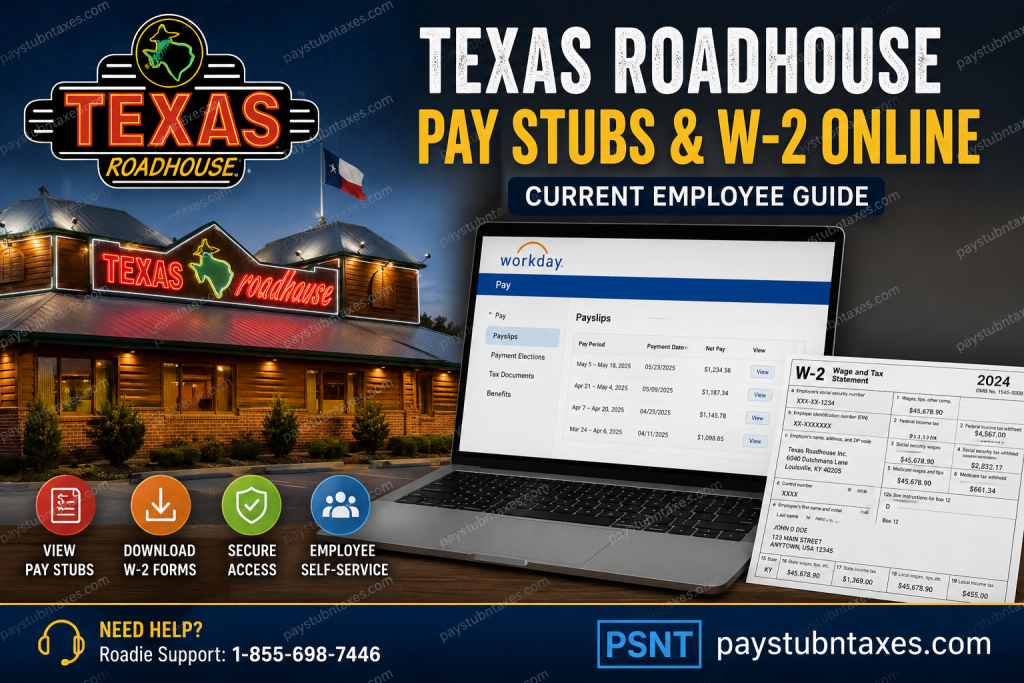
Texas Roadhouse is one of America’s most recognizable steakhouse brands, celebrated for its hand-cut steaks, legendary ribs, fresh-baked bread, and energetic dining atmosphere. Founded by Kent Taylor in 1993 in Clarksville, Indiana, the company has grown into a global restaurant powerhouse with hundreds of locations across the United States and internationally. The brand continues to thrive because of its unwavering commitment to “Legendary Food” and “Legendary Service.” Beyond its renowned hospitality, Texas Roadhouse also provides employees with a modern digital workplace experience through the Workday self-service platform. Current employees can conveniently access pay stubs, tax documents, payroll history, and W-2 forms online from virtually anywhere. This comprehensive guide explains how Texas Roadhouse employees can log in to Workday, view payroll information, download W-2 forms, troubleshoot login problems, and securely manage employment records online.
Texas Roadhouse Workday Login Portal
Current employees can access their payroll and tax documents through the official Texas Roadhouse Workday portal:
Official Workday Login
Texas Roadhouse Workday Portal
The Workday portal allows employees to:
- View current and past pay stubs
- Access annual W-2 tax forms
- Update payroll and direct deposit details
- Manage tax withholding elections
- Review benefits information
- Access employment-related records
- Download payroll PDFs for personal use
The login page provides both Workday Native Login and SSO login options.
How to Login to Texas Roadhouse Workday
Follow these simple steps to access your payroll records online.
Step 1: Open the Workday Portal
Visit the official Texas Roadhouse Workday login page.
Step 2: Select “SSO Login”
Current employees should select the SSO login option to continue to the Microsoft authentication page.
Step 3: Enter Your Username
Texas Roadhouse accepts multiple username formats depending on your role and location.
Username Format Examples
- POS#@txrh.com
- store_email@texasroadhouse.com
- supportcenteremail@texasroadhouse.com
These username examples appear directly on the employee login page.
Step 4: Complete MFA Authentication
After entering your credentials, complete the multi-factor authentication (MFA) process if prompted.
Step 5: Access Your Workday Dashboard
Once logged in, you can navigate to payroll, tax documents, and employee self-service tools.
How to View Texas Roadhouse Pay Stubs Online
Workday allows Roadies to quickly review and download payroll statements whenever needed.
Steps to Access Pay Stubs
- Sign in to Workday
- Open your employee profile or dashboard
- Select the Pay application
- Click Payslips
- Choose the desired pay period
- Open the PDF version of the pay statement
- Download or print the payslip for your records
The Workday payroll dashboard stores digital payslips for easy access and printing.
How to View Texas Roadhouse W-2 Forms Online
Employees can also retrieve W-2 tax forms directly through Workday without waiting for mailed copies.
Steps to Access W-2 Forms
- Log in to Workday
- Open the Pay dashboard
- Select My Tax Documents
- Locate the desired tax year
- Click View/Print
- Download or print the W-2 form
Workday stores tax forms digitally under the “My Tax Documents” section for employee convenience.
Employees can also:
- Print W-2 copies
- Download PDF versions
- Access accessible versions of tax forms
- Navigate multiple-page tax documents directly within Workday
Texas Roadhouse Employee Benefits
Texas Roadhouse offers an impressive range of employee benefits and growth opportunities. Eligible employees may receive access to:
- Medical insurance
- Dental insurance
- Vision coverage
- 401(k) retirement plans
- Life insurance
- Short-term disability coverage
- Long-term disability coverage
- Flexible spending accounts
- Paid vacation
- Tuition reimbursement
- Stock incentive programs
- Career growth opportunities
The company strongly emphasizes employee development, recognition, and workplace culture.
Texas Roadhouse Culture and Workplace Environment
Texas Roadhouse has built a people-first culture centered around four core values:
- Passion
- Partnership
- Integrity
- Fun with Purpose
The company describes itself as a workplace where employees are encouraged to grow professionally while feeling genuinely supported.
One unique employee support initiative is Andy’s Outreach Fund, which assists team members experiencing financial hardships due to emergencies, illnesses, natural disasters, or family crises.
The organization also maintains an open-door communication culture where employees can freely raise workplace concerns and receive leadership support.
Forgot Your Texas Roadhouse Workday Password?
If you cannot access your account:
- Open the Workday login page
- Click Forgot my password
- Follow the password reset instructions
- Complete identity verification if required
The Microsoft SSO login screen includes a password recovery option for employees.
Texas Roadhouse Payroll Support Contact
If you experience issues accessing Workday, payroll records, or W-2 forms, contact Roadie Support for assistance.
Roadie Support Phone Number
1-855-698-7446
Support information is displayed directly on the employee login page.
Why Employees Prefer Workday Self-Service
Texas Roadhouse employees benefit from a streamlined payroll management experience through Workday.
Key Advantages
- 24/7 online payroll access
- Fast W-2 retrieval
- Secure MFA authentication
- Mobile-friendly interface
- Easy PDF downloads
- Centralized HR and payroll management
- Convenient self-service features
Workday helps employees manage essential payroll and tax information without relying on paper statements or manual HR requests.
Final Thoughts
Texas Roadhouse continues to stand out not only for its legendary dining experience but also for its commitment to employee satisfaction and workplace innovation. Through the Workday self-service portal, current employees can securely access pay stubs, W-2 forms, payroll history, and tax records anytime they need them. Whether you need to download a recent payslip, print your W-2 for tax season, or review payroll details, the Workday platform provides a fast, reliable, and user-friendly solution for every Texas Roadhouse Roadie. For quick access, always use the official Texas Roadhouse Workday login portal and keep your MFA credentials updated for uninterrupted account access.
FAQ – Texas Roadhouse Pay Stubs and W2 Online
1. How do I access my Texas Roadhouse pay stubs online?
You can access your pay stubs by logging into the Texas Roadhouse Workday portal and selecting the Pay section followed by Payslips.
2. What is the official Texas Roadhouse Workday login link?
The official employee login portal is: https://wd12.myworkday.com/wday/authgwy/texasroadhouse/login.htmld.
3. Can current employees download W-2 forms online?
Yes. Current employees can view, print, and download W-2 tax forms directly through Workday under My Tax Documents.
4. What username format does Texas Roadhouse use for Workday?
Common username formats include:
- POS#@txrh.com
- store_email@texasroadhouse.com
- supportcenteremail@texasroadhouse.com
5. What should I do if I forget my Workday password?
Click the “Forgot my password” option on the login page and follow the password reset instructions.
6. Does Texas Roadhouse use multi-factor authentication (MFA)?
Yes. Employees may be required to complete MFA verification during the login process for enhanced security.
7. Where can I find my W-2 in Workday?
After logging in, go to:
Pay → My Tax Documents → View/Print W-2
8. Can I print my Texas Roadhouse pay stubs?
Yes. Workday allows employees to download and print PDF copies of pay statements and W-2 forms.
9. Is Workday available on mobile devices?
Yes. Employees can access Workday using mobile browsers or the Workday app on supported devices.
10. What benefits does Texas Roadhouse offer employees?
Benefits may include medical insurance, dental coverage, vision plans, 401(k), paid vacation, tuition reimbursement, disability coverage, and stock incentive programs.
11. Who should I contact for Workday login problems?
Employees can contact Roadie Support at: 1-855-698-7446
12. Can employees access previous pay statements in Workday?
Yes. Workday stores payroll history, allowing employees to review past payslips and payroll records online.
13. Is Texas Roadhouse an equal opportunity employer?
Yes. Texas Roadhouse is committed to providing equal employment opportunities to all employees and applicants.
14. What is Andy’s Outreach Fund?
Andy’s Outreach Fund is a Texas Roadhouse employee assistance program designed to help team members facing financial hardships or emergencies.
15. Why do employees prefer Workday self-service?
Employees appreciate Workday because it offers secure 24/7 access to payroll records, tax forms, benefits information, and HR services in one convenient platform.

