
Sally Beauty is one of the world’s largest distributors and retailers of professional beauty products, serving customers across the United States, Puerto Rico, Canada, Mexico, Europe, and other international markets. Through its Sally Beauty Supply stores and the Beauty Systems Group (BSG) network — including CosmoProf and Armstrong McCall — the company supports both retail customers and licensed beauty professionals with thousands of salon-quality products. If you are a current or former employee of Sally Beauty or Beauty Systems Group, you can conveniently access your W-2 tax forms online through the Tax Form Management portal powered by Equifax.
Sally Beauty W2 Online Access Portal
Employees can retrieve their W-2 tax forms online through the official Tax Form Management website:
Portal: https://www.mytaxform.com/
Company Code: 90514
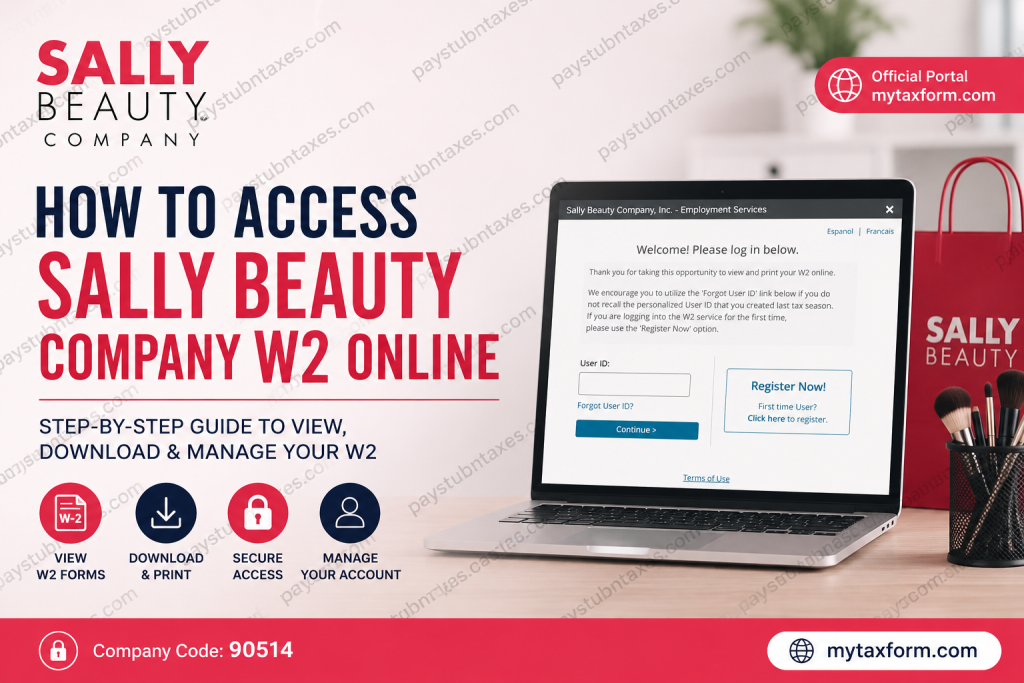
After entering the company code, employees are redirected to the Sally Beauty Company, Inc. tax form login page, commonly used by employees in Puerto Rico and the southern operating region.
How to Access Your Sally Beauty W2 Online
Follow these steps to securely retrieve your W-2 form online:
Step 1: Visit the Tax Form Management Website
Open your browser and go to: mytaxform.com
Enter the company code: 90514
Click Login or continue to proceed to the Sally Beauty Company portal.
Step 2: Log In to Your Account
You will arrive at the Sally Beauty Company, Inc. login page.
Returning Users
If you have previously registered:
- Enter your personalized User ID
- Click Continue
- Enter your password
- Complete any required identity verification
First-Time Users
If this is your first time using the portal:
- Select Register Now
- Verify your identity using:
- First and last name
- Social Security Number
- Date of birth
- Personal email address
- Create a personalized User ID and password
- Complete the authentication process
The portal may send a One-Time Passcode (OTP) through email, text message, or phone verification for additional security.
Step 3: Access and Download Your W2 Form
Once logged in:
- Navigate to the homepage dashboard
- Locate your available tax forms
- Select the checkbox next to the desired W-2
- Click:
- View to open the document
- Download to save a PDF copy
- Print for a physical copy
Employees can also request delivery by postal mail or fax directly from the portal.
How to Register for Online W2 Delivery
Sally Beauty employees can choose electronic delivery instead of paper mailing.
To consent for online delivery:
- Log into Tax Form Management
- Under Online Delivery Consent, select your W-2 form
- Click Receive Forms Online
- Accept the disclosure agreement
- Confirm your email and mailing address
- Submit your request
After submission, you will receive confirmation that your W-2 will be delivered electronically.
Forgot Your User ID or Password?
If you cannot remember your login credentials:
- Select Forgot User ID or password recovery
- Complete identity verification
- Receive a One-Time Passcode (OTP)
- Reset your credentials securely
Employees who have not logged in for an extended period may be required to complete additional authentication steps for security purposes.
How to Update Personal Information
Employees can manage their account details directly from the portal.
To update your information:
- Log in to your account
- Select My Account
- Click the pencil/edit icon
- Update your:
- Email address
- Mailing address
- Phone number
- Password or login information
When Are Sally Beauty W2 Forms Available?
W-2 forms are typically available online by the end of January each year. Employees who consent to electronic delivery generally receive faster access compared to mailed paper copies.
Common Sally Beauty W2 Login Issues
Incorrect Company Code
Ensure you enter the correct Sally Beauty company code: 90514
Browser Compatibility Problems
Try:
- Google Chrome
- Microsoft Edge
- Mozilla Firefox
Clear browser cache and cookies if the portal does not load correctly.
OTP or Verification Delays
Wait several minutes for OTP delivery and verify that your email address and phone number are current.
Locked Account
Multiple unsuccessful login attempts may temporarily lock your account. Use password recovery or contact HR support.
About Sally Beauty Holdings
Sally Beauty Holdings is headquartered in Texas and operates thousands of beauty supply stores worldwide. The company serves both professional salons and retail consumers through Sally Beauty Supply and Beauty Systems Group locations.
Its professional distribution network includes:
- CosmoProf
- Armstrong McCall
- Direct Sales Consultants
- Salon-exclusive beauty brands
Final Thoughts
The Tax Form Management portal makes it simple for Sally Beauty and Beauty Systems Group employees to securely access W-2 tax documents online. Whether you are a current employee or a former associate, the online system provides fast access to download, print, and manage your tax forms anytime.
Using electronic delivery also helps employees receive tax documents faster while reducing paperwork and mailing delays.
Frequently Asked Questions (FAQ)
1. How do I access my Sally Beauty W2 online?
Visit Tax Form Management, enter company code 90514, and log in using your User ID and password.
2. What is the Sally Beauty company code for W2 access?
The official Sally Beauty Tax Form Management company code is: 90514
3. Can former Sally Beauty employees access W2 forms online?
Yes. Former employees can still access W-2 forms through the Tax Form Management portal if their account remains active.
4. What website does Sally Beauty use for W2s?
Sally Beauty uses the Equifax Tax Form Management portal: mytaxform.com.
5. How do I register for Sally Beauty online W2 access?
Click Register Now on the login page and verify your identity using your Social Security Number, date of birth, and personal contact information.
6. What should I do if I forgot my Sally Beauty W2 login credentials?
Use the Forgot User ID or password recovery option on the login page and complete the identity verification process.
7. Does Sally Beauty send W2 forms electronically?
Yes. Employees can consent to electronic W-2 delivery through the Tax Form Management portal.
8. When are Sally Beauty W2 forms available online?
W-2 forms are generally available by the end of January each year.
9. Can I download and print my Sally Beauty W2?
Yes. After logging in, select your W-2 form and choose View, Download, or Print.
10. How do I update my address for W2 delivery?
Log in to your account, go to My Account, and update your mailing address and personal information.
11. What if I do not receive my One-Time Passcode (OTP)?
Check your spam folder, verify your phone number or email address, and request another OTP if necessary.
12. Is the Sally Beauty W2 portal secure?
Yes. The portal uses identity verification and One-Time Passcodes (OTP) to protect employee tax information.
13. Can I receive my W2 by mail instead of online?
Yes. Employees can choose paper delivery or request postal mailing through the portal settings.
14. Does Beauty Systems Group use the same W2 portal as Sally Beauty?
Yes. Beauty Systems Group employees also use the Tax Form Management portal with company code 90514.
15. Who should I contact if I cannot access my Sally Beauty W2?
If you cannot access your account, contact Sally Beauty HR or payroll support for additional assistance.

