
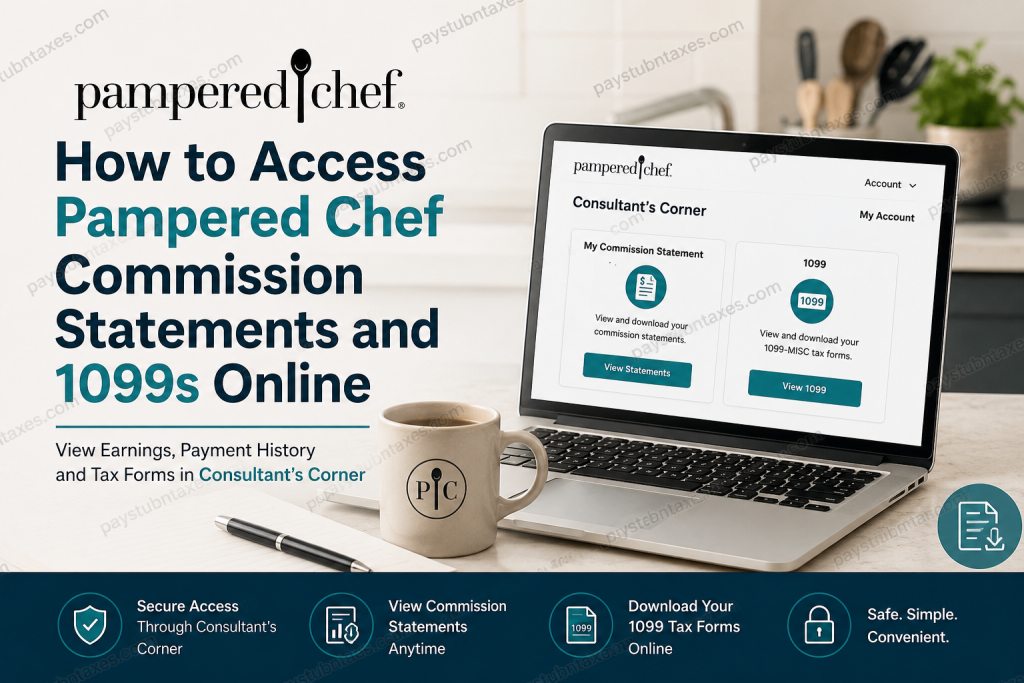
How to Access Pampered Chef Commission Statements and 1099 Tax Forms Online
Pampered Chef has spent more than four decades transforming everyday cooking into a more enjoyable, efficient, and rewarding experience. Founded in 1980 by Doris Christopher and now operating as a Berkshire Hathaway company, Pampered Chef supports a thriving network of independent consultants across multiple countries, empowering them to build businesses while helping families create memorable mealtime experiences. Consultants earn commissions through product sales, and the company provides convenient online access to commission records and tax documents through its dedicated Consultant’s Corner portal. Whether you need to review your earnings, verify direct deposit payments, prepare your tax return, or retrieve your annual tax form, this guide explains everything you need to know about accessing your Pampered Chef commission statements and 1099 forms online.
What Is Consultant’s Corner?
Consultant’s Corner is Pampered Chef’s secure online portal designed exclusively for independent consultants. Through this platform, consultants can manage their business activities, review financial records, monitor performance metrics, access training resources, and download important tax documentation.
Consultant Login Portal:
https://www.pamperedchef.com/consultant-login
How to Access Your Pampered Chef Commission Statements
Commission statements provide a detailed breakdown of your earnings, commissions, bonuses, and adjustments. These statements can be particularly useful when tracking business performance, verifying payments, or preparing financial records.
Step-by-Step Instructions
- Visit the Pampered Chef Consultant Login page.
- Sign in to Consultant’s Corner using your consultant credentials.
- Select Account from the navigation menu.
- Click My Account.
- Locate the Financial section.
- Select My Commission Statement.
- Use the available date-range dropdown menu to choose the desired reporting period.
- View, download, or print your commission statements as needed.
What Information Appears on Commission Statements?
Your commission statement may include:
- Commissionable sales totals
- Commission percentages
- Bonus earnings
- Incentive payments
- Adjustments and deductions
- Payment dates
- Direct deposit details, if applicable
Maintaining copies of these statements can simplify bookkeeping and tax preparation throughout the year.
Understanding Pampered Chef Commission Payment Schedule
Pampered Chef offers different payment schedules depending on how consultants choose to receive their earnings.
Consultants Receiving Physical Checks
If you receive paper checks by mail:
- Payments are generally issued once per month.
- Checks are distributed on the 7th day of each month.
- Earnings reflect commissionable sales from the previous month.
Consultants Using Direct Deposit
Consultants enrolled in direct deposit receive payments twice monthly:
| Sales Period | Payment Date |
| 1st–15th of Month | 21st of Month |
| 16th–End of Month | 7th of Following Month |
If a scheduled payment date falls on a weekend or company-recognized holiday, payment is typically processed on the next business day.
This payment structure enables consultants to receive earnings more frequently and maintain better cash-flow management.
How to Access Your Pampered Chef 1099 Online
Because Pampered Chef consultants operate as independent contractors rather than traditional employees, they receive Form 1099-MISC instead of a W-2.
When Are 1099 Forms Available?
Pampered Chef generally mails and uploads consultant 1099 forms by the end of January each year. Consultants who earned less than $600 during the tax year or who opted out of receiving mailed tax forms may not receive a paper copy. However, eligible consultants can still access available forms online through Consultant’s Corner.
Steps to Download Your 1099
- Log in to Consultant’s Corner.
- Navigate to Account.
- Select My Account.
- Locate the Financial section.
- Click 1099.
- Choose your Independent Contractor Form 1099-MISC.
- Download or print the document for your tax records.
Important Note About W-2 Forms
Many individuals search for “Pampered Chef W-2s.” However, independent consultants do not receive W-2 forms because they are not classified as employees. Instead, consultants receive Form 1099-MISC when they meet applicable IRS reporting thresholds.
Corporate employees of Pampered Chef may receive W-2 forms through separate employee payroll systems, but independent consultants should expect to receive 1099 tax documentation.
How to Find Your Consultant Number
Your consultant number is often required when accessing business resources or recovering login credentials.
On Desktop
- Log in to Consultant’s Corner.
- Your consultant number appears near the top-right corner of the screen directly beneath your name.
On Mobile Devices
- Open Consultant’s Corner.
- Select More.
- Tap Reports & Tracking.
- Choose Consultant Connection Summary.
- Select your name in the upper-left section.
- A profile box will appear displaying your consultant number and personal information.
Forgot Your Consultant’s Corner Password?
If you cannot access your account:
- Visit the Pampered Chef website.
- Select Consultant’s Corner.
- Click Recover Your Password.
- Follow the password recovery prompts.
- Check your email for reset instructions.
- Create a new password and log back into your account.
Troubleshooting Access Issues
If you experience difficulties accessing commission statements, tax forms, or account information:
- Verify that your consultant credentials are correct.
- Reset your password if necessary.
- Clear browser cache and cookies.
- Try a different web browser or device.
- Confirm that your consultant account remains active.
For additional assistance, contact the Pampered Chef Solution Center.
Pampered Chef Solution Center
Phone: 888-687-2433
Former, resigned, dropped, or terminated consultants seeking access to historical 1099 forms should contact the Solution Center directly for assistance.
Final Thoughts
Pampered Chef has streamlined financial recordkeeping for consultants through its Consultant’s Corner platform. By logging into the portal, consultants can conveniently review commission statements, monitor payment activity, locate consultant information, and retrieve annual 1099 tax forms whenever needed. Whether you are preparing for tax season or simply tracking your business performance, maintaining regular access to these records can help ensure your finances remain organized, accurate, and readily available throughout the year.
Frequently Asked Questions
1. How do I access my Pampered Chef commission statements online?
Log in to Consultant’s Corner, go to Account > My Account, and select My Commission Statement under the Financial section.
2. Where can I find my Pampered Chef 1099 form?
Your 1099 is available in Consultant’s Corner under Account > My Account > Financial > 1099.
3. Does Pampered Chef provide W-2 forms to consultants?
No. Independent consultants receive Form 1099-MISC rather than a W-2 because they are self-employed contractors.
4. When are Pampered Chef 1099 forms available?
1099 forms are generally mailed and posted online by the end of January each year.
5. What if I earned less than $600 with Pampered Chef?
Consultants earning less than $600 may not receive a mailed 1099, depending on applicable reporting requirements.
6. How often are Pampered Chef consultants paid?
Consultants enrolled in direct deposit are typically paid twice monthly, while those receiving paper checks are paid once per month.
7. When do direct deposit payments arrive?
Sales from the 1st–15th are generally paid on the 21st, while sales from the 16th–end of month are paid on the 7th of the following month.
8. Can I download and print my commission statements?
Yes. Commission statements can be viewed, downloaded, and printed directly from Consultant’s Corner.
9. What information appears on a commission statement?
Statements typically include commission earnings, bonuses, sales totals, deductions, adjustments, and payment details.
10. How do I find my Pampered Chef consultant number?
On desktop, your consultant number appears below your name in Consultant’s Corner. On mobile, access it through Reports & Tracking > Consultant Connection Summary.
11. What should I do if I forget my Consultant’s Corner password?
Use the Forgot Password or Recover Password option on the login page and follow the email verification instructions.
12. Can former consultants access their 1099 forms online?
Former, resigned, or terminated consultants should contact the Pampered Chef Solution Center for assistance obtaining tax documents.
13. Is Consultant’s Corner available on mobile devices?
Yes. Consultants can access Consultant’s Corner through a mobile browser to review commissions, reports, and tax forms.
14. What should I do if my 1099 is missing?
Verify your eligibility and contact the Solution Center at 888-687-2433 if you cannot locate your form.
15. Who can help with commission statement or tax form issues?
The Pampered Chef Solution Center can assist with account access, commission statements, consultant information, and 1099-related questions.

