
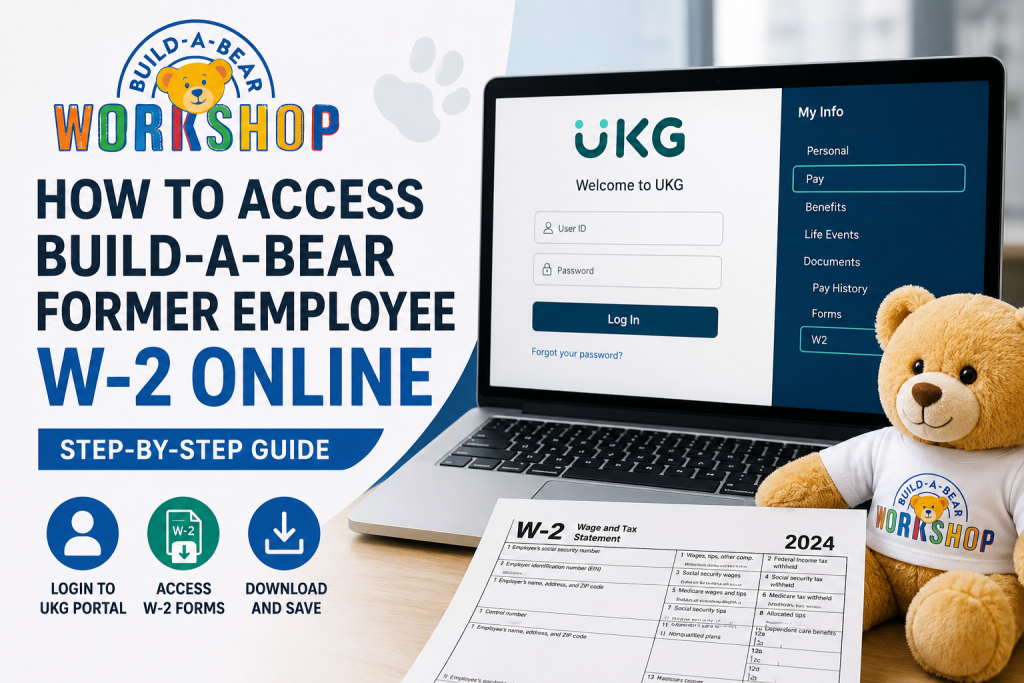
Former employees of Build-A-Bear Workshop can still access their W-2 forms and payroll records online through the UKG (formerly UltiPro) self-service portal, even after losing access to the company’s internal Single Sign-On (SSO) system. The process is straightforward once you understand the correct login method and account setup requirements. If you recently left Build-A-Bear Workshop and need your W-2 for tax filing, this guide explains exactly how to log in, download your W-2, reset your credentials, and troubleshoot common access problems.
Build-A-Bear Former Employee W2 Portal
Former employees can access tax documents through the UKG self-service portal:
Portal Link: Build-A-Bear Former Employee UKG Portal
Unlike current employees, former team members cannot use Build-A-Bear’s company SSO system. Instead, access is provided through direct UKG credentials.
How to Log In to Build-A-Bear UKG as a Former Employee
To sign in successfully, follow these exact steps.
Step 1: Open the UKG Portal
Go to: UKG Former Employee Login at https://n34.ultipro.com/
Step 2: Enter Your User ID
In the User ID field, type your 7-digit employee number that you previously used to clock in while working at Build-A-Bear.
Example:
- Employee ID:
1234567
Step 3: Enter Your Default Password
Your initial password is your date of birth in MMDDYY format.
Example
If your birthday is:
- May 9, 2000
Your temporary password will be:
050900
Step 4: Create a New Password
During your first login, UKG will require you to:
- Change your default password
- Create security questions
- Set account recovery information
This security setup is standard for first-time UKG access.
Choose a strong password containing:
- Uppercase letters
- Lowercase letters
- Numbers
- Special characters
How to Find and Download Your W-2
Once logged into the UKG dashboard, you can view and download your W-2 form online.
Navigate to W-2 Forms
Follow this path inside UKG:
My Info → My Pay → Forms → W2
Download Your W-2 PDF
After opening the W-2 section:
- Select the applicable tax year
- Click the Preview W2 icon
- Open the Form Preview window
- Select Download PDF
- Save the file to your device
This allows you to print or electronically submit your W-2 during tax filing season.
How to Access Former Employee Pay Stubs
In addition to W-2 forms, Build-A-Bear alumni can still view historical pay statements through UKG.
Navigate to:
Menu → Myself → Pay → Pay History
Inside the pay section, you can:
- View current and historical pay stubs
- Print pay statements
- Review tax withholdings
- Access direct deposit information
- Manage W-2 preferences
Enable Electronic W-2 Delivery
UKG also allows electronic W-2 consent management.
To update your preferences:
- Go to My Info
- Select My Pay
- Open Forms
- Choose W2
- Click Electronic Consent
You can then choose whether to:
- Receive W-2 forms electronically
- Continue receiving mailed paper copies
If electronic delivery is not enabled, paper W-2 forms are generally mailed no later than January 31 each year.
What to Do If You Cannot Log In
Many former employees encounter login issues because their credentials differ from active employee SSO access.
Common Solutions
Verify Your Employee Number
Make sure you are using:
- Your original 7-digit clock-in ID
- No spaces or additional characters
Use the Correct Date Format
Your temporary password must use:
- MMDDYY
Example:
- January 5, 1998 →
010598
Reset Your Password
If you previously changed your password and forgot it:
- Use the Forgot Password option on the UKG login page
- Answer your security questions
- Follow account recovery instructions
Clear Browser Cache
Sometimes saved login data prevents successful authentication.
Try:
- Clearing browser cache
- Using Incognito Mode
- Switching browsers
- Logging in from a desktop computer
When Will Build-A-Bear Send W-2 Forms?
- Employers are federally required to issue W-2 forms by January 31 each year.
- If you did not opt for electronic-only delivery, your paper W-2 should arrive by mail shortly after processing.
- Former employees who moved recently should ensure their mailing address is updated in UKG to avoid delays.
About Build-A-Bear Workshop
Build-A-Bear Workshop is a globally recognized specialty retailer known for its interactive stuffed-animal creation experience. Founded in 1997 and headquartered in St. Louis, Missouri, the company operates hundreds of stores worldwide and continues to expand its digital and retail footprint.
Frequently Asked Questions
Can former Build-A-Bear employees still access UKG?
Yes. Former employees can access UKG directly through the external portal even after SSO access is removed.
What is the Build-A-Bear UKG login URL?
The former employee portal is:
Build-A-Bear UKG Portal at https://n34.ultipro.com/
What is the default password for first-time login?
Your initial password is your birth date in MMDDYY format.
Example:
- Birthday: 05/09/2000
- Password:
050900
How do I download my W-2?
Inside UKG, navigate to:
My Info → My Pay → Forms → W2
Then preview and download the PDF copy.
Can I still view old pay stubs after leaving Build-A-Bear?
Yes. Historical pay statements remain accessible through the UKG self-service payroll section.
What if I forgot my UKG password?
Use the Forgot Password link on the login page and complete the identity verification process.
Does Build-A-Bear mail paper W-2 forms?
Yes. If you did not opt into electronic-only delivery, a paper W-2 should be mailed by January 31.
Can I access UKG from my phone?
Yes. The UKG portal is mobile-friendly and accessible through most smartphones and tablets.

