
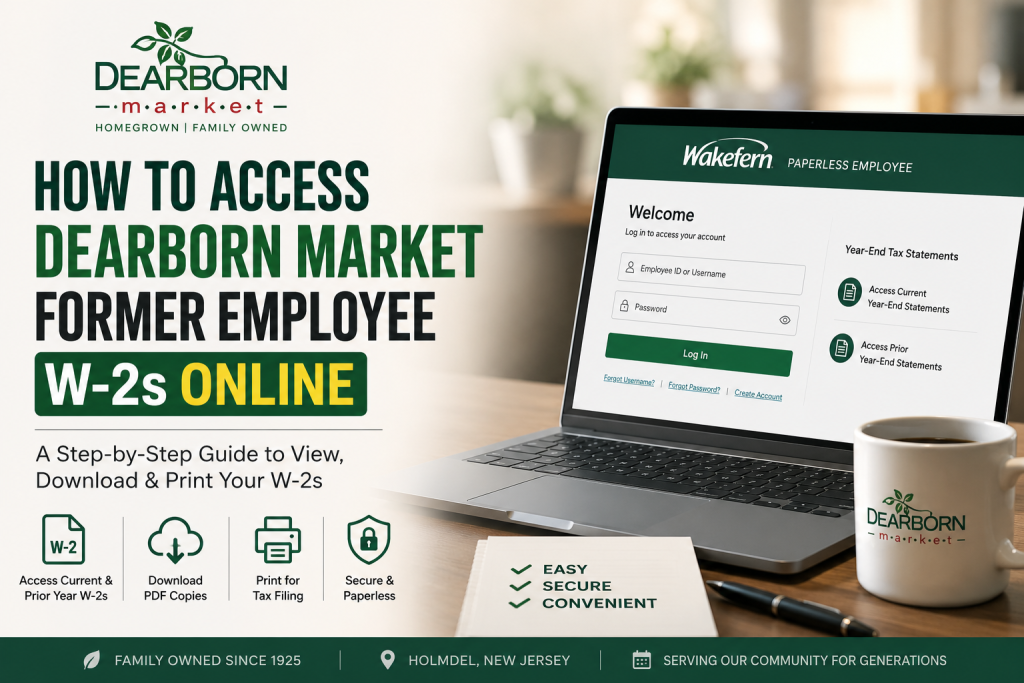
Founded in 1925 in Holmdel, New Jersey, Dearborn Market has grown from a humble roadside farm stand into one of the region’s most beloved specialty food markets. Today, the company continues its tradition of delivering farm-fresh produce, gourmet foods, bakery items, and seasonal family experiences under the ownership of the Saker family and Wakefern Food Corp. If you are a former Dearborn Market employee looking to retrieve your W-2 online, the process is straightforward through the Paperless Employee portal powered by Wakefern. This guide explains how to securely access, download, print, and troubleshoot your Dearborn Market former employee W-2 forms online.
Dearborn Market Former Employee W-2 Portal
Former Dearborn Market employees can access tax documents through the official Paperless Employee portal:
Portal Link:
https://www.paperlessemployee.com/wakefern/PE/Login
The portal allows users to:
- Access current and prior year W-2 statements
- Download printable PDF copies
- Update mailing information
- Request W-2 corrections
- Manage electronic tax form preferences
The Paperless Employee system includes options such as “Access Current Year-End Statements” and “Access Prior Year-End Statements” directly from the dashboard.
About Dearborn Market
Dearborn Market traces its roots back to Dearborn Farms, a family-run agricultural operation in Holmdel, NJ. What began as a produce farm evolved into a full-service market featuring:
- Fresh fruits and vegetables
- Gourmet kitchen offerings
- Specialty bakery products
- Garden center and greenhouse
- Seasonal festivals and family attractions
In 2015, the Saker family acquired Dearborn Market and continued preserving its longstanding reputation for quality and community service.
Step-by-Step Guide to Access Dearborn Market Former Employee W-2s
Step 1: Visit the Official W-2 Portal
Go to the official Wakefern Paperless Employee login page:
https://www.paperlessemployee.com/wakefern/PE/Login
You may access the portal from:
- Desktop computer
- Laptop
- Smartphone
- Tablet
Step 2: Log Into Your Account
Enter your:
- Employee ID or Username
- Password
If this is your first time using the system after separation from employment, you may need to complete account registration.
The login page includes options for:
- New user registration
- Forgot username
- Forgot password recovery
Step 3: Navigate to Year-End Tax Statements
After signing in successfully:
- Select Year-End Tax Statements
- Click:
- Access Current Year-End Statements for the latest W-2
- Access Prior Year-End Statements for older tax forms
The Paperless Employee dashboard specifically lists these options for retrieving W-2 documents.
Step 4: Download or Print Your W-2
Once your W-2 appears:
- Open the PDF version
- Download it securely
- Print a copy for tax filing
Adobe Reader may be required to open PDF tax documents properly.
How to Register for a New Account
If you have never used the Paperless Employee portal before:
- Visit the login page
- Click Create Account
- Verify your identity
- Enter requested personal details
- Create login credentials
- Confirm your email address
The portal allows employees to create and manage accounts securely online.
Forgot Your Password?
If you cannot log in:
- Use the Forgot Password option
- Reset your credentials using your registered email or employee information
You may also contact your former HR or payroll department if account recovery fails.
Requesting a W-2 Correction
If your W-2 contains incorrect information:
- Log into the portal
- Click Request a Correction
- Submit updated information
The system also allows users to update contact details and maintain activity history for submitted requests.
Benefits of Online W-2 Access
Using the Paperless Employee portal offers several advantages:
Faster Tax Filing
Access forms immediately without waiting for postal delivery.
Secure Digital Storage
Download and securely save PDF copies for future reference.
Access to Historical Forms
Retrieve prior-year W-2 statements anytime online.
Eco-Friendly Paperless Delivery
Reduce paper waste through electronic document management.
Common Login Issues and Solutions
| Issue | Solution |
| Forgot password | Use password recovery tools |
| Account locked | Wait and retry or contact HR |
| Incorrect employee information | Verify records with payroll |
| W-2 unavailable | Wait until employer releases forms |
| Browser issues | Clear cache or try another browser |
Tips for Secure W-2 Access
To protect sensitive tax information:
- Use a private internet connection
- Avoid public Wi-Fi
- Enable strong passwords
- Log out after each session
- Download files only to trusted devices
When Are Dearborn Market W-2s Available?
Most employers release W-2 forms by the end of January each year. Former Dearborn Market employees should monitor the Paperless Employee portal and registered email notifications for availability updates.
Final Thoughts
Dearborn Market former employees can conveniently access W-2 forms online through the Wakefern Paperless Employee portal. The system provides secure, paperless access to current and prior year tax statements, allowing users to download, print, and manage their tax documents with ease. Whether you recently left the company or need older records for tax purposes, the online portal simplifies the process while maintaining secure access to your personal payroll information.
FAQ: Dearborn Market Former Employee W-2s
1. How do I access my Dearborn Market W-2 online?
You can access your W-2 through the Wakefern Paperless Employee portal by logging in at https://www.paperlessemployee.com/wakefern/PE/Login.
2. Can former Dearborn Market employees still access the W-2 portal?
Yes. Former employees can continue using the Paperless Employee system to retrieve current and previous W-2 forms.
3. What website does Dearborn Market use for W-2s?
Dearborn Market uses the Wakefern Paperless Employee portal for online W-2 access.
4. What information do I need to log in?
Typically, you will need your employee ID or username and your password.
5. What should I do if I forgot my password?
Use the “Forgot Password” option on the login page to reset your credentials securely.
6. Can I download and print my W-2?
Yes. The portal allows users to download PDF copies and print them for tax filing purposes.
7. When are Dearborn Market W-2s available online?
W-2 forms are generally released by the end of January each year.
8. Can I access previous years’ W-2 forms?
Yes. The portal includes an “Access Prior Year-End Statements” section for older tax documents.
9. Is the Dearborn Market W-2 portal secure?
Yes. The Paperless Employee portal uses secure login and encrypted access for employee tax information.
10. What if my W-2 contains incorrect information?
You can request a correction directly through the portal using the “Request a Correction” feature.
11. Can I update my mailing address online?
Yes. Employees can update address information within the Paperless Employee system.
12. Do I need Adobe Reader to open my W-2?
Yes. A PDF reader such as Adobe Acrobat Reader may be required to view and print tax forms.
13. What should I do if my account is locked?
Wait a short period and try again, or contact the Dearborn Market payroll or HR department for assistance.
14. Can I access the W-2 portal on my phone?
Yes. The Paperless Employee website works on smartphones, tablets, laptops, and desktop computers.
15. Who owns Dearborn Market today?
Dearborn Market is owned by the Saker family, a Wakefern member group that acquired the business in 2015.

