
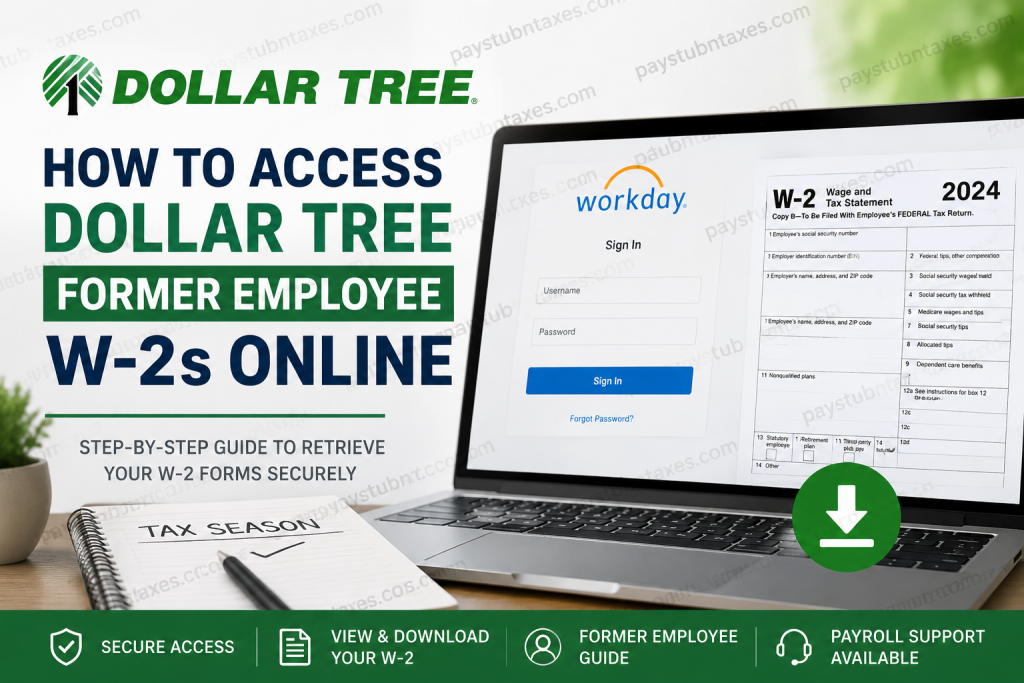
Former employees of Dollar Tree frequently require access to their W-2 forms for income tax filing, loan verification, immigration documentation, or personal financial recordkeeping. Fortunately, Dollar Tree has streamlined the process through secure digital payroll platforms, enabling eligible former associates to retrieve their tax documents online with relative ease. As one of America’s largest discount retail chains, Dollar Tree operates thousands of locations across the United States and Canada and employs a substantial workforce across stores, warehouses, and corporate offices. To support both active and former associates, the company utilizes Workday and Doculivery for payroll and tax document management. This comprehensive guide explains precisely how former Dollar Tree employees can access their W-2 forms online, including instructions for both Workday and Doculivery users, troubleshooting guidance, and payroll support contact details.
Understanding Dollar Tree’s W-2 Delivery Process
Dollar Tree issues year-end tax documents annually on or before January 31 of the following tax year. Former associates who did not opt into electronic delivery generally receive physical copies of their W-2 forms via standard postal mail.
However, associates who previously consented to paperless delivery may access their W-2 forms electronically through Dollar Tree’s payroll systems.
Because Dollar Tree transitioned from Doculivery to Workday on August 26, 2025, the platform you must use depends entirely on the tax year of the document you are attempting to retrieve:
- W-2s issued after August 26, 2025: Available through Workday
- W-2s issued before August 26, 2025: Available through Doculivery
This distinction is critically important, particularly for former associates attempting to access archived payroll records.
How Former Employees Receive Workday Access
Once your employment with Dollar Tree ends, your internal Okta Single Sign-On access is revoked for security purposes. Nevertheless, eligible former associates receive separate Workday login credentials through their registered email address.
These credentials typically include:
- A Workday username
- A temporary password
- Instructions for initial login and password reset
If you are logging into Workday for the first time after offboarding, you should use the temporary password sent to your email and promptly create a new secure password.
Dollar Tree Workday Login Portal
Former associates may access Workday using the following official login portal:
Workday Login:
Dollar Tree Workday Portal
After opening the portal:
- Enter your Workday username
- Enter your temporary or existing password
- Complete any required authentication steps
- Access the payroll and tax document section
How to Access Your Dollar Tree W-2 in Workday
Once logged into Workday, follow these instructions carefully to retrieve your W-2 form:
Step 1: Sign Into Workday
Use your assigned Workday credentials to log into the Dollar Tree Workday portal.
Step 2: Open the Menu
From the Workday dashboard, locate the menu icon in the upper-left corner of the screen.
Step 3: Select “Pay”
Navigate to the Pay section from the dropdown menu.
Step 4: Open “My Tax Documents”
Inside the Pay application, select My Tax Documents to access available tax forms.
Step 5: Choose the Appropriate W-2 Form
A table displaying your available tax documents will appear. Select the desired tax year.
Step 6: Wait for Processing
In some cases, Workday may display a “Notify Me Later” message while preparing the PDF document. Continue by selecting the available option.
Step 7: Download and Print Your W-2
Once processing is complete, the document notification will appear under the bell icon in the top-right corner of the screen. Open the PDF version to view, download, or print your W-2 form.
Accessing Older Dollar Tree W-2s Through Doculivery
If you require payroll or tax documents issued prior to August 26, 2025, you must retrieve them through Doculivery rather than Workday.
Former associates can access archived records at:
Doculivery remains available for historical pay stubs and tax documentation generated before the company’s migration to Workday.
When logging in, you may need:
- Employee ID
- Last four digits of your Social Security Number
- Password or temporary authentication credentials
If you no longer remember your login information, use the password recovery tools available on the platform or contact Dollar Tree Payroll Support directly.
What to Do If You Cannot Access Your W-2
Former employees occasionally encounter difficulties when attempting to retrieve tax forms online. Common issues include:
- Expired login credentials
- Incorrect email address on file
- Forgotten password
- Locked accounts
- Missing paperless consent
- Inactive payroll profile
- Browser compatibility issues
To resolve these problems:
- Attempt a password reset
- Verify your registered email account
- Use an updated web browser
- Clear browser cache and cookies
- Contact Payroll Support for credential assistance
Dollar Tree Payroll Support Contact Information
If you experience technical difficulties or cannot retrieve your W-2 online, Dollar Tree provides dedicated payroll assistance.
Payroll Support Email
paystub@dollartree.com
Payroll Support Phone Number
1-855-245-7994
Support Hours
- Monday through Friday
- 8:00 AM – 8:00 PM EST
Before contacting support, it is advisable to have the following information ready:
- Full legal name
- Employee ID (if available)
- Last known work location
- Last four digits of SSN
- Current email address
- Tax year requested
Providing accurate information can significantly accelerate identity verification and document retrieval.
Additional Payroll Resources for Dollar Tree Associates
Dollar Tree’s Associate Information Center also allows associates to manage several payroll-related functions, including:
- Viewing pay stubs
- Updating direct deposit information
- Modifying home contact information
- Maintaining tax elections
- Accessing employment verification resources
These tools are designed to provide a centralized payroll and HR experience for both active and former associates.
Why Electronic W-2 Access Matters
Electronic tax document delivery offers several advantages over traditional mailed forms:
- Faster access to tax records
- Reduced risk of lost mail
- Immediate download and printing
- Easier long-term document storage
- Secure encrypted access
- Environmentally responsible paper reduction
For former Dollar Tree associates who relocate frequently or travel extensively, digital accessibility ensures uninterrupted access to critical tax records whenever required.
Final Thoughts
Dollar Tree has modernized its payroll infrastructure to provide former associates with secure and efficient access to W-2 forms online. Whether your tax documents are stored in Workday or Doculivery depends primarily on the issuance date of the records you need. By understanding the company’s transition timeline and following the correct retrieval process, former employees can quickly obtain their W-2 forms without unnecessary delays during tax season. If you encounter any difficulties, Dollar Tree’s payroll support team remains available to assist with account recovery, login troubleshooting, and tax document access.
Frequently Asked Questions
1. When will Dollar Tree mail W-2 forms?
Dollar Tree generally mails W-2 forms on or before January 31 of each year unless you opted for electronic delivery.
2. Can former Dollar Tree employees access W-2s online?
Yes. Former associates can access eligible W-2 forms online through Workday or Doculivery.
3. Which platform should I use to access my W-2?
Use:
- Workday for documents issued after August 26, 2025
- Doculivery for documents issued before August 26, 2025
4. What if I forgot my Workday password?
Use the password reset feature or contact Dollar Tree Payroll Support for assistance.
5. Why can’t I access Workday after termination?
Your Okta access is removed after separation, but separate Workday credentials are usually emailed to former associates.
6. Can I print my W-2 from Workday?
Yes. W-2 forms can be downloaded as PDFs and printed directly from Workday.
7. What should I do if my W-2 never arrived by mail?
Contact Dollar Tree Payroll Support immediately to verify your mailing address and request assistance.
8. Is Doculivery still active for former employees?
Yes. Historical payroll and tax records issued before the Workday transition remain available in Doculivery.
9. What information do I need to retrieve my W-2?
You may need your employee ID, registered email address, password, or partial Social Security Number for verification.
10. How do I contact Dollar Tree Payroll Support?
You can email paystub@dollartree.com or call 1-855-245-7994 during business hours.

