
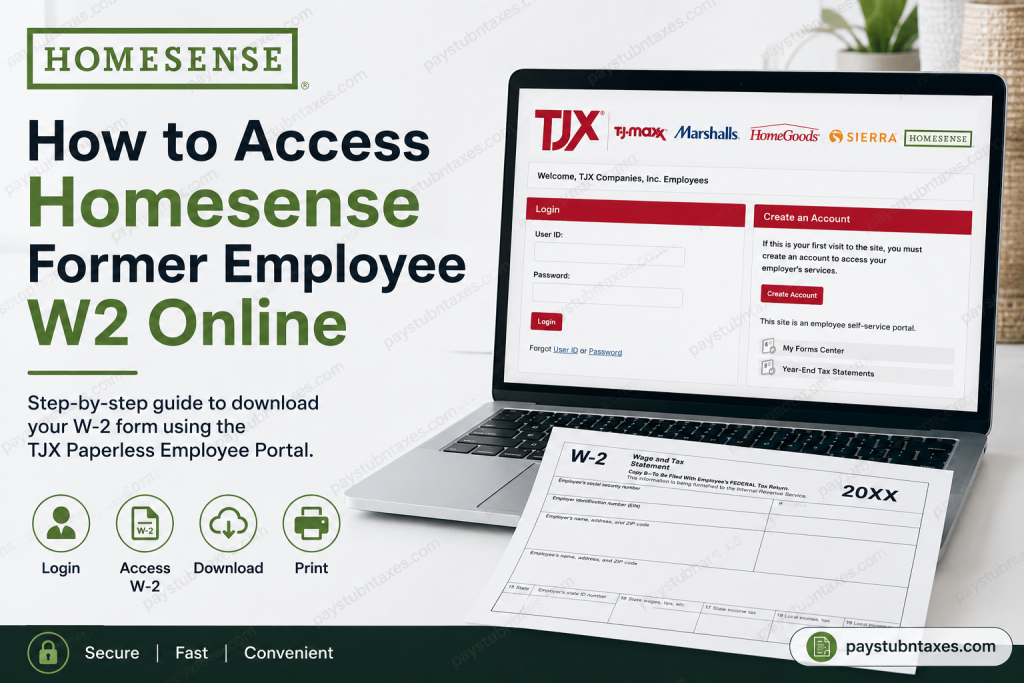
Former Homesense employees can conveniently access their W-2 forms online through the TJX Paperless Employee self-service portal. Whether you worked at Homesense full-time, part-time, or seasonally, the online system allows you to securely retrieve tax documents without waiting for physical mail delivery. Homesense is part of The TJX Companies, Inc., the global off-price retail group behind brands such as TJ Maxx, Marshalls, HomeGoods, Sierra, and TK Maxx. The company operates hundreds of stores across North America and Europe and is widely recognised for its collaborative workplace culture and growth opportunities. If you are a former employee looking for your year-end tax statement, this guide explains exactly how to access your W-2 online, create an account, recover login credentials, and solve common access issues.
Homesense Former Employee W2 Portal
Former employees can access their W-2 forms through the official TJX Paperless Employee portal:
Portal Link:
https://www.paperlessemployee.com/tjxcompanies
The system provides secure online access to:
- W-2 tax forms
- Previous year tax statements
- Electronic tax delivery preferences
- Pay statement records
- Account settings
The employee self-service portal is specifically designed to help current and former associates manage payroll and tax documentation digitally.
Step-by-Step Guide to Access Your Homesense W2 Online
Step 1: Visit the TJX Paperless Employee Website
Open your web browser and go to:
👉 https://www.paperlessemployee.com/tjxcompanies
You will see the TJX login page featuring TJX brands, including TJ Maxx, Marshalls, HomeGoods, Sierra, and Homesense.
Step 2: Log in to Your Account
Enter the following credentials:
- User ID
- Password
Then click Login.
If you previously registered during your employment, use the same credentials you created earlier.
Step 3: Create an Account (First-Time Users)
If this is your first time accessing the portal after leaving Homesense:
- Click Create Account
- Enter the required identification details
- Verify your identity
- Create a username and password
- Set up security questions
Once registration is complete, you can immediately access your tax documents online.
How to Find Your W-2 Form
After logging in:
- Navigate to Year-End Tax Statements
- Select Access Year-End Tax Statements
- Choose the appropriate tax year
- Click the checkbox beside your W-2 form
- Download or print the PDF copy
The portal allows employees to view both current and past tax statements electronically.
The employee guide within the portal also explains that users can download and print tax forms directly from the system for personal records.
How to Enroll in Electronic W-2 Delivery
Employees who want faster access to future tax forms can opt into electronic delivery.
To enable paperless W-2 access:
- Open the Manage Electronic Tax Statement Options section
- Select Yes for electronic delivery
- Confirm your email or contact information
- Save your notification preferences
Once enrolled, future tax statements become available online as soon as they are released.
Forgot Your User ID or Password?
If you cannot log in:
- Click Forgot User ID or Password on the login page
- Follow the verification prompts
- Reset your credentials using your registered email or security questions
If account recovery fails, contact TJX HR support for assistance.
When Are W-2 Forms Available?
TJX generally releases electronic W-2 forms by the end of January each year.
If you did not consent to electronic delivery, your paper W-2 will typically be postmarked on or before January 31.
Former employees should allow additional mailing time for paper delivery.
TJX HR Contact Information
If you experience problems accessing your account or locating your W-2, contact TJX Human Resources:
TJX HR Phone Number:
1-888-627-6299
For privacy-related concerns, TJX also provides dedicated support channels for employee information management and HR platform assistance.
Common Problems and Solutions
Account Locked
After multiple failed login attempts, your account may temporarily lock for security reasons. Wait several minutes and try again, or contact HR support.
Incorrect Personal Information
If your mailing address, Social Security Number, or legal name has changed, contact TJX HR immediately to ensure accurate tax reporting.
W-2 Not Available Online
Possible reasons include:
- Electronic consent was not enabled
- Processing delays
- Incorrect login credentials
- Recently terminated employment records are still being updated
In such cases, contacting TJX HR is the fastest solution.
Is the TJX Employee Portal Secure?
Yes. TJX uses secure HR management systems and privacy protections for employee payroll and tax information. The company maintains administrative, technical, and organisational safeguards to protect personal data and payroll records.
The platform also allows associates to access, review, and update portions of their personal information securely online.
About Homesense and TJX
Homesense is a leading discount home furnishing retailer owned by TJX Companies. Founded in Canada in 2001, the brand has expanded throughout the United States, Canada, Ireland, and the United Kingdom. Homesense stores specialise in stylish home décor, furniture, lighting, rugs, kitchenware, and seasonal products at discounted prices.
The company is known for its fast-paced retail environment, collaborative culture, and flexible career opportunities across the TJX global network.
Final Thoughts
Accessing your Homesense former employee’s W-2 online is a straightforward process through the TJX Paperless Employee portal. By creating an account and enrolling in electronic tax delivery, you can securely retrieve your W-2 forms anytime without relying on postal mail. Keeping your login credentials updated and opting into paperless delivery can make future tax seasons significantly easier and faster. If you run into any issues, TJX HR support is available to help former employees regain access to their tax documents quickly.
Frequently Asked Questions (FAQs)
1. How do former Homesense employees get their W-2 online?
Former employees can access their W-2 forms through the TJX Paperless Employee portal by logging into their account and downloading the tax statement electronically.
2. What is the official Homesense W-2 website?
The official portal for Homesense and TJX former employee W-2 access is:
👉 https://www.paperlessemployee.com/tjxcompanies
3. Can I access my Homesense W-2 after leaving the company?
Yes. Former employees can still access their W-2 forms online using the Paperless Employee self-service portal.
4. How do I create a TJX Paperless Employee account?
Click “Create Account” on the login page, verify your identity, and follow the registration steps to set up your username, password, and security questions.
5. What information do I need to log in?
You generally need:
- User ID
- Password
- Personal verification details
- Security question answers (if required)
6. What should I do if I forgot my password?
Click the “Forgot User ID or Password” option on the login page and follow the prompts to reset your credentials securely.
7. When are Homesense W-2 forms available online?
W-2 forms are usually available electronically by the end of January each year.
8. Will Homesense mail a paper W-2?
Yes. If you did not consent to electronic delivery, your paper W-2 will typically be postmarked on or before January 31.
9. Can I print my W-2 from the portal?
Yes. After accessing your Year-End Tax Statements, you can download and print your W-2 as a PDF document.
10. What if my W-2 is missing online?
If your W-2 is unavailable, it may be due to processing delays, incorrect login credentials, or inactive electronic consent settings. Contact TJX HR for assistance.
11. How do I contact TJX HR for W-2 help?
You can contact TJX Human Resources at:
📞 1-888-627-6299
12. Is the TJX employee portal secure?
Yes. TJX uses secure HR management systems and data protection measures to safeguard employee payroll and tax information.
13. Can seasonal or part-time employees access their W-2 online?
Yes. Seasonal, part-time, and former full-time associates can all access their W-2 forms through the online portal.
14. What should I do if my mailing address has changed?
You should contact TJX HR immediately to update your address and ensure your tax documents are sent correctly.
15. Can I access previous years’ W-2 forms?
Yes. The Paperless Employee portal may allow eligible users to access prior-year W-2 tax statements depending on account availability and retention policies.

