
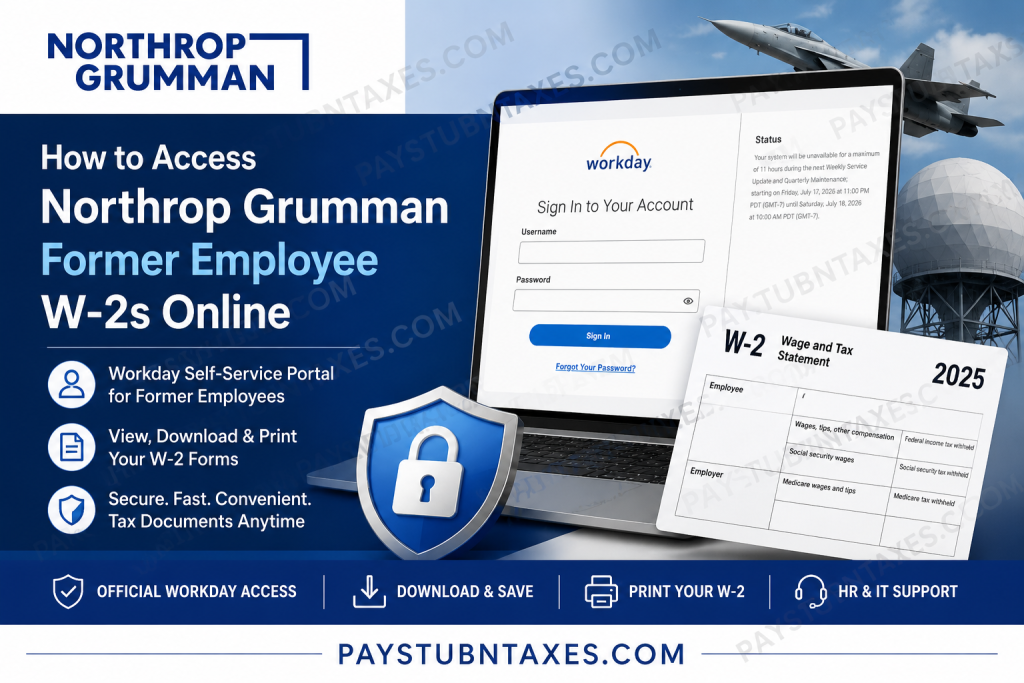
Filing your taxes becomes significantly easier when you can retrieve your W-2 electronically. If you are a former Northrop Grumman employee, you may still be able to access your W-2 online through the company’s Workday Self-Service portal, provided your account remains active after separation. If your access has expired, the Human Resources team can provide a printed copy mailed to your address on file. This comprehensive guide explains how former employees can locate, download, and print their Northrop Grumman W-2 forms while outlining alternative options if online access is unavailable.
Can Former Northrop Grumman Employees Access W-2s Online?
Yes—many former employees retain limited access to Workday for a period after leaving the company. During this time, you can sign in using your Workday username and password (not your Single Sign-On credentials) to view payroll and tax documents.
If your Workday account has already been disabled, you should contact Human Resources for assistance. Former employees without online access typically receive their W-2 forms by mail at the address maintained in the company’s records.
Because post-employment access is temporary, it is advisable to download and save all payroll documents before your credentials expire.
Northrop Grumman Workday Login Portal
Workday Portal
https://wd1-identity.myworkday.com/wday/authgwy/ngc/upc/login?redirect=n
Use:
- Workday Username
- Workday Password
Do not attempt to log in using your corporate Single Sign-On (SSO) credentials if instructed to use Workday authentication directly.
The login page also provides a Forgot Your Password? option if you need to recover your account credentials.
How to Access Your Former Employee’s W-2 Online
Follow these steps to retrieve your W-2:
Step 1: Visit the Workday Portal
Open the Northrop Grumman Workday login page.
Step 2: Sign In
Enter:
- Workday Username
- Workday Password
Click Sign In.
Step 3: Open the Pay Dashboard
After logging in:
- Navigate to Pay
- Select My Tax Documents
In Workday, W-2 forms are stored under My Tax Documents, where eligible employees can access current and historical tax documents.
Step 4: Locate Your W-2
Choose the applicable tax year.
Your available W-2 forms will appear in a list.
Step 5: View Your Tax Form
Click: View/Print
The document may take a few moments to load.
Step 6: Download or Print
Once your W-2 opens:
- Click the Download icon to save a PDF.
- Click the Print icon to produce a paper copy.
Workday also provides an accessible version of the form for employees who require enhanced accessibility features.
What If You Can’t Log In?
If your Workday account no longer works:
- Verify that you’re using your Workday credentials, not your SSO login.
- Reset your password if the option is available.
- Contact Human Resources to determine whether your former employee account is still active.
- Request a replacement W-2 if online access has expired.
Many employers deactivate former employee accounts after a defined period, making early retrieval of payroll documents highly advisable.
Contact Northrop Grumman
If you require assistance with payroll records or benefits, contact the company directly.
IT Service Desk
Phone: 1-855-737-8364
Corporate Headquarters
Northrop Grumman Corporation
2980 Fairview Park Drive
Falls Church, VA 22042
Main Phone
703-280-2900
Northrop Grumman’s Contact Center also directs employees to its Total Rewards Gateway for benefits information and career-related assistance.
Tips for Former Employees
To avoid delays during tax season:
- Download every available W-2 before your account expires.
- Save electronic copies in multiple secure locations.
- Update your mailing address before leaving the company.
- Retain copies of your final pay statements.
- Contact HR promptly if you do not receive your W-2 by the end of January.
Conclusion
Northrop Grumman simplifies tax document retrieval through its Workday Self-Service platform, allowing many former employees to access W-2 forms online even after leaving the company. By signing in with your Workday credentials, navigating to Pay > My Tax Documents, and downloading your W-2, you can quickly obtain the paperwork needed for tax filing. Since former employee access is often temporary, it is prudent to save copies of all payroll and tax documents as soon as possible. If online access is no longer available, Human Resources can help you obtain a replacement W-2 so you can complete your tax obligations without unnecessary delays.
Frequently Asked Questions
1. How can former Northrop Grumman employees access their W-2 online?
Former employees can sign in to the Northrop Grumman Workday portal using their Workday username and password. If their account is still active, they can view and download W-2 forms under Pay > My Tax Documents.
2. What is the Northrop Grumman Workday login portal?
The official Workday portal is:
https://wd1-identity.myworkday.com/wday/authgwy/ngc/upc/login?redirect=n
3. Can I use my Single Sign-On (SSO) credentials to log in?
No. Use your Workday username and password, not your SSO credentials.
4. Where are W-2 forms located in Workday?
After signing in, go to: Pay → My Tax Documents.
Your available W-2 forms will be listed by tax year.
5. When are Northrop Grumman W-2 forms available?
W-2 forms are generally available in late January after the payroll department publishes annual tax documents.
6. What if I forgot my Workday password?
Click the Forgot Your Password? link on the Workday login page or contact the IT Service Desk for assistance.
7. Can former employees still access Workday after leaving the company?
Yes, many former employees retain temporary access. However, access duration varies, so download your payroll documents before your account expires.
8. What should I do if my Workday account has been deactivated?
Contact Northrop Grumman Human Resources to request your W-2 or ask whether your Workday access can be temporarily restored.
9. Will Northrop Grumman mail my W-2 if I cannot access Workday?
Yes. Former employees without online access generally receive their W-2 by mail at the home address on file.
10. Can I download and print my W-2?
Yes. Workday allows eligible users to view, download as a PDF, and print their W-2 directly from My Tax Documents.
11. Can I access previous years’ W-2 forms?
If your Workday account remains active and the records are available, you can typically access multiple tax years from the My Tax Documents section.
12. Who do I contact for Workday technical support?
You can contact the Northrop Grumman IT Service Desk at:
Phone: 1-855-737-8364
13. What should I do if my mailed W-2 never arrives?
Contact Human Resources to verify your mailing address and request a replacement W-2 if necessary.
14. Why should I download my W-2 before leaving the company?
Former employee Workday access may expire after termination, so downloading your payroll and tax documents early ensures you have permanent copies.
15. Can I access pay stubs through Workday as a former employee?
If your Workday account remains active, you may also be able to view historical pay statements alongside your W-2 forms within the Pay section.

