
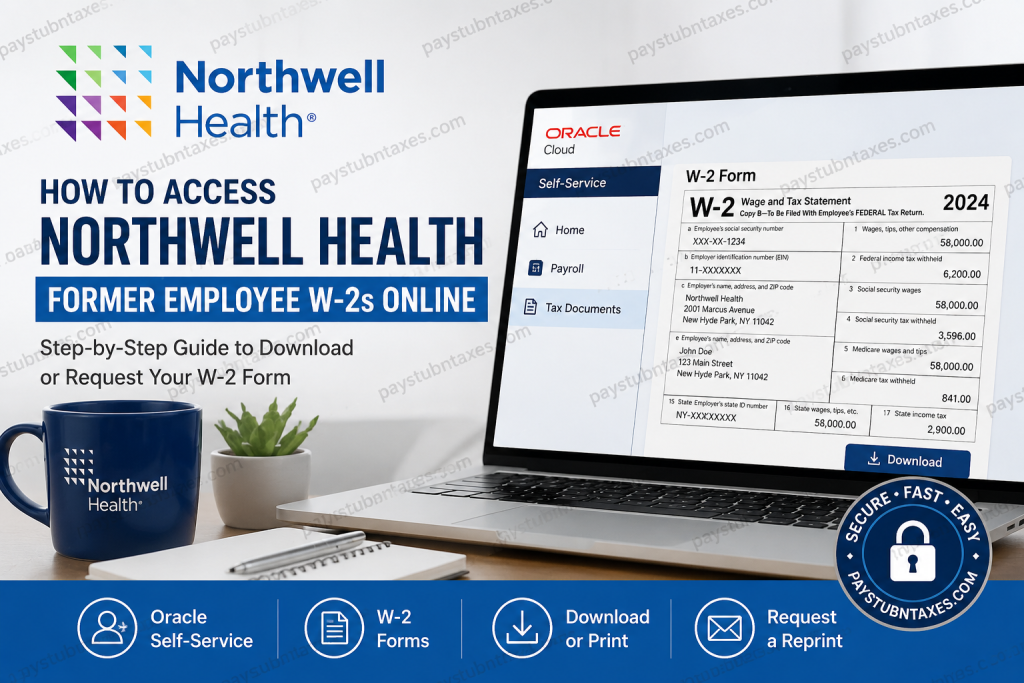
Former Northwell Health employees often need copies of their W-2 forms for tax filing, mortgage applications, financial aid, or employment verification. Although active employees can conveniently retrieve tax forms through the organization’s Oracle Self-Service portal, access changes once employment ends. Fortunately, Northwell Health has established a straightforward process that enables former employees to obtain their W-2s quickly and securely. This guide explains who can access W-2s online, how to log into the Oracle portal if your credentials remain active, what to do if your account has been disabled, and how to request a replacement W-2.
About Northwell Health
Northwell Health is New York State’s largest healthcare provider and private employer, employing more than 105,000 professionals across 28 hospitals, over 1,000 outpatient and ambulatory care facilities, and an extensive physician network throughout New York and Connecticut.
Committed to innovation, diversity, and exceptional patient care, Northwell continues to invest heavily in both its workforce and technology. The organization has also established a dedicated Alumni Network, allowing eligible former employees to remain connected through professional networking opportunities, educational resources, exclusive events, volunteer initiatives, and career engagement programs.
Can Former Employees Access Their Northwell Health W-2 Online?
Yes—but only under certain circumstances.
If your Oracle Self-Service account remains active after your employment ends, you may still be able to log in and download your W-2 electronically.
However, if your Oracle access has already been disabled—which is the case for most former employees—you will no longer be able to access your tax documents online. Instead, you must request a duplicate W-2 directly from Northwell Payroll Services.
Northwell Health Oracle Self-Service Login
Oracle Self-Service Portal
https://eppr.fa.us2.oraclecloud.com/fscmUI
Login Requirements
- Universal ID (SSO)
- Password
If you experience login problems, contact the Northwell Service Desk:
Phone: (718) 470-7272, (516) 470-7272, or (631) 470-7272.
How Former Employees Can Download Their W-2 Online
If your Oracle credentials still work after separation, follow these steps.
Step 1: Visit the Oracle Self-Service Portal
Open the Northwell Oracle login page using the employee portal.
Step 2: Sign In
Enter:
- Universal ID
- Password
Complete any required authentication.
Step 3: Open Payroll
After signing in:
- Navigate to Payroll
- Select W-2/W-2c
- Click View W-2/W-2c Forms
Step 4: Choose the Appropriate Tax Year
Select the year you need from the available list.
Step 5: Download or Print
Open the PDF version of your W-2 and either:
- Download it
- Save it
- Print a copy for your records
What If Your Oracle Account Has Been Disabled?
Most former employees lose Oracle access shortly after leaving Northwell Health.
If you can no longer sign in:
- Do not create a new account.
- Contact Payroll Services.
- Complete the W-2 Reprint Request Form.
- Fax the completed form to Payroll Services.
Payroll generally prepares printed replacement W-2 forms within two business days after receiving a valid request.
When Are Northwell Health W-2 Forms Available?
Northwell follows the standard IRS filing schedule.
Generally:
- Electronic W-2s become available in late January
- Paper W-2s are mailed no later than January 31
- Active employees can print their own W-2s through Oracle Self-Service
- Former employees without portal access receive mailed forms or replacement copies upon request
Active Employees vs Former Employees
| Employee Status | W-2 Access Method |
| Current employee | Oracle Self-Service |
| Former employee with active Oracle access | Oracle Self-Service |
| Former employee without Oracle access | W-2 Reprint Request Form through Payroll Services |
| Lost or damaged W-2 | Request a replacement from Payroll. |
What Information Do You Need Before Requesting a W-2?
To speed up processing, have the following ready:
- Full legal name
- Employee ID (if available)
- Last four digits of your Social Security Number
- Current mailing address
- Dates of employment
- Tax year requested
- Daytime phone number
What If You Never Received Your W-2?
If your W-2 has not arrived after January 31:
- Verify your mailing address with Payroll.
- Confirm whether the W-2 was mailed.
- Determine whether your Oracle access is still active.
- Request a replacement W-2 if necessary.
Need Help Logging In?
If your Universal ID or password is not working:
- Use the password reset option if available.
- Contact the Northwell Service Desk.
- If your employment has already ended, understand that your Oracle access may have been permanently removed, requiring you to obtain your W-2 through Payroll Services instead.
Stay Connected Through the Northwell Alumni Network
Even after leaving the organization, eligible former employees can remain engaged through the Northwell Alumni Network. Members gain access to professional networking opportunities, alumni events, mentoring, volunteer opportunities, exclusive resources, and community initiatives designed to maintain lifelong connections with the organization. The network was created to help former team members continue their professional growth while remaining part of the broader Northwell community.
Final Thoughts
Obtaining your Northwell Health W-2 after leaving the organization is generally a straightforward process. If your Oracle Self-Service credentials remain active, you can securely download your tax form online in just a few minutes. If your access has been discontinued, Payroll Services can provide a replacement W-2 upon receipt of a completed reprint request. By ensuring that your contact information is current and understanding the available retrieval options, you can avoid unnecessary delays during tax season and obtain the documentation you need efficiently.
Frequently Asked Questions
1. Can former Northwell Health employees access their W-2 online?
Yes. If your Oracle Self-Service account is still active after leaving Northwell Health, you can log in and download your W-2 electronically.
2. What is the Northwell Health Oracle portal?
The Oracle Self-Service portal is the employee platform used to access payroll information, pay stubs, tax documents, benefits, and personal employment records.
3. What login credentials do I need?
You need your Northwell Universal ID (SSO) and password to sign in to the Oracle Self-Service portal.
4. What if I can no longer log into Oracle?
If your Oracle account has been deactivated after termination, you’ll need to request a replacement W-2 from Northwell Payroll Services by submitting a W-2 Reprint Request Form.
5. When are Northwell Health W-2 forms available?
W-2 forms are generally available online in late January, while paper copies are mailed no later than January 31 each year.
6. Can terminated employees still access Oracle?
In most cases, terminated employees lose Oracle access shortly after separation. Only those whose credentials remain active can continue accessing tax documents online.
7. How do I request a replacement W-2?
Complete the W-2 Reprint Request Form and submit it to Northwell Payroll Services according to the instructions provided by the payroll department.
8. How long does it take to receive a replacement W-2?
Replacement W-2 forms printed by the Payroll Office are generally available within two business days after your request is received.
9. Can I download previous years’ W-2 forms?
Yes, if your Oracle account remains active and the tax years are still available within the system.
10. What should I do if I never received my mailed W-2?
Verify your mailing address with Payroll Services and request a replacement if your original W-2 was lost or never delivered.
11. Is there a fee to obtain a replacement W-2?
Northwell Health’s payroll procedures should be consulted for any applicable fees, although replacement requests are generally processed through Payroll Services.
12. Who should I contact if I have login problems?
Contact the Northwell Health Service Desk at (718) 470-7272, (516) 470-7272, or (631) 470-7272 for assistance with your Universal ID or password.
13. Can I print my W-2 directly from Oracle?
Yes. Once you open your W-2 in Oracle Self-Service, you can download and print the PDF for your records.
14. What information should I have when requesting a W-2 reprint?
Be prepared with your full name, employee ID (if available), current mailing address, dates of employment, and the tax year you need.
15. Can former Northwell Health employees join the Alumni Network?
Yes. Eligible former employees may join the Northwell Alumni Network to stay connected through networking opportunities, career resources, alumni events, mentoring, and volunteer initiatives.

