
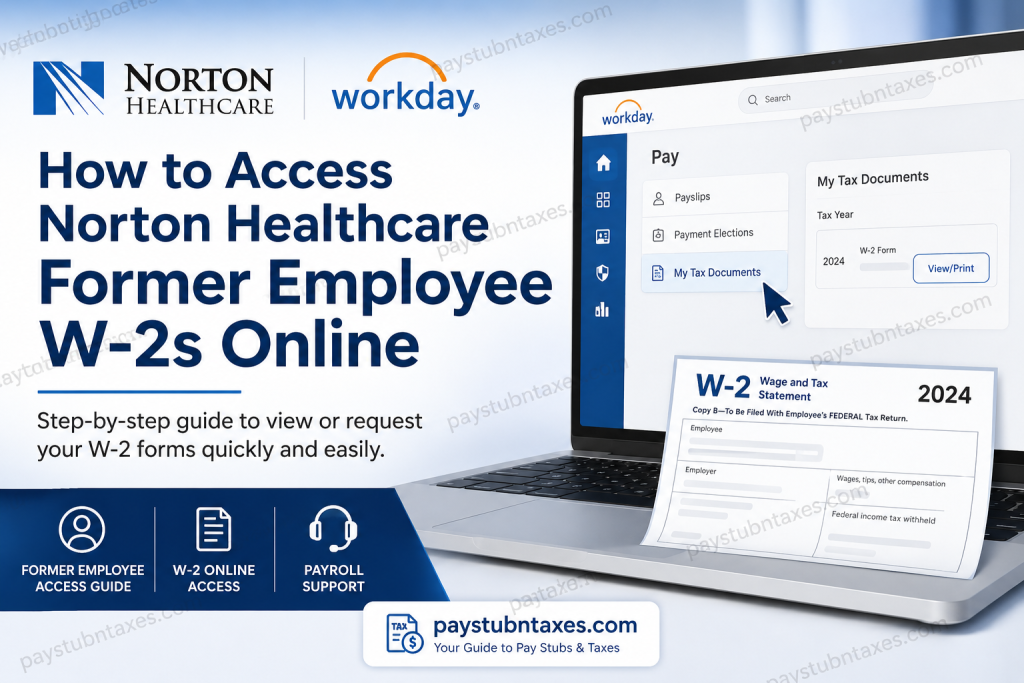
Tax season often arrives with a familiar question for former employees: How can I obtain my Norton Healthcare W-2 after leaving the organization? Fortunately, Norton Healthcare has established a straightforward process for both active and former team members. While current employees can conveniently retrieve their tax forms through the Workday Self-Service portal, former employees whose Workday access has expired must request a reprinted copy directly from Payroll Services. This comprehensive guide explains every available method to access your Norton Healthcare W-2, outlines the differences between active and former employee access, and provides practical troubleshooting advice to help you obtain your tax document without unnecessary delays.
About Norton Healthcare
Norton Healthcare is one of Kentucky’s largest not-for-profit healthcare systems, serving patients throughout Greater Louisville, Southern Indiana, and neighboring communities. With nearly 24,000 employees, more than 1,750 employed medical providers, over 3,000 medical staff providers, six Louisville hospitals, three Southern Indiana hospitals, and hundreds of care locations, the organization continues to be one of the region’s premier healthcare employers.
To support this extensive workforce, Norton Healthcare utilizes Workday as its Human Capital Management (HCM) platform for payroll, human resources, benefits administration, and tax document management.
Can Former Employees Access Their W-2 Online?
The answer depends on your Workday account status.
If your Workday access is still active
Even after your employment ends, some former employees temporarily retain access to Workday. If your account remains active, you can log in and download your W-2 yourself.
If your Workday access has been disabled
Most former employees lose Workday access shortly after separation. In that situation, you must request a W-2 reprint from Norton Healthcare Payroll Services.
How Active Employees View W-2 Forms in Workday
When Payroll publishes annual tax documents, active employees receive a Workday notification. W-2 forms are stored within My Tax Documents inside the Workday Pay dashboard.
Follow these steps:
- Sign in to the Norton Healthcare Workday portal.
- Open the Pay dashboard.
- Select My Tax Documents.
- Locate your desired tax year.
- Click View/Print.
- Download or print your W-2.
Norton Healthcare Workday Login Portal
Workday Portal
https://www.myworkday.com/nortonhealthcare/d/home.htmld
You’ll see two login options:
- Employee Access (Single Sign-On) – For current employees.
- Vendor / Pre-Hire – For vendors and applicants.
The login screen also recommends using Duo Mobile for two-factor authentication.
How Former Employees Obtain Their W-2
If your Workday account has been deactivated, follow these steps.
Step 1: Verify Whether You Still Have Access
Before requesting a replacement, attempt to log in to Workday.
If successful:
- Navigate to Pay
- Open My Tax Documents
- Download your W-2
If the login fails, continue with the next step.
Step 2: Submit a W-2 Reprint Request
Former employees without Workday access should complete the official W-2 Reprint Request Form and send it to Payroll Services.
Payroll will process your request and prepare a replacement copy.
Step 3: Receive Your Reprinted W-2
According to Norton Healthcare payroll procedures:
- Payroll-printed W-2 forms are generally available within two business days after processing.
- W-2 forms required by law are issued no later than January 31 each year.
- Employees who no longer have Workday access receive their forms through the Payroll reprint process.
When Are Norton Healthcare W-2 Forms Available?
Every tax year follows a similar schedule:
- Payroll finalizes tax reporting in January.
- W-2 forms become available in Workday for eligible employees in late January.
- Federal regulations require employers to issue or mail W-2 forms by January 31.
If you have not received your form after that date, contact Payroll Services.
What If You Changed Your Address?
If you moved after leaving Norton Healthcare, ensure Payroll Services has your current mailing address before requesting your W-2.
Incorrect mailing information is one of the most common reasons former employees experience delays in receiving tax documents.
What Information Will You Need?
To verify your identity, Payroll may ask for:
- Full legal name
- Employee ID (if available)
- Date of birth
- Last four digits of your Social Security number
- Previous department
- Employment dates
- Current mailing address
Providing accurate information helps Payroll process your request more quickly.
Contact Norton Healthcare Payroll Support
If you need assistance regarding your W-2 or payroll records, contact:
Norton Service Center
Phone: (502) 629-8911, Option: 2
The Service Center can assist with payroll-related questions, including W-2 access and reprint requests. The benefits guide also directs employees to the Norton Service Center for assistance with payroll and benefits questions.
Common Workday Login Issues
Invalid username or password
Reset your credentials through your organization’s password recovery process.
Duo Mobile authentication problems
Ensure your registered mobile device is available and Duo Mobile is functioning properly.
Account disabled
Former employees typically lose Workday access after separation and must request a W-2 through Payroll.
Browser issues
Clear your browser cache or try another supported browser.
Tips for a Faster W-2 Request
- Request your W-2 only after late January.
- Verify your mailing address before submitting the request.
- Keep your employee identification information available.
- Contact Payroll rather than Human Resources for tax document issues.
- Save a digital copy once you receive your W-2 for future reference.
Final Thoughts
Obtaining your Norton Healthcare W-2 after leaving the organization is generally a straightforward process. If your Workday account remains active, you can access your tax document online through Pay → My Tax Documents. If your account has been deactivated, Payroll Services can provide a replacement W-2 upon request. By ensuring your contact information is current and requesting assistance promptly after W-2s are released, you can avoid unnecessary delays and complete your tax filing with confidence.
Frequently Asked Questions
1. How do I get my Norton Healthcare W-2 after leaving the company?
If your Workday account is still active, sign in and download your W-2 from Pay > My Tax Documents. If your account has been deactivated, submit a W-2 Reprint Request Form to Payroll Services.
2. Can former employees still log in to Workday?
Some former employees may retain temporary access. If your login no longer works, you’ll need to request a W-2 reprint from Payroll.
3. Where can I find my W-2 in Workday?
After signing in, go to Pay, then select My Tax Documents to view, download, or print your W-2.
4. When are Norton Healthcare W-2 forms available?
W-2 forms are generally available in Workday during late January and are mailed no later than January 31.
5. What if I forgot my Workday password?
Use the password recovery option available through Workday or contact the Norton Service Center if you cannot regain access.
6. What if my Workday account has been disabled?
Once your account is disabled, you must request a paper W-2 from Payroll Services using the official W-2 Reprint Request Form.
7. How long does it take to receive a W-2 reprint?
Payroll typically prepares W-2 reprints within approximately two business days after receiving your request.
8. Can I download previous years’ W-2 forms?
Yes. If your Workday account remains active, previous tax years are stored under My Tax Documents.
9. Does Norton Healthcare mail W-2 forms automatically?
Yes. W-2 forms are mailed by January 31 to employees who are no longer able to access Workday.
10. What information is required when requesting a W-2 reprint?
You may need your full name, employee ID (if available), date of birth, last four digits of your Social Security number, employment dates, and current mailing address.
11. Why can’t I access my Workday account?
Your employment may have ended, your account may have been deactivated, your password may have expired, or your Duo Mobile authentication may need to be updated.
12. Do I need Duo Mobile to sign in?
Yes. Norton Healthcare recommends Duo Mobile for two-factor authentication when accessing Workday.
13. Who should I contact if I have questions about my W-2?
Contact the Norton Service Center at (502) 629-8911, Option 2 for payroll and W-2 assistance.
14. Can I print my W-2 directly from Workday?
Yes. Once you open your W-2 in My Tax Documents, you can download or print it as a PDF.
15. What should I do if my mailing address has changed after leaving Norton Healthcare?
Notify Payroll Services as soon as possible to ensure your W-2 is mailed to your correct address and to avoid delivery delays.

