
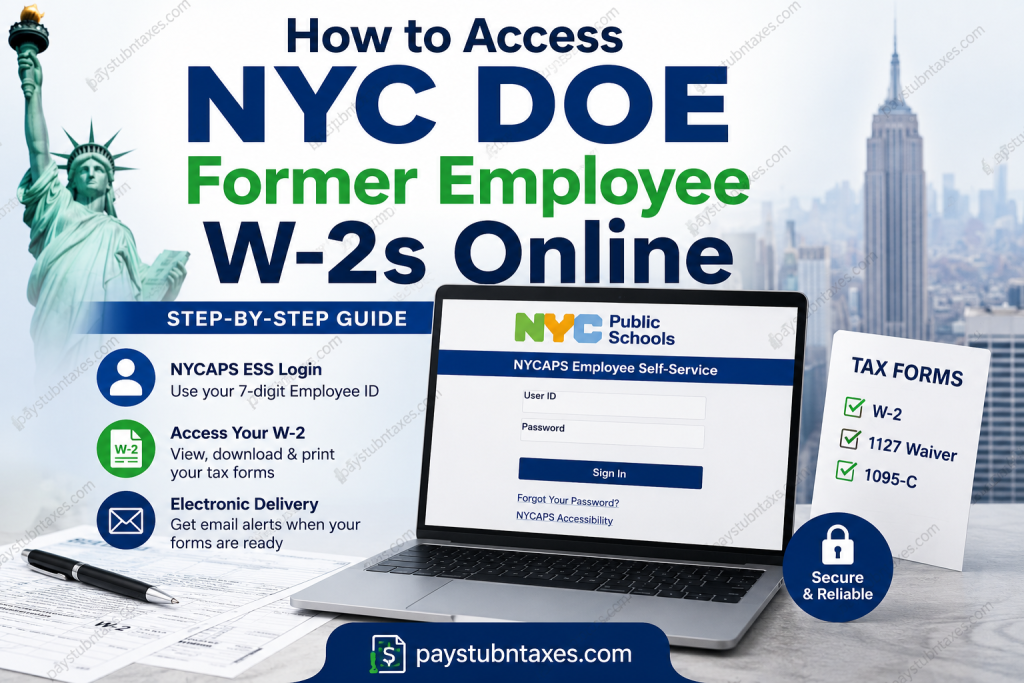
If you are a former employee of the New York City Department of Education (NYC DOE), now known as New York City Public Schools (NYCPS), you can still access your W-2 forms online through NYCAPS Employee Self-Service (ESS) for up to three years after leaving employment. This secure portal allows former employees to download, print, and save copies of their tax documents without waiting for a paper copy in the mail. In this comprehensive guide, you’ll learn how to log in to NYCAPS ESS, retrieve your W-2, troubleshoot common login issues, and understand what to do if you no longer have access to your account.
Can Former NYC DOE Employees Access W-2s Online?
Yes. Unlike many employers that immediately revoke employee portal access after separation, the New York City Department of Education allows former employees to retain NYCAPS ESS access for up to three years after termination. During this period, eligible former employees can:
- View and download W-2 forms
- Access 1127 Waiver forms
- Retrieve Form 1095-C
- Print copies whenever needed
- Choose electronic delivery of future tax forms if eligible
Even if you do not enroll in electronic delivery, your W-2 will still be mailed to the address currently on file with NYC Public Schools no later than January 31 each year. Former employees who opt for electronic delivery will receive an email notification when their tax forms become available, while retaining the ability to print copies directly from NYCAPS ESS.
NYC DOE Former Employee W-2 Portal
Former employees should access their tax documents through:
NYCAPS Employee Self-Service (ESS)
Portal: https://a127-ess.nyc.gov/psp/prdess/?cmd=login&languageCd=ENG&
What You’ll Need Before Logging In
Prepare the following information:
- Your 7-digit Employee ID (EMPL ID)
- Your NYCAPS ESS password
- Internet connection
- A computer or mobile browser
- The last four digits of your Social Security Number (required before printing certain tax forms)
How to Access Your Former Employee’s W-2 Online
Follow these steps carefully.
Step 1: Visit NYCAPS ESS
Open the NYCAPS Employee Self-Service login page.
Step 2: Enter Your Credentials
Use: User ID
Your 7-digit Employee ID (EMPL ID) found on previous pay stubs.
Password
Your regular NYCAPS ESS password.
If your account is still active, you’ll be taken directly to the Employee Self-Service dashboard.
Step 3: First-Time Login (If Applicable)
If you’ve never logged into NYCAPS ESS before, your initial password follows this format:
Last 2 digits of SSN
+
_
+
First three letters of birth month (UPPERCASE)
+
Birth day
+
Birth year
Example:
99_JAN011910
After signing in, you’ll be prompted to:
- Create a new password
- Set up security questions for future password recovery
Step 4: Navigate to Pay and Tax Information
After logging in:
Employee Self Service
→ Pay and Tax Information
→ Tax Summary (W-2, 1127 & 1095-C)
This section contains all available tax forms associated with your employment.
Step 5: Select the Tax Year
Choose the year for which you need your W-2.
NYCAPS stores tax summaries for multiple years, allowing eligible users to retrieve historical forms directly from the portal.
Step 6: Verify Your Identity
Before opening your tax document, NYCAPS asks you to verify your identity by entering:
- Last four digits of your Social Security Number
Once verified, your W-2 becomes available for viewing, downloading, and printing.
How to Enroll in Electronic W-2 Delivery
Former employees who still have NYCAPS access can choose electronic delivery.
To enroll:
- Log into NYCAPS ESS.
- Select Electronic W-2 Delivery.
- Choose Change W2 Print Status.
- Select Change W2 Delivery Status.
- Click Continue.
- Enter the last four digits of your Social Security Number.
- Certify and confirm your selection.
Once enrollment is complete, you will receive an email notification each January when your electronic tax forms become available. Electronic copies may also be downloaded and printed at any time.
Forgot Your NYCAPS Password?
If you’ve forgotten your password:
Click: Forgot Your Password?
Answer your security questions to reset your password. If you cannot reset it yourself, contact NYCAPS support: Phone: (718) 935-4001
Support Hours:
- Monday–Friday: 6:00 AM–8:00 PM
- Saturday–Sunday: 8:00 AM–4:00 PM
What If Your W-2 Doesn’t Appear?
If your tax document isn’t visible:
- Confirm you’re using the correct Employee ID.
- Verify that your NYCAPS access period has not expired.
- Ensure you selected the correct tax year.
- Check whether your mailing address on file is current.
- Allow sufficient time for annual tax forms to be posted, typically by the end of January.
If problems persist, contact:
Email: W2unit@schools.nyc.gov
How Long Can Former Employees Access NYCAPS?
Former NYC DOE (NYCPS) employees generally retain NYCAPS ESS access for up to three years after termination, enabling them to retrieve W-2s and other tax forms electronically during that period. After access expires, employees should request assistance directly from the payroll office if copies are still required.
What Tax Forms Are Available?
Former employees may access:
- W-2 Wage and Tax Statement
- 1127 Waiver Form
- Form 1095-C (Employer-Provided Health Coverage)
All documents are available under the Tax Summary section of NYCAPS ESS.
Tips for a Smooth W-2 Retrieval
- Save a PDF copy immediately after downloading.
- Update your mailing address before year-end if possible.
- Enroll in electronic delivery to receive faster access to future tax forms.
- Keep your Employee ID in a secure place for future logins.
- Store your downloaded tax documents in an encrypted or password-protected location.
Conclusion
Retrieving your former NYC DOE W-2 is a straightforward process thanks to the NYCAPS Employee Self-Service portal. As long as your post-employment access remains active, you can securely download, print, and save your W-2, 1127 Waiver, and 1095-C forms whenever needed. To avoid delays during tax season, consider enrolling in electronic delivery, maintain an up-to-date mailing address, and keep your NYCAPS login credentials secure. Should you encounter difficulties, NYCAPS support and the NYC DOE payroll team are available to help ensure you receive the tax documents you need.
FAQs
1. Can former NYC DOE employees access their W-2 online?
Yes. Former NYC DOE (NYCPS) employees generally retain access to the NYCAPS Employee Self-Service portal for up to three years after leaving employment, allowing them to download and print their W-2 forms.
2. Where can I download my NYC DOE W-2?
Log in to the NYCAPS Employee Self-Service (ESS) portal and go to Employee Self Service → Pay and Tax Information → Tax Summary (W-2, 1127 & 1095-C).
3. What login credentials do I need for NYCAPS ESS?
You’ll need your 7-digit Employee ID (EMPL ID) as your User ID and your NYCAPS ESS password.
4. How do I find my Employee ID?
Your 7-digit Employee ID (EMPL ID) appears on your previous NYC DOE pay stubs and payroll documents.
5. What if I’ve never logged into NYCAPS ESS before?
Use the default password format provided by NYCAPS, then create a new password and set your security questions during your first login.
6. What should I do if I forgot my NYCAPS password?
Click the “Forgot Your Password?” link on the login page. If you cannot reset it yourself, contact NYCAPS support at (718) 935-4001.
7. How long can former employees use NYCAPS ESS?
Former employees generally have access to NYCAPS ESS for up to three years after termination.
8. Can I download previous years’ W-2 forms?
Yes. Eligible users can access historical W-2 forms available within their NYCAPS ESS account.
9. Will my W-2 also be mailed?
Yes. If you do not enroll in electronic delivery, your W-2 will be mailed to the address on file, typically by January 31.
10. Can I choose electronic delivery of my W-2?
Yes. Former employees with active NYCAPS access can enroll in electronic delivery through the Electronic W-2 Delivery option in NYCAPS ESS.
11. What other tax forms are available through NYCAPS?
In addition to the W-2, eligible users can access their 1127 Waiver and 1095-C forms.
12. Why do I need the last four digits of my Social Security Number?
The last four digits of your SSN are required to verify your identity before viewing or printing your tax forms.
13. What if my W-2 isn’t available in NYCAPS?
Verify that you’re using the correct Employee ID, select the appropriate tax year, and ensure your access period hasn’t expired. If the issue continues, contact the payroll office.
14. Who should I contact if I need help with my W-2?
For W-2-related questions, email W2unit@schools.nyc.gov. For login or password issues, call (718) 935-4001.
15. Can I print multiple copies of my W-2?
Yes. NYCAPS ESS allows eligible former employees to download, save, and print multiple copies of their W-2 whenever needed during their access period.

