
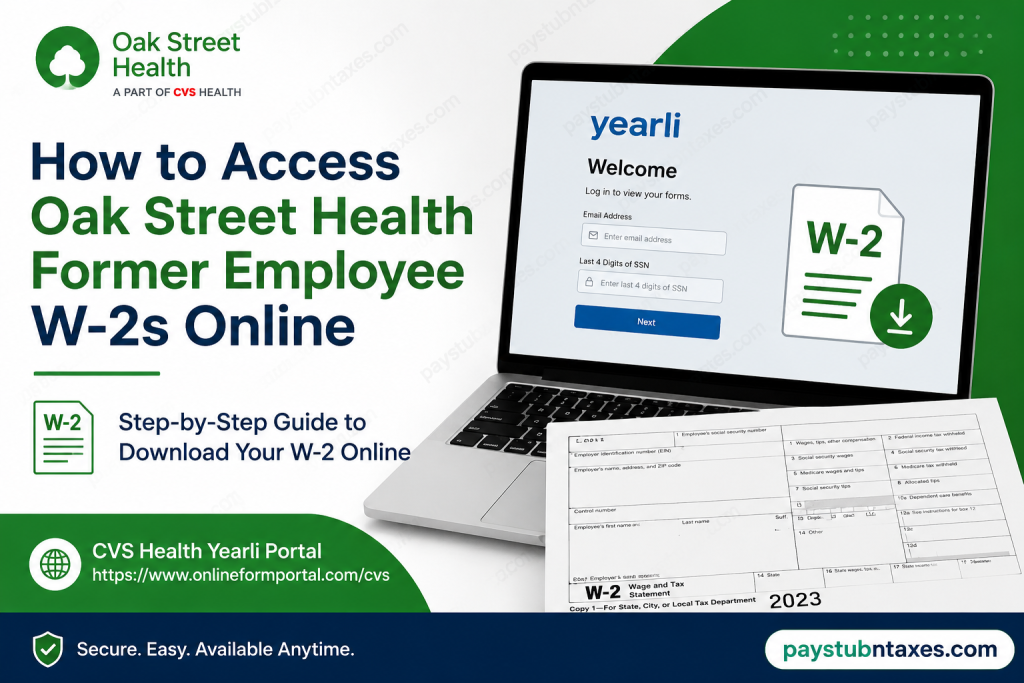
Former employees of Oak Street Health can conveniently retrieve their Form W-2 online through the CVS Health Yearli Portal. Since Oak Street Health operates as part of CVS Health, all former colleagues have access to a secure electronic platform that allows them to view, download, and print their tax documents whenever needed. Whether you need your W-2 to file your taxes, apply for financial aid, or keep records for future reference, this guide walks you through the entire process in a straightforward manner.
About Oak Street Health
Founded in 2012 and now operating as part of CVS Health, Oak Street Health is a leading value-based primary care organization dedicated to improving healthcare outcomes for older adults. With more than 900 primary care providers and over 230 medical centers across 27 states, the company focuses on preventive care, personalized treatment plans, and integrated healthcare services that help patients live healthier and fuller lives.
Its innovative model combines medical care with educational and social support programs, creating a holistic approach that addresses the physical, emotional, and social well-being of patients.
How Former Employees Receive Their W-2 Forms
CVS Health offers two methods for receiving Form W-2:
1. Electronic Delivery
If you previously consented to electronic delivery while employed, your W-2 will typically become available online by January 31 following the end of the tax year.
2. Mailed Paper Copy
If you did not enroll in paperless delivery, a physical copy of your W-2 will be mailed to the address that was on file as of December 31 of the previous year.
Important: Before leaving employment, it is advisable to verify that your mailing address in Workday is accurate to avoid delays or misdelivery.
Oak Street Health Former Employee W-2 Portal
Yearli Portal: https://www.onlineformportal.com/cvs
The portal offers secure, round-the-clock access to your tax forms from virtually anywhere.
How to Access Your Oak Street Health W-2 Online
Follow these steps carefully:
Step 1: Visit the Yearli Portal
Go to: https://www.onlineformportal.com/cvs
Step 2: Enter Your Information
On the login page, provide:
- Your personal email address
- The last four digits of your Social Security Number (SSN)
Then click Next.
Step 3: Verify Your Email Address
If this is your first time accessing the portal:
- A verification code will be sent to your email.
- Retrieve the code from your inbox.
- Enter the code on the verification screen.
- Click Verify Code.
Step 4: Create Your Password
After email verification, you will:
- Create a secure password.
- Set up Multi-Factor Authentication (MFA).
You may choose to receive verification codes through:
- Text message
- Phone call
- Authenticator application
This additional layer of security helps protect your personal tax information.
How to Download Your W-2
Once you have successfully signed in:
- Log in to your Yearli account.
- Review the list of available tax forms.
- Locate the appropriate tax year.
- Click the corresponding icon to open your W-2.
- Download or print the document for your records.
Forgot Your Password?
If you cannot remember your password:
- Select Forgot Password on the login page.
- A verification code will be sent to your registered email address.
- Enter the code.
- Create a new password.
- Sign in again.
The process typically takes only a few minutes.
Updating Your Yearli Account Preferences
The Yearli Portal also allows former employees to manage various account settings, including:
- Updating your email address
- Changing your password
- Resetting Multi-Factor Authentication
- Viewing or changing paperless enrollment status
Keeping your account information current can help prevent future access issues.
What If You Never Enrolled in Electronic Delivery?
If you never consented to receive electronic tax forms, your W-2 will be mailed automatically to the mailing address that was on file with CVS Health as of December 31.
If you have moved since your employment ended, contacting the HR Service Center promptly may help avoid complications.
Access to Former Employee Workday
Former CVS Health and Oak Street Health employees generally receive limited Workday access after separation. Approximately 24 to 48 hours after your employment ends, you should receive emails containing temporary credentials that allow you to access certain employment information, including historical pay information and personal records.
However, W-2 forms for former employees are primarily distributed through the Yearli Portal rather than Workday.
Common W-2 Access Problems and Solutions
| Problem | Solution |
| Forgot password | Use the “Forgot Password” option. |
| Didn’t receive verification code | Check spam or junk folders. |
| Email address no longer accessible | Contact the HR Service Center |
| W-2 not available online | Wait until January 31 or contact support. |
| Incorrect mailing address | Contact HR for assistance. |
Oak Street Health Former Employee W-2 Support
If you experience difficulties accessing your tax documents, contact the CVS Health HR Service Center:
Phone: 1-888-694-7287
Hours: Monday through Friday
Time: 8:00 AM – 8:00 PM Eastern Time
Representatives can assist with:
- Login issues
- Password resets
- Verification problems
- Missing W-2 forms
- General Yearli Portal support
Final Thoughts
Accessing your Oak Street Health former employee W-2 online is a relatively seamless process thanks to the CVS Health Yearli Portal. By maintaining an active email address, completing the verification process, and setting up Multi-Factor Authentication, former colleagues can securely retrieve their tax documents whenever needed. Should any obstacles arise, the HR Service Center remains available to provide assistance, ensuring that obtaining your W-2 is neither burdensome nor time-consuming.
FAQs
1. How do former employees get their Oak Street Health W-2 online?
Former employees can access their W-2 forms through the CVS Health Yearli Portal at https://www.onlineformportal.com/cvs.
2. When will my W-2 become available online?
Electronic W-2 forms are usually available by January 31 following the end of the tax year.
3. What information do I need to log in?
You need your personal email address and the last four digits of your Social Security Number (SSN).
4. Can I access previous years’ W-2 forms?
Yes. The Yearli Portal may provide access to previous tax forms depending on your account records.
5. What if I forgot my Yearli password?
Click the Forgot Password link on the login page and follow the instructions to reset your password.
6. What is Multi-Factor Authentication (MFA)?
MFA is an additional security feature that requires a verification code sent to your phone or authenticator app before you can access your account.
7. Can I print my W-2 from the portal?
Yes. After opening your W-2, you can download and print it directly from the portal.
8. What happens if I did not choose electronic delivery?
A paper copy of your W-2 will be mailed to the address on file by January 31.
9. How do I update my email address in Yearli?
After logging in, go to Settings and select Update Email.
10. How do I reset my MFA settings?
Sign in to your account, go to Settings, and choose Reset MFA.
11. What if I no longer have access to my registered email address?
Contact the CVS Health HR Service Center for assistance with account recovery.
12. Can former employees still access Workday?
Yes. Former employees generally have limited Workday access for up to two years after separation for certain employment information.
13. Why haven’t I received my mailed W-2?
Verify that your mailing address was correct as of December 31 and contact HR if you still have not received it.
14. Is there a fee to access my W-2 online?
No. Accessing and downloading your W-2 through the Yearli Portal is free.
15. Who should I contact for W-2 assistance?
Contact the CVS Health HR Service Center at 1-888-694-7287, Monday through Friday, from 8:00 AM to 8:00 PM ET.

