
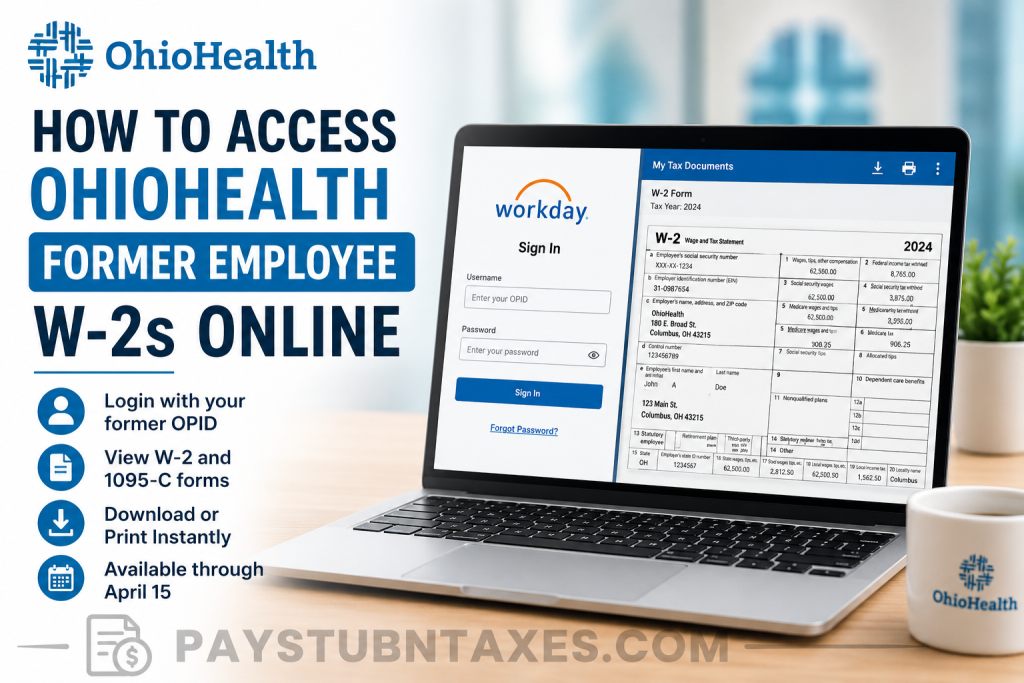
Former OhioHealth employees can conveniently access their W-2 tax forms online through the OhioHealth Workday portal for a limited period after leaving the organization. Whether you need your W-2 for tax filing, income verification, or personal recordkeeping, this comprehensive guide explains exactly how to retrieve your tax documents and what to do if you can no longer access the system.
About OhioHealth
OhioHealth is one of the largest and most respected healthcare systems in the United States. Headquartered in Columbus, Ohio, the not-for-profit healthcare organization has been serving communities since 1891 and employs approximately 35,000 associates, physicians, and volunteers across its extensive network of hospitals and ambulatory facilities.
Recognized repeatedly by Fortune as one of the “100 Best Companies to Work For,” OhioHealth is dedicated to improving the health of those it serves while fostering a workplace culture built upon compassion, excellence, inclusion, integrity, and stewardship.
Can Former OhioHealth Employees Access Their W-2 Online?
Yes. Former associates can access their W-2 forms online through the OhioHealth Workday portal. However, online access is available only through April 15 following the applicable tax year.
Additionally, former employees retain access to Workday for up to 30 days after separation, allowing them to:
- View pay slips
- Update contact information
- Download tax documents
- Access Form W-2 and Form 1095-C
OhioHealth Former Employee W-2 Login Portal
Workday Login Portal:
To sign in, you will need:
- Your former OhioHealth OPID (OhioHealth Personal ID) as your username
- Your Workday password
How to Access Your OhioHealth W-2 Online
Follow these steps to retrieve your tax forms:
Step 1: Visit the Workday Portal
Go to the OhioHealth Workday login page.
Step 2: Enter Your Credentials
Sign in using:
- Username: Your former OPID
- Password: Your Workday password
Step 3: Open the Pay Dashboard
Once logged in:
- Select Menu
- Click Pay
Step 4: Access Tax Documents
Under the Pay dashboard:
- Select My Tax Documents
- Locate your desired tax year.
Step 5: View Your W-2
Click: View/Print
The W-2 document will open in a new window.
Step 6: Download or Print
You can:
- Download the PDF copy to your computer.
- Print a paper copy for your records.
- Save multiple years of tax documents if available.
How to Download Your W-2 Form
After opening the document:
- Click the Download icon in the upper-right corner.
- Save the file to a secure location.
- Rename the file for easier reference if necessary.
For example: OhioHealth-W2-2025.pdf
How to Print Your OhioHealth W-2
To print:
- Open the W-2 form.
- Click the Printer icon.
- Select your printer settings.
- Print your document.
Forgot Your OhioHealth Password?
If you cannot remember your password:
- Visit the Workday login page.
- Click Forgot Password.
- Follow the instructions to reset your credentials.
If the password reset option does not work, your off-network access may not be fully configured.
OhioHealth Workday Access Period for Former Employees
| Service | Access Availability |
| Pay Stubs | Up to 30 days after separation |
| Contact Information Updates | Up to 30 days after separation |
| W-2 Forms | Through April 15 |
| Form 1095-C | Through April 15 |
Because access is time-sensitive, it is advisable to download and save copies of all tax documents immediately after they become available.
What Is Form 1095-C?
OhioHealth also provides former employees with:
- Form W-2
- Form 1095-C
Form 1095-C documents employer-provided health insurance coverage and may be required when preparing certain federal tax returns.
Unable to Access Your W-2?
If you experience login difficulties:
- Verify that you are entering your former OPID correctly.
- Reset your password using the Forgot Password link.
- Confirm that your access period has not expired.
If problems persist, contact OhioHealth Information Services.
OhioHealth IS Support
Phone: (614) 566-4357
Hours: Business support hours may vary.
What If Your Workday Access Has Expired?
If you no longer have access to Workday because:
- It is past April 15,
- Your account has been deactivated,
- You no longer remember your credentials,
you should contact OhioHealth Human Resources or Payroll Services to request a copy of your W-2.
You may need to provide:
- Full legal name
- Employee ID or OPID
- Last four digits of your Social Security Number
- Current mailing address
- Dates of employment
Tips for Keeping Your Tax Documents Secure
Because W-2 forms contain sensitive personal information, consider the following precautions:
- Download documents only on a secure device.
- Avoid using public Wi-Fi when accessing payroll records.
- Save files in password-protected folders.
- Print copies only when necessary.
- Retain electronic backups for future reference.
Final Thoughts
Accessing your OhioHealth former employee W-2 online is a relatively straightforward process through the Workday portal. By using your former OPID and password, you can securely view, download, and print your tax documents without waiting for paper copies to arrive in the mail. Because online access is only available for a limited period, former associates should download and store their W-2 forms as soon as they become available to avoid unnecessary delays during tax season.
Frequently Asked Questions
1. How do I get my OhioHealth W-2 online?
Log in to the OhioHealth Workday portal using your former OPID and password and access My Tax Documents under the Pay section.
2. What is the OhioHealth Workday login website?
The portal is available at: https://wd5.myworkday.com/ohiohealth/login.htmld?redirect=n
3. What username should former employees use?
Former employees should use their former OhioHealth OPID as their username.
4. How long can former employees access Workday?
Former associates can access Workday for up to 30 days after leaving OhioHealth to view pay slips and update contact information.
5. How long are W-2 forms available online?
W-2 and Form 1095-C documents remain available through April 15.
6. What should I do if I forgot my Workday password?
Click the Forgot Password link on the Workday login page and follow the instructions to reset your password.
7. Can I print my OhioHealth W-2?
Yes. After opening your W-2, click the printer icon to print a paper copy.
8. Can I download my W-2 as a PDF?
Yes. Workday allows you to download and save your W-2 as a PDF document.
9. What is Form 1095-C?
Form 1095-C is a tax document that reports employer-sponsored health insurance coverage.
10. What if I can no longer access Workday?
Contact OhioHealth Human Resources or Payroll Services to request a copy of your W-2.
11. Can I access previous years’ W-2 forms?
You may access available tax years during your active Workday access period.
12. Why is my OhioHealth account locked?
Accounts may be locked due to incorrect login attempts or expired access permissions.
13. Who do I contact for login assistance?
Contact OhioHealth IS Support at (614) 566-4357.
14. Can I update my address after leaving OhioHealth?
Yes. Former employees can update contact information during the 30-day post-employment access period.
15. When are OhioHealth W-2 forms usually released?
W-2 forms are generally issued and made available before January 31 each year.

