
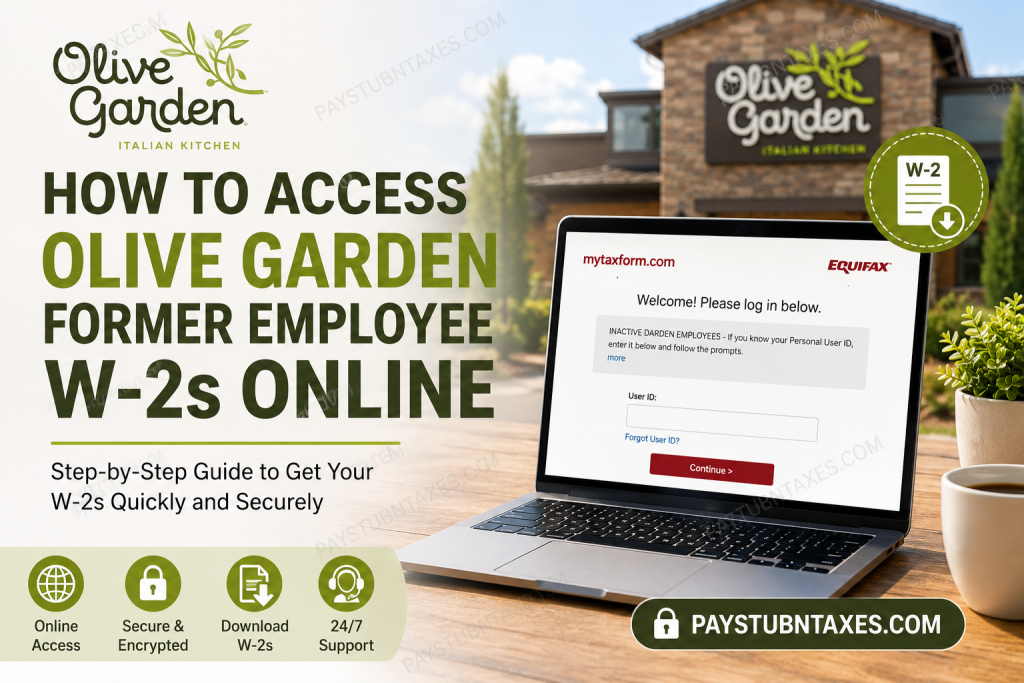
If you previously worked for Olive Garden and need a copy of your W-2 form for tax filing, mortgage applications, student aid, or personal recordkeeping, obtaining your wage statement is a relatively straightforward process. Former Olive Garden employees can access their tax documents online through Equifax’s Tax Form Management portal using Darden Restaurants’ company code and their Personal User ID. As one of America’s most recognizable Italian dining chains, Olive Garden continues to employ tens of thousands of team members across more than 800 locations nationwide and remains a flagship brand under Darden Restaurants, Inc.
About Olive Garden
Founded in 1982 in Orlando, Florida, Olive Garden has grown into the leading Italian casual dining restaurant chain in the United States. The company serves millions of guests annually and has cultivated a workplace culture centered on family, hospitality, and professional growth. Its long-standing commitment to employee development and community engagement has helped make Olive Garden one of the most respected names in the restaurant industry.
How to Access Your Olive Garden Former Employee W-2 Online
Step 1: Visit the Tax Form Management Portal
Open your web browser and navigate to: https://www.mytaxform.com/
This secure website is administered by Equifax and enables former employees to access electronic tax documents.
Step 2: Enter the Company Code
When prompted, enter:
Company Code: 11533
The code directs you to the Darden Restaurants employment services portal specifically designated for former employees.
Step 3: Sign In Using Your Personal User ID
If you have previously registered your account:
- Enter your Personal User ID
- Click Continue
- Enter your password and complete the login process.
Once authenticated, you can immediately access your available tax documents.
Step 4: Recover Your User ID if Necessary
Forgot your login credentials? No need to panic.
Simply click:
Forgot User ID
The portal will ask you to verify your identity by providing personal information, which may include:
- Name
- Social Security Number
- Date of Birth
- Email Address
- Phone Number
In some cases, the system may send a One-Time Passcode (OTP) to your email or mobile phone for additional verification.
Step 5: Download Your W-2 Form
After signing in:
- Navigate to your available tax forms.
- Select your W-2.
- Choose one of the following options:
- View
- Download
- Request delivery by mail or fax (if available)
The portal typically provides immediate electronic access once forms have been released by the employer.
First-Time Users: How to Register
If you have never used Tax Form Management before:
- Visit www.mytaxform.com
- Enter the company code.
- Select Register Now.
- Complete the identity verification process.
- Create a Personal User ID and password.
- Add your contact information and security questions.
After registration, your account can be used to access future tax forms electronically.
How to Receive W-2 Forms Electronically
The Tax Form Management portal allows users to opt for online delivery rather than receiving paper copies.
To enroll:
- Sign into your account.
- Select the W-2 under Online Delivery Consent.
- Choose Receive Forms Online.
- Accept the disclosure agreement.
- Confirm your email and mailing address.
After completing these steps, future tax forms will generally be delivered electronically.
Locked Out of Your Account?
For security purposes, the system automatically locks users out after:
Three unsuccessful login attempts.
If this occurs:
- Wait approximately 30 minutes before trying again.
- Alternatively, contact Equifax support for assistance.
Important Contacts for Former Olive Garden Employees
Equifax Tax Form Management Support
Phone: 1-888-341-6212
For assistance with:
- User ID recovery
- Login problems
- Identity verification
- W-2 access issues
Darden Total Rewards Service Center
Phone: 888-374-3343
For assistance with:
- Benefits questions
- Insurance information
- Retirement benefits
- Employment records
Employee Relations
Phone: 800-932-2558
For assistance with:
- Employment verification
- Separation information
- HR concerns
- Former employee inquiries
Why You May Need Your Olive Garden W-2
A copy of your W-2 may be required for:
- Filing federal and state income taxes
- Applying for a mortgage
- Student financial aid applications
- Income verification
- Loan applications
- Personal financial records
Keeping an electronic copy of your W-2 can save a considerable amount of time and prevent unnecessary administrative delays.
Final Thoughts
Obtaining your Olive Garden former employee W-2 online is a relatively seamless process thanks to Equifax’s Tax Form Management system. Whether you are preparing your annual tax return, verifying income for a financial application, or simply maintaining your records, the online portal provides a secure and convenient means of accessing your tax documents. Should you encounter any difficulties, assistance is readily available through Equifax customer support and Darden’s employee service centers, ensuring that you can retrieve your W-2 with minimal inconvenience and get your financial affairs in order without missing a beat.
Frequently Asked Questions
1. How do I get my W-2 from Olive Garden after leaving the company?
Visit www.mytaxform.com, enter company code 11533, and log in to access your W-2.
2. What is Olive Garden’s company code for W-2 access?
The company code is 11533.
3. What website do former Olive Garden employees use to access their W-2?
Former employees use the Equifax Tax Form Management portal at www.mytaxform.com.
4. Can I download my Olive Garden W-2 online?
Yes. After logging in, you can download and print your W-2.
5. What should I do if I forgot my User ID?
Click “Forgot User ID” on the login page and complete the identity verification process.
6. How do I reset my password on MyTaxForm?
Use the Forgot Password option and follow the instructions to verify your identity and create a new password.
7. What happens if I enter the wrong password multiple times?
After three failed login attempts, your account will be locked for 30 minutes.
8. When are Olive Garden W-2 forms available online?
W-2 forms are generally available by the end of January each year.
9. Can I receive my W-2 electronically instead of by mail?
Yes. You can consent to electronic delivery through the Tax Form Management portal.
10. Can former employees request a paper copy of their W-2?
Yes. Depending on eligibility, you may request delivery by mail through the portal.
11. Is the MyTaxForm website secure?
Yes. The website uses industry-standard SSL encryption to protect personal information.
12. Who do I contact if I cannot access my W-2?
Contact Equifax Customer Support at 1-888-341-6212 for login and W-2 assistance.
13. Who should I contact for benefits-related questions?
Call the Darden Total Rewards Service Center at 888-374-3343.
14. Who handles employment-related concerns for former Olive Garden employees?
Contact Employee Relations at 800-932-2558.
15. Why do I need my Olive Garden W-2?
Your W-2 is required for filing taxes, verifying income, applying for loans, obtaining a mortgage, and completing financial aid applications.

