
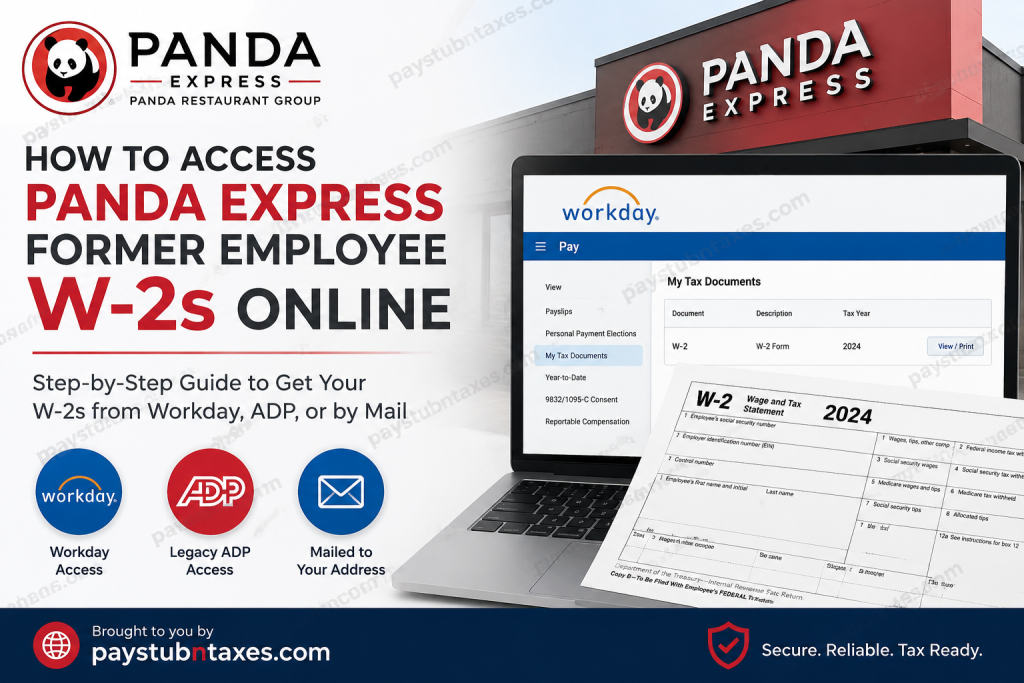
Former employees of Panda Express often need access to their W-2 forms for tax filing, financial applications, or recordkeeping purposes. Fortunately, Panda Restaurant Group provides several avenues through which former associates may obtain their year-end tax statements, whether electronically or by mail. This comprehensive guide explains how to access your Panda Express W-2 online after leaving the company, including Workday access, legacy ADP records, and alternative retrieval methods.
About Panda Restaurant Group
Panda Restaurant Group is the global leader in Asian dining and the parent company of Panda Express, Panda Inn, and Hibachi-San. Founded in 1973 by Andrew and Peggy Cherng, alongside Master Chef Ming-Tsai Cherng, the company has evolved from a single restaurant in Pasadena, California, into an international enterprise with thousands of locations and tens of thousands of associates worldwide.
Guided by its mission of delivering exceptional Asian dining experiences while inspiring people to better their lives, Panda Restaurant Group remains one of America’s largest privately held restaurant companies.
Can Former Panda Express Employees Access Their W-2 Online?
Yes. Former Panda Express employees may access their W-2 forms online, provided they still retain access to the company’s systems or have been issued temporary credentials after separation.
Panda Restaurant Group generally offers three methods for obtaining W-2 statements after employment ends:
- Postal Mail
- Workday Former Employee Access
- Legacy ADP Access
The availability of each method depends on when you worked for the company and how your tax delivery preferences were configured.
Method 1: Receive Your W-2 by Postal Mail
Panda Restaurant Group typically mails W-2 forms to the last home address on file in Workday unless an employee previously elected electronic delivery.
Important Notes:
- W-2 forms are generally mailed by January 31 each year in compliance with IRS regulations.
- If you have moved since leaving Panda Express, ensure your mailing address is updated with Human Resources.
- Delivery times may vary depending on postal service operations.
If your mailed W-2 is lost or never arrives, contact HR for assistance.
Method 2: Access Your W-2 Through Workday
Panda Restaurant Group has transitioned to Workday as its primary Human Capital Management platform.
Current employees access Workday through Okta Single Sign-On (SSO). However, after termination, Okta access is typically revoked. To accommodate former employees, Panda may provide temporary credentials or a dedicated former employee login portal.
Former Employee Workday Login
Use the former employee Workday link:
https://wd12.myworkday.com/wday/authgwy/pandarg/login.htmld?redirect=n
Enter the temporary username and password issued by Panda Restaurant Group.
Note: Former employee access is often time-limited. If your credentials have expired, contact HR for assistance.
How to Find Your W-2 in Workday
Once logged into Workday:
Step 1: Open the Menu
Click the Menu icon located in the upper navigation area.
Step 2: Select the Pay Application
Navigate to the Pay app from the available modules.
Step 3: Access Tax Documents
Under the View section, select My Tax Documents.
Step 4: View or Print Your W-2
Locate the appropriate tax year and click View/Print to download or print your W-2.
This process enables former employees to securely retrieve electronic copies of their tax statements without waiting for mail delivery.
Method 3: Check Legacy ADP Records
Before migrating payroll operations to Workday, Panda Restaurant Group used ADP for payroll and tax reporting.
As a result, some former employees—particularly those who worked before the Workday transition—may still find historical W-2 forms in ADP.
Access ADP
Visit: https://my.adp.com
Sign in using your existing ADP credentials.
If you no longer have access:
- Use the Forgot User ID or Forgot Password feature.
- Attempt account recovery using your personal email address.
- Contact HR if account recovery is unsuccessful.
Workday vs. ADP: Which System Has My W-2?
This is a common source of confusion among former employees.
Generally:
- Recent tax years are more likely to be available in Workday.
- Older tax years may remain archived in ADP.
- Depending on when payroll systems changed, some employees may have tax forms in both platforms.
If you cannot locate your W-2 in one system, check the other before requesting a replacement.
What If I Cannot Access Either System?
If your Workday credentials have expired or your ADP account is inaccessible, contact Panda Restaurant Group Human Resources for assistance.
HR Contact Information
Panda Restaurant Group HR Support
Phone: 800-700-7297
Human Resources can assist with:
- W-2 reprints
- Address updates
- Login issues
- Former employee access requests
- Tax statement delivery inquiries
Final Thoughts
Navigating post-employment payroll systems can sometimes feel like finding a needle in a haystack, especially when organizations transition between platforms. Fortunately, Panda Restaurant Group provides multiple pathways for former employees to retrieve their W-2 statements. If Workday access proves elusive, do not overlook legacy ADP records or traditional mailed copies. When in doubt, Panda’s Human Resources team remains the most reliable point of contact to help ensure that tax season proceeds smoothly and without unnecessary complications.
Frequently Asked Questions
1. How do I get my Panda Express W-2 after leaving the company?
Former employees can access their W-2 through Workday, ADP, or receive it by mail if electronic delivery was not selected.
2. Does Panda Express mail W-2 forms to former employees?
Yes. W-2 forms are generally mailed to the last address on file unless the employee opted for electronic delivery.
3. What is the Panda Express former employee Workday login?
Former employees may use the dedicated Workday portal provided by Panda Restaurant Group to access tax documents after separation.
4. Why can’t I log in through Okta anymore?
Okta Single Sign-On access is typically revoked after termination. Former employees usually receive separate Workday credentials.
5. Can I still access ADP after leaving Panda Express?
Possibly. Panda Restaurant Group previously used ADP, and older W-2 forms may still be stored there.
6. Which system has my W-2: Workday or ADP?
Recent tax years are generally found in Workday, while older W-2s may remain archived in ADP.
7. When does Panda Express issue W-2 forms?
Employers must provide W-2 forms by January 31 each year in accordance with IRS regulations.
8. What should I do if my W-2 never arrives in the mail?
Contact Panda Restaurant Group HR to verify your mailing address or request a replacement copy.
9. Can I download and print my W-2 online?
Yes. Both Workday and ADP typically allow users to download and print PDF copies of W-2 forms.
10. What if I forgot my Workday password?
Use any available password recovery options or contact HR for assistance with regaining access.
11. Can I access my W-2 without my employee ID?
In some cases, HR may verify your identity using personal information instead of an employee ID.
12. How long do former employees keep Workday access?
Access duration varies, and temporary credentials may expire after a certain period following termination.
13. Are electronic W-2 forms accepted by the IRS?
Yes. Electronic W-2 forms are legally valid and fully accepted for tax filing purposes.
14. What happens if I moved after leaving Panda Express?
Your W-2 may be mailed to your old address. Contact HR promptly to update your information.
15. Who should I contact for W-2 assistance?
For login issues, replacement forms, or tax document inquiries, contact Panda Restaurant Group HR at 800-700-7297.

