
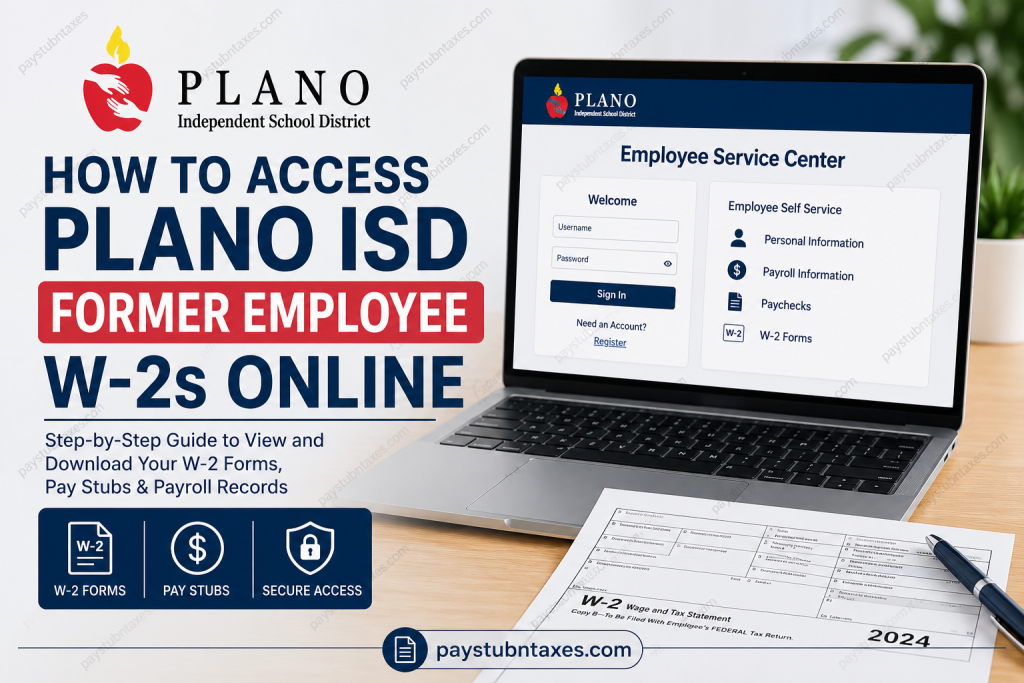
Former employees of Plano Independent School District (Plano ISD) can conveniently access their W-2 forms, paychecks, and employment records online through the Employee Service Center. Whether you need a copy of your tax documents for filing purposes, applying for financial assistance, or maintaining personal records, Plano ISD provides a secure self-service platform that allows eligible former employees to retrieve payroll information long after separation from employment. As one of the most respected public school districts in Texas, Plano ISD has built a reputation for educational excellence spanning more than a century. Serving tens of thousands of students across the Dallas–Fort Worth metroplex, the district remains committed not only to student success but also to supporting its current and former employees through accessible payroll and human resources services.
Can Former Plano ISD Employees Access W-2 Forms Online?
Yes. After your effective date of separation, you may continue to access payroll-related information, including:
- W-2 tax forms
- Pay stubs and paycheck history
- Employment records
- Personal information maintained by the district
Access is provided through the Plano ISD Employee Service Center, which serves as the district’s online payroll and employee information portal.
Plano ISD Former Employee W-2 Access Portal
Employee Service Center:
https://oea.pisd.edu/servicecenter/
Former employees who have never used the portal must create an account before accessing their payroll records.
How to Register for the Employee Service Center
If this is your first time accessing the Employee Service Center after leaving Plano ISD, follow these steps:
Step 1: Visit the Employee Service Center
Navigate to: https://oea.pisd.edu/servicecenter/
Step 2: Select “Register”
On the login page, click the “Register” link located beneath the “Need an Account?” section.
Step 3: Complete Registration
Provide the required information, which may include:
- Employee identification details
- Personal information for verification
- Contact information
- Login credentials
Step 4: Verify Your Account
Follow any verification instructions provided during registration.
Step 5: Sign In
Once registration is complete, log in using your newly created username and password.
How to Download Your Plano ISD W-2 Online
After successfully logging into the Employee Service Center:
- Access your employee dashboard.
- Navigate to the Payroll or Tax Documents section.
- Select the desired tax year.
- Open the available W-2 form.
- Download or print a copy for your records.
Many former employees find it beneficial to save both a digital PDF version and a printed copy for future reference.
How to View Previous Pay Stubs
The Employee Service Center also allows former employees to review paycheck information.
To access pay stubs:
- Log into the Employee Service Center.
- Select Payroll Information.
- Choose Paychecks or Earnings Statements.
- Select the desired pay period.
- View, print, or download your pay stub.
This feature is especially useful when verifying income for mortgage applications, employment verification, or financial aid documentation.
Final Paycheck Information
Plano ISD distributes final paychecks through direct deposit.
If employees need to update banking information before receiving their final payment, they should contact the Payroll Department immediately.
Additionally, employees who separate before completing their scheduled work year should be aware that accrued leave balances may be prorated. Any leave used beyond the amount earned may be deducted from the final paycheck.
Updating Your Address After Separation
Maintaining accurate contact information is important, particularly during tax season.
Former employees who change their mailing address should submit the district’s Address Change Form to ensure tax documents and official correspondence are delivered correctly.
Failure to maintain an updated address may delay receipt of important payroll and tax-related communications.
Requesting Employment Records and Service Records
Former Plano ISD employees pursuing future employment in education may require official service records.
Service record requests can be submitted at any time. Processing generally occurs:
- 30 days after the Human Resources Office receives the request, or
- 30 days after the employee’s final date of employment,
whichever occurs later.
Individuals who are no longer employed by a public school district and require alternative employment documentation should contact Employee Records directly.
Troubleshooting Login Problems
If you experience difficulties accessing the Employee Service Center, consider the following:
Forgot Password
Use the password recovery option available on the login page.
Registration Issues
Verify that all personal information entered during registration matches district records.
Account Access Problems
Contact the Plano ISD Help Desk for technical assistance.
Missing W-2 Forms
Reach out to Payroll Services if your tax documents are unavailable or appear incomplete.
Plano ISD Former Employee Contacts
Payroll Department
Phone: (469) 752-8108
Email: payroll@pisd.edu
Help Desk and Technology Services
Phone: (469) 752-8767
Email: helpdesk@pisd.edu
Human Resources
Phone: (469) 752-8135
Email: hr@pisd.edu
Benefits Department
Phone: (469) 752-8138
Email: benefits@pisd.edu
General Information
Phone: (469) 752-8100
Frequently Asked Questions
Q. Can former Plano ISD employees access W-2 forms online?
A. Yes. Former employees can access W-2s through the Employee Service Center after registering for an account.
Q. What website do former employees use to retrieve W-2 forms?
A. The Employee Service Center at https://oea.pisd.edu/servicecenter/.
Q. Do I need to create a new account after leaving Plano ISD?
A. Yes. Former employees who do not already have access must register through the Employee Service Center.
Q. Can I download and print my W-2?
A. Yes. W-2 forms can be viewed, downloaded, and printed directly from the portal.
Q. Can I view old pay stubs after separation?
A. Yes. Payroll records, including paycheck information and pay stubs, remain accessible through the Employee Service Center.
Q. What if I forgot my login credentials?
A. Use the account recovery tools on the login page or contact the Help Desk.
Q. Who should I contact for technical issues?
A. The Plano ISD Help Desk at (469) 752-8767.
Q. Who should I contact regarding payroll questions?
A. The Payroll Department at (469) 752-8108.
Q. Are final paychecks mailed?
A. No. Final paychecks are generally distributed through direct deposit.
Q. Can I update my direct deposit information before my final paycheck?
A. Yes. Contact Payroll Services as soon as possible before your final payment is processed.
Q. What happens if I used more leave than I earned?
A. The excess leave amount may be deducted from your final paycheck.
Q. Can I update my mailing address after leaving Plano ISD?
A. Yes. Former employees should submit an Address Change Form to update their records.
Q. How long does it take to receive service records?
A. Service records are typically processed 30 days after the request is received or 30 days after employment ends, whichever is later.
Q. What employment records can former employees access?
A. Former employees may view personal information, payroll records, paychecks, and W-2 forms.
Q. Is the Employee Service Center secure?
A. Yes. The portal is designed to provide secure access to employee and payroll information.

