
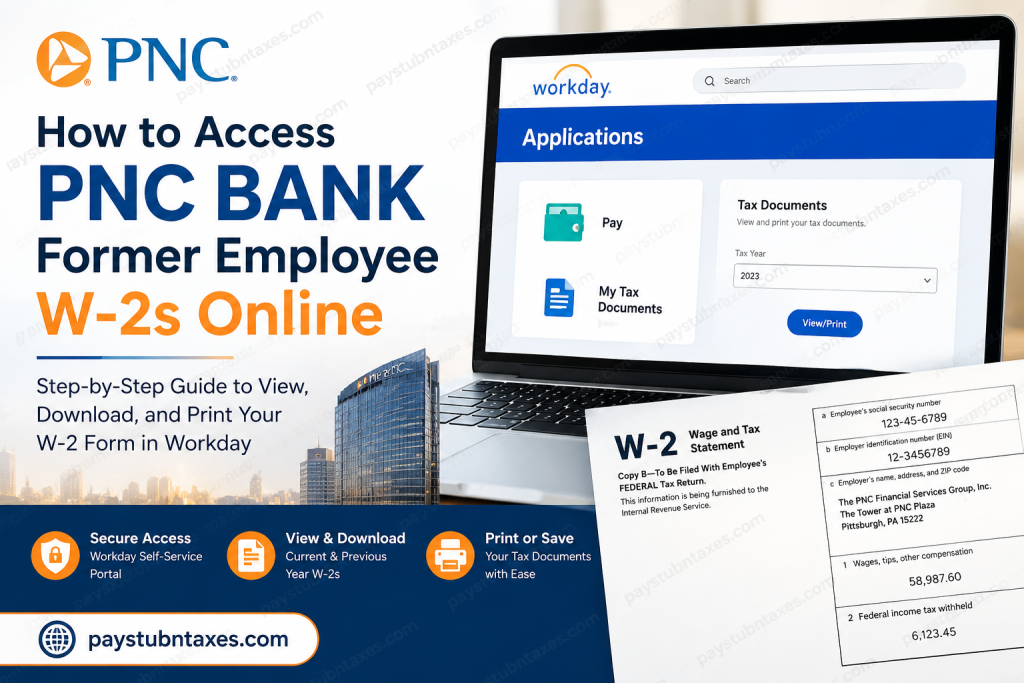
The annual W-2 form is one of the most important tax documents for former employees, as it summarizes wages earned and taxes withheld during the previous calendar year. If you previously worked for PNC Bank or any division of The PNC Financial Services Group, you may still be able to obtain your W-2 electronically through the company’s Workday Self-Service portal or by receiving a mailed copy at your home address.
About PNC Financial Services Group
The PNC Financial Services Group, Inc. is one of the largest financial institutions in the United States, headquartered in Pittsburgh, Pennsylvania. Through its subsidiary, PNC Bank, the company serves millions of customers across 27 states and the District of Columbia, offering banking, wealth management, lending, treasury management, and investment services. PNC employs thousands of professionals nationwide and continues to be recognized as one of America’s leading banking organizations.
Can Former PNC Employees Access Their W-2 Online?
Yes. Former PNC employees may access their W-2 forms online through the Workday Employee Portal, provided their offboarding credentials remain active.
During the separation process, employees are generally issued temporary Workday credentials because their Single Sign-On (SSO) access is eventually revoked. If the new tax year’s W-2 becomes available while these credentials remain active, the form can be downloaded directly from Workday.
If online access expires before the W-2 is released, PNC will mail the form to the employee’s address on file.
PNC Former Employee Workday Login Portal
Workday Employee Portal:
https://wd5.myworkday.com/pnc/login.htmld?redirect=n
Former employees should keep their offboarding credentials secure and ensure their mailing address is current before leaving the company.
How to Access Your PNC W-2 Online
Follow these steps to retrieve your W-2 form:
Step 1: Sign In to Workday
Visit the PNC Workday portal and enter your temporary username and password.
Step 2: Open the Pay Dashboard
After logging in, navigate to your Workday homepage and select:
Applications → Pay
Step 3: Access My Tax Documents
Within the Pay dashboard, select:
My Tax Documents
This section stores tax documents, including current and previous W-2 forms.
Step 4: Locate Your W-2
Under the Tax Documents section, identify the appropriate tax year and click:
View/Print
The document may take a few moments to load.
Step 5: Download or Print
Once the W-2 opens:
- Click the Printer icon to print the form.
- Click the Download icon to save a PDF copy.
- Use the navigation arrows to move between pages if necessary.
When Are PNC W-2 Forms Available?
Former employees typically receive an email notification by January 31 indicating that their W-2 forms are available online.
In many cases, electronic access becomes available before paper copies are mailed, allowing former employees to file their taxes sooner.
What Happens If You Cannot Access Workday?
If you are unable to sign in:
- Verify that your temporary credentials have not expired.
- Use the password recovery option if available.
- Ensure you are using the correct username and password issued during offboarding.
- Contact your local PNC branch office or Human Resources representative for assistance.
Will PNC Mail My W-2?
Yes.
If your Workday access expires before your W-2 becomes available, PNC will mail the form to your home address on file.
Therefore, it is essential to ensure your mailing information is accurate before your employment ends.
Can I Access Previous-Year W-2 Forms?
If your Workday credentials remain active, you may be able to access both current and prior-year tax documents through the My Tax Documents section.
However, once access is permanently disabled, obtaining older tax forms may require assistance from Human Resources or your former local branch office.
Why You Should Download Your W-2 Immediately
Former employees should download and save a copy of their W-2 as soon as it becomes available because:
- Workday access may expire.
- Tax documents are often required for:
- Federal and state tax filing
- Mortgage applications
- Loan verification
- Financial aid applications
- Employment verification
- Income documentation
Maintaining a personal copy can save considerable time and inconvenience in the future.
Final Thoughts
Navigating tax season can be daunting after leaving an employer, but PNC’s Workday Self-Service platform makes accessing payroll and tax information relatively straightforward. Former employees should sign in promptly, download their W-2 forms for future reference, and ensure their contact information remains up to date. By taking these simple precautions, you can avoid unnecessary delays and complete your tax filing with confidence and peace of mind.
Frequently Asked Questions (FAQs)
1. How can I access my PNC W-2 after leaving the company?
You can log in to the PNC Workday portal using your temporary offboarding credentials and download your W-2 from the My Tax Documents section.
2. What is the PNC former employee Workday login URL?
The login portal is: https://wd5.myworkday.com/pnc/login.htmld?redirect=n.
3. When are PNC W-2 forms available?
W-2 forms are generally available online by January 31 each year.
4. Will PNC mail my W-2 form?
Yes. If your Workday access has expired or you do not access the form online, PNC will mail your W-2 to your address on file.
5. Can I access my W-2 without Workday credentials?
No. You need active Workday credentials to access your W-2 online. Otherwise, wait for the mailed copy or contact HR.
6. How long do former employees keep access to Workday?
Former employees typically receive limited Workday access during the offboarding period. Access duration may vary.
7. Where can I find my W-2 in Workday?
Navigate to Applications > Pay > My Tax Documents.
8. Can I print my W-2 directly from Workday?
Yes. Workday allows you to print or download a PDF copy of your W-2.
9. Can I download previous-year W-2 forms?
If your Workday account remains active, you may be able to access prior-year tax documents.
10. What should I do if I forgot my Workday password?
Use the password recovery option on the login page or contact Human Resources for assistance.
11. Why haven’t I received my W-2 yet?
Verify your mailing address and email notifications. If January 31 has passed, contact your local branch office or HR.
12. Can I change my mailing address after leaving PNC?
You should update your address before separation or contact Human Resources if you need to make changes afterward.
13. Do former employees receive an email when W-2s are available?
Yes. Former employees generally receive an email notification when their W-2 is ready.
14. Can I access my pay stubs through Workday too?
Yes. Workday provides access to current and previous pay statements during your access period.
15. Who should I contact if I have questions about my W-2?
Contact your local PNC branch office or the Human Resources department for assistance regarding tax documents and payroll records.

